
Introduzione
Thank you for choosing the ILIFE V5s Plus Robot Vacuum and Mop. This device is designed to provide efficient cleaning for your home, combining both vacuuming and mopping functions. It features smart navigation, app control, and automatic self-charging for convenience. Please read this manual thoroughly before use to ensure proper operation and maintenance.
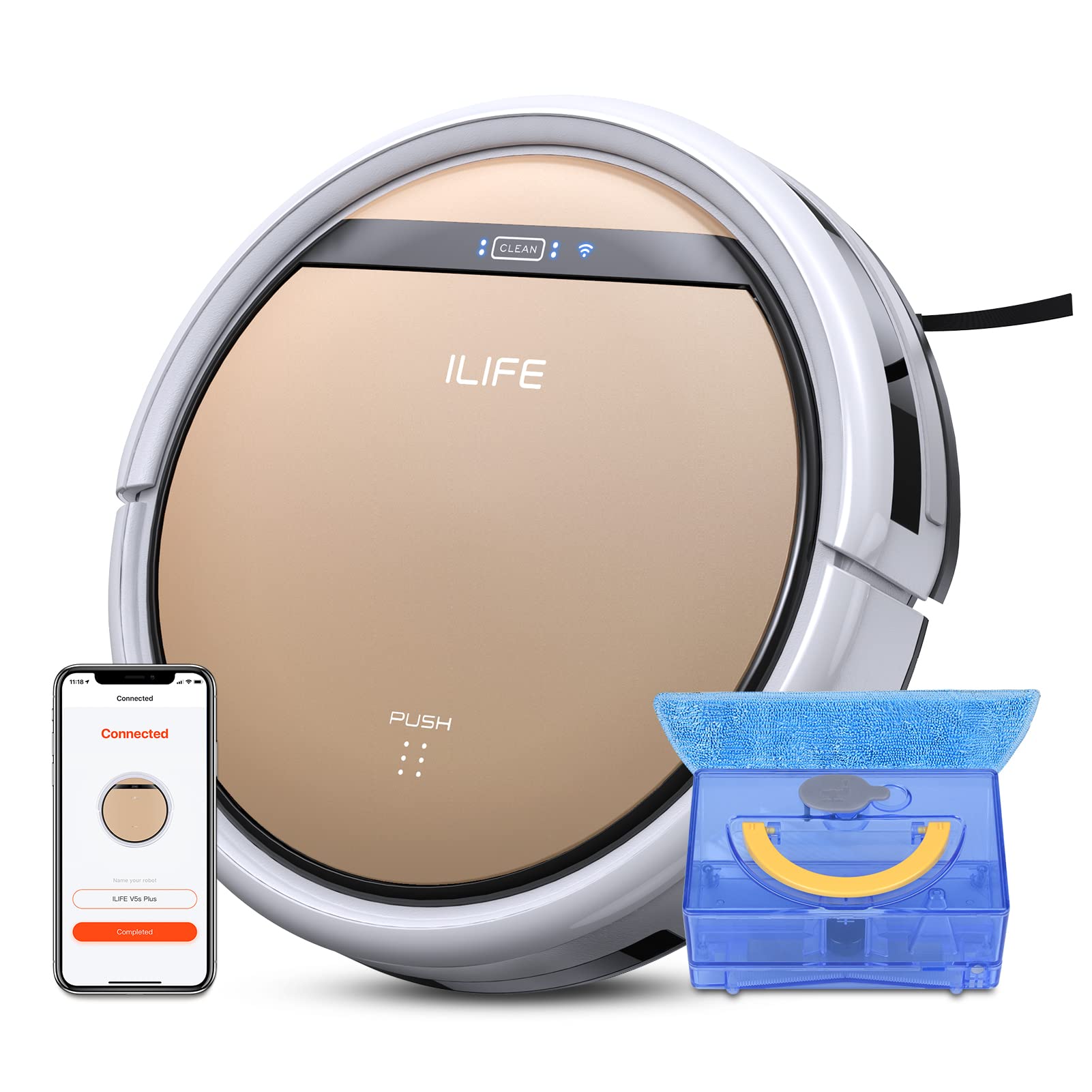
The ILIFE V5s Plus Robot Vacuum and Mop, ready for use.
Istruzioni di sicurezza
Before operating the ILIFE V5s Plus, please observe the following safety precautions:
- Leggere attentamente tutte le istruzioni prima di utilizzare l'apparecchio.
- Keep the robot and its accessories out of reach of children.
- Non utilizzare il robot in ambienti umidi o vicino all'acqua.
- Assicurarsi che la base di ricarica sia posizionata su una superficie piana contro una parete, con spazio libero intorno.
- Rimuovere eventuali cavi allentati, piccoli oggetti o elementi fragili dal percorso di pulizia per evitare che si aggroviglino o si danneggino.
- Non utilizzare il robot per raccogliere detriti di grandi dimensioni, oggetti appuntiti o liquidi diversi dall'acqua per lavare i pavimenti.
- Utilizzare solo l'adattatore di alimentazione e la base di ricarica originali forniti con il robot.
Cosa c'è nella scatola
Verificare che tutti i componenti siano presenti nella confezione:
- Corpo principale (batteria inclusa)
- Stazione di ricarica
- Telecomando (batteria non inclusa)
- Adattatore CA
- Strumento di pulizia
- Panno per mocio
- Serbatoio dell'acqua
- Manuale d'uso
- Filtro ad alte prestazioni
- Spazzole laterali extra
Impostare
1. Ricarica iniziale
Place the charging dock against a wall in an open area. Connect the AC adapter to the charging dock and plug it into a power outlet. Place the robot onto the charging dock, ensuring the charging pins align. The robot will begin charging automatically. Allow for a full charge before first use (approximately 3-5 hours).
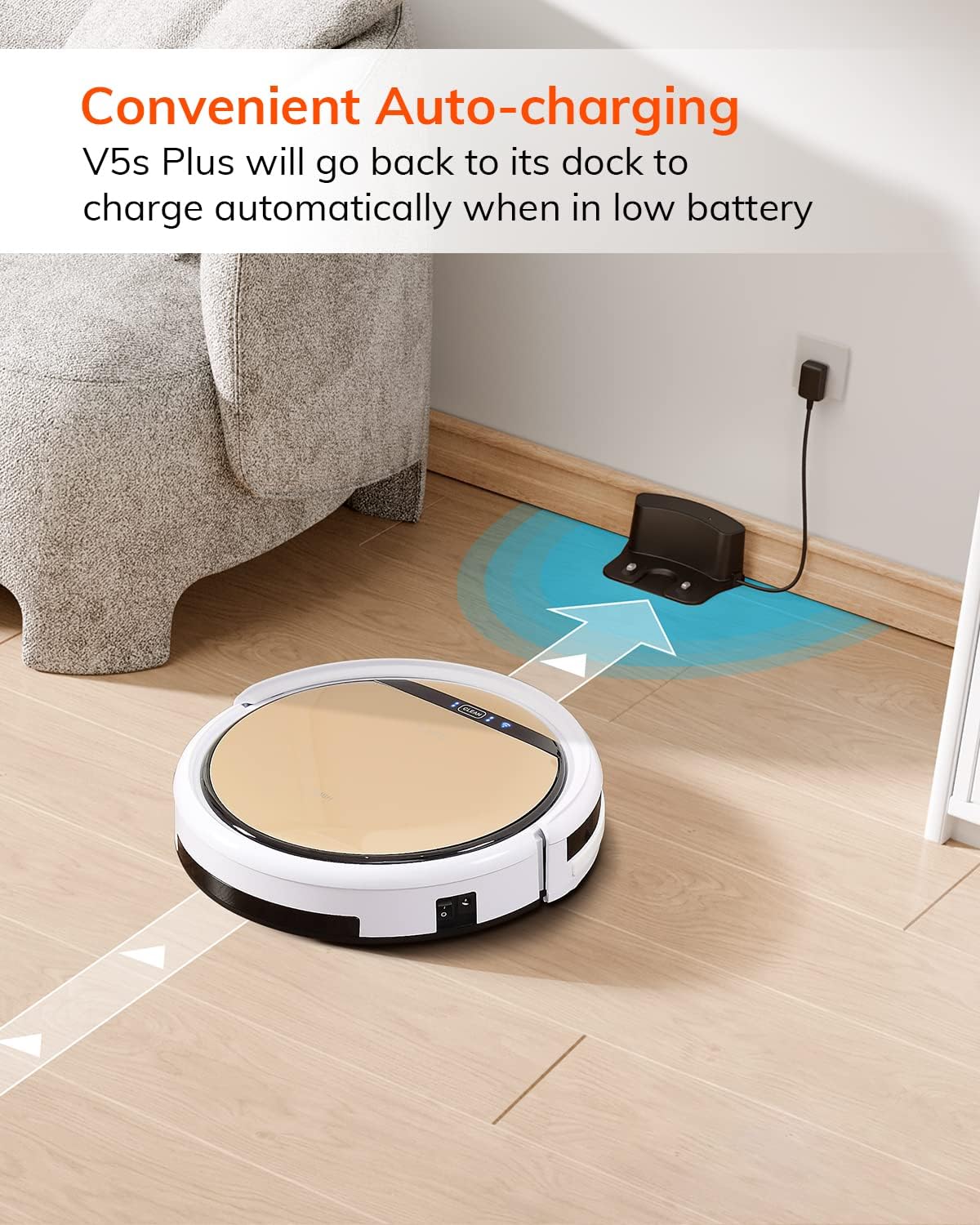
Quando la batteria è scarica, il robot torna automaticamente alla base di ricarica.
2. Download dell'app e connessione WiFi
Download the 'ILIFEHOME' app from your smartphone's app store. Follow the in-app instructions to connect your robot to your home WiFi network. Ensure your WiFi is 2.4GHz, as the app does not support 5G WiFi.

Control the robot and schedule cleaning via the ILIFEHOME app.
3. Preparazione dell'area di pulizia
Before each cleaning cycle, clear the floor of any obstacles such as cables, toys, or small rugs that could entangle the robot. For mopping, ensure the water tank is filled and the mop cloth is attached.
Istruzioni per l'uso
1. Accensione/spegnimento
To power on the robot, press the 'CLEAN' button on the robot or use the remote control/app. To power off, press and hold the 'CLEAN' button until the indicator lights turn off, or use the app.
2. Modalità di pulizia
The ILIFE V5s Plus offers multiple cleaning modes:
- Modalità automatica: The robot automatically cleans the area, adjusting its path as needed.
- Modalità spot: Si concentra su una specifica area sporca, pulendo seguendo uno schema a spirale.
- Modalità bordo: Pulisce lungo le pareti e i bordi dei mobili.
- Modalità massima: Aumenta la potenza di aspirazione per una pulizia più profonda.
- Modalità di pulizia programmata: Imposta un programma di pulizia tramite l'app per una pulizia automatica.

The robot utilizes various cleaning modes to suit different needs.
3. Aspirazione e lavaggio
The V5s Plus functions as both a vacuum and a mop. For vacuuming, ensure the dustbin is installed. For mopping, replace the dustbin with the water tank and attach a clean mop cloth. The intelligent control water tank offers three-level water outlet: gentle, standard, and strong, which can be controlled by the App.

The ILIFE V5s Plus offers both vacuuming and mopping capabilities.
4. Controllo vocale
The ILIFE V5s Plus is compatible with Amazon Alexa and Google Assistant. Connect your robot to your smart home system to start or stop cleaning tasks using voice commands.

Control your robot with voice commands through Alexa or Google Assistant.
5. Ricarica automatica
When the battery is low or a cleaning cycle is complete, the robot will automatically return to its charging dock. Ensure the charging dock is accessible and free from obstructions.

The robot automatically returns to its charging base when power is low.
Manutenzione
Una manutenzione regolare garantisce prestazioni ottimali e prolunga la durata del tuo ILIFE V5s Plus.
1. Svuotamento e pulizia del contenitore della polvere
Open the top cover of the robot and remove the dustbin. Empty the dustbin into a trash receptacle. Clean the dustbin and filter with the provided cleaning tool or a soft brush. Rinse the dustbin with water if necessary, ensuring it is completely dry before reinstallation.
2. Filling and Cleaning the Water Tank
Remove the water tank from the robot. Open the water tank cap and fill it with clean water. Securely close the cap and reinsert the water tank into the robot. After mopping, empty any remaining water and rinse the tank. Allow it to air dry.

The water tank for the mopping function.
3. Pulizia delle spazzole laterali
Regularly check the side brushes for tangled hair or debris. Remove any obstructions using the cleaning tool or scissors. Replace worn-out side brushes with new ones.
4. Pulizia dei sensori
Per garantire una navigazione corretta, pulire i sensori anti-caduta e anti-collisione sulla parte inferiore e sul paraurti anteriore del robot con un panno pulito e asciutto.
Risoluzione dei problemi
If you encounter issues with your ILIFE V5s Plus, refer to the following common problems and solutions:
- Il robot non si accende: Ensure the battery is charged. Check if the power switch on the side of the robot is turned on.
- Il robot non carica: Verify the charging dock is powered and the robot is correctly aligned with the charging pins. Clean the charging contacts on both the robot and the dock.
- Il robot si blocca spesso: Clear the cleaning area of obstacles. Check for tangled hair in the side brushes or wheels.
- Scarsa prestazione di pulizia: Empty the dustbin and clean the filter. Clean the side brushes. Ensure the water tank is properly filled for mopping.
- Unable to connect to App:
- Make sure to select the correct Wi-Fi and login with the correct Wi-Fi password.
- The ILIFE Robot does not support 5G Wi-Fi. Make sure to use a 2.4G Wi-Fi connection.
- Make sure the Wi-Fi signal is covered and strong.
- Allow the ILIFEHOME APP to have access to your location services and wireless data.
Specifiche
| Caratteristica | Dettaglio |
|---|---|
| Marca | VIVERE |
| Nome del modello | V5s più |
| Raccomandazione di superficie | Pavimento duro |
| Potenza di aspirazione | 2 kPa |
| Tempo di utilizzo | Fino a 110 minuti |
| Capacità del serbatoio dell'acqua | 300 ml |
| Capacità della scatola di polvere | 300 ml |
| Tipo di filtro della scatola della polvere | Filtro ad alta efficienza + rete in nylon |
| Modalità di pulizia | Auto/Punto/Bordo/Max |
| Tipo di controllo | Controllo remoto/Controllo app/Alexa/Assistente Google |
| Dimensioni del prodotto | 30 L x 30 L x 8.1 A Centimetri |
| Tipo di batteria | Ioni di litio |
| Voltage | 110 Volt |
Garanzia
The ILIFE V5s Plus Robot Vacuum and Mop comes with a Garanzia del produttore di 1 anniSi prega di conservare la prova d'acquisto per eventuali reclami in garanzia. La garanzia copre difetti di materiali e fabbricazione in condizioni di normale utilizzo. Non copre danni causati da uso improprio, incidenti, modifiche non autorizzate o normale usura.
Supporto
For further assistance, technical support, or warranty inquiries, please contact ILIFE customer service:
- E-mail: service_us_ca@iliferobot.com
Prodotto finitoview Video
Guarda questo video per una panoramica generaleview of the ILIFE V5s Plus features and operation.
Prodotto ufficiale finitoview of the ILIFE V5s Plus Robot Vacuum and Mop.