
BoxWave JOY-M005D
BoxWave FineTouch Capacitive Stylus
Manuale d'uso
1. Prodotto finitoview
The BoxWave FineTouch Capacitive Stylus is designed for precise interaction with capacitive touchscreens, including devices like the Sjoybring JOY-M005D. It features an innovative clear tip for enhanced visibility and accuracy, allowing users to see exactly where they are writing, drawing, or tapping. This stylus is universal, requiring no Bluetooth pairing or charging, making it ready to use instantly. Its compact and lightweight design, along with a built-in metal clip, ensures portability and convenience.
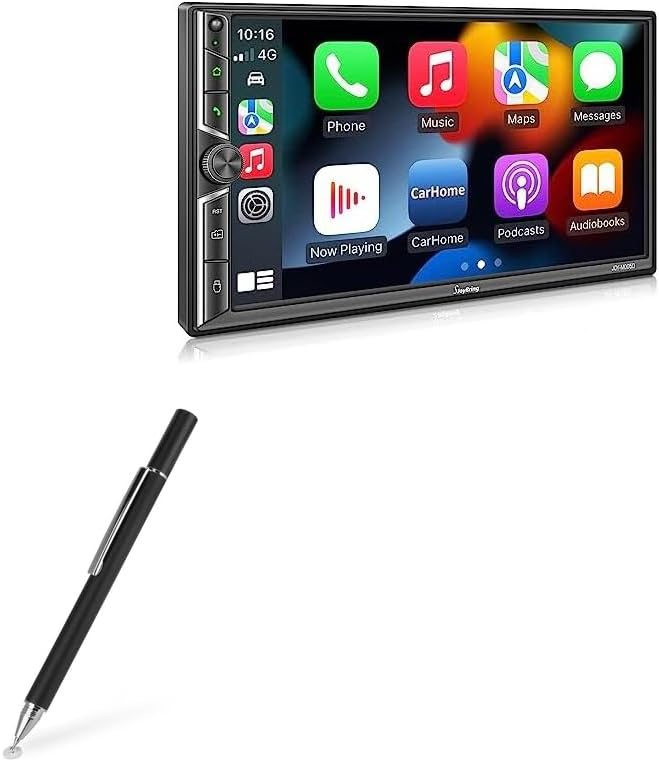
Figure 1.1: The BoxWave FineTouch Capacitive Stylus, showcasing its sleek design alongside a compatible device screen.

Figura 1.2: dettagliata view of the stylus tip, highlighting the clear disc for precise input.

Figure 1.3: The stylus in action on a tablet, demonstrating its accuracy and responsiveness for various tasks.
2. Impostazione
The BoxWave FineTouch Capacitive Stylus requires no complex setup. It operates without Bluetooth connectivity or battery power. Simply uncap the stylus and it is ready for immediate use with any capacitive touchscreen device.
- Remove the protective cap from the stylus tip.
- Gently touch the clear disc tip to your device's screen to begin interaction.
3. Funzionamento
Using the FineTouch Capacitive Stylus is intuitive and mimics the natural feel of a pen. The clear disc tip allows for precise placement and visibility.
- Uso generale: Hold the stylus like a regular pen. The clear disc tip should lie flat against the screen for optimal contact.
- Precisione: The clear disc allows you to see the exact point of contact on the screen, which is beneficial for detailed drawing, writing, or selecting small icons.
- Compatibilità: This stylus is compatible with all capacitive touchscreens.
- Limitazioni: Please note that the FineTouch Capacitive Stylus does not support advanced features such as palm rejection or pressure sensitivity.

Figure 3.1: Proper grip and usage of the stylus on a tablet device.
4. Manutenzione
To ensure the longevity and optimal performance of your stylus, follow these simple maintenance guidelines:
- Pulizia: Wipe the stylus body and the clear disc tip with a soft, dry, lint-free cloth. Avoid using abrasive cleaners or solvents, as these can damage the stylus.
- Protezione della punta: Always replace the threaded cap when the stylus is not in use. This protects the delicate clear disc tip from dust, dirt, and physical damage.
- Magazzinaggio: Store the stylus in a clean, dry place, away from extreme temperatures and direct sunlight. The built-in metal clip can be used to secure it to a pocket or case.

Figure 4.1: The threaded cap securely protecting the stylus tip when not in use.
5. Risoluzione Dei Problemi
If you encounter any issues with your BoxWave FineTouch Capacitive Stylus, refer to the following common problems and their solutions:
| Problema | Possibile causa | Soluzione |
|---|---|---|
| Stylus not responding or inconsistent response. | Dirty screen or stylus tip; improper contact angle; device screen issue. | Clean your device screen and the stylus tip with a soft, dry cloth. Ensure the clear disc tip is making full contact with the screen. Test the stylus on another capacitive touchscreen device to rule out a device-specific issue. |
| Clear disc tip appears loose or detached. | Wear and tear; accidental damage. | The clear disc is designed to pivot slightly for optimal contact. If it is genuinely detached or damaged, contact BoxWave support for assistance. |
6. Specifiche
| Caratteristica | Dettaglio |
|---|---|
| Modello | FineTouch Capacitive Stylus (Compatible with Sjoybring JOY-M005D) |
| Marca | ScatolaWave |
| Colore | Nero pece |
| Peso dell'articolo | 1 Ounce (approximately 28 grams) |
| Batterie richieste | NO |
| Connettività | Passive Capacitive (No Bluetooth) |
| Tipo di suggerimento | Clear Conductive Disc Tip |
7. Garanzia e supporto
BoxWave Corporation stands behind the quality of its products. For specific warranty details and support inquiries, please refer to the information provided at the time of purchase or visit the official BoxWave websito.
- Politica di ritorno: Products purchased from BoxWave Corporation typically come with a 30-day return policy for refund or replacement. Please check your purchase details for exact terms.
- Supporto tecnico: For technical assistance or questions regarding your FineTouch Capacitive Stylus, please contact BoxWave customer support. Contact information can usually be found on the product packaging or the official BoxWave websito.
Ask a question about this manual
Ask about setup, troubleshooting, compatibility, parts, safety, or missing instructions. Manuals+ will review the question and use this page’s manual context to help answer it.