
YUER BA-10Pro
Chitarra acustica Yuer BA-10Pro 10W Amp
Manuale di istruzioni
Introduzione
Thank you for choosing the Yuer BA-10Pro 10W Acoustic Guitar AmpQuesto portatile amplifier is designed for musicians seeking a versatile and compact solution for practice, recording, and small performances. It features dual inputs for guitar and microphone, digital delay and reverb effects, OTG recording capabilities, and Bluetooth connectivity. This manual provides detailed instructions to help you get the most out of your BA-10Pro amppiù vivace.
Caratteristiche principali:
- Dual 1/4-inch inputs for guitar and microphone.
- High-performance audio chip for balanced sound.
- Built-in digital delay and reverb effects.
- Vocal cut function for improved singing practice.
- OTG recording for direct connection to mobile phones and laptops.
- Bluetooth 5.3 per lo streaming audio wireless.
- 4000mAh rechargeable battery for 4-8 hours of playtime.
- 3.5mm headphone jack for silent practice.
- Compact and lightweight design (6x3x3.9 inches, 1.32 lbs).
Prodotto finitoview: Controlli e connessioni

Immagine: in alto view of the Yuer BA-10Pro amplifier, highlighting the control knobs and input jack.
Controlli del pannello frontale:
- RITARDO E RIVERBERO: Intensity adjustment knobs for digital effects.
- AUX\B.T. VOL: Volume adjustment for auxiliary input and Bluetooth audio.
- TONO: Tone instrument adjustment knob.
- BATTERIA SCARICA: Basso volumetage and charging indicator light.
- VOLUME: Instrument volume control knob.
- ENERGIA: Long press to turn on/off; short press to turn on/off vocal elimination, and status indicators.
- INGRESSO: 1/4" Instrument input interface.

Immagine: Posteriore view of the Yuer BA-10Pro amplifier, showing the various input and output ports.
Connessioni pannello posteriore:
- USB-C: Charging / OTG Internal Recording port.
- Uscita cuffie: Jack da 3.5 mm per cuffie.
- INGRESSO AUX: Auxiliary Input jack.
- VOLO: MIC Volume Adjustment knob.
- MICROFONO: 1/4" MIC Input jack (compatible with dynamic microphones).
Impostare
1. Ricarica iniziale
Before first use, ensure the BA-10Pro is fully charged. Connect the white USB-C cable to the USB-C port on the rear panel and to a suitable USB power adapter (not included). The LOW BATT indicator will show charging status. A full charge provides 4-8 hours of playtime.
Note: The black USB-C cable is for OTG recording only, not for charging the amp. Use the white USB-C cable to charge the amp.
2. Collegamento di strumenti e microfoni
- Chitarra: Plug your acoustic guitar into the INGRESSO 1/4" jack on the front panel.
- Microfono: Plug your dynamic microphone into the Microfono 1/4" jack on the rear panel. Adjust microphone volume using the VOL MICROFONO manopola sul pannello posteriore.

Image: A person singing into a microphone while another plays an acoustic guitar, demonstrating the dual input capability of the BA-10Pro.
3. Accoppiamento Bluetooth
To connect a Bluetooth device (e.g., smartphone, tablet, laptop) for backing tracks or audio playback:
- Turn on the BA-10Pro by long-pressing the ENERGIA pulsante.
- Abilita il Bluetooth sul tuo dispositivo.
- Cercare "BA-10Pro" in your device's Bluetooth settings and select it to pair.
- Adjust the Bluetooth volume using the AUX\B.T. VOL manopola sul pannello frontale.
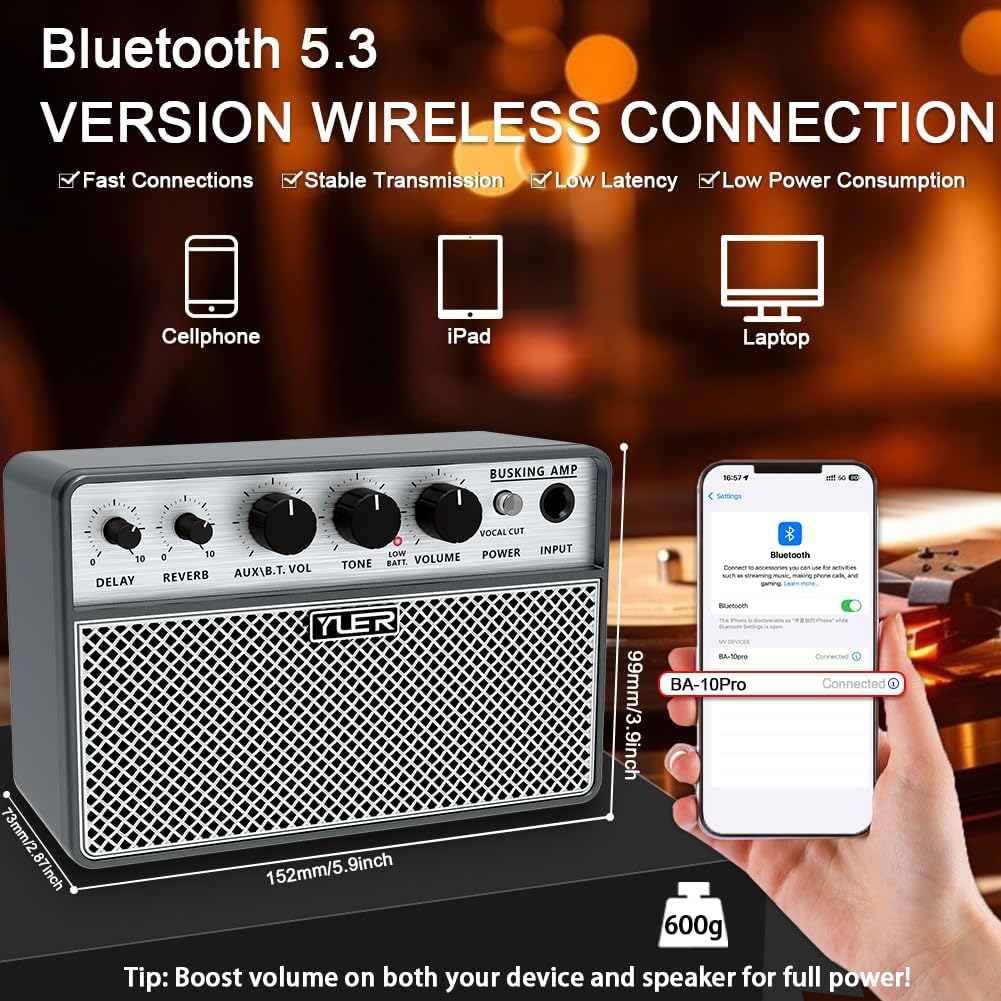
Image: The Yuer BA-10Pro amplifier positioned next to a smartphone displaying its Bluetooth connection screen, indicating successful pairing.
Istruzioni per l'uso
1. Accensione/spegnimento
Premere a lungo il tasto ENERGIA pulsante sul pannello frontale per accendere il amplificatore acceso o spento.
2. Regolazione del volume e del tono
- Utilizzare il VOLUME knob to control the overall instrument volume.
- Utilizzare il TONO knob to adjust the tonal characteristics of your instrument.
- For microphone volume, use the VOL MICROFONO manopola sul pannello posteriore.
- For AUX/Bluetooth volume, use the AUX\B.T. VOL manopola.
3. Using Digital Effects (Delay & Reverb)
The BA-10Pro includes built-in digital delay and reverb effects. Adjust the intensity of these effects using their respective knobs on the front panel. Experiment with different settings to find the desired ambiance for your guitar and vocals.

Image: A musician playing an acoustic guitar, with the Yuer BA-10Pro amplifier in the foreground, illustrating the sound output and internal speaker components.
4. Vocal Cut Function
The vocal cut function can be activated by a short press of the ENERGIA button. This feature helps to reduce or eliminate vocals from a track, allowing you to practice singing along more effectively.
5. Registrazione OTG
The BA-10Pro supports OTG (On-The-Go) recording, allowing you to directly record your guitar and vocal performance to mobile phones or laptops. Use the black USB-C to USB-C cable for this connection. This function also enables the amp to act as a simple audio interface for live streaming.
6. Headphone and AUX Input
- Jack per cuffie: Plug 3.5mm headphones into the Headphone Output on the rear panel for silent practice.
- INGRESSO AUX: Connect external audio sources (e.g., MP3 player) to the AUX IN jack on the rear panel. Adjust volume with the AUX\B.T. VOL manopola.
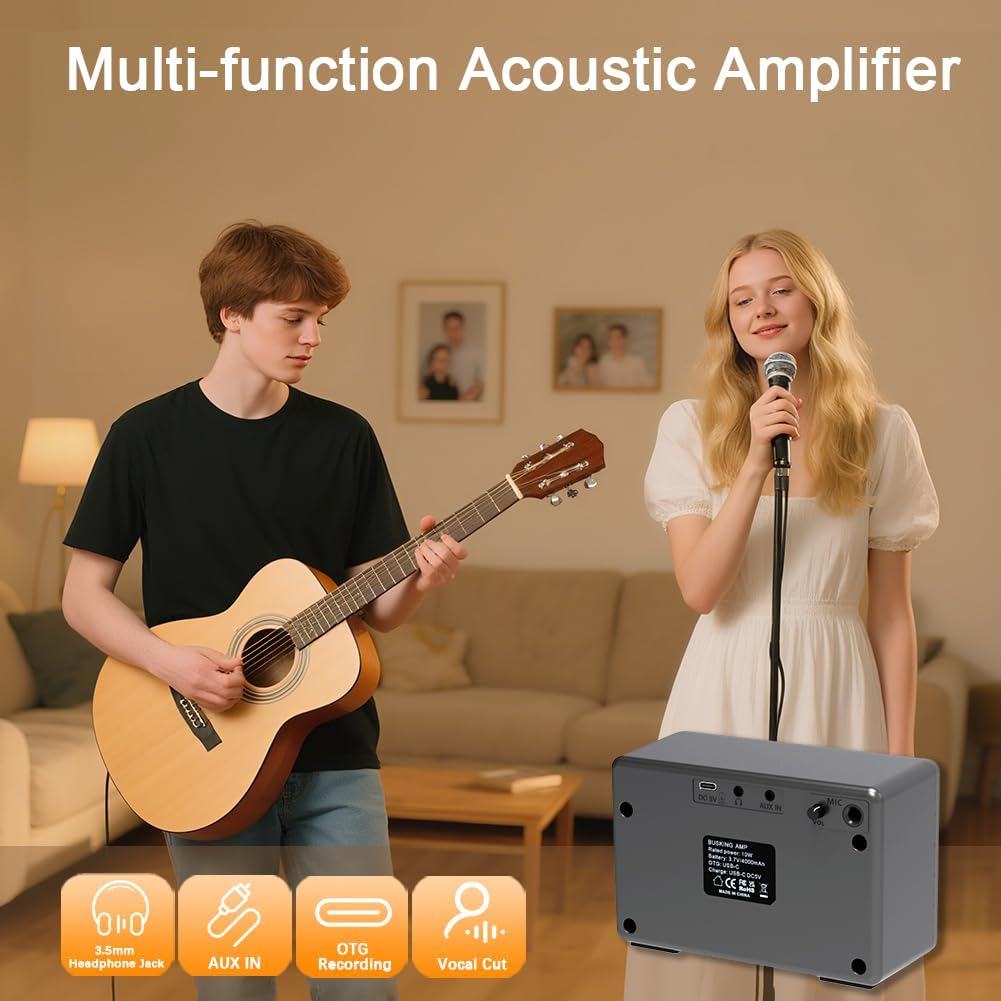
Image: A group of people enjoying music, with the Yuer BA-10Pro amplifier in the scene, accompanied by icons representing its multi-functional capabilities like headphone jack, AUX input, OTG recording, and vocal cut.
Manutenzione
- Pulizia: Pulisci il amplificatore con un panno morbido e asciutto. Non utilizzare detergenti abrasivi o solventi.
- Magazzinaggio: Conservare il amplifier in un luogo fresco e asciutto, lontano dalla luce solare diretta e da temperature estreme.
- Cura della batteria: Per prolungare la durata della batteria, evitare di scaricarla completamente frequentemente. Se si prevede di non utilizzarla per un periodo prolungato, caricare la batteria fino a circa il 50% ogni pochi mesi.
- Protezione: Use the included carry bag for transport to protect the amplifier from dust and minor impacts.
Risoluzione dei problemi
| Problema | Possibile causa | Soluzione |
|---|---|---|
| Nessun suono da amppiù vivace. | Amplifier not powered on; volume too low; instrument/mic not connected properly; low battery. | Long press POWER button; increase VOLUME/MIC VOL; check cable connections; charge the amppiù vivace. |
| Il Bluetooth non si connette. | Bluetooth non abilitato sul dispositivo; amp not in pairing mode; too far from device. | Ensure Bluetooth is on; restart amp and device; move device closer to amp. |
| La registrazione OTG non funziona. | Incorrect USB-C cable used; device not compatible with OTG; recording software issue. | Use the black USB-C to USB-C cable; check device's OTG compatibility; ensure recording software is configured correctly. |
| Il suono è distorto o poco chiaro. | Volume too high; TONE setting incorrect; faulty cable/instrument. | Reduce VOLUME; adjust TONE knob; try different cables/instruments to isolate the issue. |
| La batteria si scarica rapidamente. | High volume usage; old battery; frequent charging/discharging cycles. | Reduce volume; ensure proper charging habits; contact support if battery life significantly degrades. |
Specifiche
| Caratteristica | Dettaglio |
|---|---|
| Modello | BA-10Pro |
| Uscita Wattage | 10 Watt |
| Peso dell'articolo | 1.61 libbre (circa 0.73 kg) |
| Dimensioni del prodotto | 5.9 x 2.55 x 3.89 pollici (circa 15 x 6.5 x 9.9 cm) |
| Fonte di alimentazione | Alimentato a batteria (batteria ricaricabile da 4000 mAh) |
| Tipo di materiale | Acrilonitrile Butadiene Stirene (ABS) |
| Tipo di connettore | 6.35mm Jack, 5.3 Wireless Connectivity (Bluetooth), USB-C |
| Dispositivi compatibili | Guitar, Microphones, Phone, iPad, Laptops |
| Colore | Grey Shell and Silver Grille |
Cosa c'è nella scatola
- BA-10Pro Guitar Amp x1
- White USB-A to Type-C Charging Cable x1
- Black OTG Cable USB-C to USB-C x1
- Manuale del prodotto x1
- Borsa per il trasporto x1
Image: The Yuer BA-10Pro amplifier displayed alongside its complete set of accessories, including the charging cable, OTG cable, product manual, and carry bag.
Garanzia e supporto
YUER provides a 12-Month Product Guarantee for the BA-10Pro amplifier. Additionally, the product is covered by Amazon's 30-Day Easy Return Policy. For any issues or support inquiries after receiving your BA-10Pro, please reach out to YUER customer service. We are committed to providing 24/7 customer service to ensure your satisfaction.
For further assistance, please visit the official YUER store or contact the seller directly through the platform where you purchased the product.
Ask a question about this manual
Ask about setup, troubleshooting, compatibility, parts, safety, or missing instructions. Manuals+ will review the question and use this page’s manual context to help answer it.