
1. Introduzione
The Hidizs S8 Pro Robin is a portable USB-C Digital-to-Analog Converter (DAC) designed to elevate your audio experience. It features a dual 32-bit DAC chip architecture, precise volume control, and versatile output options, ensuring high-fidelity sound across various devices and operating systems.
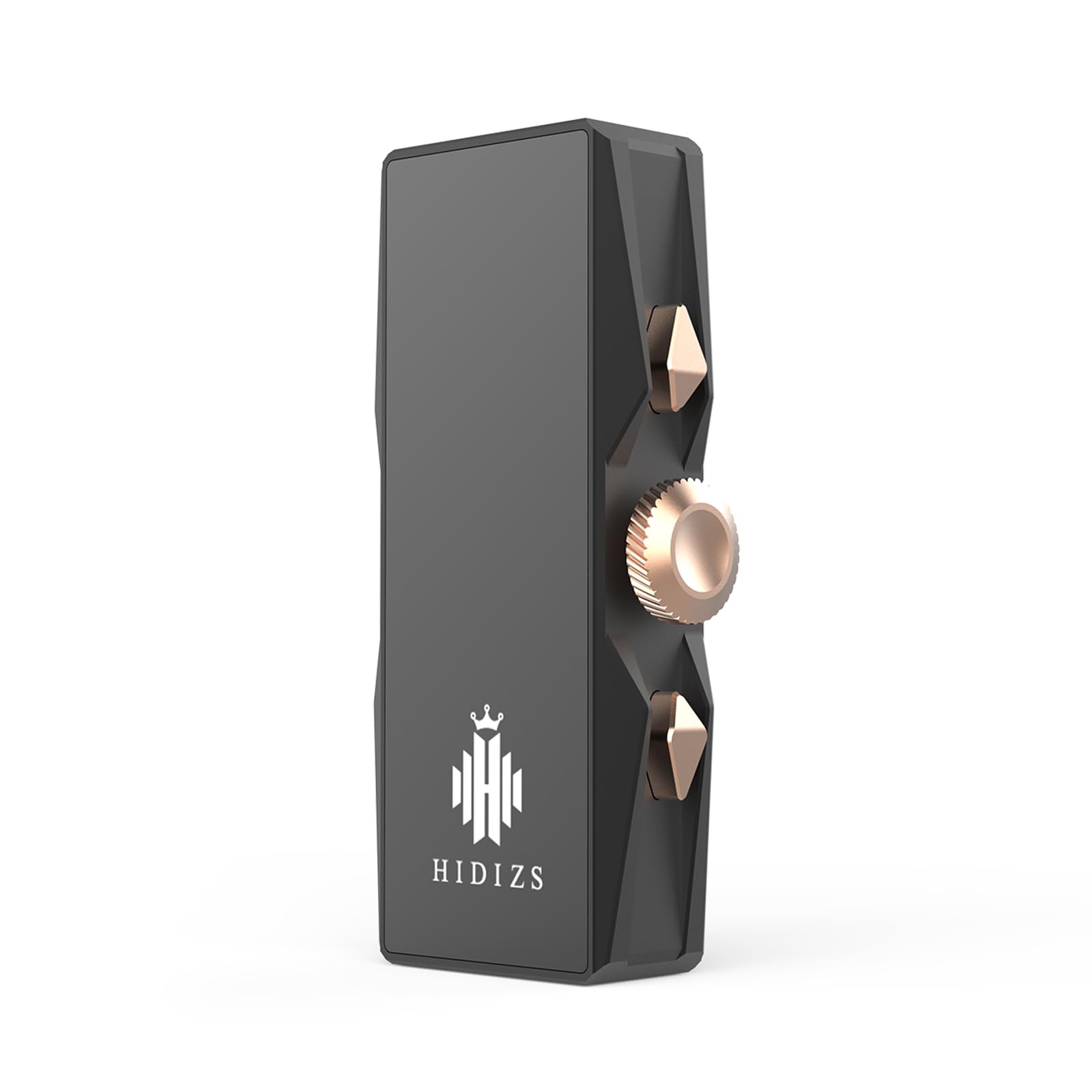
Image 1: Hidizs S8 Pro Robin Portable USB-C DAC. This image shows the compact and sleek design of the S8 Pro Robin, highlighting its portability.
2. Caratteristiche principali
- Dual DAC Chip Architecture: Equipped with two CS43131 chips from CIRRUS LOGIC, providing a balanced 32-bit oversampling multi-bit modulator for distortion-free audio.
- Volume Control & 6 Filter Options: Convenient function buttons for quick volume adjustments and selection from 6 optional filter responses to tailor your sound.
- Mainstream Output Interfaces: Features both 3.5mm single-ended and 4.4mm balanced outputs to fully utilize the dual DAC architecture.
- Ampia compatibilità: Standard Type-C data interface ensures excellent compatibility with Windows, macOS, Android, iOS, and HarmonyOS.
- Pacchetto completo di accessori: Includes a Type-C to Type-C cable, a Type-C to USB-A adapter, and a Type-C to Lightning adapter (note: Lightning OTG cable for iOS users must be purchased separately).

Image 2: Dual 32-bit DAC Chip. This image highlights the CS43131 DAC chip, central to the device's high-fidelity audio processing.

Image 3: DAC Dongle Block Diagram. A schematic representation of the internal components and signal flow within the Hidizs S8 Pro Robin.
3. Contenuto della confezione
- Hidizs S8 Pro Robin Portable USB-C DAC
- Cavo da tipo C a tipo C
- Adattatore da tipo C a USB-A
- Type-C to Lightning Adapter (Note: Lightning OTG cable for iOS users must be purchased separately for optimal functionality.)

Image 4: Hidizs S8 Pro Robin with included accessories. This image displays the DAC unit alongside its accompanying cables and adapters.
4. Istruzioni per l'installazione e l'uso
The Hidizs S8 Pro Robin is designed for plug-and-play convenience. Follow these steps to connect your device and start enjoying high-quality audio.
Passaggi generali per la connessione:
- Connect one end of the provided Type-C cable to the USB-C port on the Hidizs S8 Pro Robin.
- Connect the other end of the cable (or appropriate adapter) to your audio source device (smartphone, tablet, computer).
- Plug your headphones into either the 3.5mm single-ended or 4.4mm balanced output port on the Hidizs S8 Pro Robin.
- Ensure your audio source is playing music. The indicator light on the S8 Pro Robin will illuminate, and its color may vary depending on the song's samptasso di ling.
Connecting to Various Devices:
The Hidizs S8 Pro Robin offers broad compatibility. The following video demonstrates connection methods for various operating systems and devices:
Video 1: How to Connect different Sources to DS2? This video demonstrates the connection process for a portable USB-C DAC/amp with various devices including Android, iOS, Mac, Windows, and external amplifiers. While the product shown is a Fosi Audio DS2, the connection principles and steps are directly applicable to the Hidizs S8 Pro Robin.
Volume Control & Filter Options:
- Use the dedicated function buttons on the side of the S8 Pro Robin to adjust the volume.
- The S8 Pro Robin offers 6 optional filter responses. Refer to the product's specific button functions for switching between these filters to customize your listening experience.

Image 5: Hidizs S8 Pro Robin Compatibility. This image illustrates the broad compatibility of the S8 Pro Robin with various operating systems including Windows, Android, iOS, iPad OS, Mac OS, and Harmony OS.
5. Manutenzione
- Mantenere pulito il dispositivo pulendolo con un panno morbido e asciutto. Evitare l'uso di prodotti chimici aggressivi o materiali abrasivi.
- Store the Hidizs S8 Pro Robin in a cool, dry place away from direct sunlight and extreme temperatures.
- Evitare di esporre il dispositivo all'acqua o a umidità eccessiva.
6. Risoluzione Dei Problemi
- Nessun suono: Ensure all cables are securely connected. Check the volume levels on both the S8 Pro Robin and your audio source device. Verify that the correct audio output is selected on your source device.
- Suono distorto: Try reducing the volume on both the S8 Pro Robin and your audio source. Ensure your audio files are not corrupted. Check if your headphones are properly connected and functioning.
- Problemi di connessione: If using with a computer, ensure the necessary drivers are installed (usually plug-and-play for most modern OS). Try a different USB port or cable.
- Spia luminosa spenta: Verify the device is properly connected to a power source and an active audio source.
7. Specifiche
| Caratteristica | Descrizione |
|---|---|
| Marca | Indovinelli |
| Modello | S8 PRO |
| Tipo di interfaccia | USB di tipo C |
| Interfacce di uscita | 3.5 mm Single-Ended, 4.4 mm Bilanciato |
| Chip DAC | Dual CS43131 (CIRRUS LOGIC) |
| Materiale | Alluminio |
| Dispositivi compatibili | Windows, macOS, Android, iOS, HarmonyOS, MP3 Player |

Image 6: Hidizs S8 Pro Robin Audio Parameters. This table details the audio performance specifications for both the 3.5mm and 4.4mm output ports, including frequency response, distortion, SNR, separation, and output power.
8. Garanzia e supporto
The Hidizs S8 Pro Robin comes with a Garanzia di 1 anno dalla data di acquisto. La presente garanzia copre difetti di fabbricazione e malfunzionamenti in condizioni di normale utilizzo.
For technical support, warranty claims, or any questions regarding your device, please contact Hidizs customer service through their official website or authorized retailers. Please retain your proof of purchase for warranty validation.