
Introduzione
This manual provides detailed instructions for setting up, operating, and maintaining your GMKtec EVO-X2 AI Mini PC. Please read this manual thoroughly before using the device to ensure proper functionality and longevity.
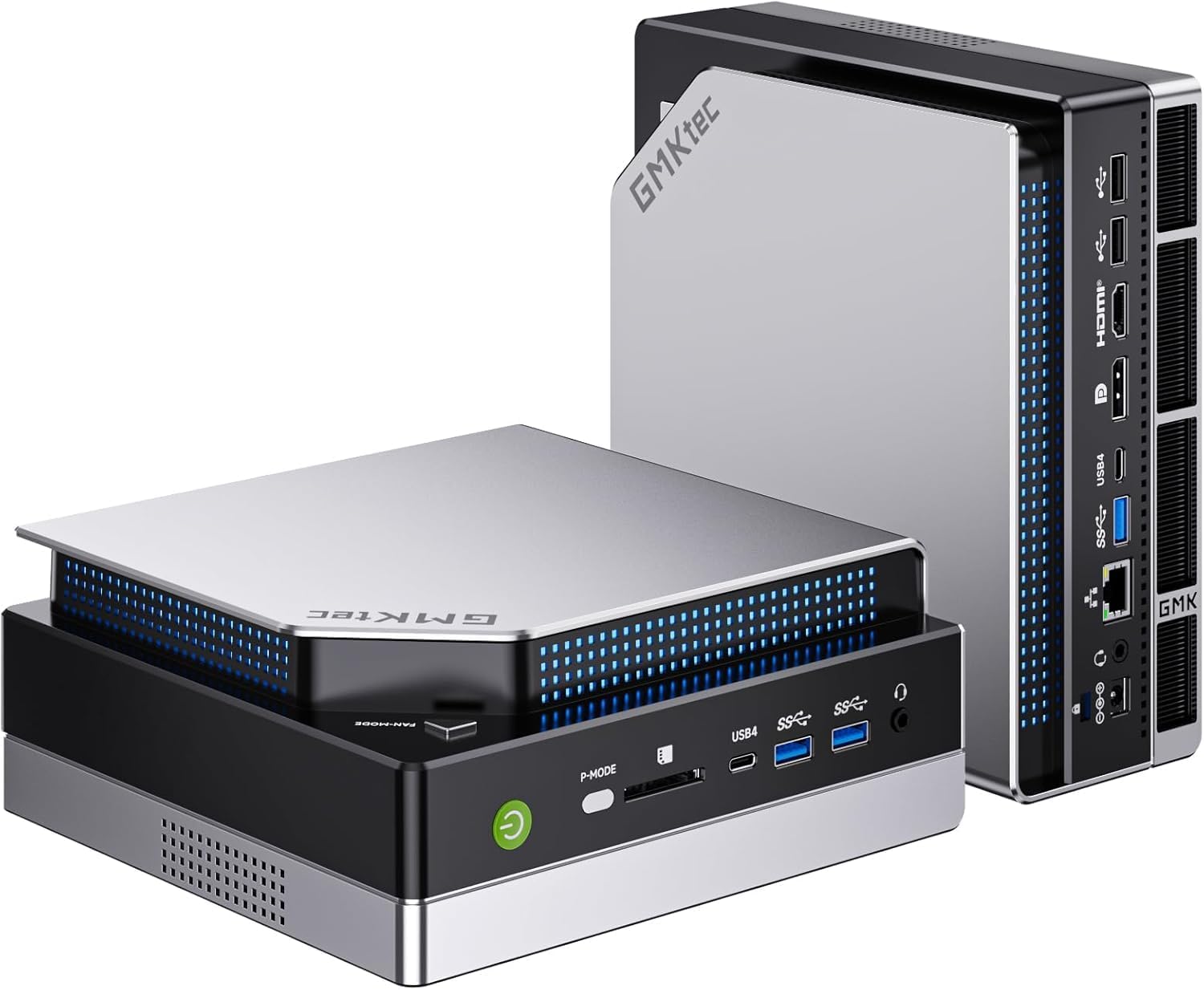
Immagine: lato frontale view of the GMKtec EVO-X2 AI Mini PC.
Istruzioni di installazione
1. Disimballaggio e ispezione iniziale
- Rimuovere con attenzione tutti i componenti dalla confezione.
- Verificare che tutti gli articoli elencati nel contenuto della confezione siano presenti.
- Inspect the Mini PC for any signs of physical damage.
2. Collegamento di periferiche
Connect your monitor(s), keyboard, mouse, and other necessary peripherals to the appropriate ports on the Mini PC.

Immagine: Posteriore view of the Mini PC, illustrating available ports for peripheral connections.
- Connessione display: The EVO-X2 supports up to four displays with 8K resolution via HDMI 2.1 (8K@60Hz), DisplayPort 1.4 (4K@60Hz), and dual USB4 ports (40Gbps with PD3.0/DP1.4/Data). Use the appropriate cables for your monitors.
- Dispositivi USB: Collega la tastiera, il mouse e gli altri dispositivi USB alle porte USB disponibili.
- Connessione di rete: For wired internet, connect an Ethernet cable to the 2.5GbE LAN port. For wireless internet, ensure the Wi-Fi antennas are properly connected (if external) or that the internal Wi-Fi 7 module is enabled.

Image: The Mini PC connected to multiple displays, showcasing its 8K quad-screen capability.
3. Collegamento elettrico
Connect the power adapter to the DC-in port on the Mini PC, then plug the power cord into a wall outlet.
4. Accensione
Press the power button located on the front of the Mini PC. The system will boot up, and the operating system (Windows 11 Pro) will load. Follow the on-screen instructions for initial Windows setup if this is the first time using the device.
Istruzioni per l'uso
1. Utilizzo generale
The GMKtec EVO-X2 is designed for a wide range of tasks, from daily computing to demanding AI workloads and gaming. Its AMD Ryzen AI Max+ 395 processor with 16 Zen 5 cores and 32 threads provides robust performance.
2. AI Performance with XDNA 2 NPU
The integrated XDNA 2 NPU delivers over 50 TOPS of AI performance, making the EVO-X2 suitable for local AI tasks such as running large language models (LLMs) with applications like LM Studio. This allows for efficient AI processing without requiring cloud services.

Image: Visual representation of the XDNA 2 NPU architecture and its support for various AI applications.
3. Gaming with AMD Radeon 8090S iGPU
Equipped with an AMD Radeon 8090S iGPU featuring 40 compute units and RDNA 3.5 architecture, the Mini PC offers strong gaming performance, comparable to dedicated laptop GPUs. It supports Full HD gaming with high detail settings. The 96GB LPDDR5X memory also aids in running demanding applications and LLMs.

Immagine: dettagliata view of the integrated AMD Radeon 8060S graphics, highlighting its gaming capabilities.
4. High-Speed Connectivity
- Wi-Fi 7 (802.11be): Provides wireless speeds up to 46 Gbps, significantly faster than previous Wi-Fi standards, ensuring stable and high-bandwidth connections.
- 2.5GbE LAN: The 2.5 Gigabit Ethernet port offers high-speed wired networking, suitable for applications requiring stable and fast data transfer, such as NAS or software routers.
- Bluetooth 5.4: For reliable connections to wireless peripherals like headphones, keyboards, and mice.
- USB 4: Dual USB4 ports offer 40Gbps data transfer, Power Delivery 3.0, and DisplayPort 1.4 capabilities.

Image: A comparison of Wi-Fi standards, emphasizing the speed benefits of Wi-Fi 7 on the Mini PC.

Image: The Mini PC connected via 2.5GbE Ethernet, illustrating high-speed network capabilities.
Manutenzione
1. Sistema di raffreddamento
The EVO-X2 features a triple cooling system with two CPU turbo fans and a dedicated DDR5/SSD fan, along with three heat pipes and 360° airflow. This system is designed for efficient heat dissipation while maintaining a quiet operation (as low as 35 dB in silent mode).
- Ensure proper ventilation around the Mini PC. Do not block air vents.
- Periodically clean dust from the exterior vents using compressed air to maintain optimal cooling performance.

Image: Internal components of the Mini PC, showing the advanced cooling solution.
2. Aggiornamenti software
Regularly update your operating system (Windows 11 Pro) and drivers to ensure system stability, security, and optimal performance.
3. Pulizia
Use a soft, dry cloth to clean the exterior of the Mini PC. Avoid using liquid cleaners directly on the device.
Risoluzione dei problemi
- Nessun potere: Assicurarsi che l'adattatore di alimentazione sia collegato saldamente sia al Mini PC sia a una presa di corrente funzionante. Se necessario, provare una presa diversa.
- Nessuna visualizzazione: Verify that the monitor is powered on and correctly connected to the Mini PC. Try different display cables or ports. Ensure the correct input source is selected on your monitor.
- Nessuna connessione internet: For wired connections, check the Ethernet cable and router status. For Wi-Fi, ensure Wi-Fi is enabled in Windows settings and that you are connected to the correct network with the correct password.
- Rallentamento del sistema: Check for background applications consuming resources. Ensure sufficient free space on the SSD. Consider running system diagnostics or updating drivers.
- Surriscaldamento: Ensure the Mini PC has adequate ventilation and that air vents are not obstructed. Clean any dust accumulation.
Specifiche tecniche
| Caratteristica | Specificazione |
|---|---|
| Nome del modello | GMKtec EVO-X2 |
| Processore | AMD Ryzen AI Max+ 395 (16 Cores, 32 Threads, up to 5.1 GHz) |
| NPU | XDNA 2 Architecture, >50 TOPS AI Performance |
| Grafica | AMD Radeon 8090S iGPU (40 Compute Units, RDNA 3.5, up to 2.9 GHz) |
| Memoria RAM | 96 GB LPDDR5X 8000 MT/s |
| Magazzinaggio | SSD PCIe 4.0 da 1 TB |
| Sistema operativo | Windows 11 Pro |
| Uscita di visualizzazione | Up to 4 displays, 8K resolution (HDMI 2.1, DisplayPort 1.4, Dual USB4) |
| Rete | 2.5GbE LAN, Wi-Fi 7 (802.11be), Bluetooth 5.4 |
| Porti | USB4 (x2), HDMI (x2), DisplayPort (x2), 2.5GbE LAN, USB-A (various), SD Card Reader |
| Sistema di raffreddamento | Triple Cooling (2 CPU fans, 1 DDR5/SSD fan), 3 Heat Pipes, 360° Airflow |
| Dimensioni | Dimensioni: 38.5 x 25 x 9.2 cm |
| Peso | 3.26 kg |
Garanzia e supporto
Per informazioni sulla garanzia e supporto tecnico, fare riferimento alle seguenti risorse:
- Assistenza Amazon: For inquiries related to your purchase, log in to your Amazon account, navigate to "Your Account" -> "Your Orders," and select "Ask Product Question" for the GMKtec EVO-X2.
- Supporto post-vendita: Contact the GMKtec After-Sales Team directly via email at eu-cs@gmktec.com per un supporto clienti 24 ore su 24, 7 giorni su 7.

Image: Warranty and support contact information for GMKtec products.