
1. Prodotto finitoview
The SUNITEC BC920C Bluetooth Car Hands-Free Kit is designed to provide clear, hands-free communication and audio streaming in your vehicle. It features automatic power on/off, CVC8.0 noise cancellation technology for crystal-clear calls and high-volume music, and supports connection with two phones simultaneously. This device is compatible with cars, SUVs, trucks, vans, minivans, pickups, and buses, especially older vehicles without built-in hands-free phone capabilities.
Caratteristiche principali:
- Clear Hands-Free Calling with CVC8.0 Noise Cancellation
- Accensione/spegnimento automatico
- Dual Phone Connection Support
- High-Quality Stereo Speaker for Calls and Music
- Voice Assistant Support (Siri/Google Assistant)
2. Informazioni sulla sicurezza
Please read and understand all safety information before using this product. Failure to follow these instructions may result in injury or damage.
- Avoid using the device in a manner that distracts you from driving. Always prioritize road safety.
- Tenere il dispositivo lontano da fonti di calore, dalla luce solare diretta e da temperature estreme.
- Non esporre il dispositivo all'acqua o a umidità eccessiva.
- Smaltire le batterie in modo responsabile, nel rispetto delle normative locali.
- Non tentare di smontare, riparare o modificare il dispositivo autonomamente. Contattare personale qualificato per assistenza.
3. Contenuto della confezione
Verifica che tutti gli articoli siano presenti nel tuo pacco:
- SUNITEC BC920C Bluetooth Car Hands-Free Kit
- Cavo di ricarica USB-C
- Adattatore per caricabatteria da auto
- Manuale d'uso

4. Configurazione e installazione
Follow these steps to set up your BC920C device:
- Carica il dispositivo: Before first use, fully charge the BC920C using the provided USB-C cable and car charger adapter or a computer USB port. The charging indicator light will show the charging status.
- Montaggio: Clip the device onto your car's sun visor using the integrated clip. Ensure it is securely attached and does not obstruct your view.
- Accensione: The device features automatic power on. Once paired and connected, it will automatically power on and reconnect to your phone when you open the car door or start the engine.
- Associazione con il telefono:
- Turn on the BC920C. It will automatically enter pairing mode (indicated by a flashing LED).
- Sul tuo smartphone, vai alle impostazioni Bluetooth e abilita il Bluetooth.
- Cercare available devices and select "BC920C" from the list.
- Una volta effettuato il collegamento, l'indicatore LED smetterà di lampeggiare e rimarrà fisso.
- Doppia connessione: The BC920C supports connecting two phones simultaneously. After pairing the first phone, repeat the pairing process for the second phone. The device will manage calls from both phones.


5. Istruzioni per l'uso
Learn how to use your BC920C for calls, music, and voice commands.
5.1 Effettuare e ricevere chiamate
- Risposta a una chiamata: When a call comes in, press the green phone button once to answer.
- Terminare una chiamata: Press the green phone button once during a call to end it.
- Rifiutare una chiamata: Press and hold the green phone button for 2 seconds to reject an incoming call.
- Ricomposizione: Double-press the green phone button to redial the last number.
5.2 Volume Control and Music Playback
- Regolazione del volume: Use the '+' and '-' buttons on the device to increase or decrease the volume during calls or music playback.
- Streaming di musica: Once connected, audio from your smartphone, including music and GPS navigation instructions, will stream through the BC920C's speaker.

5.3 Assistente vocale (Siri/Assistente Google)
Activate your phone's voice assistant for hands-free control:
- Press the dedicated voice command button (often marked with a microphone icon) to activate Siri or Google Assistant on your connected smartphone.
- You can then use voice commands for navigation, making calls, sending messages, and more.
6. Carica del dispositivo
The BC920C is powered by a rechargeable Lithium-ion battery. To charge:
- Collegare il cavo USB-C in dotazione alla porta di ricarica del dispositivo.
- Plug the other end of the USB-C cable into the car charger adapter or a standard USB port (e.g., on a computer).
- La spia di carica si accenderà durante la ricarica e si spegnerà quando la carica sarà completamente completata.
- Una carica completa richiede in genere circa 2 ore.
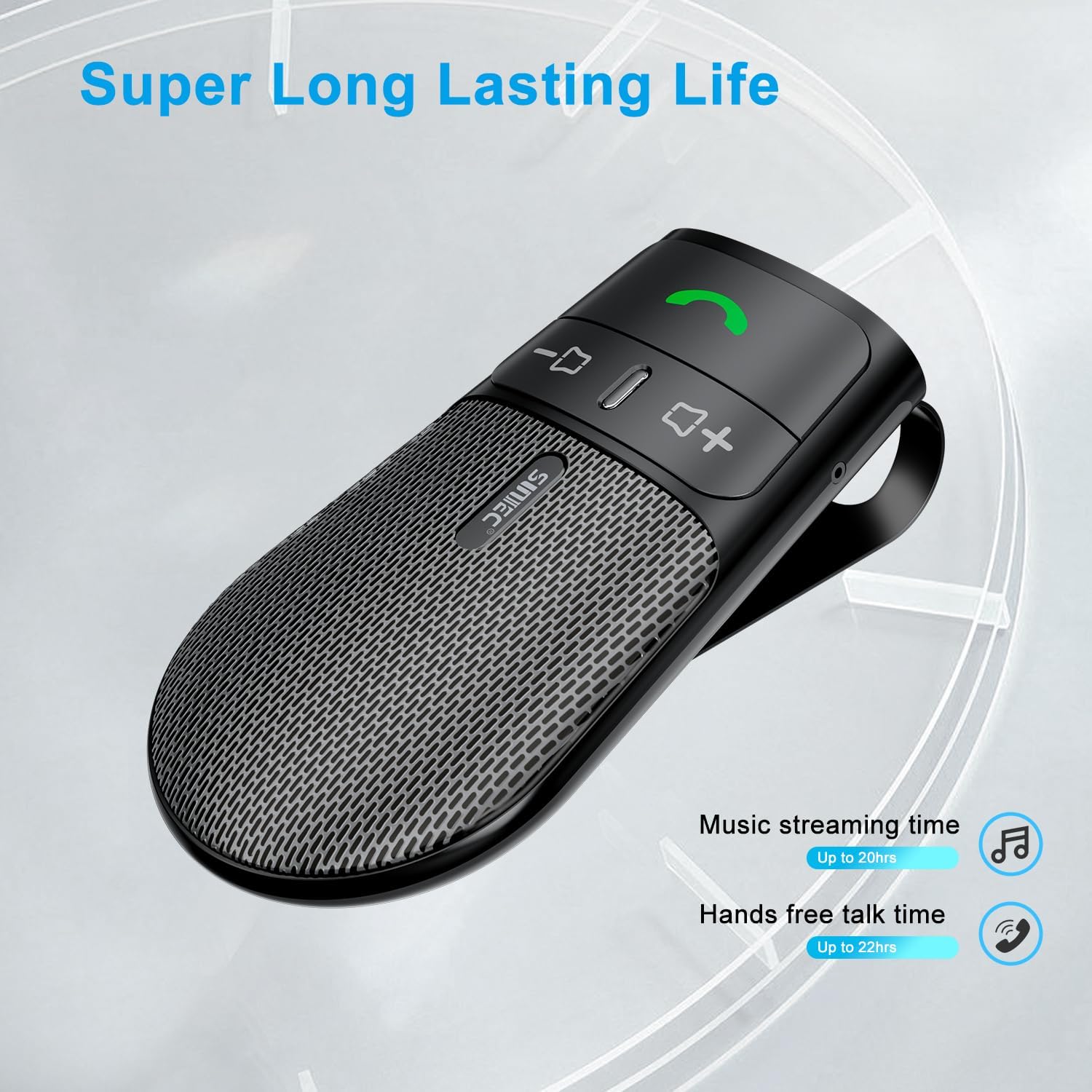
The device offers a long-lasting battery life, with up to 20 hours of music streaming time and up to 22 hours of hands-free talk time.
7. Specifiche
| Marca | SUNITEC |
| Modello | Modello BC920C |
| Tecnologia di connettività | Bluetooth |
| Interfaccia Hardware | USB-C |
| Dispositivi compatibili | Car stereo, Smartphones |
| Caratteristiche speciali | Automatic Power On/Off, Noise Cancellation (CVC8.0), Hands-Free Calling |
| Modalità di uscita audio | Stereo |
| Fonte di alimentazione | Alimentato a batteria (ioni di litio) |
| Peso dell'articolo | 95 grammi |
| Dimensioni del prodotto | Dimensioni: 15 x 11.6 x 5 cm |
8. Risoluzione Dei Problemi
If you encounter issues with your SUNITEC BC920C, try the following solutions:
- Il dispositivo non si accende: Assicurati che il dispositivo sia completamente carico. Collegalo a una fonte di alimentazione e controlla l'indicatore di carica.
- Impossibile associare il telefono: Make sure Bluetooth is enabled on your phone and the BC920C is in pairing mode (flashing LED). Try restarting both the device and your phone.
- Poor audio quality/echo: Ensure the device is positioned correctly on the sun visor and not obstructed. Adjust the volume on both the device and your phone. Move closer to the device if possible.
- Connessione automatica non funzionante: Verify that the device was successfully paired previously. Check your phone's Bluetooth settings to ensure it's set to automatically connect to known devices.
- I comandi vocali non rispondono: Ensure your phone's voice assistant (Siri/Google Assistant) is enabled and configured correctly. Make sure the device is connected and the voice command button is pressed correctly.
9. Manutenzione
To ensure the longevity and optimal performance of your BC920C:
- Pulire regolarmente il dispositivo con un panno morbido e asciutto. Non utilizzare prodotti chimici aggressivi o detergenti abrasivi.
- Conservare il dispositivo in un luogo fresco e asciutto quando non viene utilizzato.
- Evitare di far cadere il dispositivo o di sottoporlo a forti impatti.
10. Garanzia e supporto
SUNITEC products are warranted to be free from defects in materials or workmanship for 12-24 months from the date of purchase. Please retain your proof of purchase for warranty claims.
For technical support or warranty inquiries, please contact SUNITEC customer service. Contact information can typically be found on the product packaging or the official SUNITEC websito.
Sold by: Sunitec