
WOLFBOX X3
Manuale utente della Dash Cam e del kit cablato WOLFBOX X3
Modello: X3
Marca: WOLFBOX
1. Introduzione
Thank you for choosing the WOLFBOX X3 Dash Cam and USB C ACC Hardwire Kit. This manual provides detailed instructions for the installation, operation, and maintenance of your new dash cam system. The WOLFBOX X3 offers a dual-camera setup with 2.5K 60FPS front recording and 1080P 30FPS rear recording, enhanced by a STARVIS 2 IMX675 sensor for clear footage in various lighting conditions. It also features 5.8GHz Wi-Fi, GPS, and Advanced Driver Assistance System (ADAS) functions to enhance your driving experience and safety.
2. Contenuto della confezione
Si prega di verificare che tutti gli articoli elencati di seguito siano inclusi nel pacchetto:
- WOLFBOX X3 Front Dash Cam
- Telecamera posteriore
- USB C ACC Hardwire Kit (11.48 ft)
- GPS Module (integrated or separate)
- Various Fuse Taps (Mirco, Mini, Small, Medium)
- Strumento di leva
- Manuale d'uso
- Accessori di montaggio
- 64GB MicroSD Card (if included in specific package)

Immagine: Oltreview of the WOLFBOX X3 Dash Cam, rear camera, hardwire kit, 64GB SD card, and a smartphone displaying the WOLFBOX app interface.
3. Prodotto finitoview
3.1 Caratteristiche della Dash Cam
- Doppia registrazione: Front 2.5K (2560*1440P) at 60fps and Rear 1080P at 30fps.
- STARVIS 2 IMX675 Sensor: Enhances low-light performance and reduces image noise.
- Wi-Fi a 5.8 GHz: For faster and more stable video transfers to the WOLFBOX app.
- GPS integrato: Registra i dati sulla velocità e sulla posizione del veicolo.
- ADAS intelligenti: Advanced Driver Assistance System for proactive hazard alerts.
- Schermo tattile: Intuitive interface for easy control and settings adjustment.

Image: Illustrates the WOLFBOX X3's dual recording capabilities, showing 2.5K 60FPS for the front camera and 1080P 30FPS for the rear camera, emphasizing ultra-smooth video.
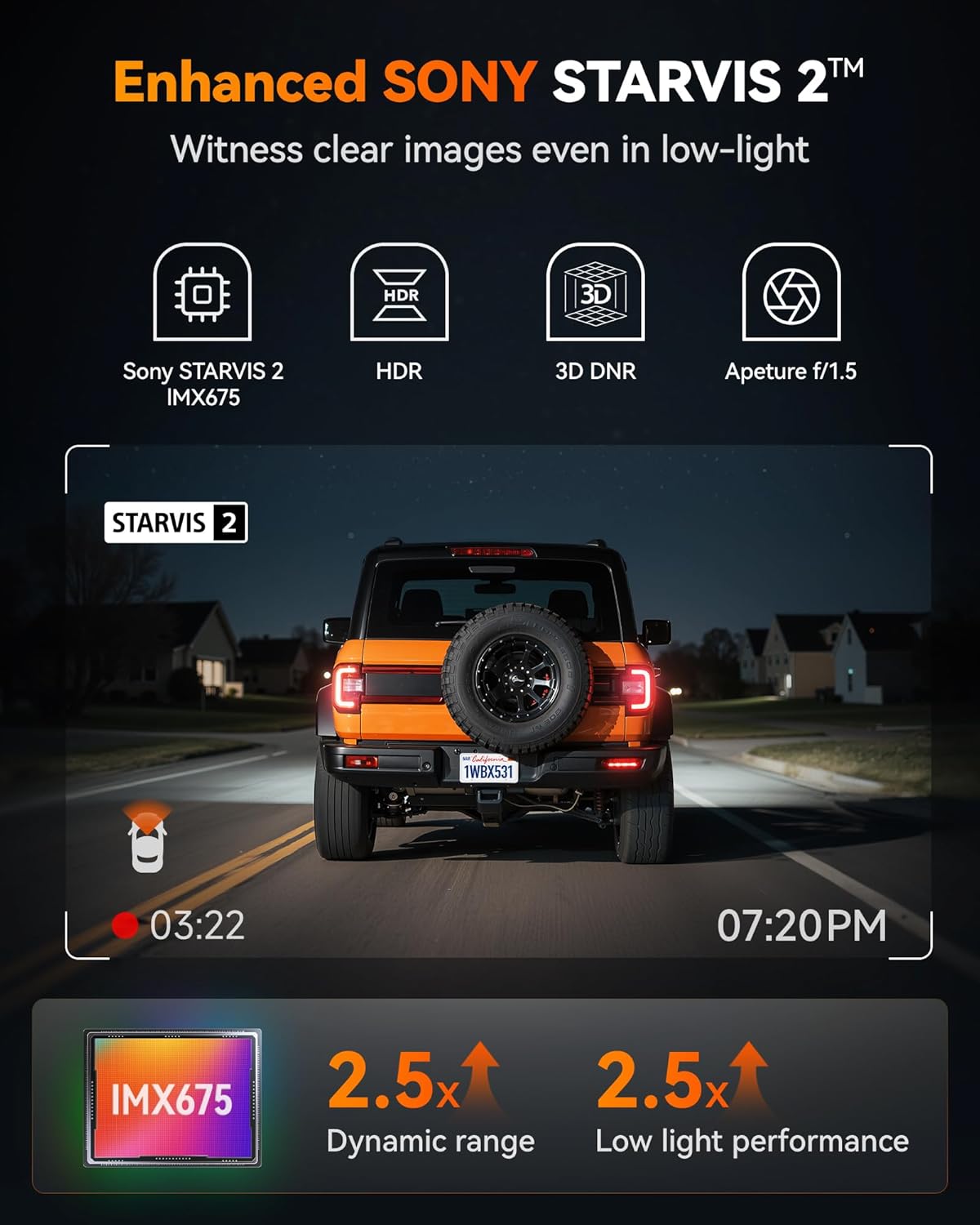
Image: Highlights the Enhanced SONY STARVIS 2 IMX675 sensor, detailing its benefits for clear images in low-light conditions, improved dynamic range, and low light performance.
3.2 Hardwire Kit Features
- Ampia capacità: 11.48 ft cable, 5A steady output.
- Voltage Ingresso: Supports 12V-24V vehicle power.
- Adjustable Protection Voltage: Three levels (12.4V, 12V, 11.6V) to prevent vehicle battery drain.
- Porta USB-C: Compatible with the WOLFBOX X3 and other Type-C powered devices.

Image: Displays the WOLFBOX USB C ACC Hardwire Kit, including the main cable with a voltage display, various fuse taps, and a pry tool for installation.
4. Configurazione e installazione
4.1 Inserimento della scheda MicroSD
- Assicurarsi che la dash cam sia spenta.
- Insert the MicroSD card (Class 10 or higher, up to 256GB recommended) into the designated slot until it clicks.
- Format the MicroSD card via the dash cam's settings menu upon first use.
4.2 Montaggio della Dash Cam
- Fotocamera frontale: Scegli una posizione sul parabrezza che non ostruisca il tuo view, in genere dietro la parte posterioreview mirror. Clean the area thoroughly. Attach the mounting bracket to the windshield, then slide the dash cam onto the bracket.
- Telecamera posteriore: Montare la telecamera posteriore sul lunotto posteriore, assicurandosi che la visuale sia chiara view. Route the cable neatly along the headliner and pillar trim to the front dash cam.
4.3 Installazione del kit di cablaggio
The hardwire kit provides continuous power for parking monitoring and protects your vehicle's battery from draining.
- Identificare la scatola dei fusibili: Locate your vehicle's fuse box (refer to your vehicle's owner's manual).
- Collegare il filo ACC (rosso): Use one of the provided fuse taps to connect the red ACC wire to a fuse that is only powered when the ignition is on (e.g., radio, cigarette lighter).
- Connect B+ Wire (Yellow): Use another fuse tap to connect the yellow B+ wire to a fuse that has constant power (e.g., hazard lights, interior lights).
- Connect GND Wire (Black): Securely attach the black GND wire to a metal bolt or screw on the vehicle's chassis for a ground connection.
- Cavi del percorso: Neatly route all cables along the vehicle's interior trim using the pry tool to conceal them.
- Connetti alla Dash Cam: Plug the USB-C end of the hardwire kit into the dash cam's power input.

Image: Illustrates the different types of fuse taps provided (Mirco, Mini, Small, Medium) to ensure compatibility with various vehicle fuse boxes. Each tap includes a slot for the original fuse and a new fuse for the dash cam.
4.4 Regolazione del volumetage Protezione
The hardwire kit features a switch to adjust the battery protection voltage. This prevents the dash cam from draining your car battery when the ignition is off.
- 12.4V: Highest protection, cuts power if battery drops to 12.4V.
- 12V: Medium protection, cuts power if battery drops to 12V.
- 11.6V: Lowest protection, cuts power if battery drops to 11.6V.
Adjust the switch on the hardwire kit from left to right to select your desired protection voltage livello.
5. Istruzioni per l'uso
5.1 Accensione/spegnimento e registrazione
- La dash cam si accenderà automaticamente e inizierà a registrare quando il motore del veicolo verrà acceso.
- It will automatically power off when the ignition is turned off (or enter parking mode if hardwired).
- Recordings are saved in a loop, overwriting the oldest files when the MicroSD card is full, unless locked.
5.2 Funzionamento del touch screen
Navigate the dash cam's settings and features by tapping the icons on the touch screen. Common functions include: video playback, settings menu, Wi-Fi toggle, and emergency recording.
5.3 Wi-Fi and GPS Functionality
- Wifi: Enable Wi-Fi on the dash cam via the touchscreen. Download the WOLFBOX app on your smartphone. Connect your phone to the dash cam's 5.8GHz Wi-Fi network. This allows for faster video transfers, live previewe regolazioni delle impostazioni.
- Posizione GPS: The built-in GPS module automatically records your vehicle's speed and location. This data is embedded into video files e può essere viewed via the WOLFBOX app or compatible PC software.

Image: Demonstrates the 5.8GHz Wi-Fi and GPS capabilities of the WOLFBOX X3, showing a smartphone connected to the dash cam app with map data and speed information, highlighting fast data transfer.
5.4 Sistema avanzato di assistenza alla guida (ADAS)
The WOLFBOX X3 features ADAS technology to provide real-time alerts for potential road hazards.
- Avviso di collisione frontale (FCW): Ti avvisa se ti stai avvicinando a un veicolo troppo velocemente.
- Avviso di abbandono della corsia (LDW): Ti avvisa se il tuo veicolo esce dalla corsia senza aver attivato la freccia.
- Fermati e vai: Ti avvisa quando il veicolo che ti precede inizia a muoversi dopo una sosta.
These features can be enabled or disabled in the dash cam's settings menu.

Image: Illustrates the Advanced Driver Assistance System (ADAS) features, including Forward Collision Warning, Lane Departure Warning, and Stop & Go, showing how the system detects and alerts drivers to potential hazards.
6. Manutenzione
6.1 Gestione della scheda MicroSD
- Regularly format the MicroSD card (at least once a month) to ensure optimal performance and prevent data corruption.
- Replace the MicroSD card every 6-12 months, as continuous overwriting can degrade its lifespan.
6.2 Pulizia
- Use a soft, dry cloth to clean the dash cam's screen and lenses.
- Evitare l'uso di detergenti o solventi abrasivi.
6.3 Aggiornamenti firmware
Controlla il sito ufficiale WOLFBOX website or app periodically for firmware updates. Updates can improve performance, add new features, or fix bugs. Follow the provided instructions carefully when updating firmware.
7. Risoluzione Dei Problemi
- La Dash Cam non si accende:
Check power connection. Ensure the hardwire kit is correctly installed and receiving power. Verify the vehicle's ignition is on. - Errori di registrazione/Danneggiati Files:
Format the MicroSD card. Try a different, high-quality MicroSD card. Ensure the card is Class 10 or higher. - Problemi di connessione Wi-Fi:
Ensure Wi-Fi is enabled on the dash cam. Restart both the dash cam and your smartphone. Ensure you are connecting to the correct 5.8GHz network. - Il GPS non registra dati:
Assicurati che la dash cam abbia una visuale libera view of the sky. Verify GPS functionality is enabled in settings. - Avvisi ADAS non funzionanti:
Ensure ADAS features are enabled in the settings. Calibrate the camera if necessary (refer to specific instructions in the dash cam's menu). Ensure the windshield is clean and free of obstructions. - Hardwire Kit Draining Battery:
Regola il volumetage protection level on the hardwire kit to a higher setting (e.g., 12.4V). Ensure the B+ wire is connected to a constant power source and the ACC wire to an ignition-switched source.
8. Specifiche
| Caratteristica | Dettaglio |
|---|---|
| Risoluzione della fotocamera frontale | 2.5K (2560*1440P) a 60 fps |
| Risoluzione della telecamera posteriore | 1080P a 30 fps |
| Sensore di immagine | STARVIS 2 IMX675 |
| Frequenza Wi-Fi | 5.8GHz |
| GPS | Built-in (records speed and location) |
| Caratteristiche ADAS | Forward Collision Warning, Lane Departure Warning, Stop & Go |
| Lunghezza del cavo del kit di cablaggio | 11.48 piedi |
| Uscita del kit cablato | 5A steady |
| Hardwire Kit Input Voltage | 12V-24V |
| Hardwire Kit Protection Voltage | 12.4V, 12V, 11.6V (adjustable) |
| Caratteristiche dello schermo | Wireless, Touch Screen |
| Data prima disponibilità | 31 luglio 2025 |
9. Garanzia e supporto
WOLFBOX products typically come with a standard manufacturer's warranty. Please refer to the warranty card included in your package or visit the official WOLFBOX websito per termini e condizioni di garanzia specifici.
For technical support, troubleshooting assistance, or any inquiries regarding your WOLFBOX X3 Dash Cam, please contact WOLFBOX customer service through their official websito o le informazioni di contatto fornite nella confezione del prodotto.
Ask a question about this manual
Ask about setup, troubleshooting, compatibility, parts, safety, or missing instructions. Manuals+ will review the question and use this page’s manual context to help answer it.