
1. Introduzione
Thank you for choosing the AODSK 88-Key Weighted Hammer Action Digital Piano and Storage Bench. This manual provides essential information for the safe and efficient use of your new instrument. Please read it thoroughly before assembly and operation, and retain it for future reference.

Image 1.1: The AODSK 88-Key Digital Piano and accompanying white storage bench.
2. Istruzioni di sicurezza
- Alimentazione elettrica: Utilizzare solo l'adattatore di alimentazione specificato. Assicurarsi che il volumetage soddisfa i requisiti della tua regione.
- Acqua e umidità: Do not expose the instrument to rain, moisture, or excessive humidity. Avoid placing objects filled with liquids on or near the piano.
- Ventilazione: Assicurare una ventilazione adeguata. Non ostruire le aperture di ventilazione.
- Fonti di calore: Keep the instrument away from heat sources such as radiators, heat registers, stoves, or other heat-producing appliances.
- Pulizia: Pulire solo con un panno asciutto. Non utilizzare detergenti liquidi o spray.
- Bambini: Supervise children when they are near the instrument. Small parts could be a choking hazard.
- Moving the Instrument: When moving the piano, ensure it is unplugged and handled carefully to prevent damage or injury.
3. Contenuto della confezione
Si prega di verificare che tutti gli articoli elencati di seguito siano inclusi nel pacchetto:
- AODSK 88-Key Digital Piano Unit
- White Storage Bench
- Unità a triplo pedale
- Componenti per supporti per mobili
- Copritastiera scorrevole
- Adattatore di alimentazione
- Cuffie
- Copertura antipolvere
- Ferramenta e utensili per l'assemblaggio
- Manuale dell'utente (questo documento)
- Online Lesson Access Information
4. Impostazione
4.1. Digital Piano Assembly
Follow these steps to assemble the digital piano and its stand:
- Disimballare tutti i componenti e disporli su una superficie morbida e pulita per evitare graffi.
- Attach the side panels of the furniture stand to the main piano body using the provided screws and tools. Ensure all connections are secure.
- Install the triple pedal unit into its designated slot on the stand. Connect the pedal cable to the corresponding port on the piano.
- Carefully place the assembled piano unit in its desired location.
- Slide the key cover into its tracks above the keyboard.
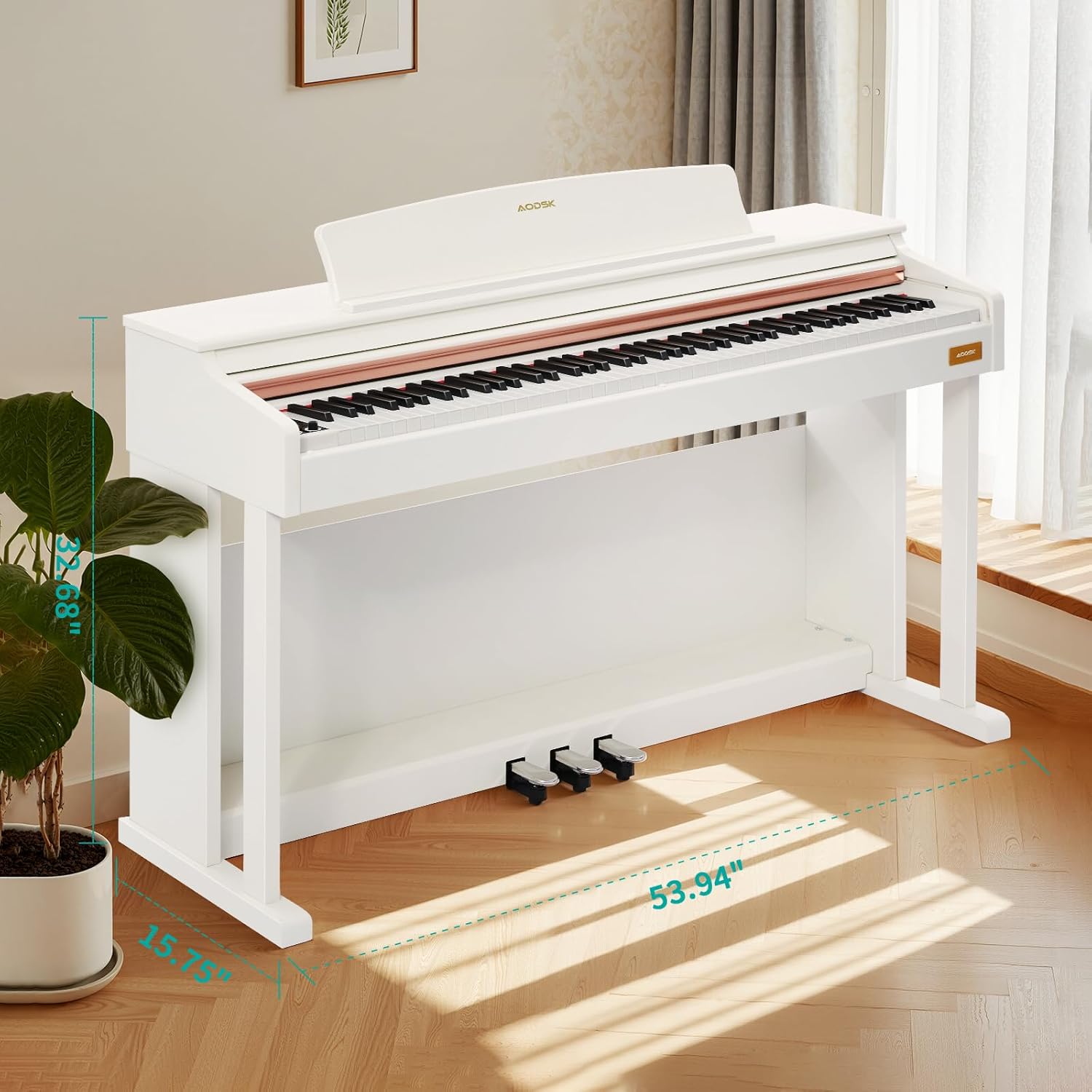
Image 4.1: Digital piano dimensions for placement planning. (Approx. 53.94" W x 15.75" D x 32.68" H)
4.2. Storage Bench Assembly
The storage bench is designed for quick, tool-free assembly:
- Remove the bench legs and hardware from the storage compartment under the seat.
- Screw each leg firmly into the designated corner mounts on the underside of the bench seat. No tools are typically required for this step.
- Ensure all legs are stable and the bench is level before use.

Image 4.2: The storage bench with its lid open, revealing the internal compartment.
5. Componenti finitiview
5.1. Pannello di controllo
The control panel provides access to various functions and settings of the digital piano.

Immagine 5.1: Primo piano view of the digital piano's control panel, showing buttons for tone, rhythm, demo, volume, and other features.
- Pulsante di accensione: Accende o spegne il pianoforte.
- Manopole del volume: Regola il volume principale.
- Pulsante tono: Selects from 680 available tones.
- Pulsante ritmo: Selects from 600 available rhythms.
- Pulsante demo: Plays demonstration songs (80 available).
- Pulsante Dividi: Activates dual keyboard split tone function.
- MP3 Play/Pause: Controls MP3 playback via USB.
- Registra/Riproduci: Initiates and plays back two-track recordings.
- Numerical Select: Used to input specific tone, rhythm, or demo numbers.
- Presa USB: For MP3 playback and potentially other data transfer.
5.2. Triple Pedal System
The piano features a standard triple pedal system for expressive playing.
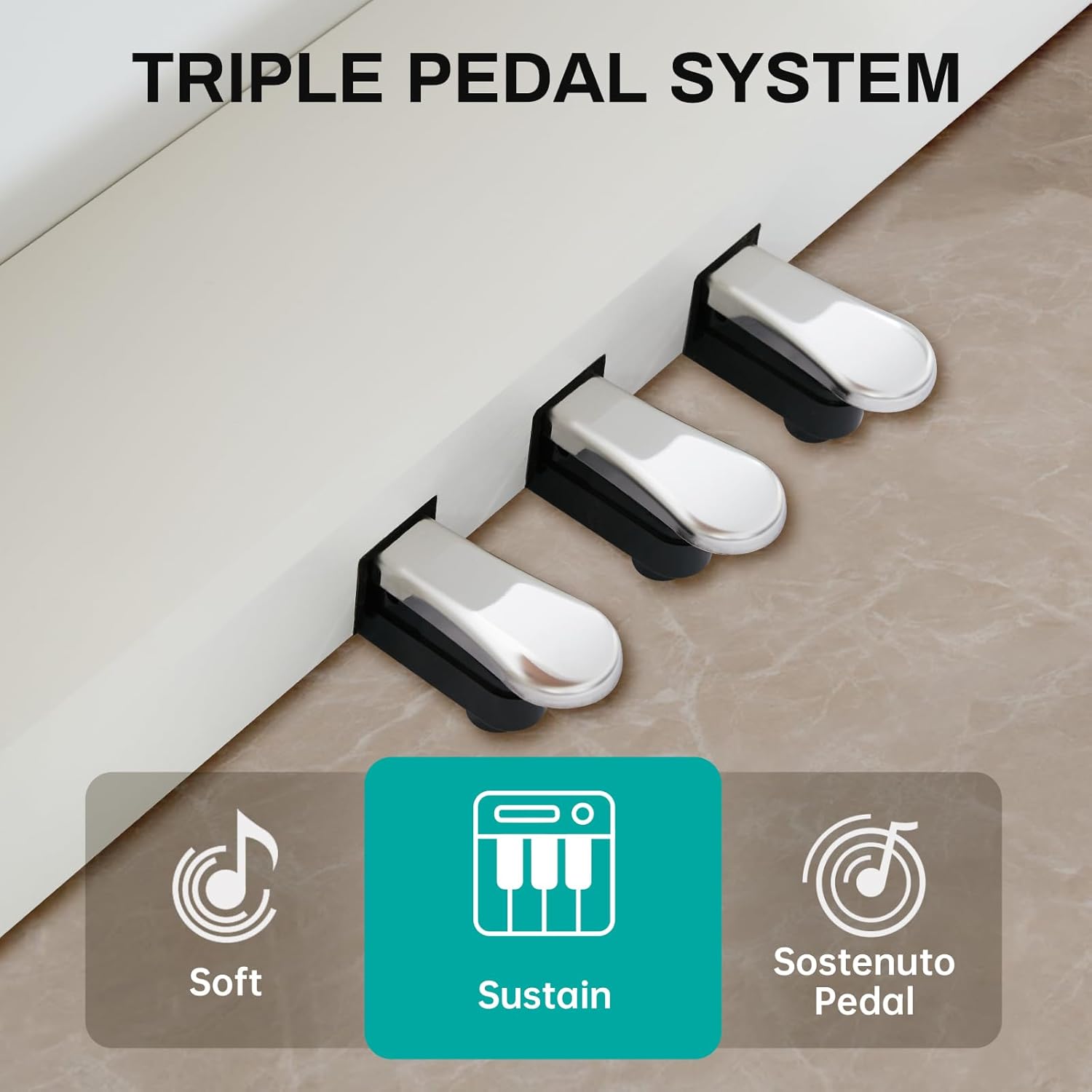
Image 5.2: Close-up of the three pedals: Soft, Sustain, and Sostenuto.
- Pedale del piano (sinistro): Reduces the volume and changes the timbre of the notes.
- Sustain Pedal (Middle): Sustains the notes, allowing them to ring out after the keys are released.
- Sostenuto Pedal (Right): Sustains only the notes that are held down at the moment the pedal is pressed, while subsequent notes remain unaffected.
5.3. 88-Key Weighted Hammer Action Keyboard
The 88-key keyboard is designed to replicate the feel of an acoustic grand piano, providing a realistic playing experience.
- Weighted Hammer Action: Provides a heavier touch in the lower register and a lighter touch in the higher register, similar to an acoustic piano.
- Sensibilità al tocco: The piano responds to the force with which keys are played, allowing for dynamic expression.
6. Istruzioni per l'uso
6.1. Accensione/spegnimento
Premere il tasto Pulsante di accensione on the control panel to turn the piano on. Press it again to turn the piano off.
6.2. Controllo del volume
Utilizzare il Manopole del volume on the control panel to adjust the overall output volume of the piano.
6.3. Selezione del tono
Premere il tasto Pulsante Tono, then use the numerical keys or navigation buttons to select from the 680 available instrument tones.
6.4. Selezione del ritmo
Premere il tasto Pulsante del ritmo, then use the numerical keys or navigation buttons to select from the 600 available rhythm patterns.
6.5. Canzoni dimostrative
Premere il tasto Pulsante Demo to cycle through or select one of the 80 built-in demonstration songs.
6.6. Dual Keyboard Split Tone
Attivare il Pulsante Split to divide the keyboard into two sections, allowing two different tones to be played simultaneously or for two players to use the keyboard independently.
6.7. Riproduzione MP3
Inserisci un'unità USB con MP3 files nel Presa USB. Utilizzare il MP3 Play/Pause and navigation buttons to control playback.
6.8. Two-Track Recording
Premere il tasto Pulsante di registrazione to start recording your performance. Press it again to stop. Use the Pulsante di riproduzione to listen to your recorded tracks.
6.9. Pedal Functions
Utilizzare il Soft, Sustain, and Sostenuto Pedals as described in Section 5.2 to add expression to your playing.
7. Manutenzione
Proper maintenance ensures the longevity and performance of your digital piano.
- Pulizia: Wipe the piano and bench surfaces with a soft, dry cloth. For stubborn dirt, slightly dampImmergere il panno in acqua e sapone neutro, quindi asciugare immediatamente. Evitare detergenti abrasivi o solventi.
- Copertura antipolvere: Use the provided dust cover when the piano is not in use to protect it from dust and debris.
- Cura delle chiavi: Keep the keys clean. If they become dirty, wipe them gently with a soft, slightly damp stoffa.
- Condizioni ambientali: Store the piano in a stable environment, away from direct sunlight, extreme temperatures, and high humidity, which can affect electronic components and wood finishes.
8. Risoluzione Dei Problemi
In caso di problemi, consultare la tabella sottostante per i problemi più comuni e le relative soluzioni.
| Problema | Possibile causa | Soluzione |
|---|---|---|
| Nessun suono | Power off; Volume too low; Headphones connected; Pedal issue. | Ensure power is on. Increase volume. Disconnect headphones. Check pedal connections. |
| I tasti non rispondono | Instrument off; Specific setting activated (e.g., local control off). | Turn piano on. Check manual for advanced settings like local control. |
| I pedali non funzionano | Pedal cable loose; Pedal unit faulty. | Ensure pedal cable is securely connected to the piano. |
| Problemi di riproduzione MP3 | Unità USB non formattata correttamente; Incompatibile file type; USB drive loose. | Ensure USB drive is FAT32 formatted. Use MP3 files. Reinsert USB drive. |
| Suono distorto | Volume too high; Speaker interference. | Reduce volume. Ensure no objects are blocking speakers. |
Se il problema persiste dopo aver provato queste soluzioni, contattare l'assistenza clienti.
9. Specifiche
- Tastiera: 88-Key Weighted Hammer Action
- Polifonia: 128 note
- toni: 680 toni integrati
- ritmi: 600 ritmi incorporati
- Canzoni dimostrative: 80
- pedali: Triple Pedal System (Soft, Sustain, Sostenuto)
- Funzioni: Dual Keyboard Split, MP3 Playback, Two-Track Recording
- Dimensioni della panca: 29-inch width, 2.68-inch deep storage bin
- Capacità di peso della panca: 300 libbre
- Connettività: Presa USB
10. Garanzia e supporto
This AODSK product is covered by a standard manufacturer's warranty against defects in materials and workmanship. Please refer to the warranty card included in your package for specific terms and conditions, including the warranty period and how to make a claim.
For technical support, troubleshooting assistance, or warranty inquiries, please contact AODSK customer service through the retailer where you purchased the product or visit the official AODSK websito per le informazioni di contatto.