
Introduzione
Grazie per l'acquistoasing the AGPTEK M6U MP3 Player. This device is designed to provide a high-quality portable audio experience with its 64GB internal storage and Bluetooth 5.3 connectivity. This manual will guide you through the setup, operation, and maintenance of your new MP3 player to ensure optimal performance and longevity.
Contenuto della confezione
Si prega di controllare la confezione per verificare la presenza dei seguenti elementi:
- AGPTEK M6U MP3 Player (1 unit)
- USB Type-C Cable (for data transfer and charging) (1 unit)
- Wired Earphones (can be used as FM antenna) (1 unit)
- User Manual (multi-language, including English) (1 unit)
Prodotto finitoview
The AGPTEK M6U MP3 Player features a sleek design with a 2.4-inch LCD screen and intuitive controls. Familiarize yourself with the device's physical components.

Immagine: The AGPTEK M6U MP3 Player, showcasing its compact size and user interface. The device is held in a hand, highlighting its portability and the layout of its screen and physical control buttons.
The player is equipped with a durable zinc alloy body, providing a comfortable grip. It features a responsive display for easy navigation through menus and media files.
Impostare
1. Carica del dispositivo
Before initial use, fully charge the MP3 player. Connect the provided USB Type-C cable to the player's charging port and the other end to a USB power adapter (not included) or a computer's USB port.
- Una carica completa richiede in genere dalle 2 alle 2.5 ore.
- The battery charges to 80% capacity in approximately 1.5 hours.
- Una batteria completamente carica garantisce fino a 40 ore di riproduzione musicale.

Immagine: The AGPTEK M6U MP3 Player displaying its battery charging status and indicating a long playback time. The image visually represents the charging process and extended battery life.
2. Accensione/spegnimento
- Per accendere: Tieni premuto il pulsante di accensione (solitamente situato sul lato) finché lo schermo non si illumina.
- Per spegnere: Tenere premuto il pulsante di accensione finché sullo schermo non viene visualizzata l'opzione di spegnimento, quindi confermare.
3. Trasferimento di musica Files
Connect the MP3 player to your computer using the provided USB Type-C cable. The player will appear as a removable disk drive. You can then drag and drop your music files (FLAC, MP3, WMA, WAV, APE, ACELP, AAC, Audible, OGG) directly into the player's storage.

Immagine: The AGPTEK M6U MP3 Player screen showing various album covers and music playback information, with an overlay indicating internal memory. This illustrates the player's capacity for storing thousands of songs.
The player comes with 64GB of internal memory. You can also expand storage using a microSD card.
4. Accoppiamento Bluetooth
To connect your AGPTEK M6U to Bluetooth headphones or speakers:
- Go to the Bluetooth menu on your MP3 player.
- Abilita Bluetooth.
- Metti le tue cuffie/altoparlanti Bluetooth in modalità di associazione.
- Seleziona il tuo dispositivo dall'elenco dei dispositivi disponibili sullo schermo del lettore MP3.
- The player supports automatic reconnection to previously paired devices upon power-on.
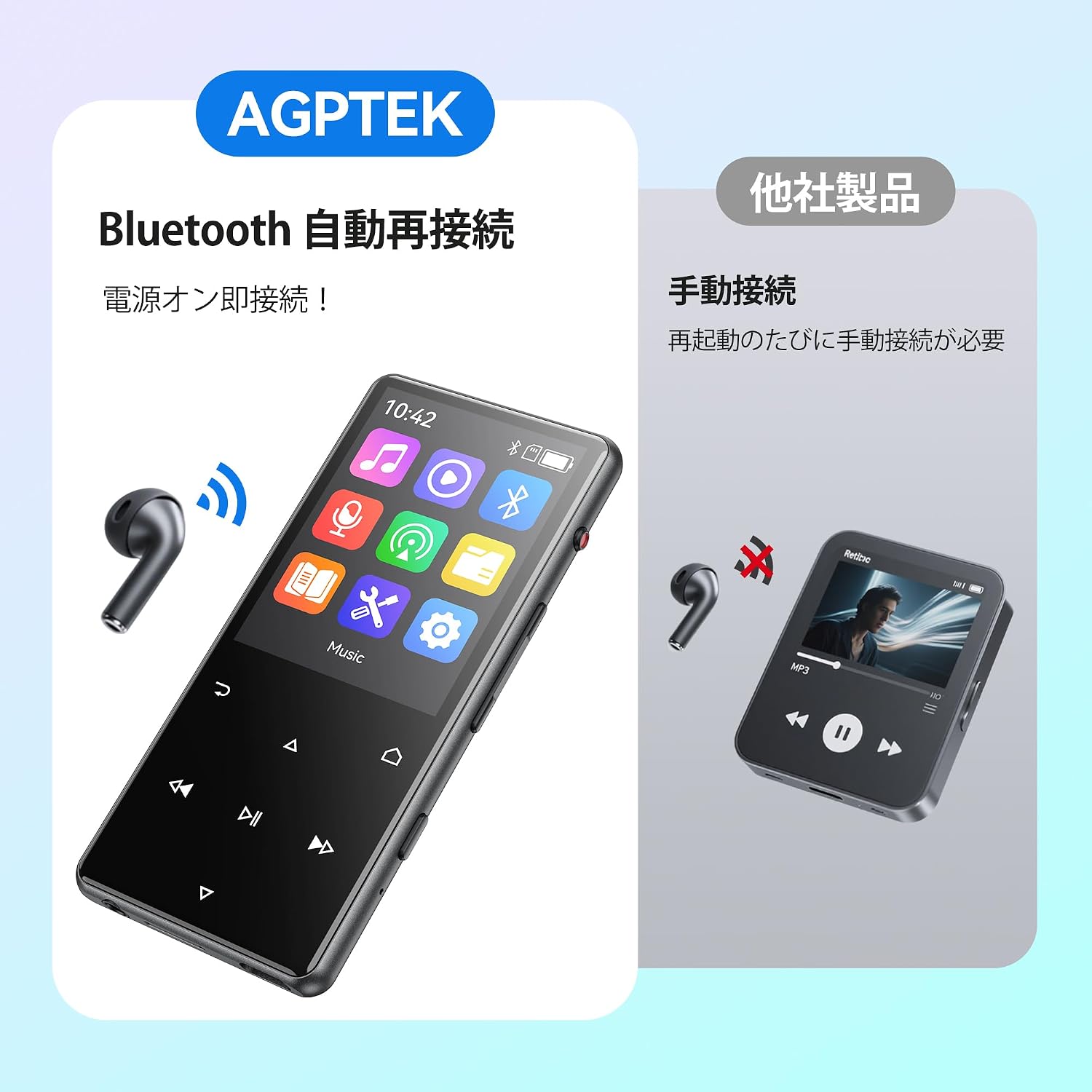
Immagine: The AGPTEK M6U MP3 Player connected wirelessly to a pair of Bluetooth earbuds, illustrating the automatic reconnection feature. The screen shows the Bluetooth icon, indicating an active connection.
Istruzioni per l'uso
1. Navigazione di base
Use the touch screen or physical buttons (Play/Pause, Next/Previous, Volume) to navigate through menus and control playback. The interface is designed for intuitive use.
2. Riproduzione di musica
Dal menu principale, seleziona "Musica" per sfogliare i tuoi file audio files. You can sort by artist, album, genre, or view all songs. Tap a song to begin playback.
- Press the Play/Pause button to start or pause music.
- Utilizzare i pulsanti Avanti/Indietro per saltare le tracce.
- Regolare il volume utilizzando gli appositi controlli.
3. Registrazione vocale
The AGPTEK M6U features a one-key recording function, allowing you to quickly capture audio. This is useful for lectures, meetings, or personal notes.

Immagine: The AGPTEK M6U MP3 Player screen showing an active recording session, indicated by a large microphone icon and a filename. This highlights the device's one-key recording capability, useful for capturing ideas or discussions instantly.
To start a recording, locate the dedicated recording button (if available, otherwise navigate through the menu). Recordings are saved in MP3 or WAV format.
4. Radio FM
To use the FM radio function, connect the wired earphones to the player. The earphones act as an antenna. Navigate to the FM Radio application from the main menu, then scan for available stations.
5. Impostazioni
Access the "Settings" menu to customize various aspects of your player, including display brightness, language, date and time, equalizer settings, and system information.
Manutenzione
- Pulizia: Utilizzare un panno morbido e asciutto per pulire il dispositivo. Evitare detergenti liquidi o materiali abrasivi.
- Magazzinaggio: Conservare il lettore in un luogo fresco e asciutto, lontano dalla luce solare diretta e da temperature estreme.
- Cura della batteria: Per prolungare la durata della batteria, evitare di scaricarla completamente frequentemente. Caricarla regolarmente, anche se non viene utilizzata per periodi prolungati.
- Aggiornamenti software: Controllare periodicamente il sito ufficiale AGPTEK websito per eventuali aggiornamenti firmware disponibili per garantire prestazioni ottimali e nuove funzionalità.
Risoluzione dei problemi
| Problema | Soluzione |
|---|---|
| Il dispositivo non si accende. | Ensure the battery is charged. Connect the player to a power source for at least 10 minutes, then try powering on again. |
| Cannot connect to Bluetooth headphones. | Make sure Bluetooth is enabled on both the player and the headphones. Put headphones in pairing mode. Ensure they are within range and not connected to another device. |
| Musica filenon vengono riconosciuti. | Verificare che la musica files are in a supported format (FLAC, MP3, WMA, WAV, APE, ACELP, AAC, Audible, OGG). Ensure files are transferred correctly to the player's internal storage or microSD card. |
| Lo schermo non risponde. | Prova a riavviare il dispositivo. Se il problema persiste, potrebbe essere necessario un ripristino delle impostazioni di fabbrica (nota: questa operazione cancellerà tutti i dati). |
Specifiche
| Caratteristica | Dettaglio |
|---|---|
| Marca | AGPTEK |
| Numero di modello | M6U |
| Memoria interna | 64 GB |
| Dimensioni dello schermo | 2.4 pollici |
| Tecnologia di visualizzazione | LCD |
| Tecnologia di connettività | USB, Bluetooth 5.3 |
| Dispositivi compatibili | PC, Headphones |
| Tipo di supporto | microSD Card (expandable storage) |
| Formati audio supportati | FLAC, MP3, WMA, WAV, APE, ACELP, AAC, Audible, OGG |
| Formati di registrazione supportati | MP3, WAV |
| Formati video supportati | AMV, AVI (240*320) |
| Durata della batteria (media) | Fino a 40 ore |
| Colore | Nero |
| Origine | Cina |
Garanzia e supporto
The AGPTEK M6U MP3 Player comes with a 180-day warranty from the date of purchase. This warranty covers manufacturing defects under normal use.
For technical support, warranty claims, or further assistance, please contact AGPTEK customer service through their official website or the retailer where you purchased the product. Please have your model number (M6U) and proof of purchase ready when contacting support.
Informazioni importanti sulla sicurezza
- Non esporre il dispositivo a temperature estreme, alla luce solare diretta o a elevata umidità.
- Evitare di far cadere o sottoporre il dispositivo a forti impatti.
- Non tentare di smontare o riparare il dispositivo autonomamente. Ciò invaliderà la garanzia.
- Utilizzare solo cavi di ricarica e accessori approvati.
- Listen to audio at moderate volumes to prevent hearing damage.