
1. Introduzione
This manual provides detailed instructions for setting up, operating, maintaining, and troubleshooting your AWOW AK10 Pro Mini PC. Please read this manual thoroughly before using the device to ensure proper functionality and to maximize your user experience.
2. Cosa c'è nella scatola
Dopo aver aperto la confezione, verificare che tutti gli articoli elencati di seguito siano presenti e in buone condizioni:
- AWOW AK10 Pro Mini PC
- Adattatore di alimentazione
- Cavo HDMI
- Screws for internal drive installation
- Manuale dell'utente (questo documento)
3. Prodotto finitoview
The AWOW AK10 Pro is a compact and efficient mini PC designed for various applications, including home, office, and educational use. It features an Intel N100 processor, 8GB RAM, and a 256GB PCIe 3.0 SSD, supporting 4K display output and multiple connectivity options.
3.1 Caratteristiche principali
- Processore: Intel N100 Quad-Core (fino a 3.4 GHz)
- Memoria: 8GB DDR4 RAM (3200MHz)
- Magazzinaggio: 256GB PCIe 3.0 SSD (expandable up to 4TB with M.2 SSD + 2.5" SATA drive)
- Grafica: Intel UHD Graphics with 4K@60Hz dual display support (HDMI 2.0, DisplayPort 1.4)
- Connettività: Dual-band 802.11ac WiFi (2.4GHz/5GHz), Bluetooth 5.2, Gigabit Ethernet
- Porte: USB 3.2 x2, USB 2.0 x2, HDMI, DisplayPort, RJ45 Gigabit Ethernet, 2-in-1 Audio Jack, DC 12V Power Input, CMOS CLR button
3.2 Identificazione dei componenti
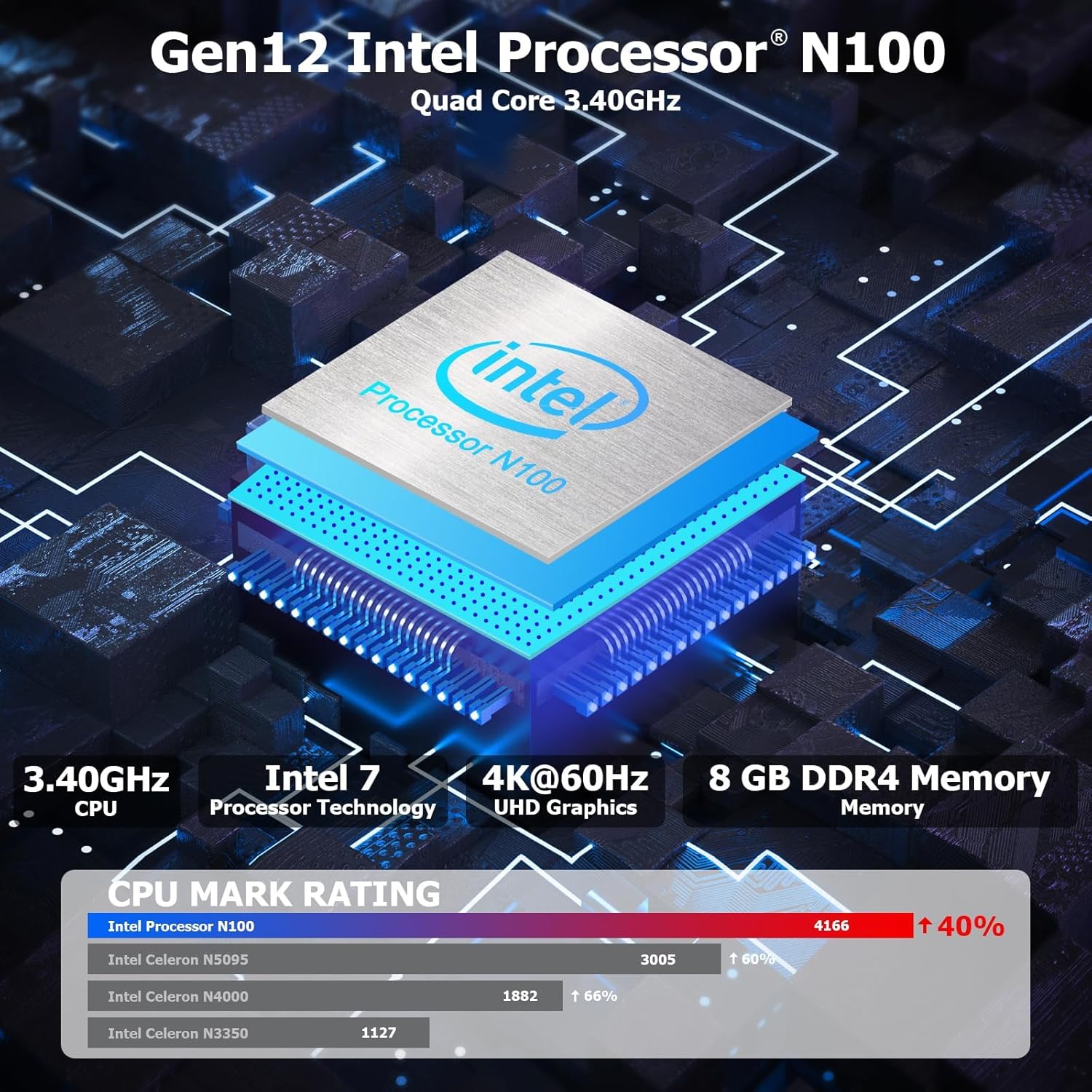
Figura 3.1: Interno view highlighting the Intel N100 processor, 4K@60Hz capability, and 8GB DDR4 memory, along with a CPU Mark Rating comparison.
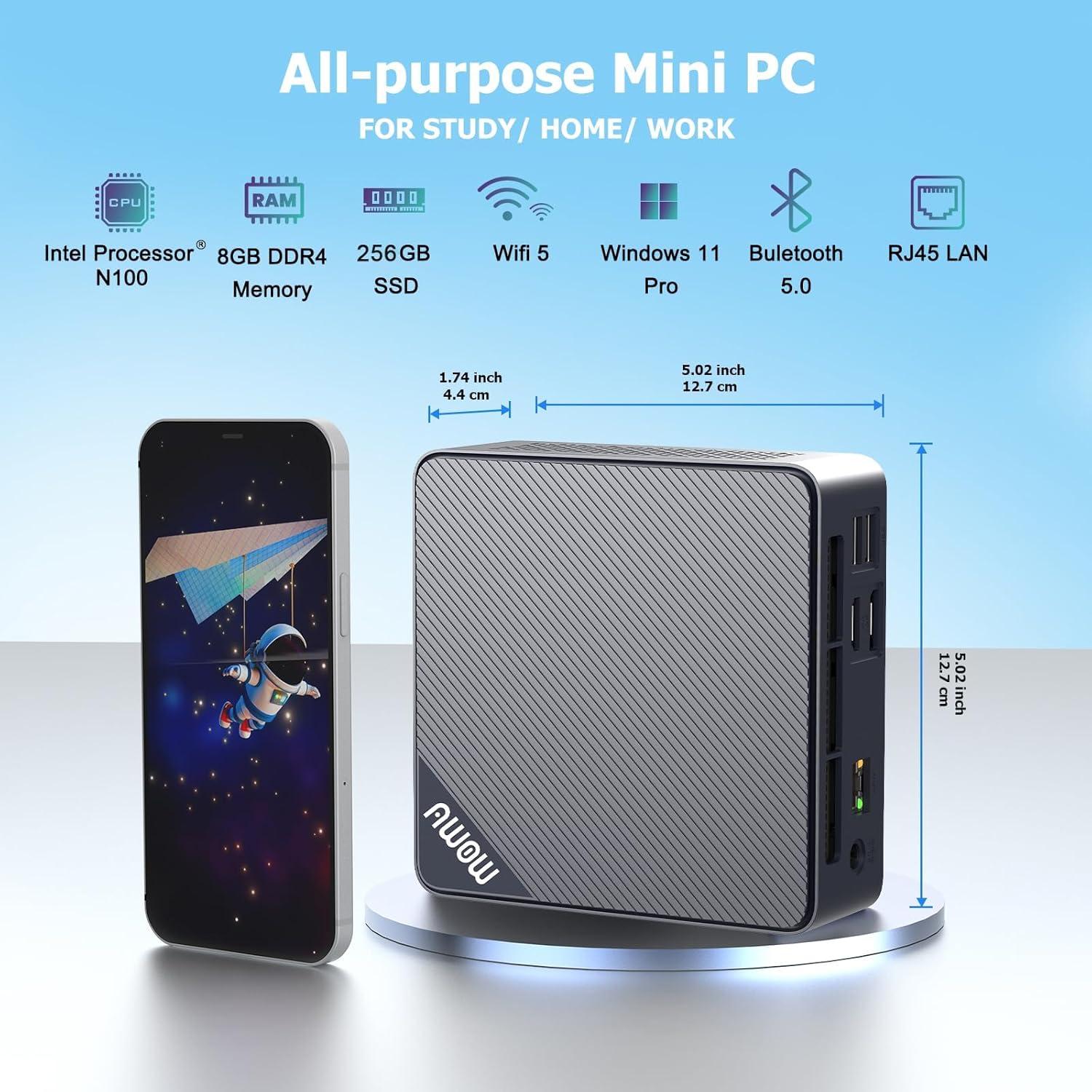
Figura 3.2: Davanti e di lato view of the AWOW Mini PC, illustrating its compact dimensions (4.9 x 4.9 x 1.7 inches) and key features like Intel N100 CPU, 8GB DDR4, 256GB SSD, WiFi 5, and Bluetooth 5.0.

Figura 3.3: Detailed diagram of the AWOW Mini PC's ports, including USB 3.2 x2, 2-in-1 Audio, Power Button, CMOS CLR, DC 12V, RJ45, HDMI, DisplayPort, and USB 2.0 x2.
4. Istruzioni per l'installazione
Follow these steps to set up your AWOW AK10 Pro Mini PC:
- Connettiti all'alimentazione: Insert the DC 12V power adapter into the power input port on the mini PC, then plug the adapter into a power outlet.
- Connetti al display: Connect your monitor(s) to the mini PC using either the HDMI 2.0 port or the DisplayPort 1.4. For dual display setup, use both ports.
- Connetti le periferiche: Collega la tastiera e il mouse USB alle porte USB 2.0 o USB 3.2 disponibili.
- Connessione di rete (facoltativa): For a wired internet connection, connect an Ethernet cable from your router or modem to the RJ45 Gigabit Ethernet port. For wireless, ensure your WiFi network is available.
- Accensione: Premere il pulsante di accensione situato sulla parte anteriore del mini PC. La spia di alimentazione si illuminerà.
- Configurazione iniziale: Follow the on-screen instructions to complete the operating system setup (e.g., Windows 11 initial configuration).
5. Istruzioni per l'uso
5.1 Funzionamento di base
- Accensione/spegnimento: Press the power button to turn on the device. To shut down, use the operating system's shutdown function. A short press on the power button can also put the PC to sleep.
- Ricomincia: Utilizzare la funzione di riavvio del sistema operativo.
- Accesso al BIOS: To enter the BIOS settings, press the DEL key repeatedly during startup. To select a boot device, press F7 durante l'avvio.
5.2 Configurazione del doppio display
The AWOW AK10 Pro supports dual 4K@60Hz displays via its HDMI 2.0 and DisplayPort 1.4 outputs. After connecting both monitors, you can configure display settings within your operating system (e.g., Windows Display Settings) to extend or duplicate your desktop.

Figura 5.1: Example of a dual monitor setup, demonstrating extended desktop functionality for increased productivity.
5.3 Espansione dello storage
The mini PC's storage can be expanded. It supports an additional 2.5-inch SATA SSD/HDD (up to 2TB) and an M.2 SSD (up to 2TB). To install an additional drive:
- Ensure the mini PC is powered off and disconnected from the power source.
- Carefully open the chassis. Refer to the product's official support resources or contact AWOW service for detailed instructions on opening the case to avoid damage.
- Install the 2.5-inch SATA drive or M.2 SSD into the designated slot. Use the provided screws for secure installation.
- Close the chassis and reconnect power. The new drive may need to be initialized and formatted within the operating system's Disk Management utility before use.
6. Manutenzione
- Pulizia: Regularly clean the exterior of the mini PC with a soft, dry cloth. Use compressed air to clear dust from ventilation grilles to ensure proper airflow and prevent overheating. Do not use liquid cleaners directly on the device.
- Aggiornamenti software: Mantieni aggiornati il sistema operativo e i driver per garantire prestazioni e sicurezza ottimali.
- Gestione della memoria: Periodically check your storage usage and remove unnecessary fileper mantenere la velocità del sistema.
- Condizioni ambientali: Operate the mini PC in a well-ventilated area, away from direct sunlight, heat sources, and excessive moisture.
7. Risoluzione Dei Problemi
If you encounter issues with your AWOW AK10 Pro Mini PC, refer to the following common problems and solutions:
- No Power / System Does Not Boot:
- Assicurarsi che l'adattatore di alimentazione sia collegato saldamente sia al mini PC sia a una presa di corrente funzionante.
- Verificare che la presa di corrente funzioni collegandovi un altro dispositivo.
- If the issue persists, try pressing the CMOS CLR button (if available and accessible) to reset BIOS settings.
- Nessuna visualizzazione sul monitor:
- Check that the HDMI or DisplayPort cable is securely connected to both the mini PC and the monitor.
- Assicurarsi che il monitor sia acceso e impostato sulla sorgente di ingresso corretta (HDMI/DP).
- Se possibile, provare con un cavo o un monitor diverso.
- Noisy Fan:
- Ensure the mini PC is placed in a well-ventilated area and that the air vents are not obstructed.
- Clean any dust accumulation from the vents using compressed air.
- If the fan noise is excessive or constant, it may indicate a hardware issue. Contact AWOW support.
- External Drives Not Recognized:
- Ensure the external drive is properly connected and powered (if required).
- Check Disk Management in your operating system to see if the drive is detected but needs initialization or formatting.
- Try connecting the drive to a different USB port or another computer to rule out drive issues.
8. Specifiche
| Caratteristica | Dettaglio |
|---|---|
| Modello | AK10Pro |
| Processore | Intel N100 (Quad-Core, up to 3.4 GHz) |
| Coprocessore grafico | Grafica Intel UHD |
| Memoria RAM | 8 GB LPDDR4 (3200MHz) |
| Magazzinaggio | 256 GB PCIe 3.0 SSD |
| Archiviazione espandibile | Up to 2TB M.2 SSD + Up to 2TB 2.5" SATA Drive |
| Risoluzione massima dello schermo | Risoluzione 4K (3840 x 2160) |
| Uscita video | HDMI 2.0, DisplayPort 1.4 (Dual Display Support) |
| Connettività wireless | 802.11ac WiFi (2.4GHz/5GHz), Bluetooth 5.2 |
| Connettività cablata | Ethernet gigabit (RJ45) |
| Porte USB | 2x USB 3.2, 2x USB 2.0 |
| Porte audio | Jack audio 2 in 1 |
| Sistema operativo | Sistema operativo (in genere Windows 11 Pro preinstallato) |
| Dimensioni (LxWxH) | 4.9 x 4.9 x 1.7 pollici (12.5 x 12.5 x 4.3 cm) |
| Peso dell'articolo | 1.74 libbre (0.79 kg) |
9. Garanzia e supporto
AWOW is committed to providing excellent customer service and technical support for your product.
- Servizio post-vendita: AWOW offre un servizio post-vendita completo.
- Supporto tecnico: È disponibile un supporto tecnico 24 ore su 24, 7 giorni su 7, fornito da esperti informatici esperti, per risolvere qualsiasi problema tecnico.
- Servizio clienti locale: Il servizio clienti locale è disponibile durante l'orario lavorativo (dalle 9:00 alle 5:00 EST).
- Personalizzazione OEM: Sono disponibili anche servizi di prevendita per la personalizzazione OEM.
- For support, please refer to the contact information provided with your purchase or visit the official AWOW websito.