
1. Prodotto finitoview
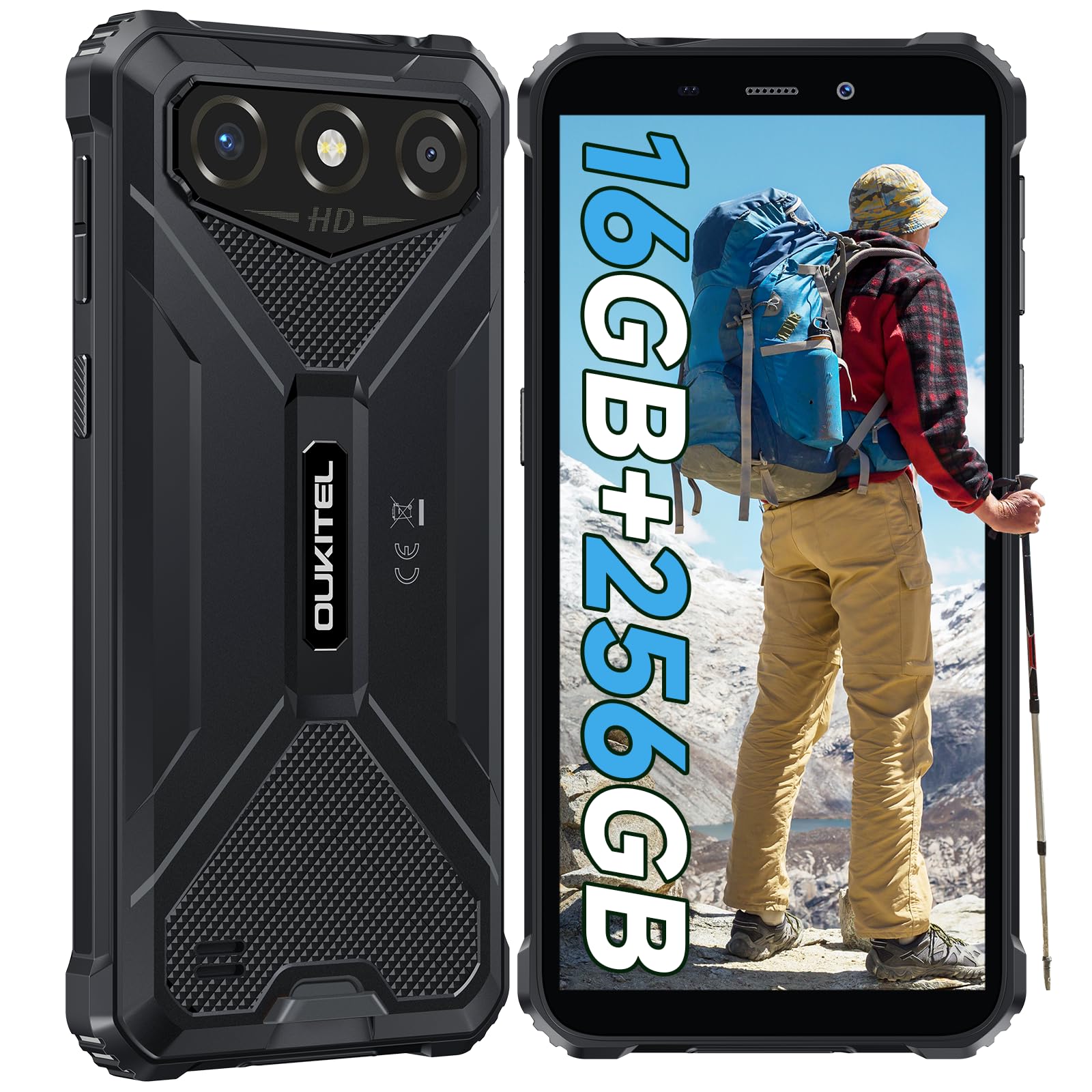
The OUKITEL G3 is a rugged smartphone designed for durability and performance in challenging environments. It features a 6.0-inch HD display, a 6300mAh battery, 16GB RAM (expandable), 256GB ROM (expandable to 1TB), and a 13MP main camera. The device is certified with IP68, IP69K, and MIL-STD-810H ratings, ensuring resistance to water, dust, and drops. It operates on Android 14 and supports 4G Dual SIM, GPS, Face ID, and OTG functionality.
2. Contenuto della confezione
Verifica che tutti gli articoli siano presenti nel tuo pacco:
- 1x Smartphone OUKITEL G3
- 1x Caricabatterie
- 1x cavo di tipo C
- 1x perno di espulsione della scheda SIM
- 1x Manuale utente

3. Configurazione iniziale
3.1. Inserimento delle schede SIM e della scheda TF
- Individuare il vassoio della scheda SIM sul lato del dispositivo.
- Utilizzare lo spillo di espulsione SIM in dotazione per aprire il vassoio.
- Carefully place your Nano SIM cards (up to two) and/or a TF card (for memory expansion up to 1TB) into the designated slots.
- Assicurarsi che le carte siano orientate correttamente come indicato sul vassoio.
- Spingere delicatamente il vassoio nel telefono finché non scatta in posizione.

3.2. Carica della batteria
Before first use, fully charge the device. Connect the Type-C cable to the phone's charging port and the other end to the provided charger. Plug the charger into a power outlet. The battery indicator on the screen will show charging status. The OUKITEL G3 features a 6300mAh battery for extended use.
3.3. Accensione/Spegnimento
- Per accendere: tenere premuto il pulsante di accensione finché non appare il logo OUKITEL.
- Per spegnere: tenere premuto il pulsante di accensione, quindi selezionare "Spegni" dalle opzioni sullo schermo.
- Per riavviare: tieni premuto il pulsante di accensione, quindi seleziona "Riavvia" dalle opzioni.
4. Istruzioni per l'uso
4.1. Display e navigazione
The OUKITEL G3 features a 6.0-inch HD display with 450 nits brightness and Corning Glass 5 protection. Navigate the Android 14 interface using touch gestures: tap, swipe, pinch-to-zoom. Access quick settings by swiping down from the top of the screen.

4.2. Funzioni della fotocamera
The device is equipped with a 13MP rear camera and a 5MP front camera. Open the Camera app to capture photos and videos. Features include:
- Modalità foto standard: Per la fotografia di tutti i giorni.
- Modalità bellezza AI: Esalta i tratti del viso nei ritratti.
- Modalità fotocamera subacquea: Allows capturing photos and videos while submerged up to 1.5m for 30 minutes. Ensure all ports are securely sealed before underwater use.
- Modalità Panorama: For wide-angle landscape shots.

4.3. Battery Management and OTG
The 6300mAh battery provides extended usage. To optimize battery life, manage screen brightness, close unused applications, and enable power-saving modes when needed. The device supports OTG (On-The-Go) reverse charging, allowing you to use your OUKITEL G3 to charge other compatible devices via a Type-C OTG cable (sold separately).

4.4. Custom Key and Security Features
- Chiave personalizzata: A programmable button on the side of the device for quick access to specific applications or functions. Configure its actions (single click, double click, long press) in the phone settings.
- Identificazione facciale: Use facial recognition for secure unlocking of your device. Set up Face ID in the Security settings.
- Navigazione GPS: The OUKITEL G3 supports GPS, GLONASS, Beidou, and Galileo navigation systems for accurate positioning.

5. Manutenzione e durata
The OUKITEL G3 is built to withstand harsh conditions, certified with IP68, IP69K, and MIL-STD-810H standards.
- Resistenza all'acqua IP68: Protected against continuous immersion in water up to 1.5 meters for 30 minutes. Ensure all port covers are tightly sealed before exposure to water.
- IP69K Dust Resistance: Completamente protetto contro l'ingresso di polvere e getti d'acqua ad alta pressione e alta temperatura.
- MIL-STD-810H Drop Resistance: Designed to withstand drops from up to 1.5 meters. The aluminum frame and rubberized corners provide enhanced shock absorption.
Per pulire il dispositivo, utilizzare un panno morbido, damp cloth. Avoid harsh chemicals or abrasive materials. Regularly check port covers for proper sealing to maintain water and dust resistance.

6. Risoluzione Dei Problemi
Se riscontri problemi con il tuo OUKITEL G3, fai riferimento alle seguenti soluzioni comuni:
| Problema | Possibile soluzione |
|---|---|
| Il dispositivo non si accende | Assicurarsi che la batteria sia carica. Collegare il caricabatterie e attendere qualche minuto prima di riprovare ad accendere. |
| Segnale di rete scarso | Check if SIM cards are correctly inserted. Move to an area with better network coverage. Contact your service provider if the issue persists. |
| Applicazioni che si bloccano o si bloccano | Close background applications. Clear the cache of the problematic app. Restart the device. Ensure sufficient storage space is available. |
| La batteria si scarica rapidamente | Reduce screen brightness. Disable unused features like Wi-Fi, Bluetooth, GPS. Close power-intensive apps. Check battery usage in settings to identify culprits. |
| Il touchscreen non risponde | Riavvia il dispositivo. Se il problema persiste, esegui un ripristino delle impostazioni di fabbrica (esegui prima un backup dei dati). |
7. Specifiche tecniche
| Caratteristica | Dettaglio |
|---|---|
| Marca | OUKITEL |
| Modello | G3 |
| Sistema operativo | Androide 14 |
| Memoria RAM | 4 GB (espandibile a 16 GB di RAM virtuale) |
| Memoria interna (ROM) | 256 GB |
| Archiviazione espandibile | Fino a 1 TB (scheda TF) |
| Dimensioni dello schermo | 6.0 pollici |
| Risoluzione dello schermo | HD (450 nits brightness, Corning Glass 5) |
| Frequenza di aggiornamento | 60 Hz |
| Telecamera posteriore | 13 Megapixel |
| Fotocamera frontale | 5 Megapixel |
| Capacità della batteria | 6300 mAh |
| Porta di ricarica | USB di tipo C |
| Valutazioni di durabilità | IP68, IP69K, MIL-STD-810H |
| Supporto per schede SIM | Dual 4G Nano SIM |
| Navigazione | GPS, GLONASS, Beidou, Galileo |
| Sicurezza biometrica | Identificazione facciale |
| Presa audio | 3.5mm |
Per informazioni dettagliate sull'efficienza energetica, consultare il database EPREL dell'UE: https://eprel.ec.europa.eu/qr/2400970

8. Garanzia e supporto
OUKITEL provides the following support for the G3 smartphone:
- Politica di ritorno: Reso senza motivo entro 30 giorni.
- Garanzia: TWO-YEAR warranty.
- Supporto tecnico: Assistenza tecnica a lungo termine.
- Assistenza clienti: Servizio clienti online 24 ore su 24.
For any inquiries or support, please contact OUKITEL official customer service.