
THOMSON 1001W (10.1-inch WiFi)
THOMSON 10.1-inch WiFi Digital Picture Frame User Manual
Modello: 1001W
1. Introduzione
Thank you for choosing the THOMSON 10.1-inch WiFi Digital Picture Frame. This device allows you to easily share and display your cherished photos and videos with family and friends from anywhere in the world. This manual provides detailed instructions to help you set up, operate, and maintain your digital picture frame.
Contenuto della confezione:
- THOMSON 10.1-inch WiFi Digital Picture Frame
- Adattatore di alimentazione
- Supporto staccabile
- Manuale d'uso
2. Prodotto finitoview
Prendi familiarità con i componenti della tua cornice digitale.
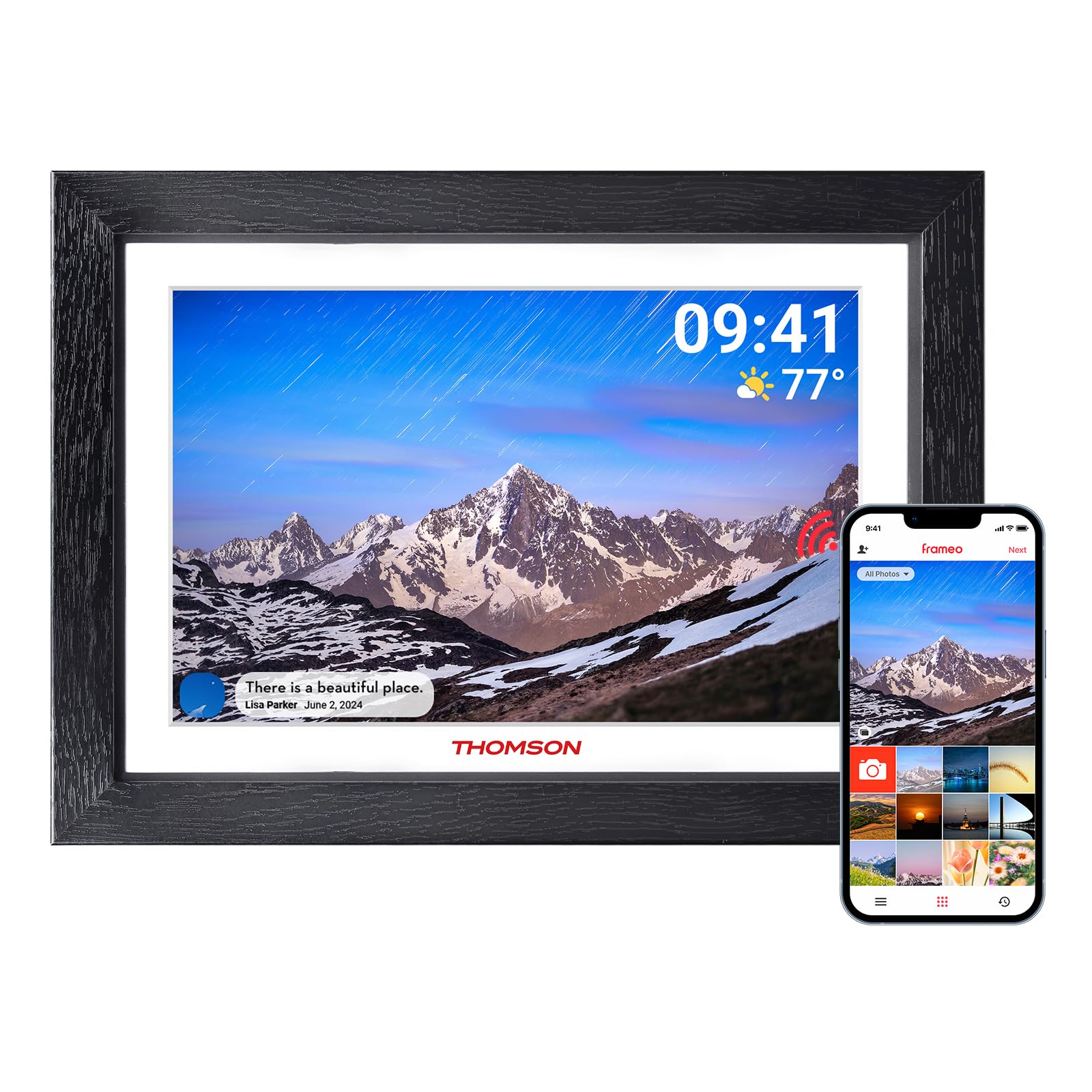
Figura 2.1: Fronte view of the digital picture frame.

Figura 2.2: Posteriore view with wall mount and stand attachment points.
Componenti chiave:
- Schermo touch IPS HD da 10.1 pollici: For clear display and intuitive navigation.
- Porta di alimentazione: Si collega all'alimentatore.
- Slot per scheda SD: For expanding storage (supports up to 128GB, SD card not included).
- Porta USB: For data transfer (e.g., from a USB flash drive).
- Pulsante di accensione: To turn the frame on/off or put it into sleep mode.
- Foro per appendere al muro: Allows for wall mounting in both landscape and portrait orientations.
- Supporto staccabile: Per posizionamento da tavolo.
3. Configurazione iniziale
3.1 Accensione
- Attach the detachable stand to the back of the frame if you intend to place it on a surface.
- Connect the power adapter to the frame's power port and then plug it into a wall outlet.
- The frame will automatically power on. If not, press and hold the power button on the back of the frame.
3.2 Connessione al Wi-Fi
Upon first startup, the frame will guide you through the initial setup wizard.
- Seleziona la lingua preferita.
- Scegli il tuo fuso orario.
- The frame will scan for available Wi-Fi networks. Select your network from the list.
- Inserisci la password del tuo Wi-Fi e tocca "Connetti".
- Once connected, the frame will display a unique device code. Make a note of this code.
3.3 Downloading and Pairing the App
To share photos and videos, you need to download the companion app.

Figura 3.1: Processo di download e associazione dell'app.
- Download the "Frameo" app from the App Store (iOS) or Google Play Store (Android) on your smartphone or tablet.
- Apri l'app Frameo e crea un account.
- In the app, select "Add Frame" and enter the unique device code displayed on your digital picture frame.
- Once paired, you can start sending photos and videos to your frame.
4. Utilizzo della cornice digitale
4.1 Sending Photos and Videos via App
The Frameo app allows you to send photos and short videos (up to 15 seconds) directly to your frame from anywhere with an internet connection.

Figure 4.1: Sharing photos and videos from a smartphone to the frame.
- Apri l'app Frameo sul tuo smartphone.
- Seleziona le foto o i video che desideri inviare.
- Choose your THOMSON frame as the recipient.
- Add a caption if desired and tap "Send". The content will appear on your frame shortly.
4.2 Using an SD Card or USB Drive
You can also display media directly from an SD card or USB flash drive.
- Insert an SD card (up to 128GB) into the SD card slot or a USB flash drive into the USB port.
- The frame will detect the storage device. You can then import photos/videos to the frame's internal memory or view direttamente.
4.3 Slideshow Settings
Personalizza la visualizzazione delle tue foto e dei tuoi video.
- Ordine di visualizzazione: Choose between chronological, reverse chronological, or shuffle.
- Intervallo foto: Imposta la durata di visualizzazione di ogni foto.
- Effetti di transizione: Select various visual transitions between photos.
- Volume: Adjust the volume for videos.
- Luminosità: Regola la luminosità dello schermo.
4.4 Funzione di rotazione automatica
The frame automatically detects its orientation (landscape or portrait) and adjusts the display accordingly. This feature works whether the frame is on its stand or wall-mounted.
Figure 4.2: Auto-rotate and wall-mount capabilities.
5. Caratteristiche principali
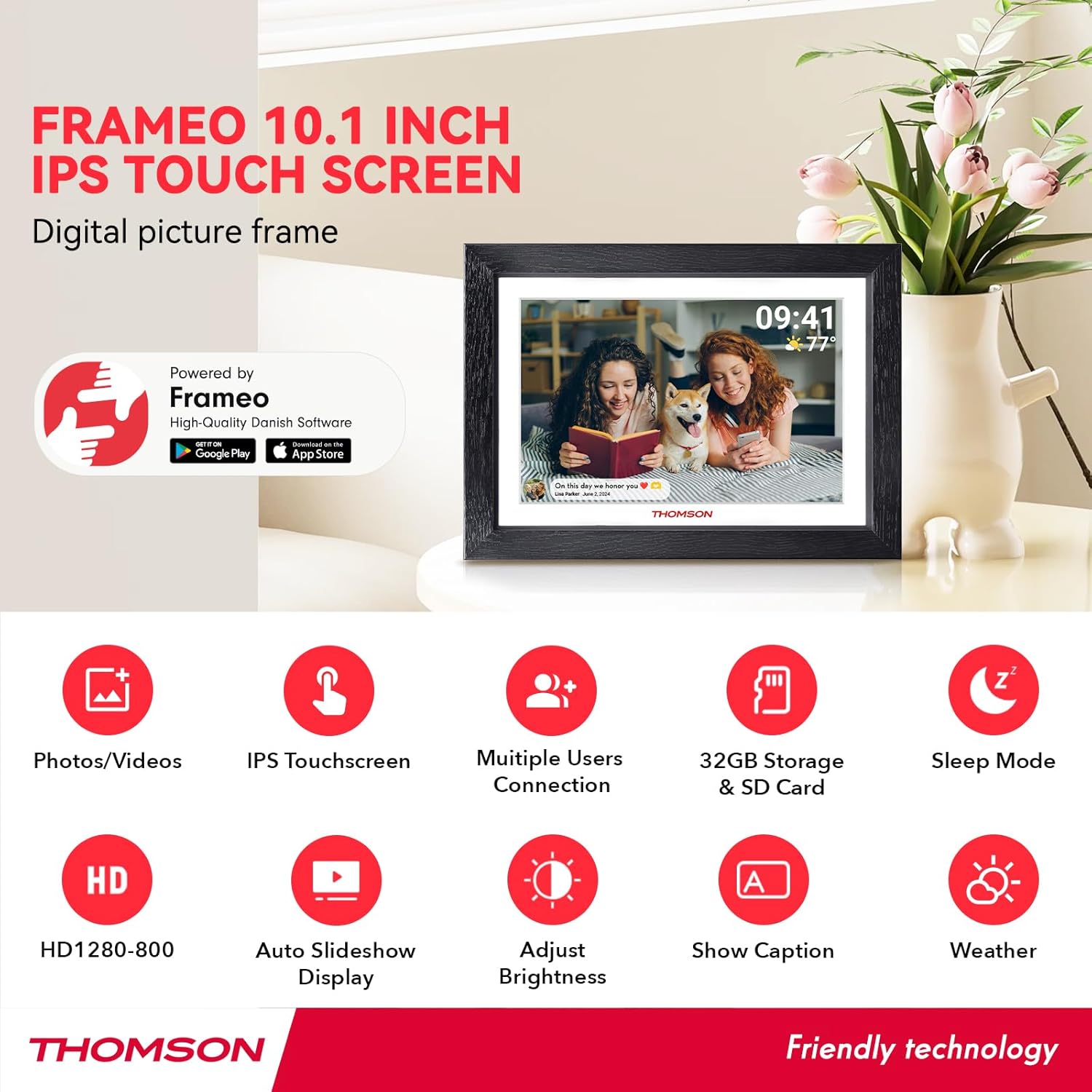
Figura 5.1: Oltreview of frame features.
- Schermo touch IPS HD: Enjoy vibrant images and videos with a 1280x800 resolution and a wide 180° viewing angle. The touch interface provides easy navigation.
- Connettività Wi-Fi: Seamlessly connect to your home Wi-Fi network for instant photo and video sharing.
- Ampio spazio di archiviazione: The frame comes with 32GB of built-in memory, capable of storing thousands of photos. Expand storage further with an SD card (up to 128GB).
- Frameo App Sharing: Share moments privately and securely with family and friends from anywhere using the dedicated Frameo app.
- Rotazione automatica: Photos and videos automatically adjust to the frame's orientation, whether placed horizontally or vertically.
- Modalità risparmio: Conserve energy by setting the frame to automatically turn off during specified hours.
- Funzione "React": Send emoticons back to loved ones in real-time to show your appreciation for the photos they share.
6. Manutenzione
6.1 Pulizia dello schermo
- Always power off the frame and unplug it before cleaning.
- Use a soft, lint-free cloth, such as a microfiber cloth, to gently wipe the screen.
- Per macchie ostinate, applicare leggermenteampImmergere il panno con acqua o con una soluzione detergente per schermi specificatamente studiata per dispositivi elettronici. Non spruzzare il liquido direttamente sullo schermo.
- Avoid using abrasive cleaners, alcohol, or ammonia-based solutions, as these can damage the screen.
6.2 Aggiornamenti software
The frame may receive periodic software updates to improve performance and add new features. Ensure your frame is connected to Wi-Fi to receive these updates. You will typically be notified on the frame when an update is available.
7. Risoluzione Dei Problemi
| Problema | Possibile causa | Soluzione |
|---|---|---|
| La cornice non si accende. | Nessun problema di alimentazione o adattatore di corrente. | Assicurati che l'adattatore di alimentazione sia collegato saldamente sia al telaio che a una presa di corrente funzionante. Prova una presa diversa. |
| Impossibile connettersi al Wi-Fi. | Password errata, fuori portata o problema di rete. | Double-check the Wi-Fi password. Move the frame closer to the router. Restart your router and the frame. Ensure your Wi-Fi network is 2.4GHz compatible. |
| Foto/video non visualizzati sulla cornice. | Frame not connected to internet, app not paired, or incorrect recipient. | Verify the frame is connected to Wi-Fi. Ensure the app is correctly paired with the frame. Confirm you are sending to the correct frame ID in the app. Check if the frame's internal storage or SD card is full. |
| Il touch screen non risponde. | Problema temporaneo del software. | Restart the frame by unplugging it and plugging it back in after a few seconds. Ensure the screen is clean and free of debris. |
| Frame is stuck on a logo or screen. | Errore software. | Perform a hard reset by unplugging the power adapter, waiting 10 seconds, and plugging it back in. If the issue persists, contact customer support. |
8. Specifiche
| Caratteristica | Dettaglio |
|---|---|
| Marca | TOMSONITA |
| Numero di modello | 1001W |
| Dimensioni dello schermo | 10.11 pollici |
| Risoluzione | 1280 x 800 (HD IPS) |
| Tecnologia di connettività | Wi-Fi (2.4 GHz) |
| Capacità di archiviazione della memoria | 32 GB (interni) |
| Archiviazione esterna | SD Card (max. 128 GB, not included) |
| Metodo di controllo | Touch Screen, App |
| Fonte di alimentazione | Elettrico con cavo |
| Proporzioni | 16:10 |
| Materiale del telaio | Legna |
| Peso dell'articolo | 680 grammi |
| Dimensioni dell'articolo (L x P) | 16" x 10" |
9. Garanzia e supporto
9.1 Informazioni sulla garanzia
The THOMSON 10.1-inch WiFi Digital Picture Frame comes with a Garanzia di 24 mesi dalla data di acquisto. La presente garanzia copre i difetti di fabbricazione e assicura il corretto funzionamento del prodotto in condizioni di utilizzo normali.
9.2 Supporto tecnico
THOMSON provides supporto tecnico a vita for this product. If you encounter any issues or have questions not covered in this manual, please refer to the contact information provided with your product packaging or visit the official THOMSON support websito per assistenza.
Ask a question about this manual
Ask about setup, troubleshooting, compatibility, parts, safety, or missing instructions. Manuals+ will review the question and use this page’s manual context to help answer it.