
1. Introduzione
This manual provides detailed instructions for the Inateck BCST-72 2D Wireless Barcode Scanner. Please read this guide thoroughly before using the device to ensure proper operation and to maximize its performance. The Inateck BCST-72 is designed for efficient and accurate scanning of various 1D and 2D barcodes, offering versatile connectivity and a long-lasting battery.
2. Contenuto della confezione
Verifica che tutti gli articoli siano presenti nel tuo pacco:
- Inateck BCST-72 2D Wireless Barcode Scanner
- USB Charging Cable (USB-A to USB-B)
- Chiavetta USB wireless 2.4G
- Guida per l'utente (questo documento)
Descrizione del video: An unboxing video showing the Inateck BCST-72 barcode scanner, user guide, USB cable, and 2.4G USB dongle being removed from their packaging. This video provides a visual confirmation of the package contents.
3. Prodotto finitoview
3.1 Caratteristiche fisiche
The Inateck BCST-72 is built for durability and comfort, featuring a robust design suitable for various work environments.
- Design durevole: The scanner incorporates thickened TPU soft rubber for 360° drop protection, capable of withstanding repeated drops from 1.8 meters.
- Impugnatura ergonomica: Engineered for comfort during extended use, its balanced weight and slip-resistant backstrap ensure effortless handling.
- Pulsante durevole: The trigger button features a metal and plastic combined design, supporting millions of clicks for long-term reliability.
Descrizione dell'immagine: Un dettagliato view of the Inateck BCST-72 barcode scanner, illustrating its robust construction with enhanced TPU for 360-degree protection against drops from up to 1.8 meters.

Descrizione dell'immagine: A hand holding the Inateck BCST-72 barcode scanner, emphasizing its ergonomic design for comfortable and effortless control during use.

Descrizione dell'immagine: A close-up shot of the Inateck BCST-72 barcode scanner's yellow trigger button, highlighting its durable construction designed for millions of clicks.
4. Impostazione
4.1 Caricamento dello scanner
Before initial use, fully charge the scanner. Connect the provided USB charging cable to the scanner's charging port and a USB power source. The scanner is equipped with a 2600mAh battery, offering up to 180 days of standby time or 180,000 scans on a single charge.

Descrizione dell'immagine: The Inateck BCST-72 barcode scanner with an overlay indicating its 180-day standby battery life, 144 hours of non-stop scanning, and 2600mAh battery capacity.
4.2 Opzioni di connettività
The BCST-72 offers three connectivity modes: 2.4G Wireless, Bluetooth, and Wired USB. It is compatible with Windows, Mac, iOS, Android, iPadOS, and Linux operating systems.
4.2.1 Connessione Bluetooth
Per connettersi tramite Bluetooth:
- Accendere lo scanner.
- Download the "Inateck Scanner" app from the App Store or Google Play.
- Open the app and follow the on-screen instructions to pair the scanner via Bluetooth. The app will guide you through the setup process.
- Once paired, the scanner can be used with your device.
4.2.2 Connessione wireless 2.4G
For 2.4G wireless connection:
- Inserire il dongle USB 2.4G in una porta USB disponibile sul computer o sul dispositivo host.
- Accendi lo scanner. Dovrebbe connettersi automaticamente al dongle.
- Lo scanner funzionerà come dispositivo di input da tastiera.
4.2.3 Connessione USB cablata
To connect via wired USB:
- Collega lo scanner al computer utilizzando il cavo USB in dotazione.
- The scanner will be recognized as a USB HID keyboard device and is ready for use.

Descrizione dell'immagine: The Inateck BCST-72 barcode scanner shown connecting via Bluetooth to devices running Windows, macOS, Linux, Raspberry Pi, iOS, and Android, illustrating its broad compatibility.

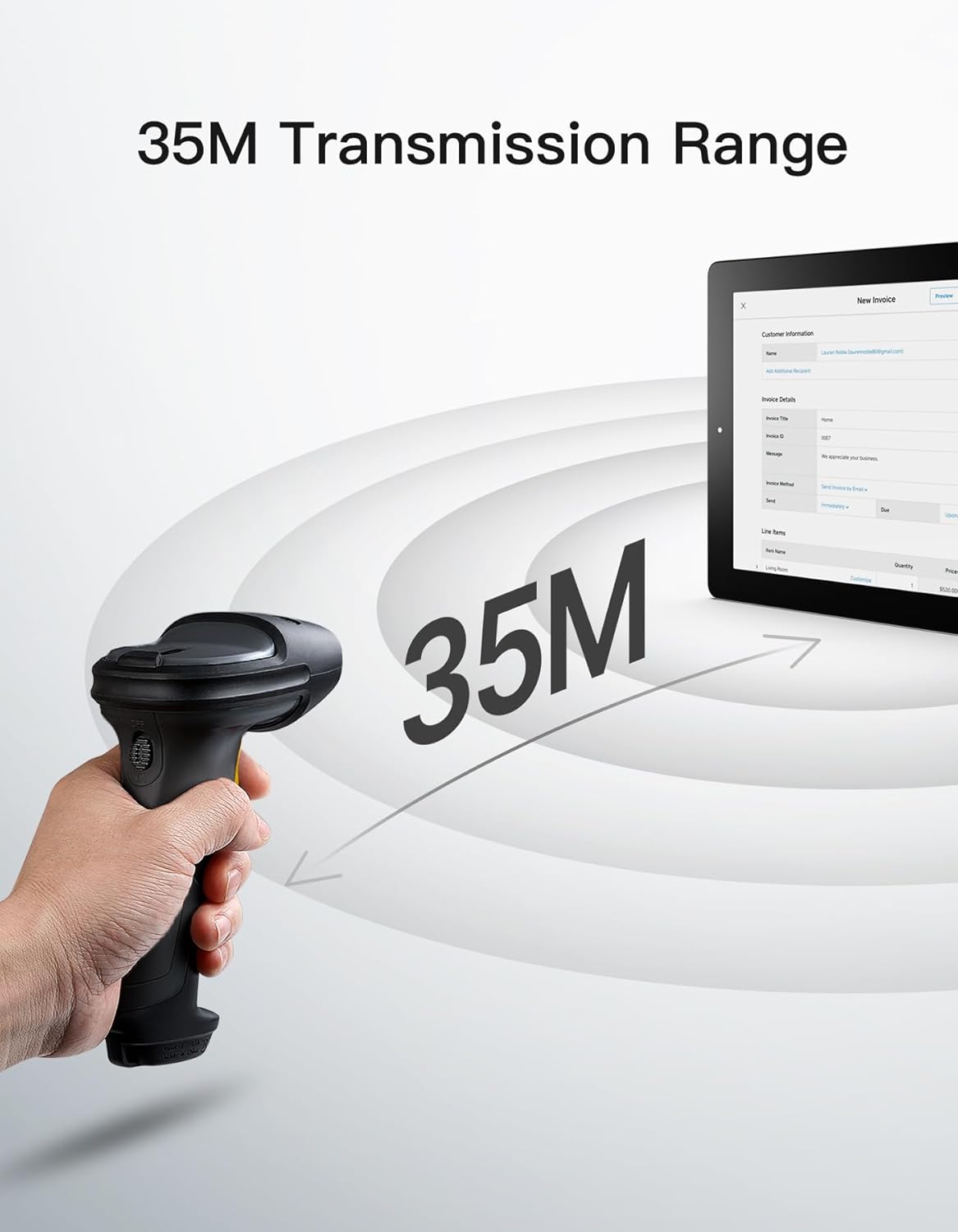
Descrizione dell'immagine: The Inateck BCST-72 barcode scanner illustrating its 35-meter wireless transmission range, connecting to a tablet displaying an invoice.
5. Istruzioni per l'uso
5.1 Scansione dei codici a barre
The Inateck BCST-72 accurately reads almost all 1D and 2D barcodes within a 4–35 cm scanning range. It supports mainstream barcode types including Code 128, EAN-13, UPC-A, QR Code, PDF-417, Data Matrix, Aztec Code, and more. Equipped with a red laser aiming frame and white fill light, it reliably scans damaged, small, or blurred barcodes in both bright and low-light conditions.

Descrizione dell'immagine: The Inateck BCST-72 barcode scanner head shown with various 1D and 2D barcodes, indicating its "Super Decoding Ability" to read different types of codes.

Descrizione dell'immagine: The Inateck BCST-72 barcode scanner highlighting its capability to read both 1D and 2D barcodes, listing various supported formats like Code 128, EAN-13, UPC-A, QR, and Data Matrix.
5.2 Modalità di scansione
The scanner offers multiple scanning modes to suit different applications:
- Modalità manuale: Premere il pulsante di attivazione per scansionare ogni codice a barre singolarmente.
- Modalità continua: Lo scanner emette continuamente un raggio di scansione, leggendo i codici a barre mentre attraversano il campo di view senza dover premere il grilletto.
- Modalità di rilevamento automatico: The scanner automatically detects barcodes placed within its scanning range and activates the scan beam.
- Modalità inventario: Allows for offline data collection, storing up to 270,000 barcodes internally before uploading them to a host device.

Descrizione dell'immagine: The Inateck BCST-72 barcode scanner in a stand, demonstrating its automatic detection mode for hands-free scanning.

Descrizione dell'immagine: The Inateck BCST-72 barcode scanner continuously scanning multiple items on a conveyor belt, illustrating its continuous scanning mode.

Descrizione dell'immagine: The Inateck BCST-72 barcode scanner used in inventory mode, showing scanned data being uploaded to a spreadsheet, highlighting its offline data collection capability.
5.3 Inateck Scanner App & SDK
The Inateck Scanner app (available on App Store and Google Play) and SDK provide advanced configuration options and seamless integration with ERP systems. The app allows for fast configuration of Bluetooth pairing, barcode settings, and data processing. You can customize settings such as volume, barcode types, suffixes, and prefixes. The SDK enables developers to integrate the scanner directly into custom software solutions.
Descrizione del video: An official product video demonstrating the Inateck BCST-72 barcode scanner's features, including its decoding ability, battery life, durable design, and the functionality of the Inateck Scanner app for configuration and data processing. It also highlights the SDK for seamless integration.
6. Manutenzione
Per garantire la longevità e le prestazioni ottimali del tuo scanner per codici a barre Inateck BCST-72, segui queste linee guida per la manutenzione:
- Pulizia: Utilizzare un panno morbido e asciutto per pulire l'esterno dello scanner. Per la finestra di scansione, utilizzare un panno privo di lanugine leggermenteampcon un detergente delicato e non abrasivo. Evitare prodotti chimici aggressivi o materiali abrasivi che potrebbero graffiare la lente.
- Cura della batteria: Avoid fully discharging the battery frequently. For long-term storage, charge the battery to about 50% and store the device in a cool, dry place. Recharge periodically if stored for extended periods.
- Magazzinaggio: Store the scanner in a clean, dry environment away from extreme temperatures, direct sunlight, and corrosive materials.
7. Risoluzione Dei Problemi
If you encounter issues with your Inateck BCST-72 scanner, refer to the following common solutions:
- Lo scanner non si accende: Ensure the battery is charged. Connect the scanner to a power source using the USB cable and allow it to charge for at least 30 minutes before attempting to turn it on again.
- Unable to Connect via Bluetooth/2.4G:
- Ensure the scanner is in the correct pairing mode.
- Verify that Bluetooth is enabled on your host device.
- For 2.4G, ensure the USB dongle is securely plugged in and recognized by your device.
- Provare a riavviare sia lo scanner sia il dispositivo host.
- Lo scanner non legge i codici a barre:
- Ensure the barcode is clean, undamaged, and within the scanner's optimal reading range (4-35 cm).
- Check if the barcode type is supported by the scanner. You can configure supported barcode types via the Inateck Scanner app.
- Regolare la distanza e l'angolazione dello scanner rispetto al codice a barre.
- Ensure sufficient lighting for the barcode. The scanner has a white fill light for low-light conditions.
- Nessuna trasmissione di dati:
- Confirm successful connection (Bluetooth, 2.4G, or wired).
- Ensure the cursor is in an active text field on your host device where data can be input.
- Check the scanner's settings via the Inateck Scanner app for any data processing rules that might be affecting output.
For further assistance, refer to the electronic manual within the Inateck Scanner app or contact Inateck customer support.
8. Specifiche
| Caratteristica | Dettaglio |
|---|---|
| Marca | Inattivo |
| Modello | BCST-72 |
| Capacità di scansione | 1D and 2D Barcodes (Code 128, EAN-13, UPC-A, QR Code, PDF-417, Data Matrix, Aztec Code, etc.) |
| Gamma di scansione | 4–35 centimetri |
| Connettività | 2.4G Wireless, Bluetooth, Wired USB |
| Compatibilità | Windows, Mac, iOS, Android, iPadOS, Linux |
| Batteria | 1 batteria agli ioni di litio (inclusa), 2600 mAh |
| Durata della batteria | Up to 180 days standby or 180,000 scans |
| Protezione dalle cadute | Resiste a cadute da 1.8 metro |
9. Garanzia e supporto
Inateck products come with a standard warranty. For specific warranty terms and conditions, please refer to the documentation included with your purchase or visit the official Inateck website. If you require technical support, have questions about product operation, or need assistance with troubleshooting, please contact Inateck customer support. You can find contact information on the Inateck website or within the Inateck Scanner app.
Visitare il Inateck Store per maggiori informazioni e prodotti.