
AMEIFU PC450A
AMEIFU Dehumidifier PC450A User Manual
Modello: PC450A
1. Importanti istruzioni di sicurezza
Leggere attentamente tutte le istruzioni prima di utilizzare il deumidificatore e conservare il presente manuale per riferimento futuro. Il mancato rispetto di queste istruzioni può causare scosse elettriche, incendi o lesioni gravi.
- Garantire l'alimentazione voltage corrisponde all'etichetta di classificazione sul deumidificatore.
- Non utilizzare l'unità con un cavo o una spina danneggiati. Se il cavo è danneggiato, deve essere sostituito dal produttore o da un tecnico qualificato.
- Posizionare sempre il deumidificatore su una superficie stabile e piana per evitare fuoriuscite d'acqua.
- Maintain at least 8 inches (20 cm) of clear space around the air intake and outlet for proper airflow.
- Do not insert objects into the air outlet or intake.
- Scollegare l'unità prima di pulirla, spostarla o eseguirne la manutenzione.
- Non utilizzare il deumidificatore in aree in cui sono conservati liquidi o gas infiammabili.
- Questo apparecchio non è destinato all'uso da parte di persone (bambini compresi) con ridotte capacità fisiche, sensoriali o mentali, o prive di esperienza e conoscenza, a meno che non siano supervisionate o abbiano ricevuto istruzioni riguardanti l'uso dell'apparecchio da una persona responsabile della loro sicurezza.
- I bambini devono essere sorvegliati per assicurarsi che non giochino con l'apparecchio.
2. Prodotto finitoview
The AMEIFU PC450A Dehumidifier is designed to efficiently remove excess moisture from your environment, improving air quality and comfort. It features a 135 oz (4000 ml) water tank and is suitable for areas up to 1000 sq. ft.
2.1 Contenuto della confezione
- AMEIFU Dehumidifier Unit (PC450A) x 1
- Serbatoio dell'acqua x 1
- Adattatore di alimentazione x 1
- Manuale utente x 1
2.2 Caratteristiche principali
- Deumidificazione ad alta efficienza: Removes up to 40 ounces (1200 ml) of moisture per day.
- Grande serbatoio dell'acqua: 135 oz (4000 ml) capacity minimizes emptying frequency.
- Spegnimento automatico: Automatically turns off when the water tank is full to prevent overflow.
- Funzionamento silenzioso: Operates at approximately 35dB in sleep mode for minimal disturbance.
- Luce LED a 7 colori: Provides ambient lighting, selectable or switchable.
- Timer 72 ore: Programmable operation for convenience.
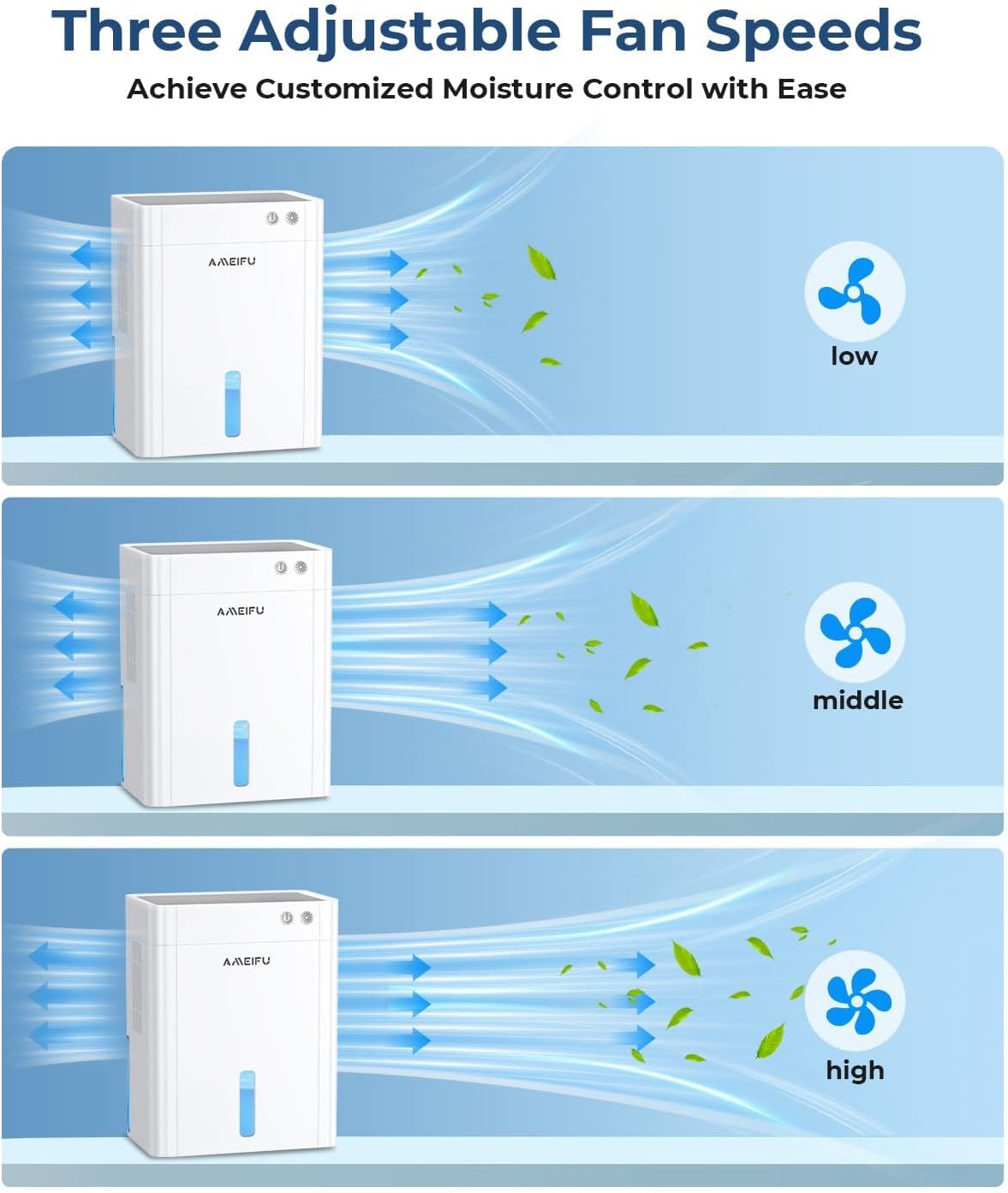
- 3 velocità della ventola regolabili: Customize dehumidification intensity.
- Sbrinamento automatico: Prevents frost accumulation for continuous operation.
- Design portatile: Lightweight and compact for easy placement in various rooms.
2.3 Diagramma del prodotto


3. Impostazione
- Disimballare il deumidificatore: Carefully remove the unit and all accessories from the packaging. Inspect for any damage.
- Scegli una posizione: Place the dehumidifier on a firm, level surface in the desired area (e.g., basement, bedroom, bathroom, closet, RV). Ensure there is at least 8 inches (20 cm) of space around the unit for optimal air circulation. Avoid placing it directly against walls or furniture that might obstruct airflow.
- Connetti alimentazione: Insert the power adapter into the DC input port on the back of the dehumidifier, then plug the adapter into a suitable electrical outlet.
- Operazione iniziale: L'unità è ora pronta per il funzionamento.

4. Istruzioni per l'uso
The control panel is located on the top of the unit. Refer to the diagram below for button functions.

4.1 Accensione/spegnimento
- Premere il tasto Pulsante di accensione () once to turn the unit on. The default mode will activate.
- Premere il tasto Pulsante di accensione di nuovo per spegnere l'unità.
4.2 Regolazione della velocità della ventola
- Premere il tasto Pulsante di velocità () to cycle through three airflow levels: Low, Middle, and High.
- Adjust the speed based on the desired dehumidification rate and noise level.
4.3 Modalità di sospensione
- Premere il tasto Pulsante modalità sospensione () to activate quiet operation. In this mode, the fan speed is set to low, and the LED lights are dimmed or turned off for minimal disturbance.
- Press the button again to exit Sleep Mode.

4.4 Luce LED a 7 colori
- Premere il tasto Pulsante luce notturna () to cycle through the 7 available colors or to activate the automatic color-changing mode.
- Premere a lungo il tasto Pulsante luce notturna per spegnere la luce LED.
4.5 Funzione timer
- Premere il tasto Pulsante timer () repeatedly to set the desired operating duration: 1H, 2H, 4H, 8H, 12H, 24H, 48H, or 72H.
- L'unità si spegnerà automaticamente una volta trascorso il tempo impostato.

4.6 Spegnimento automatico
The dehumidifier is equipped with an automatic shut-off feature. When the water tank reaches its maximum capacity, the unit will automatically stop operating, and a red indicator light will flash to alert you to empty the tank. This prevents water overflow and ensures safe operation.

5. Manutenzione
5.1 Svuotamento del serbatoio dell'acqua
- When the water tank is full, the dehumidifier will automatically stop, and the full tank indicator will flash.
- Estrarre con cautela il serbatoio dell'acqua dalla parte anteriore dell'unità.
- Versare l'acqua raccolta.
- Reinserire il serbatoio dell'acqua vuoto nel deumidificatore finché non scatta in posizione. L'unità riprenderà a funzionare automaticamente.
5.2 Pulizia del deumidificatore
- Prima di pulire il deumidificatore, scollegarlo sempre dalla presa di corrente.
- Pulire l'esterno dell'unità con un panno morbido, damp panno. Non usare detergenti abrasivi o solventi.
- Clean the air intake and outlet grilles regularly to prevent dust buildup, which can affect performance. Use a soft brush or vacuum cleaner.
- Clean the water tank with mild soap and water periodically to prevent mold or mildew growth. Rinse thoroughly and dry before reinserting.
5.3 Funzione di sbrinamento automatico
The dehumidifier is equipped with an automatic defrost function. If frost builds up on the internal components, the unit will temporarily stop dehumidifying and run the fan to melt the frost. This ensures efficient operation in cooler environments.
6. Risoluzione Dei Problemi
| Problema | Possibile causa | Soluzione |
|---|---|---|
| Il deumidificatore non si accende. |
|
|
| Nessuna raccolta d'acqua o bassa deumidificazione. |
|
|
| L'unità è rumorosa. |
|
|
| Red indicator light flashing. | Il serbatoio dell'acqua è pieno. | Svuotare il serbatoio dell'acqua e reinserirlo correttamente. |
7. Specifiche
| Marca | AMEIFU |
| Nome del modello | 135OZ Dehumidifier (PC450A) |
| Capacità di deumidificazione | 2.5 Pints / 40 Ounces (1200 ml) per Day |
| Capacità del serbatoio dell'acqua | 135 once fluide (4000 ml) |
| Area di copertura | Fino a 1000 piedi quadrati |
| Dimensioni del prodotto | 16 cm P x 25 cm L x 32 cm A (6.3" P x 9.84" L x 12.6" A) |
| Peso dell'articolo | 6.67 libbre (3.02 kg) |
| Colore | Bianco |
| Caratteristiche speciali | Quiet Operation, Sleep Mode, Automatic Shutoff, Automatic Defrost, Timing settings, 7 Color LED Light |
| Usi consigliati | Home, Bedroom, Basement, Bathroom, Closet, RV |
| Modalità di funzionamento | Intermittente |
| Codice UPC | 607604926790 |
| ASIN | B0FM454P2D |
8. Garanzia e assistenza clienti
AMEIFU products are designed and manufactured to the highest quality standards. For any questions, concerns, or technical assistance regarding your dehumidifier, please contact AMEIFU customer support. Please have your model number (PC450A) and purchase information ready when contacting support.
Contact information can typically be found on the product packaging or the official AMEIFU websito.
Ask a question about this manual
Ask about setup, troubleshooting, compatibility, parts, safety, or missing instructions. Manuals+ will review the question and use this page’s manual context to help answer it.