
Introduzione
This manual provides detailed instructions for the Cosmic Byte Ares Tri-Mode Wireless Controller. This controller offers versatile connectivity options including 2.4GHz wireless, Bluetooth, and USB-C wired modes, designed for use with PC, Android, and iOS devices. It features Hall Effect joysticks and triggers for enhanced precision, along with Turbo functions and dual vibration feedback for an immersive gaming experience.
Caratteristiche del prodotto
- Connettività Tri-Mode: Supports 2.4GHz Wireless, Bluetooth, and USB-C Wired connections.
- Precisione dell'effetto Hall: Equipped with Hall Effect joysticks and triggers for drift-free, long-term accuracy.
- Batteria a lunga durata: Integrated 700mAh rechargeable battery provides extended gameplay.
- Funzioni Turbo: Includes Turbo and Auto Turbo features for rapid-fire actions.
- Vibrazione immersiva: Dual vibration motors offer tactile feedback for enhanced immersion.
- Ampia compatibilità: Compatible with PC, Android, and iOS (MFi-supported games), including devices like ROG Ally and Steam Deck.
Impostare
Caricamento del controller
Before first use, fully charge the controller. Connect the supplied USB-C cable to the controller's charging port and the other end to a USB power source (e.g., PC, USB wall adapter). The LED indicator will show charging status and turn off when fully charged. A full charge typically takes approximately 3.5 hours.

Image: The Cosmic Byte Ares controller showing its USB-C charging port and indicating its 700mAh battery capacity.
Modalità di connettività
The Cosmic Byte Ares controller supports three connection modes:
- Modalità wireless a 2.4 GHz: For PC and other compatible devices using the included USB dongle.
- Modalità Bluetooth: For Android, iOS, and Bluetooth-enabled PCs.
- Modalità cablata USB-C: For direct connection to PC or other devices via USB-C cable.
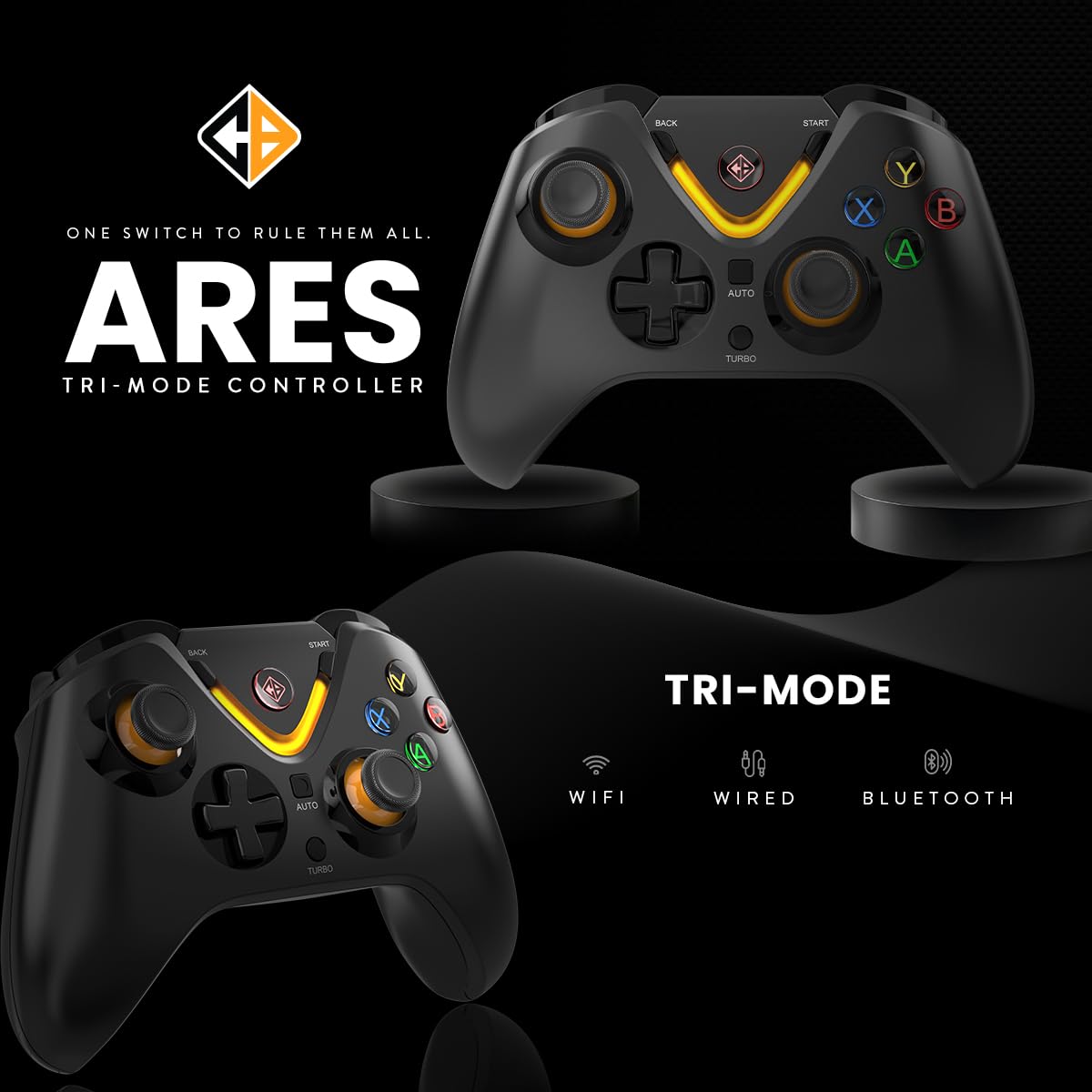
Image: The Cosmic Byte Ares controller illustrating its tri-mode connectivity options: WiFi (2.4GHz), Wired, and Bluetooth.
2.4GHz Wireless Connection (PC)
- Inserire il dongle USB da 2.4 GHz in una porta USB disponibile sul PC.
- Turn on the controller. The indicator light will blink rapidly.
- Press and hold the Home button (Cosmic Byte logo) for 3 seconds until the orange light blinks fast, indicating it is searching for the dongle.
- Once connected, the indicator light will become solid. The PC should automatically detect and install the necessary drivers.
Bluetooth Connection (Android/iOS/PC)
- Assicurarsi che il controller sia spento.
- On your device (Android, iOS, or PC), enable Bluetooth and search for new devices.
- Press and hold the Bluetooth pairing button on the controller (refer to controller diagram for exact location, usually a small button or a combination with the Home button) until the indicator light blinks rapidly, indicating pairing mode.
- Select "Cosmic Byte Ares" or similar from the list of available Bluetooth devices on your screen.
- Una volta effettuata l'associazione, la spia luminosa sul controller diventerà fissa.
USB-C Wired Connection (PC)
- Connect one end of the USB-C cable to the controller's USB-C port.
- Collegare l'altra estremità del cavo USB-C a una porta USB disponibile sul PC.
- The controller will be automatically detected and ready for use. The indicator light will show a solid color.
Istruzioni per l'uso
Controlli di base
Il controller è dotato dei pulsanti standard del gamepad, tra cui:
- Joystick analogici: Two Hall Effect analog joysticks for precise movement and camera control.
- Tasto direzionale: Tastierino direzionale per la navigazione nei menu e per input di gioco specifici.
- Pulsanti di azione (A, B, X, Y): Pulsanti di azione standard.
- Pulsanti dorsali (LB, RB) e grilletti (LT, RT): Hall Effect triggers for accurate pressure sensing.
- Pulsanti Start/Indietro: Per i menu di gioco e le funzioni di sistema.
- Pulsante Home: For powering on/off and accessing system menus.
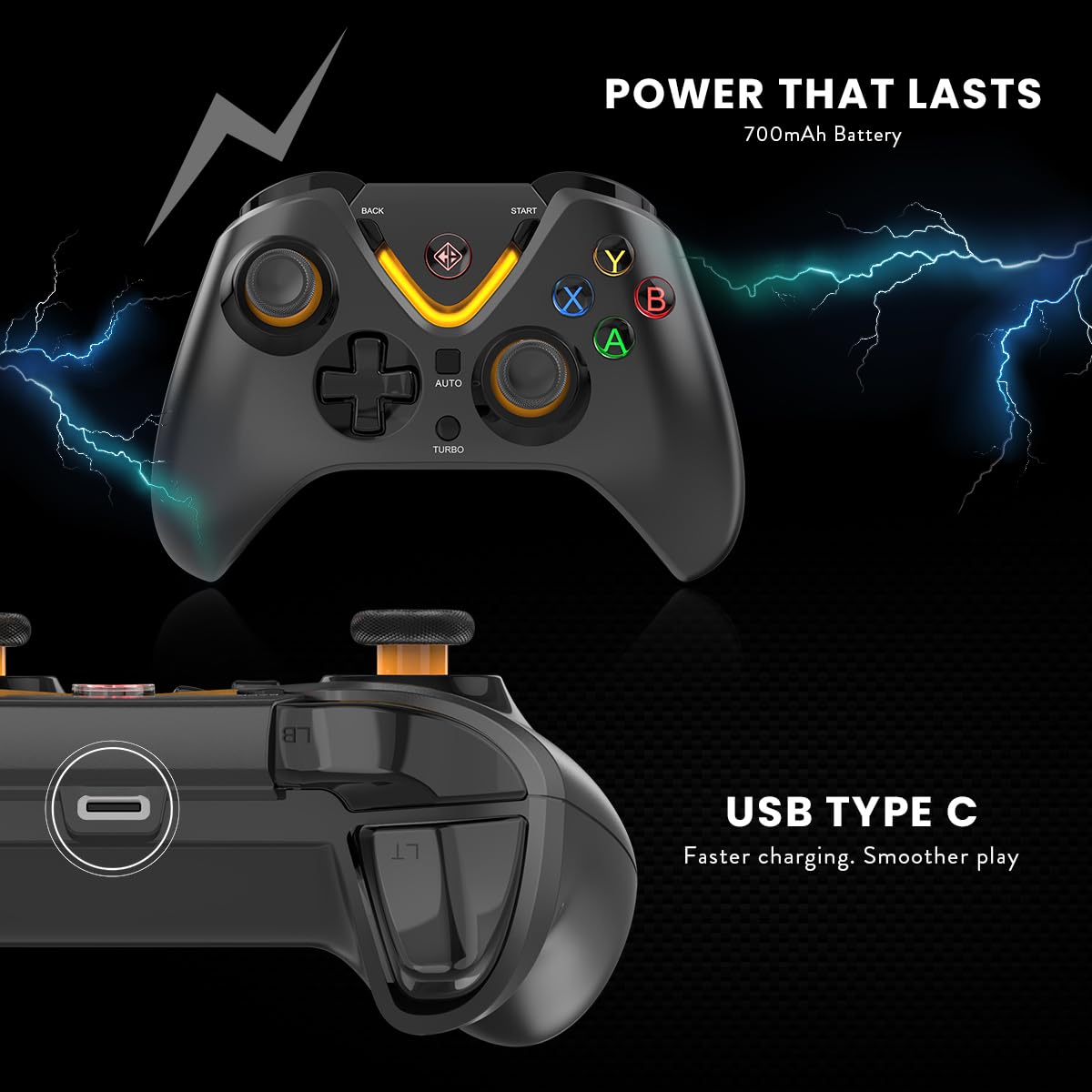
Image: The Cosmic Byte Ares controller showcasing its LED lighting around the Home button and ABXY buttons.
Turbo and Auto Turbo Functions
The Turbo function allows a button to be pressed repeatedly as long as it is held down. Auto Turbo allows a button to be pressed repeatedly without holding it down.
- Attivazione Turbo: Press and hold the desired action button (e.g., A, B, X, Y, LB, RB, LT, RT), then press the Turbo button once. The button will now rapidly repeat when held.
- Activating Auto Turbo: With Turbo active for a button, press the desired action button and the Turbo button again. The button will now rapidly repeat without being held.
- Deactivating Turbo/Auto Turbo: Press the desired action button and the Turbo button a third time to return to normal function. Alternatively, press and hold the Turbo button for 5 seconds to clear all Turbo settings.

Image: The Cosmic Byte Ares controller highlighting the Turbo and Auto buttons, indicating their function for rapid input.
Controllo delle vibrazioni
The controller features dual vibration motors. The intensity of the vibration can often be adjusted through the connected device's settings or specific game options. Refer to your game or system settings for vibration intensity adjustments.
Manutenzione
- Pulizia: Utilizzare un panno morbido e asciutto per pulire il controller. Evitare l'uso di prodotti chimici aggressivi o materiali abrasivi.
- Magazzinaggio: Conservare il controller in un luogo fresco e asciutto, lontano dalla luce solare diretta e da temperature estreme.
- Cura della batteria: Per prolungare la durata della batteria, evitare di scaricarla completamente frequentemente. Caricare il controller regolarmente, anche se non lo si utilizza per lunghi periodi.
- Evitare i liquidi: Non esporre il controller all'acqua o ad altri liquidi.
Risoluzione dei problemi
Controller Not Connecting/Disconnecting
- Controllare la batteria: Ensure the controller is sufficiently charged. Low battery can cause connectivity issues. Charge the controller for at least 3.5 hours.
- Ripristina controller: If the controller is unresponsive or fails to connect, locate the small reset button on the back of the controller (usually a small pinhole). Use a thin pin or paperclip to press and hold the reset button for a few seconds. Then, attempt to reconnect.
- Re-pair Dongle (2.4GHz): If using the 2.4GHz dongle and experiencing disconnections, ensure the dongle is securely inserted. Try pressing and holding the Home button on the controller for 3 seconds until the orange light blinks rapidly to re-initiate pairing with the dongle.
- Problemi di accoppiamento Bluetooth: On your device, forget the controller from the Bluetooth device list and attempt to pair again. Ensure no other Bluetooth devices are interfering.
- Connessione cablata: If wireless modes fail, try connecting via USB-C cable to rule out wireless interference or battery issues. Ensure the cable is not damaged.
Ritardo di input o pulsanti non reattivi
- Distanza: Ensure the controller is within range of the connected device (especially for wireless modes).
- Interferenza: Allontanarsi da altri dispositivi wireless che potrebbero causare interferenze.
- Problemi con i driver (PC): For PC, ensure your operating system drivers are up to date. You may need to check the device manager for any controller-related driver warnings.
Specifiche
| Caratteristica | Dettaglio |
|---|---|
| Marca | Byte cosmico |
| Nome del modello | Ares Tri Mode |
| Dispositivi compatibili | Android, iOS, PC (Desktop, ROG Ally, Smartphone, Steam Deck) |
| Tipo di controllore | Controllo di gioco |
| Tecnologia di connettività | Bluetooth, USB, wireless a 2.4 GHz |
| Caratteristiche del prodotto | Ergonomic, Rumble (Dual Vibration), Wireless |
| Quantità del pulsante | 12 |
| Tipo di fonte di alimentazione | Alimentato a batteria |
| Capacità della batteria | 700mAh |
| Peso dell'articolo | 0.15 chilogrammi |
| Dimensioni articolo (L x P x A) | 15.6 x 10.5 x 6 centimetri |
| Colore | Nero |
Garanzia e supporto
Garanzia: The Cosmic Byte Ares Tri-Mode Wireless Controller comes with a 1 anno di garanzia contro i difetti di fabbricazione dalla data di acquisto.
Informazioni di contatto dell'importatore/imballatore:
Cosmic Byte, Prakash Warehousing, S. No.163, Hissa No 1-2-3-4-5A-5B/2/1, Phursungi, Pune 412308, Maharashtra, India.
For technical support, warranty claims, or further assistance, please contact Cosmic Byte customer service through their official website or the provided contact details.


