
1. Introduzione
This manual provides essential instructions for the safe and efficient use of your AGM M10 Basic Flip Phone. Please read this manual thoroughly before operating the device and retain it for future reference.
The AGM M10 is a rugged 4G LTE flip phone designed for durability and essential communication. It features IP68/IP69K water and dust resistance, MIL-STD-810G drop protection, large buttons, and a loud speaker.
2. Contenuto della confezione
Verifica che tutti gli articoli siano presenti nel tuo pacco:
- 1 x telefono AGM M10
- 1 x Caricabatterie
- 2 x Batteria
- 1 x cordino
- 1 x Manuale utente (questo documento)
Video: Unboxing the AGM M10 Basic Flip Phone and its accessories. This video demonstrates the contents of the package and provides a first look at the device.
3. Dispositivo suview
Familiarize yourself with the physical components of your AGM M10 phone.

Immagine: anteriore, laterale e posteriore views of the AGM M10 Basic Flip Phone. This image shows the phone in its closed and open states, highlighting its robust design.
Caratteristiche principali:
- Large Buttons & Font: Designed for ease of use, especially for users who prefer larger interfaces.
- Altoparlante da 98 dB: Garantisce un audio nitido anche in ambienti rumorosi.
- Display esterno: Shows incoming calls, messages, and battery status without opening the phone.
- Pulsante SOS: For emergency contacts.
- Torcia elettrica: Integrato per comodità.
4. Impostazione
4.1 Installazione della batteria
The AGM M10 comes with two replaceable batteries. Before first use, ensure the battery is properly installed and any protective stickers are removed from the battery contacts.
- Rimuovere la cover posteriore del telefono.
- Individua il vano batteria.
- If present, peel off the yellow protective sticker from the battery's metal contacts.
- Inserire la batteria nel vano allineando i contatti.
- Riposizionare la cover posteriore, assicurandosi che scatti saldamente in posizione per mantenere la resistenza all'acqua e alla polvere.

Image: The AGM M10 phone with its back cover removed, revealing the battery compartment and slots for SIM and SD cards. This illustrates where to insert the battery and cards.
4.2 Installazione della scheda SIM e della scheda SD
The AGM M10 supports dual Nano SIM cards and expandable memory via an SD card (up to 128GB, sold separately).
- With the back cover and battery removed, locate the SIM card slots. The phone supports two Nano SIM cards.
- Insert your Nano SIM card(s) into the designated slot(s) with the gold contacts facing down.
- If using an SD card for additional storage, insert it into the dedicated SD card slot.
- Reinstallare la batteria e il coperchio posteriore.

Image: A close-up of the AGM M10's internal components, specifically highlighting the dual Nano SIM card slots. This image helps users identify where to insert their SIM cards.
4.3 Ricarica del telefono
Charge your phone using the provided USB Type-C charger or a compatible charging dock (available separately).
- Collegare il cavo USB Type-C alla porta di ricarica del telefono.
- Collegare l'altra estremità del cavo all'adattatore di alimentazione, quindi collegare l'adattatore a una presa a muro.
- Alternatively, place the phone into a compatible charging dock.
- The phone will indicate charging status on its display.

Image: The AGM M10 Basic Flip Phone placed in its charging dock. This image demonstrates how to charge the phone using the optional dock.
5. Istruzioni per l'uso
5.1 Accensione/spegnimento
- Per accendere: tenere premuto il pulsante di accensione/fine chiamata finché lo schermo non si illumina.
- Per spegnere: tenere premuto il pulsante di accensione/fine chiamata, quindi selezionare "Spegni" dalle opzioni.
5.2 Effettuare e ricevere chiamate
- Per effettuare una chiamata: Inserire il numero di telefono utilizzando la tastiera e premere il pulsante verde Chiama.
- Per ricevere una chiamata: Quando il telefono squilla, premere il pulsante verde di chiamata per rispondere.
- Per terminare una chiamata: Premere il pulsante rosso di fine chiamata.

Image: The AGM M10 Basic Flip Phone open, showcasing its large, easy-to-read buttons and clear display. This highlights the user-friendly interface for dialing and texting.
5.3 Invio e ricezione di messaggi di testo
- Vai al menu "Messaggi".
- Seleziona "Nuovo messaggio" o "Crea messaggio".
- Inserisci il numero del destinatario e digita il messaggio utilizzando la tastiera.
- Premere l'opzione "Invia".
5.4 Pulsante di emergenza SOS
The dedicated SOS button can be configured to dial emergency contacts in critical situations.
- Access the phone's settings to set up emergency contacts for the SOS function.
- In an emergency, press and hold the SOS button (typically located on the back or side of the phone) to activate.
- The phone will automatically dial the pre-set emergency numbers.
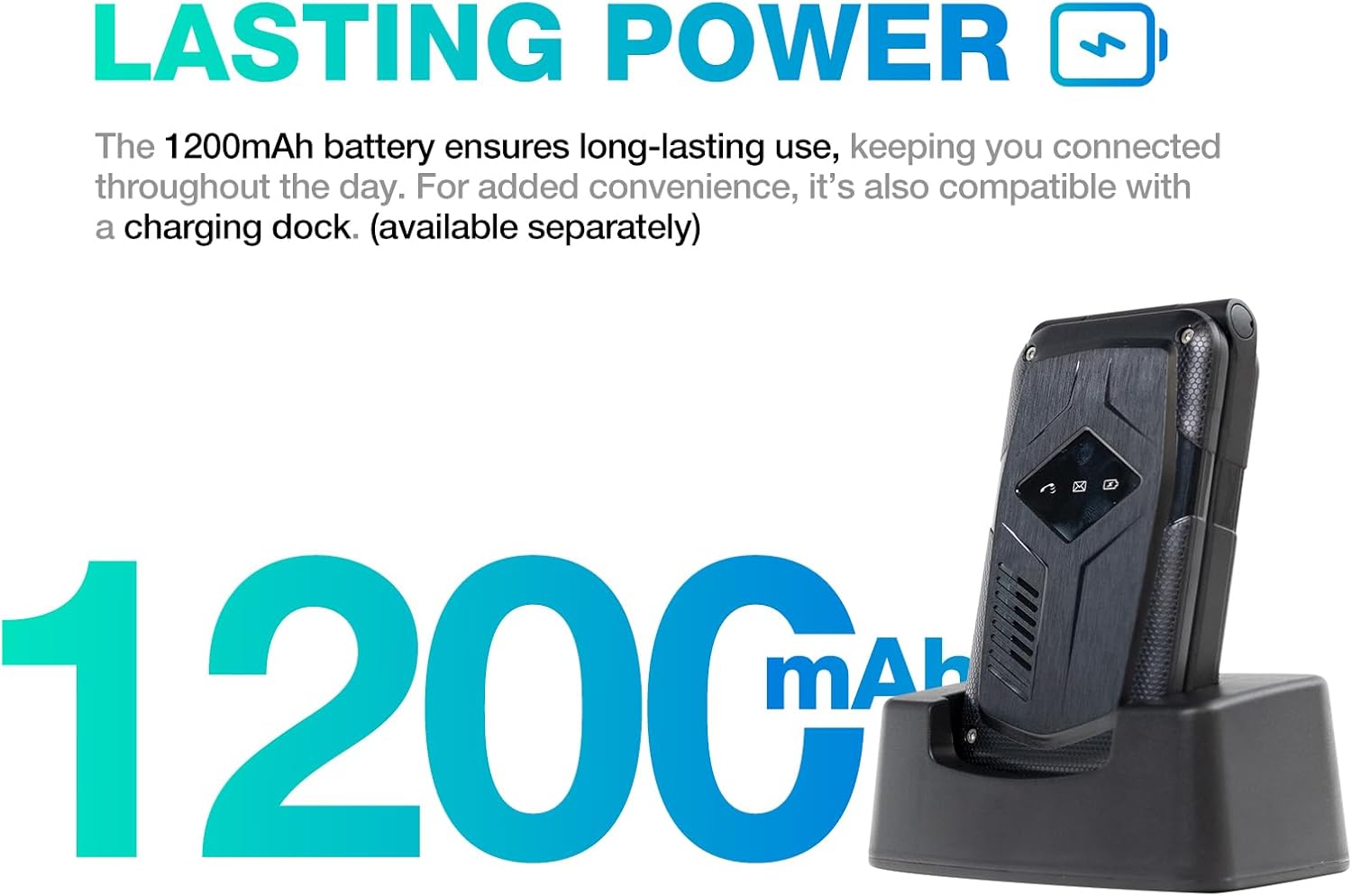
Image: A close-up of the AGM M10's keypad, with visual indicators pointing to the SOS button, FM radio function, and flashlight. This helps users locate these essential features.
5.5 Torcia elettrica
To activate the built-in flashlight, locate the dedicated flashlight button or access it through the phone's menu, as indicated in the device overview.
5.6 Radio FM
The AGM M10 includes an FM radio function. Access it through the main menu. Headphones may be required to act as an antenna for optimal reception (if the phone has a 3.5mm jack, otherwise it might use internal antenna).
5.7 Connettività Bluetooth
The phone supports Bluetooth 5.0 for connecting to compatible wireless accessories such as headsets or car kits.
- Go to "Settings" and then "Bluetooth".
- Attiva il Bluetooth.
- Cercare dispositivi disponibili e seleziona il dispositivo con cui desideri effettuare l'associazione.
- Segui le istruzioni visualizzate sullo schermo per completare l'associazione.
6. Manutenzione e cura
6.1 Caratteristiche di durata
The AGM M10 is engineered for rugged use with IP68/IP69K water and dust resistance and MIL-STD-810G drop protection. This means it can withstand:
- Immersione in acqua: Fino a 1.5 metri per 30 minuti.
- Ingresso polvere: Completamente protetto dalla polvere.
- Gocce: Resistant to drops from a certain height onto hard surfaces.
To maintain these protections, ensure all port covers are securely closed and the back cover is properly sealed after battery or SIM card installation.

Image: The AGM M10 Basic Flip Phone partially submerged in water, demonstrating its waterproof capability.
6.2 Cura generale
- Pulisci il telefono con un panno morbido eamp stoffa. Evitare prodotti chimici aggressivi.
- Do not expose the phone to extreme temperatures for prolonged periods.
- Avoid disassembling the phone, as this may void the warranty and compromise its rugged features.
7. Risoluzione Dei Problemi
7.1 Problemi di connettività di rete
The AGM M10 is designed to be T-Mobile compatible in the US. However, some users may experience limited network access, reduced coverage, or slower data speeds depending on specific network configurations or regional variations.
- Assicurati che la tua scheda SIM sia inserita e attivata correttamente.
- Check your network settings to confirm the correct network is selected.
- If issues persist, contact your network provider for assistance.
7.2 Il telefono non si accende
- Assicurarsi che la batteria sia installata correttamente e completamente carica.
- Verify that the protective sticker has been removed from the battery contacts.
- Attempt to charge the phone for at least 30 minutes before trying to power it on again.
7.3 Altri problemi
For other operational difficulties, refer to the detailed user manual included in your package or contact AGM customer support.
8. Specifiche
| Caratteristica | Dettaglio |
|---|---|
| Marca | Assemblea generale annuale |
| Nome del modello | M10A |
| Sistema operativo | Sistemi operativi in tempo reale |
| Dimensione della memoria RAM installata | 48 MB |
| Capacità di archiviazione della memoria | 0.12 GB (espandibile fino a 128 GB tramite scheda SD) |
| Dimensioni dello schermo | 4.33 pollici |
| Operatore di telefonia mobile | T-Mobile (US), Global (outside US) |
| Tecnologia cellulare | 4G LTE |
| Colore | Nero |
| Numero di slot per schede SIM | Doppia SIM (Nano) |
| Tipo di connettore | USB tipo C |
| Fattore di forma | Custodia pieghevole (telefono a conchiglia) |
| Livello di resistenza all'acqua | Waterproof (IP68/IP69K) |
| Presa per cuffie | Nessun jack per le cuffie |
| Caratteristiche aggiuntive | Basic Phone, Dual SIM, Expandable Memory, Rugged Body, SOS Button, Flashlight, FM Radio, Bluetooth 5.0 |
| Potenza della batteria | 1200 milioneamp Ore |
| Tipo di visualizzazione | LCD |
| Dimensioni | 4.33 × 2.22 × 0.98 pollici |
| Peso | 4.9 once |
9. Garanzia e supporto
9.1 Informazioni sulla garanzia
The AGM M10 Basic Flip Phone comes with a Garanzia di 2 anno dalla data di acquisto. La presente garanzia copre i difetti di fabbricazione in condizioni di normale utilizzo. Si prega di conservare la prova d'acquisto per eventuali reclami in garanzia.
Note: Some third-party retailers may state a 1-year warranty; however, the manufacturer's stated warranty is 2 years.
9.2 Assistenza clienti
For technical assistance, troubleshooting, or warranty claims, please contact AGM customer support. AGM is committed to providing dedicated after-sales support and a straightforward replacement process for quality issues.
Visita l'assemblea generale annuale ufficiale websito o fare riferimento alle informazioni di contatto fornite nella confezione del prodotto per i dettagli sull'assistenza.