
Introduzione
Thank you for choosing the SuperRC M23 Mini RC Drone. This manual provides essential information for the safe operation, setup, maintenance, and troubleshooting of your drone. Please read this manual thoroughly before operating the drone to ensure proper function and to avoid damage or injury. This drone is designed for adult beginners and features a lightweight, portable design with an HD camera and intelligent flight functions.
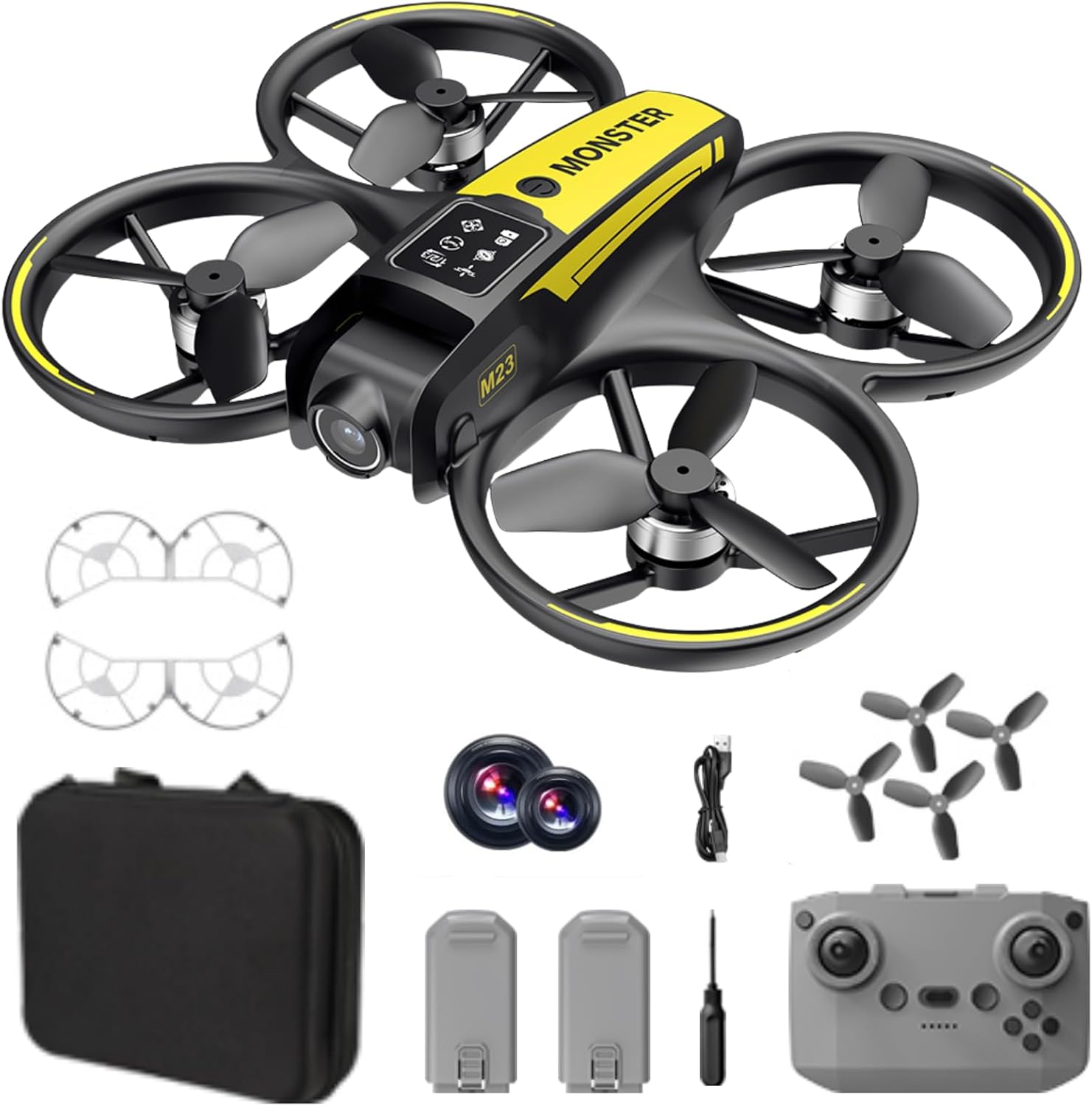
Cosa c'è nella scatola
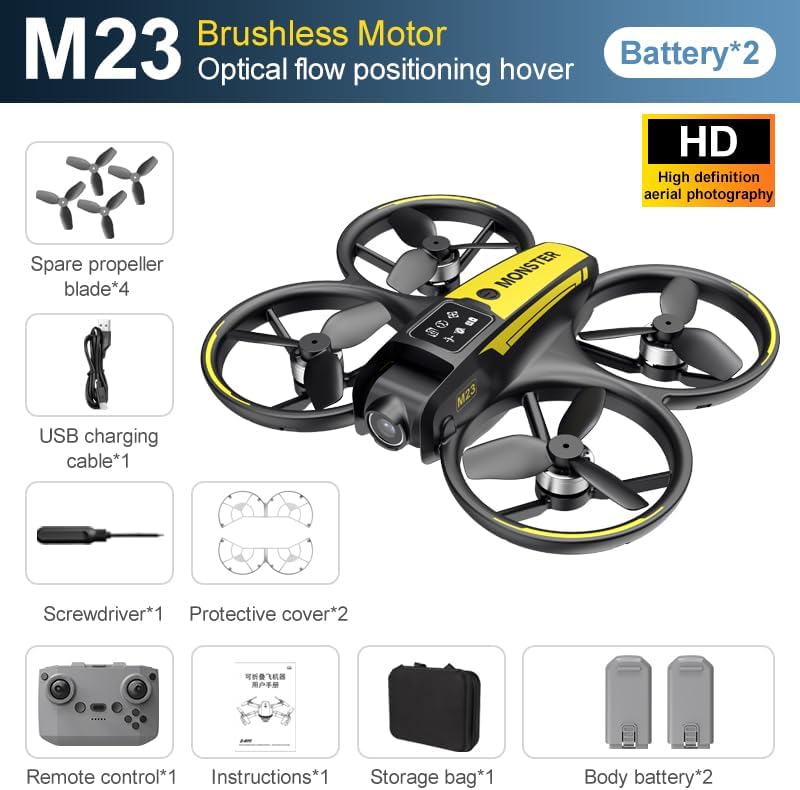
The SuperRC M23 drone package includes the following components:
- Drone M23
- Controllo remoto
- 2 batterie ricaricabili da 3.7 V 1050 mAh
- 4 eliche di ricambio
- 2 x Protezioni dell'elica
- Scheda di memoria
- Lettore di schede
- Cacciavite
- Cavo di ricarica USB
- Borsa portaoggetti
- Manuale dell'utente (questo documento)

Prodotto finitoview
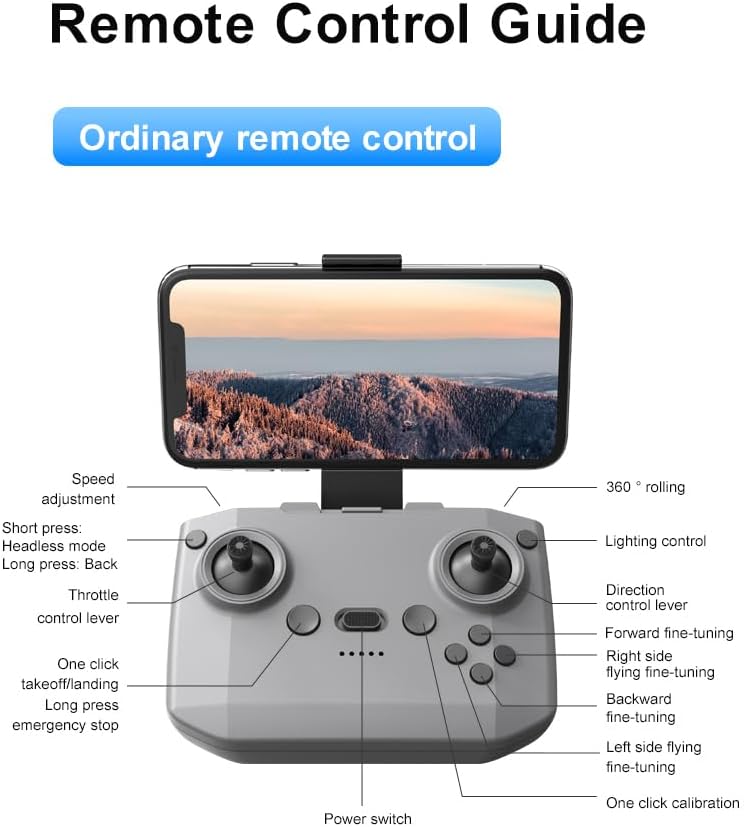
Disposizione del telecomando
Familiarize yourself with the remote control buttons and their functions before flight.
Impostare
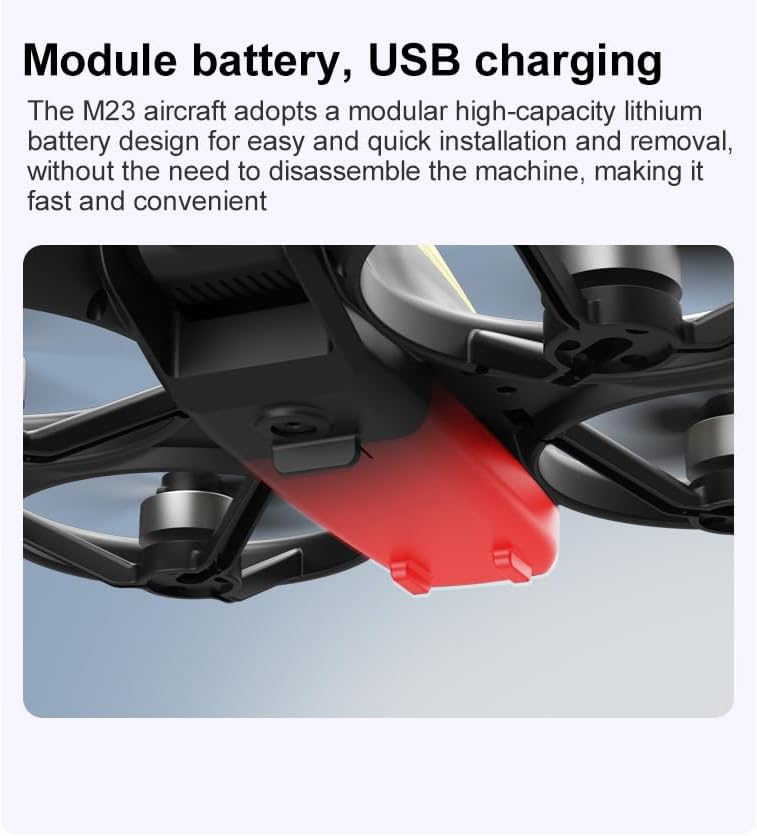
1. Installazione della batteria
- Assicurarsi che il drone e il telecomando siano spenti.
- Individuare il vano batteria sul drone.
- Insert a charged 3.7V 1050mAh battery into the compartment until it clicks securely into place.
- For the remote control, open the battery cover and insert the required batteries (not specified in product data, assume standard AA/AAA, user should refer to physical manual for exact type).
2. Installazione dell'elica
The drone comes with propellers pre-installed. If replacement is needed:
- Identificare i contrassegni "A" e "B" sulle eliche e sui corrispondenti bracci del motore.
- Attach 'A' propellers to 'A' motor shafts and 'B' propellers to 'B' motor shafts. Ensure they are firmly secured.
3. Installazione della protezione dell'elica
For added safety, attach the propeller guards:
- Align each propeller guard with the designated slots on the drone's motor arms.
- Gently push until they snap into place.
4. Ricarica
Charge the drone batteries using the provided USB charging cable.
- Collegare il cavo di ricarica USB alla batteria del drone.
- Plug the other end into a USB power source (e.g., computer, USB wall adapter).
- The indicator light on the cable will show charging status (refer to physical manual for specific light indications).
- Charging time is approximately 60-90 minutes for a full charge.
Istruzioni per l'uso
Elenco di controllo pre-volo
- Assicurarsi che le batterie del drone e del telecomando siano completamente cariche.
- Le eliche sono installate correttamente e fissate.
- Propeller guards are attached (recommended for beginners).
- Choose an open, clear area free from obstacles, people, and animals.
- Prima di volare, verifica le normative locali sui droni.
Operazioni di volo di base
The following video demonstrates key flight features including one-key takeoff, optical flow positioning, 360-degree roll, and speed switching.
Decollo e atterraggio con un solo tasto
- Decollare: Place the drone on a flat surface. Press the One-Key Takeoff button on the remote control. The drone will automatically ascend and hover at a stable altitude.
- Landing: Press the One-Key Landing button. The drone will slowly descend and land automatically.
Modalità di volo e caratteristiche
- Modalità senza testa: Press the Headless Mode button. In this mode, the drone's orientation is relative to the pilot, making it easier to control without worrying about the drone's front direction.
- Regolazione della velocità: Use the speed adjustment button (or switch) on the remote control to cycle through low, medium, and high speeds. This allows for adaptable flight control based on skill level and environment.
- Rotolo di 360°: Press the 360° Roll button and then move the right joystick in any direction to perform an aerial flip. Ensure sufficient altitude before attempting.
- Posizionamento del flusso ottico: The drone utilizes a bottom camera for optical flow positioning, which helps maintain stable hovering, especially indoors or in areas with good ground texture. This feature assists in precise altitude hold.
- Traiettoria di volo: Through the mobile application, you can draw a desired flight path on your screen. The drone will then follow this trajectory automatically.

Funzionamento della fotocamera
The M23 drone is equipped with an HD camera with a 90-degree adjustable lens for capturing photos and videos.

- Registrazione foto/video: Use the dedicated buttons on the remote control or the mobile app to start/stop video recording or take photos.
- Trasmissione di immagini in tempo reale: Collega il tuo smartphone alla rete Wi-Fi del drone per view pippo in tempo realetage from the drone's camera on your device.
Manutenzione
Pulizia
- Pulire regolarmente il corpo del drone con un panno morbido e asciutto.
- Ensure propellers are free from dust, dirt, or debris.
- Clean the camera lens gently with a microfiber cloth to maintain image quality.
Magazzinaggio
- Store the drone and its components in the provided storage bag to protect them from dust and physical damage.
- Keep the drone in a cool, dry place, away from direct sunlight and extreme temperatures.
Cura della batteria
- Non sovraccaricare o scaricare eccessivamente le batterie.
- In caso di stoccaggio prolungato, caricare le batterie fino a circa il 50-60% della loro capacità.
- Avoid exposing batteries to high temperatures or direct sunlight.
Risoluzione dei problemi
If you encounter issues with your SuperRC M23 drone, refer to the following common problems and solutions:
| Problema | Possibile causa | Soluzione |
|---|---|---|
| Il drone non risponde al telecomando | Low battery on drone or remote; Not paired correctly; Interference | Charge batteries; Re-pair drone and remote (refer to physical manual for pairing steps); Move to an area with less interference |
| Il drone va alla deriva durante il volo | Not calibrated; Wind interference; Damaged propeller | Perform calibration (refer to physical manual); Fly in calm conditions; Replace damaged propellers |
| Scarsa qualità dell'immagine della fotocamera | Dirty lens; Low light conditions; Wi-Fi interference | Clean camera lens; Fly in well-lit areas; Ensure strong Wi-Fi connection |
| Breve tempo di volo | Batteria non completamente carica; Batteria vecchia; Volo aggressivo | Ensure battery is fully charged; Consider replacing old batteries; Practice smoother flight maneuvers |
Specifiche
Key technical specifications for the SuperRC M23 Mini RC Drone:
| Caratteristica | Dettaglio |
|---|---|
| Nome del modello | M23-Drone |
| Marca | SuperRC |
| Peso dell'articolo | 0.2 Kilograms (Under 250g) |
| Dimensioni articolo (L x P x A) | 7"L x 6"W x 2"H (circa 18 x 15 x 5 cm) |
| Materiale | Plastica |
| Livello di abilità | Principiante |
| Fascia d'età (descrizione) | Adulto |
| Telecamera | HD Camera with 90° Adjustable Lens |
| Risoluzione di acquisizione video | Formato: 720p |
| Risoluzione dell'uscita video | 720 pixel |
| Formato di acquisizione video | MP4 |
| Formato immagine supportato | Formato JPEG |
| Tecnologia dei sensori ottici | CMOS |
| Tecnologia di connettività | Wi-Fi, radiofrequenza |
| Tipo di controllo | Telecomando |
| Capacità della batteria | 1050 mAh (per batteria) |
| Composizione delle celle della batteria | Ioni di litio |
| Caratteristiche speciali | Adjustable, One Button Return, One Key Rotation, Rechargeable, Speed Adjustment, Headless Mode, Optical Flow Positioning |
Garanzia e supporto
SuperRC provides a standard warranty for the M23 Mini RC Drone against manufacturing defects. Please retain your proof of purchase for warranty claims.
Informazioni sulla garanzia
- The warranty period typically covers defects in materials and workmanship under normal use.
- Damage resulting from misuse, accidents, unauthorized modifications, or improper maintenance is not covered.
- For specific warranty terms and conditions, please refer to the warranty card included in your product packaging or contact SuperRC customer service.
Assistenza clienti
If you require further assistance, have questions, or need to report an issue, please contact SuperRC customer support through the following channels:
- Supporto online: Visit the official SuperRC websito per FAQ, risorse di supporto e moduli di contatto.
- Supporto via e-mail: Refer to your product packaging or the SuperRC websito per l'indirizzo email del servizio clienti.
- Supporto al rivenditore: If purchased from a retailer, you may also contact their customer service for assistance.
When contacting support, please provide your product model (M23) and a detailed description of the issue.