
1. Introduzione
The Temtop LKC-1000C is a portable device designed to monitor Carbon Monoxide (CO) levels, temperature, and humidity in various environments. It features a TFT color display, custom alarm settings, and data logging capabilities, making it suitable for home, travel, RV, and camping use. This manual provides essential information for safe and effective operation.

Figura 1: The Temtop LKC-1000C Portable Carbon Monoxide Detector, showing its compact design and color display.
2. Informazioni sulla sicurezza
Leggere tutte le avvertenze e le istruzioni di sicurezza prima di utilizzare questo prodotto. Il mancato rispetto di queste istruzioni può causare scosse elettriche, incendi o lesioni gravi.
- This device is intended for personal monitoring and should not replace professional CO detection systems.
- Carbon Monoxide is an odorless, colorless gas. Symptoms of CO poisoning can include headaches, dizziness, nausea, and fatigue.
- Non esporre il dispositivo a temperature estreme, umidità o luce solare diretta.
- Tenere il dispositivo lontano da forti campi elettromagnetici.
- Never run a vehicle in an enclosed space without proper ventilation, as this can lead to dangerous CO levels.
- Ensure proper ventilation when using fuel-burning appliances like fireplaces or charcoal grills.
- Non tentare di aprire o riparare il dispositivo da soli. Contattare l'assistenza clienti per ricevere assistenza.
1 video: Demonstrates the Temtop CO Detector in action, highlighting its use in detecting CO leaks from a water heater and emphasizing the importance of ventilation. This video is provided by the seller, Elitech Technology Inc.
2 video: Shows the Temtop Carbon Monoxide Detector detecting CO from various sources like car exhaust, cigarette smoke, and charcoal grills, emphasizing its role in identifying hidden dangers. This video is provided by the seller, Elitech Technology Inc.
3. Prodotto finitoview
The LKC-1000C is equipped with advanced features for comprehensive environmental monitoring:
- Professional-Grade CO Accuracy: Measures CO from 0-1000 PPM with 1 PPM resolution.
- All-in-One Clear Color Display: Simultaneously displays CO level, temperature, and humidity.
- Avvisi personalizzati: User-definable alarm thresholds for CO levels.
- Easy Data Logging & Export: Records air quality data, exportable via USB to a computer.
- Batteria ricaricabile: Provides up to 40-50 hours of operation (with backlight level 2).
- Allarmi acustici e visivi: Built-in buzzer and visual flash alerts for critical warnings.
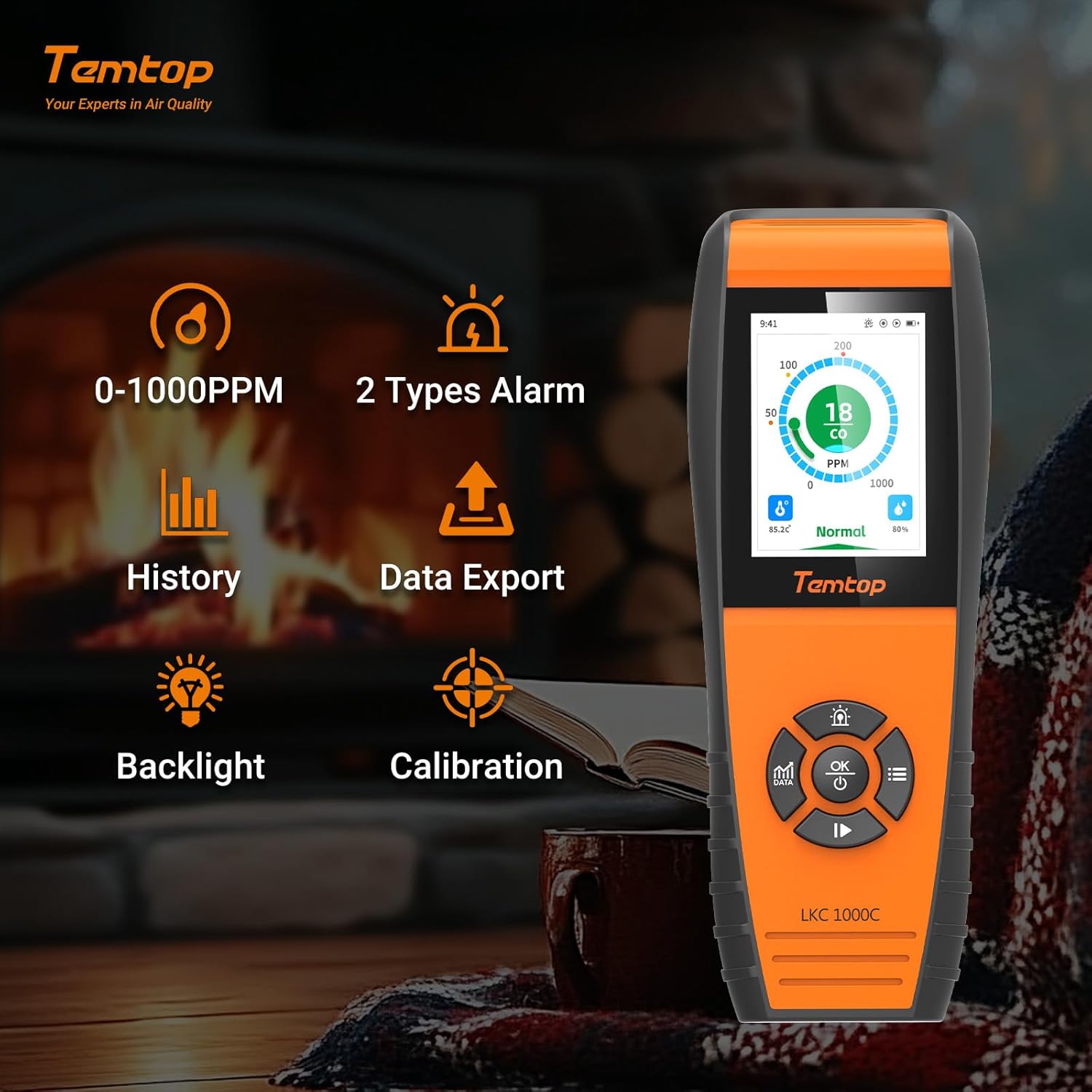
Figura 2: Key features of the Temtop LKC-1000C, illustrating its capabilities such as CO monitoring, data history, export, backlight, and calibration.
4. Impostazione
4.1 Ricarica del dispositivo
Before first use, fully charge the device using the provided USB-C cable. Connect the USB-C end to the device and the other end to a compatible USB power adapter (not included) or computer USB port.

Figura 3: The Temtop LKC-1000C being charged via its USB-C port, highlighting its long battery life.
4.2 Accensione/spegnimento
To power on or off the detector, press and hold the OK/Alimentazione button for 2 seconds. The device will perform an initialization sequence before entering the default monitoring interface.
3 video: A detailed instructional video demonstrating how to use the Temtop CO Monitor LKC1000C, including power on/off and navigation. This video is provided by the seller, Elitech Technology Inc.
5. Istruzioni per l'uso
5.1 Navigazione nell'interfaccia
The device features a directional pad with Su/Aumenta, Giù/Diminuzione, Sinistra, Giusto, E OK buttons for navigation and selection.
5.2 Data Button (DATI)
Premere il tasto DATI pulsante per view different data interfaces, including real-time graphs of CO levels. Data updates every 3 seconds for short periods and at longer intervals for extended monitoring.
5.3 Impostazioni di allarme
Access the Alarm Settings menu to customize CO alarm thresholds. The system default thresholds are:
- Lower Alarm Threshold: 50 PPM
- Over-limit Alert: 100 PPM
- Severely Over-limit Alert: 200 PPM
Use the navigation buttons to adjust these values and the OK pulsante per salvare.

Figura 4: The device display showing different CO alarm levels: Normal (green), Hazardous (orange), and Perilous (red), with corresponding PPM values.
5.4 System Settings (Time, Date, Units, Brightness, Language, Reset)
Navigate to the System Settings menu to configure various device parameters:
- Ora e data: Regola l'ora e la data correnti.
- Unità: Passa da Celsius a Fahrenheit per la visualizzazione della temperatura.
- Luminosità: Adjust screen brightness (Levels 1-5, default 2).
- Lingua: Select your preferred language (English, German, Spanish, French).
- Reset: Ripristinare il dispositivo alle impostazioni di fabbrica.
5.5 Calibrazione
The device supports calibration for CO, temperature, and humidity. Access the Calibration menu to perform these adjustments. For temperature and humidity, you can modify the "OFFSET" value to fine-tune accuracy.

Figura 5: The device displaying real-time temperature and humidity, alongside the manual calibration settings interface.
5.6 Esportazione dei dati
Connect the device to a computer via the USB-C cable to export historical data. The device will pop up a "USB connection successful" message. You can set the storage interval for data logging (default is 1 minute) and export data in CSV format.

Figura 6: The device interface for data export via USB and language selection options.
6. Manutenzione
- Mantenere il dispositivo pulito e privo di polvere e detriti. Utilizzare un panno morbido e asciutto per la pulizia.
- Evitare di esporre il dispositivo all'acqua o ad altri liquidi.
- Conservare il dispositivo in un luogo fresco e asciutto quando non viene utilizzato.
- Regularly check the battery level and recharge as needed to ensure continuous operation.
- The device is engineered for long-term accuracy with minimal maintenance, but periodic professional calibration may be recommended for critical applications.
7. Risoluzione Dei Problemi
| Problema | Possibile causa | Soluzione |
|---|---|---|
| Il dispositivo non si accende. | Batteria scarica o malfunzionamento del dispositivo. | Caricare completamente il dispositivo. Se il problema persiste, contattare l'assistenza clienti. |
| Letture imprecise. | Sensor interference, need for calibration, or environmental factors. | Ensure the device is in a stable environment. Perform CO, temperature, and humidity calibration as described in Section 5.5. |
| L'allarme suona frequentemente. | High CO levels detected or alarm thresholds set too low. | Investigate potential CO sources immediately. Ensure proper ventilation. Review and adjust alarm settings in Section 5.3 if necessary. |
| Cannot export data. | Improper USB connection or software issue. | Ensure the USB cable is securely connected to both the device and the computer. Try a different USB port or cable. Refer to Section 5.6. |
8. Specifiche
- Marca: Temptop
- Modello: LKC-1000C
- Intervallo CO: 0-1000 PPM
- Fonte di energia: Alimentato a batteria (1 batteria agli ioni di litio inclusa)
- Dimensioni del prodotto: 2.58"P x 1.2"L x 6.97"A
- Peso dell'articolo: 14.4 once
- Tipo di allarme: Udibile
- Umidità di esercizio: 0%-90% UR
- Valutazione superiore di temperatura: 122 gradi Fahrenheit
- Componenti inclusi: LKC1000C monitor, user manual, USB cable, calibration certificate
9. Garanzia e supporto
For warranty information, technical support, or service inquiries, please refer to the official Temtop webo contattare il servizio clienti. Conservare la ricevuta d'acquisto per eventuali reclami in garanzia.