
eufy E25 Omni Robot Vacuum and Mop Combo Instruction Manual
Modello: E25
1. Importanti istruzioni di sicurezza
Before using this product, read all instructions and cautionary markings in this manual and on the product. Failure to follow these instructions may result in electric shock, fire, or serious injury.
- Questo apparecchio può essere utilizzato da bambini di età pari o superiore a 8 anni e da persone con capacità fisiche, sensoriali o mentali ridotte o prive di esperienza e conoscenza, solo se sorvegliati o istruiti sull'uso sicuro dell'apparecchio e se comprendono i pericoli connessi.
- I bambini devono essere sorvegliati per assicurarsi che non giochino con l'apparecchio.
- La pulizia e la manutenzione da parte dell'utente non devono essere eseguite da bambini senza supervisione.
- Utilizzare solo l'adattatore di alimentazione fornito dal produttore.
- Do not use the product in environments with open flames or explosive materials.
- Do not use the product to pick up large or sharp objects, or liquids.
- Assicurarsi che la stazione di ricarica sia posizionata su una superficie piana contro una parete, con sufficiente spazio libero attorno.
- Always disconnect the product from the power supply before cleaning or maintenance.
2. Contenuto della confezione
Verificare che tutti i componenti siano presenti nella confezione:
- eufy E25 Omni Robot Vacuum and Mop
- All-in-One Self-Cleaning Station
- Adattatore di alimentazione
- Dust Bags (3 included)
- Tampone di pulizia
- Manuale d'uso
3. Prodotto finitoview
3.1 All-in-One Station for Smart Maintenance
The All-in-One Station provides comprehensive maintenance for your robot vacuum, including self-emptying, self-refilling, wastewater collection, self-washing of mop pads, hot air drying, and automatic detergent dispensing.

Figure 3.1: All-in-One Station for Smart Maintenance. This image illustrates the various functions of the station, including automatic dust collection, water tank refilling, dirty water disposal, mop cleaning, drying, and detergent addition.
3.2 HydroJet Deep Cleaning System
The HydroJet system ensures thorough mopping by self-cleaning the mop pads multiple times per second during operation, preventing the spread of dirt.
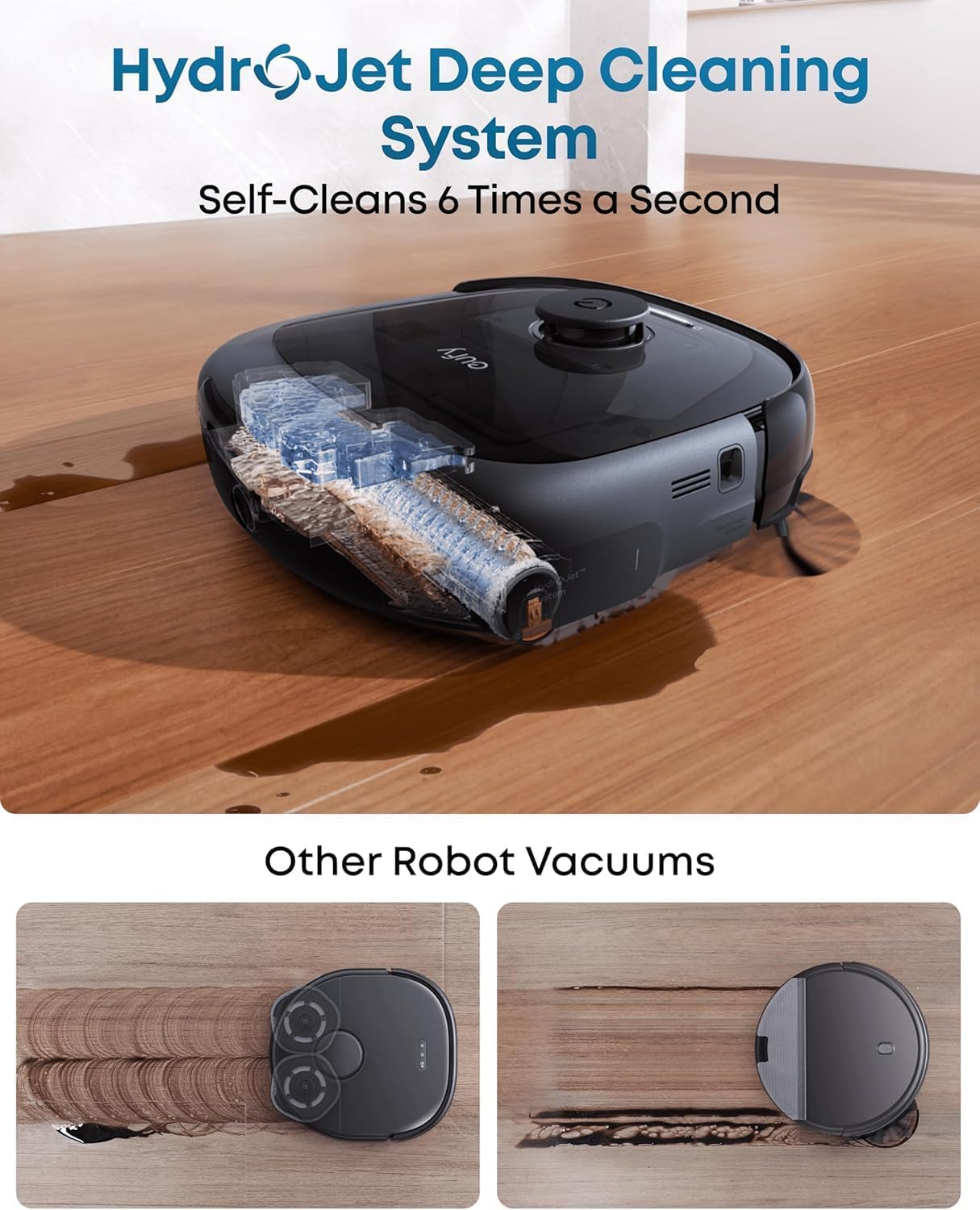
Figure 3.2: HydroJet Deep Cleaning System. The robot's internal mechanism for continuous mop pad cleaning is shown, highlighting its ability to self-clean frequently.
3.3 20,000Pa Turbo Suction
Equipped with 20,000Pa of turbo suction power, the robot effectively removes pet food, crumbs, fur, and other debris from various floor types.
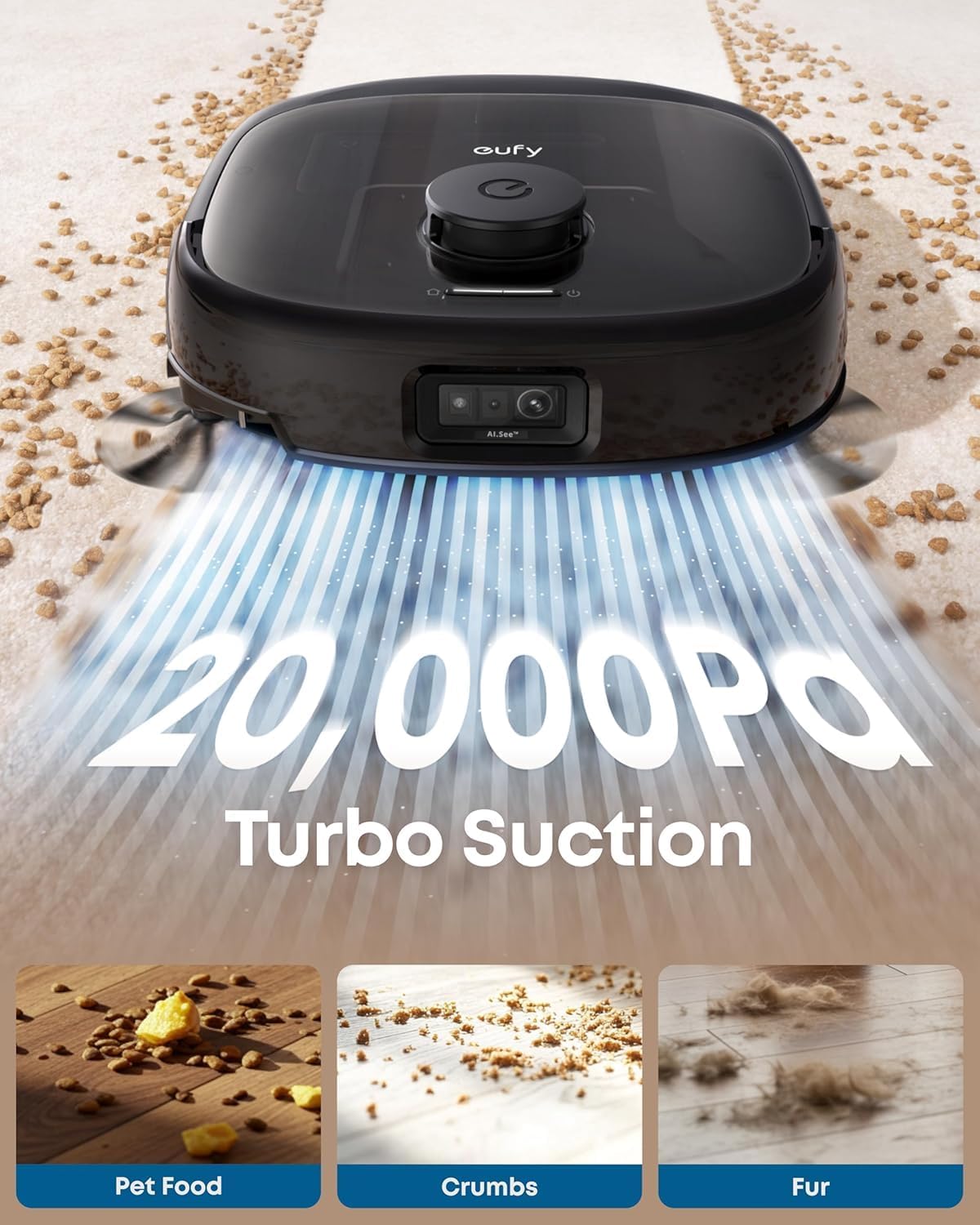
Figure 3.3: 20,000Pa Turbo Suction. This image demonstrates the robot's powerful suction capability, effectively cleaning various types of debris from carpets.
3.4 DuoSpiral Detangle Brushes
The DuoSpiral Detangle Brushes are designed to prevent hair tangling, ensuring consistent cleaning performance and reducing maintenance effort.

Figure 3.4: DuoSpiral Detangle Brushes. This illustration details the two-step process of the brushes: first gathering hair and fur, then retracting to pull them into the vacuum, minimizing tangles.
3.5 Advanced AI Recognition and Obstacle Avoidance
The robot utilizes advanced AI to recognize and avoid over 200 types of objects, ensuring smooth navigation and preventing collisions with household items.

Figure 3.5: Advanced AI Recognition and Obstacle Avoidance. The robot is depicted intelligently avoiding numerous objects on the floor, showcasing its navigation capabilities.
4. Impostazione
4.1 Posizionamento della stazione
- Place the All-in-One Station on a hard, level surface against a wall.
- Ensure there is at least 1.5 meters (5 feet) of clear space in front of the station and 0.5 meters (1.6 feet) on either side.
- Collegare l'adattatore di alimentazione alla stazione e inserirlo in una presa a muro.
4.2 Dust Bag Installation
The station uses a 3L dust bag for automatic emptying, supporting up to 75 days of maintenance-free cleaning.

Figure 4.1: Versatile Auto Emptying. This image highlights the 3L dust bag capacity, which allows for extended periods of use without manual emptying.
- Open the top cover of the All-in-One Station.
- Insert a new dust bag into the designated slot, ensuring it is fully seated.
- Chiudere saldamente il coperchio superiore.

Figure 4.2: Dust Bag Installation Steps. This visual guide demonstrates the process of inserting a new dust bag into the station, emphasizing the leak-proof design and ease of installation.
4.3 Carica iniziale
Place the robot vacuum onto the charging station. The robot will automatically align and begin charging. Ensure the robot is fully charged before its first use.
4.4 Connessione all'app
- Download the eufy Clean app from the App Store (iOS) or Google Play (Android).
- Crea un account o accedi.
- Follow the in-app instructions to add your eufy E25 Omni robot vacuum.
- Per una connessione ottimale, assicurati che la tua rete Wi-Fi sia a 2.4 GHz.
5. Funzionamento
5.1 Avvio e sospensione della pulizia
- Inizia la pulizia: Press the power button on the robot or use the eufy Clean app to start a cleaning cycle.
- Pausa pulizia: Press the power button again or use the app to pause cleaning.
- Ritorno alla stazione: Press and hold the power button for 3 seconds, or use the app to send the robot back to its charging station.
5.2 modalità di pulizia
The eufy E25 Omni offers various cleaning modes accessible via the eufy Clean app:
- Pulizia automatica: Il robot pulisce in modo intelligente tutta la casa.
- Pulizia delle macchie: Cleans a specific area with concentrated power.
- Pulizia della zona: Allows you to define specific zones for cleaning.
- Solo mocio: Performs mopping without vacuuming.
- Solo vuoto: Performs vacuuming without mopping.
5.3 Using the eufy Clean App
The app provides advanced control and customization options:
- Pianificare gli orari di pulizia.
- Regolare la potenza di aspirazione e i livelli del flusso d'acqua.
- Set no-go zones and no-mop zones.
- View cleaning history and maps.
- Receive maintenance reminders.
6. Manutenzione
Una manutenzione regolare garantisce prestazioni ottimali e prolunga la durata del tuo robot aspirapolvere.
6.1 Manutenzione della stazione All-in-One
- Sostituzione del sacchetto antipolvere: Replace the dust bag when the app indicates it is full, or approximately every 75 days depending on usage.
- Serbatoio acqua pulita: Refill the clean water tank with fresh water and detergent as needed.
- Serbatoio delle acque reflue: Empty the wastewater tank regularly to prevent odors and ensure proper mop cleaning.
- Dosatore detersivo: Ensure the detergent dispenser is filled for automatic detergent dispensing during mopping.
- Perni di ricarica: Periodically wipe the charging pins on the station and robot with a dry cloth.
6.2 Manutenzione del robot aspirapolvere
- Spazzole districanti DuoSpiral: Regularly check and clean the main brushes for tangled hair or debris. Use the cleaning tool provided.
- Spazzole laterali: Inspect side brushes for wear or damage. Replace if necessary.
- Panni per mocio: The station automatically washes and dries the mop pads. However, periodically remove and hand-wash them for deeper cleaning.
- Sensori: Wipe all sensors (cliff sensors, wall sensors, charging sensors) with a dry cloth to ensure proper navigation.
- Ruote: Pulisci eventuali peli o detriti dalle ruote del robot.
7. Risoluzione Dei Problemi
If you encounter issues with your eufy E25 Omni, refer to the following common problems and solutions:
| Problema | Possibile causa | Soluzione |
|---|---|---|
| Il robot non si accende. | Batteria scarica; pulsante di accensione non premuto. | Charge the robot; press and hold the power button. |
| Il robot non riesce a tornare alla stazione di ricarica. | Stazione di ricarica bloccata; robot troppo lontano. | Clear obstacles around the station; manually place robot near station. |
| Scarsa efficienza di pulizia. | Cestino pieno; spazzole aggrovigliate; filtro intasato. | Empty dustbin; clean brushes; clean/replace filter. |
| Problemi di connessione all'app. | Password Wi-Fi errata; rete Wi-Fi a 5 GHz. | Ensure 2.4GHz Wi-Fi; re-enter password; restart router. |
| I panni per il mocio non puliscono in modo efficace. | Wastewater tank full; clean water tank empty; mop pads dirty. | Empty wastewater; refill clean water; clean mop pads. |
8. Specifiche
| Caratteristica | Dettaglio |
|---|---|
| Marca | euforico |
| Nome del modello | E25 |
| Numero di modello | T2353 |
| Dimensioni del prodotto | 46.2 L x 37 L x 43.6 A Centimetri |
| Potenza di aspirazione | 20,000 Pa (Turbo Aspirazione) |
| Capacità del sacchetto per la polvere | 3 litri (fino a 75 giorni) |
| Tipo di batteria | Ioni di litio |
| Durata della batteria | 24 mesi (stimato) |
| Metodo di controllo | Controllo app, controllo pulsanti, controllo vocale |
| Caratteristiche speciali | Auto Mop Washing, Obstacle Avoidance, Self-Emptying, Self-Refilling, Hot Air Drying, Automatic Detergent Dispensing |
| Raccomandazione di superficie | Pavimento duro, moquette, legno, piastrelle |
| Fattore di forma | Girare |
| Colore | Nero |
9. Garanzia e supporto
eufy fornisce una garanzia limitata per questo prodotto. Per informazioni dettagliate sulla garanzia, consultare la scheda di garanzia inclusa nella confezione o visitare il sito ufficiale di eufy. websito.
Per supporto tecnico, assistenza per la risoluzione dei problemi o per acquistare parti di ricambio, contattare il servizio clienti eufy:
- Websito: www.eufylife.com
- E-mail: support@eufylife.com
- Telefono: Refer to your region's specific contact number on the eufy websito.
Please have your model number (E25) and purchase information ready when contacting support.