
1. Introduzione
The EASYLONGER ES960 is a high-capacity 297.6Wh CPAP battery backup designed to provide reliable power for your CPAP machine and other electronic devices. It ensures uninterrupted sleep during power outagEscamping trips, or travel. Featuring LiFePO4 battery cells, it offers enhanced safety and a long service life.

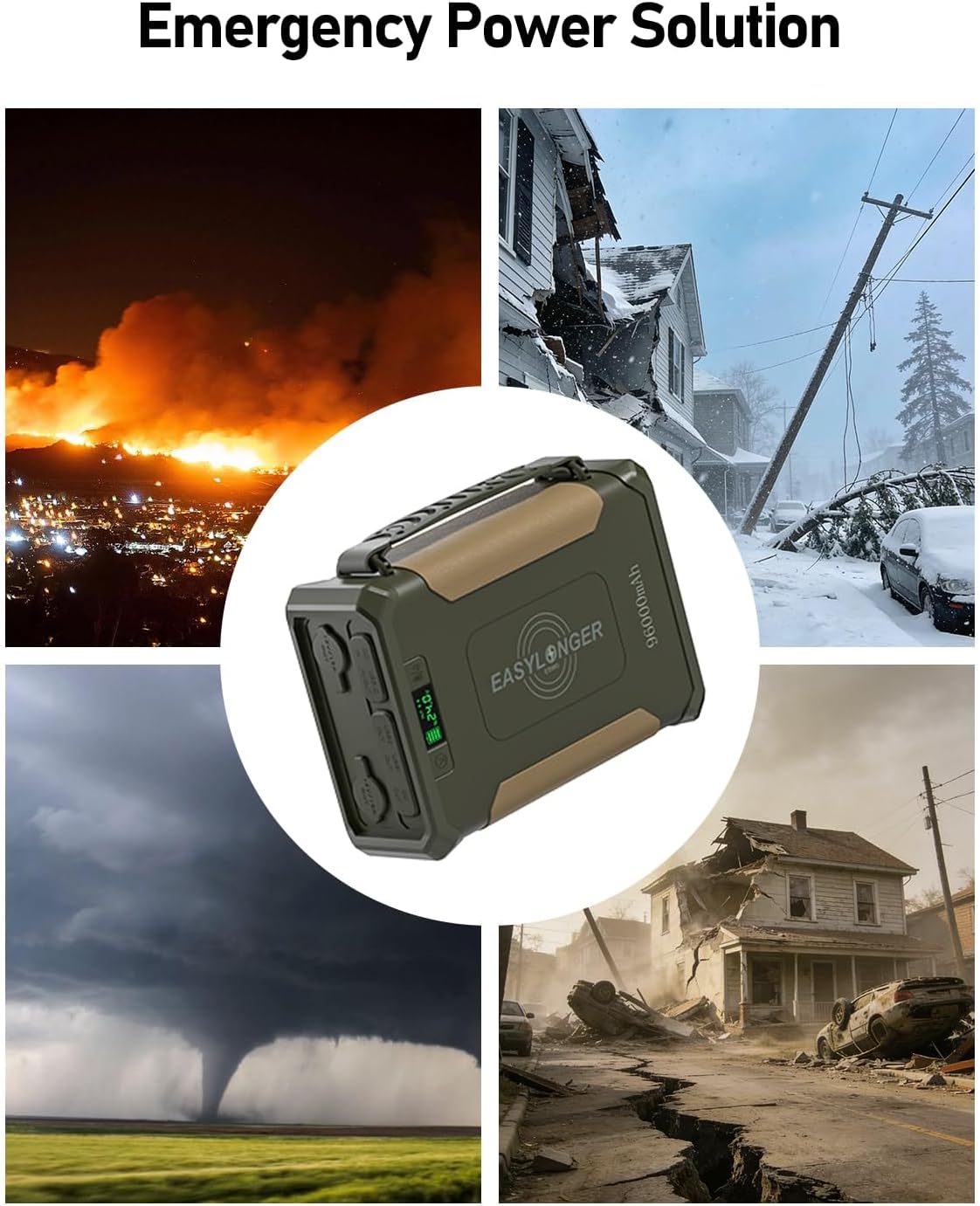
The ES960 provides emergency power during various outages.
2. Informazioni sulla sicurezza
- Non smontare, modificare o tentare di riparare il dispositivo.
- Tenere lontano da acqua, fuoco e temperature estreme.
- Utilizzare solo gli accessori di ricarica forniti o approvati.
- This device exceeds the 160Wh airline limit and is not approved for air travel.
- Assicurare una ventilazione adeguata durante l'uso e la ricarica.
- The built-in LiFePO4 cells offer protection against overcharge, over-discharge, overcurrent, short circuits, and high temperatures.
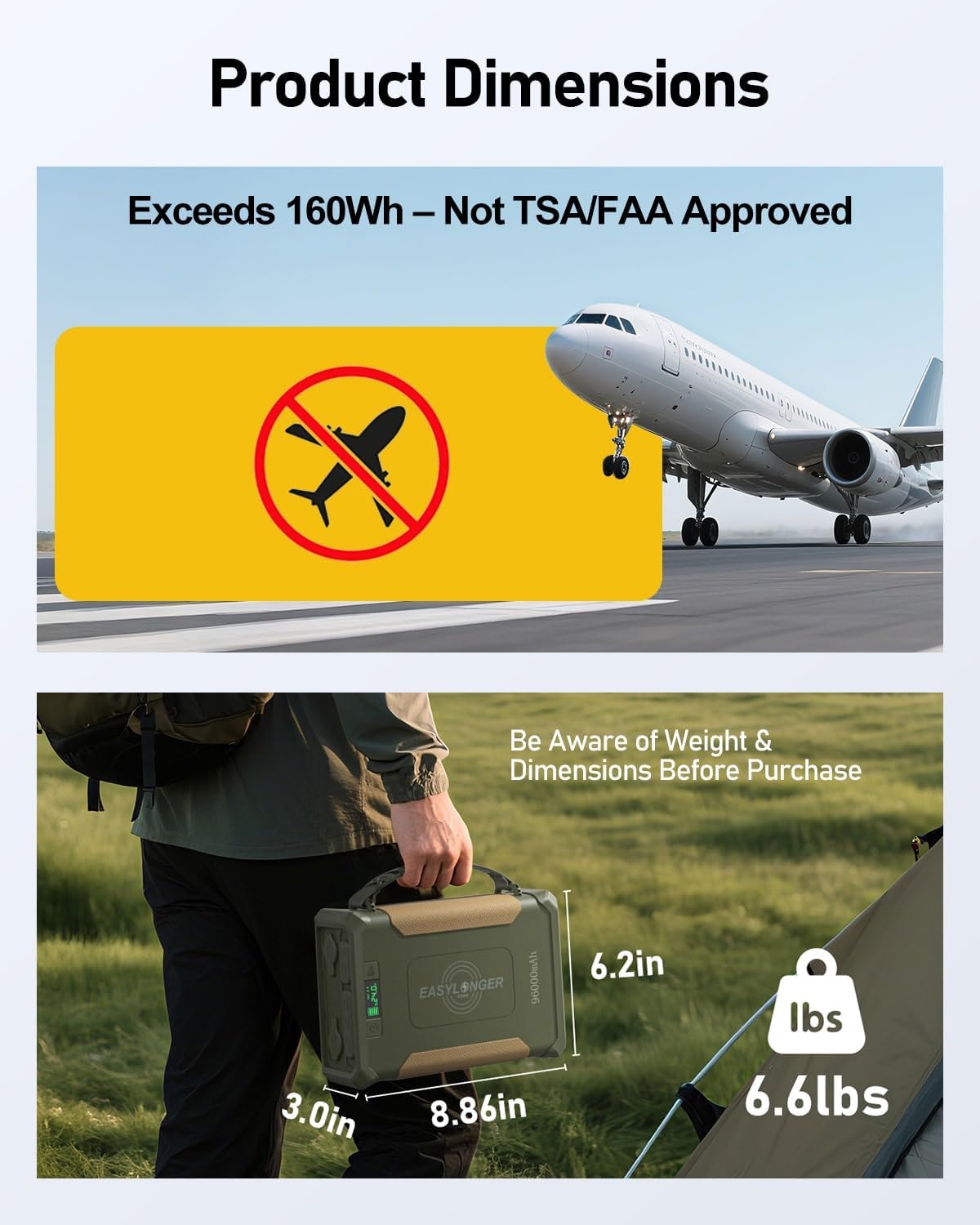
The ES960 exceeds 160Wh and is not approved for air travel. Be aware of weight and dimensions.
3. Contenuto della confezione
Verifica che tutti gli articoli siano presenti nel tuo pacco:
- EASYLONGER ES960 CPAP Battery Backup
- AC Power Adapter (72W)
- USB-C PD Charger (60W)
- 4 CPAP DC Cables (for ResMed S9, AirSense 10/11, AirCurve 10/11, AirMini, Philips DreamStation 1/2, Luna G3)
- Manuale d'uso
4. Prodotto finitoview
The ES960 features multiple output ports, a digital display, and an integrated LED light for versatile use.
The ES960 with its multiple ports and digital display.
Caratteristiche principali:
- Display digitale: Shows battery level and output voltage.
- Porte di uscita: 2x USB-A, 1x USB-C (Input/Output), 2x DC Out, 2x 12V/15A Cigarette Lighter Out.
- Ricarica wireless: 10W wireless charging pad on top.
- Luce LED integrata: Per l'illuminazione in condizioni di scarsa illuminazione.
5. Impostazione
5.1 Charging the ES960
Ensure the battery is fully charged before first use. The ES960 offers three charging methods:
- 60W USB-C PD Charger: Connect the included USB-C PD charger to the USB-C In/Out port. Full charge in 6-8 hours.
- Adattatore CA da 72 W: Connect the included AC adapter to the DC In port. Full charge in 5-6 hours.
- Solar Panel (≥100W, not included): Connect a compatible solar panel to the DC In port. Charging time depends on solar intensity.

Multiple rapid recharge options for your ES960.
5.2 Connecting to CPAP Machine
The ES960 includes 4 specific DC cables for popular CPAP models. Ensure the correct cable is used and the voltage is set appropriately.

The ES960 includes 4 adapter cables compatible with most major CPAP models.
- Identify Your CPAP Model: Match your CPAP machine to the corresponding DC cable.
- Connect Cable to ES960: Plug the DC cable into one of the DC OUT ports on the ES960.
- Connect Cable to CPAP: Plug the other end of the DC cable into your CPAP machine.
- Imposta Vol.tage: Long-press the 'V' button on the ES960 to enter voltage setting mode. Press once to cycle through 12V, 16.5V, 20V, and 24V. Select the voltage matching your CPAP machine's operating voltage.
Video: Connecting ES960 to AirSense 11
This video demonstrates how to connect the EASYLONGER ES960 to an AirSense 11 CPAP machine, including selecting the correct voltage.
Video: Powering AirSense 10 for Camping
This video shows how to use the ES960 to power an AirSense 10 CPAP machine during a campviaggio.
5.3 Wide Compatibility for Other CPAP Models
For CPAP devices like Sefam S Box, Resvent iBreeze, Apex iCH, use a DC adapter. For F&P SleepStyle, Löwenstein Prisma, Breas Z1/Z2, DreamStation GO, and Transcend models, use a cigarette lighter cable or an inverter with voltage conversion (sold separately).

The ES960 offers wide compatibility with various CPAP models using the right connecting cables.
6. Istruzioni per l'uso
6.1 Powering On/Off & Voltage Selezione
- Accensione: Press the Power button (right side) once to activate the battery pack and check the battery level.
- Voltage Selezione: Long-press the 'V' button (left side) for about 3 seconds to enter voltage setting mode. Press once to cycle through 12V, 16.5V, 20V, and 24V options. Release the button when the desired voltagviene visualizzato e.
- Spegni: Long-press the Power button to deactivate the battery.
6.2 Using Other Output Ports
- USB-A/USB-C: Connect your devices (phones, tablets, laptops, etc.) to the USB-A or USB-C output ports.
- Ricarica wireless: Place your Qi-compatible device on the wireless charging pad on top of the ES960.
- Cigarette Lighter Ports: Use the two 12V/15A cigarette lighter ports for compatible devices like car refrigerators or air pumps.

Power multiple devices simultaneously with the ES960's various output ports.
6.3 Luce LED integrata
- Activate White Light: Double-press the Power button to turn on/off the white LED light.
- Activate Warm Light: Long-press the Power button to turn on/off the warm LED light.

The built-in LED light brightens your campsite for nighttime activities.
7. Runtime Information
The ES960 can power CPAP devices for 2+ nights with the humidifier and heated tube off. Runtime will vary significantly when these features are used.

CPAP Runtime based on test conditions (humidifier/heated tube OFF).
Factors Affecting Battery Duration:
- Humidifier/Heated tubing ON/OFF/Level Setting
- Ramp Up Function ON/OFF/Time setting
- Use of any additional features such as Altitude Compensation
- Tipo di macchina
- Sollievo dalla pressione
- Patient's breathing pattern
- Mask leaks
- Automatic Leak Compensator
- Bluetooth/APP/Wifi
- Smart Start / Smart Stop
- Modalità terapia
Attenzione: Except for humidifier and heated tubing, mask leaks, or high PAP pressures, using an inverter can greatly decrease run times.
8. Manutenzione
- Pulizia: Pulire il dispositivo con un panno asciutto e morbido. Non utilizzare detergenti abrasivi o solventi.
- Magazzinaggio: Store the ES960 in a cool, dry place away from direct sunlight. For long-term storage, charge the battery to 50-80% every 3-6 months to maintain battery health.
- Durata della batteria: The LiFePO4 battery cells are designed for over 3000 cycles, ensuring long-lasting reliability.
9. Risoluzione Dei Problemi
- Il dispositivo non si accende: Assicurati che la batteria sia carica. Premi con decisione il pulsante di accensione.
- CPAP not receiving power: Verify the correct DC cable is used and securely connected. Check that the output voltage on the ES960 matches your CPAP machine's requirements.
- Breve durata: Turn off humidifier and heated tube features on your CPAP machine to extend battery life. Refer to the 'Factors Affecting Battery Duration' section.
- Problemi di ricarica: Ensure the charging adapter is properly connected to a power source and the ES960. Try a different charging method if available.
10. Specifiche
| Caratteristica | Dettaglio |
|---|---|
| Numero di modello | GP50 |
| Capacità della batteria | 297.6 Wh / 96000 mAh |
| Tipo di batteria | LiFePO4 |
| Cicli di vita | Oltre 3000 cicli |
| Dimensioni del prodotto | 8.86 x 3 x 6.2 pollici |
| Peso | 6.6 libbre |
| Tipo di connettore | USB tipo A, USB tipo C |
| Porte di uscita | 2x USB-A, 1x USB-C (PD), 2x DC Out, 2x 12V/15A Cigarette Lighter Out |
| Ricarica wireless | 10W |
| Caratteristiche speciali | Built-in MPPT, Digital Display, Flashlight, Wireless Charging |
11. Garanzia e supporto
For warranty information, technical support, or any inquiries regarding your EASYLONGER ES960 CPAP Battery Backup, please contact the manufacturer directly through their official websito o rivenditore presso cui è stato acquistato il prodotto.