
FOREVER iGo Watch 4 JW-600
Forever iGo Watch 4 JW-600 Smartwatch User Manual
1. Introduzione
Welcome to the user manual for your new Forever iGo Watch 4 JW-600 Smartwatch. This guide provides essential information on how to set up, operate, and maintain your device, ensuring you get the most out of its features. The iGo Watch 4 combines modern design with advanced functionalities, including an AMOLED touch screen, comprehensive health monitoring, and over 100 sport modes.
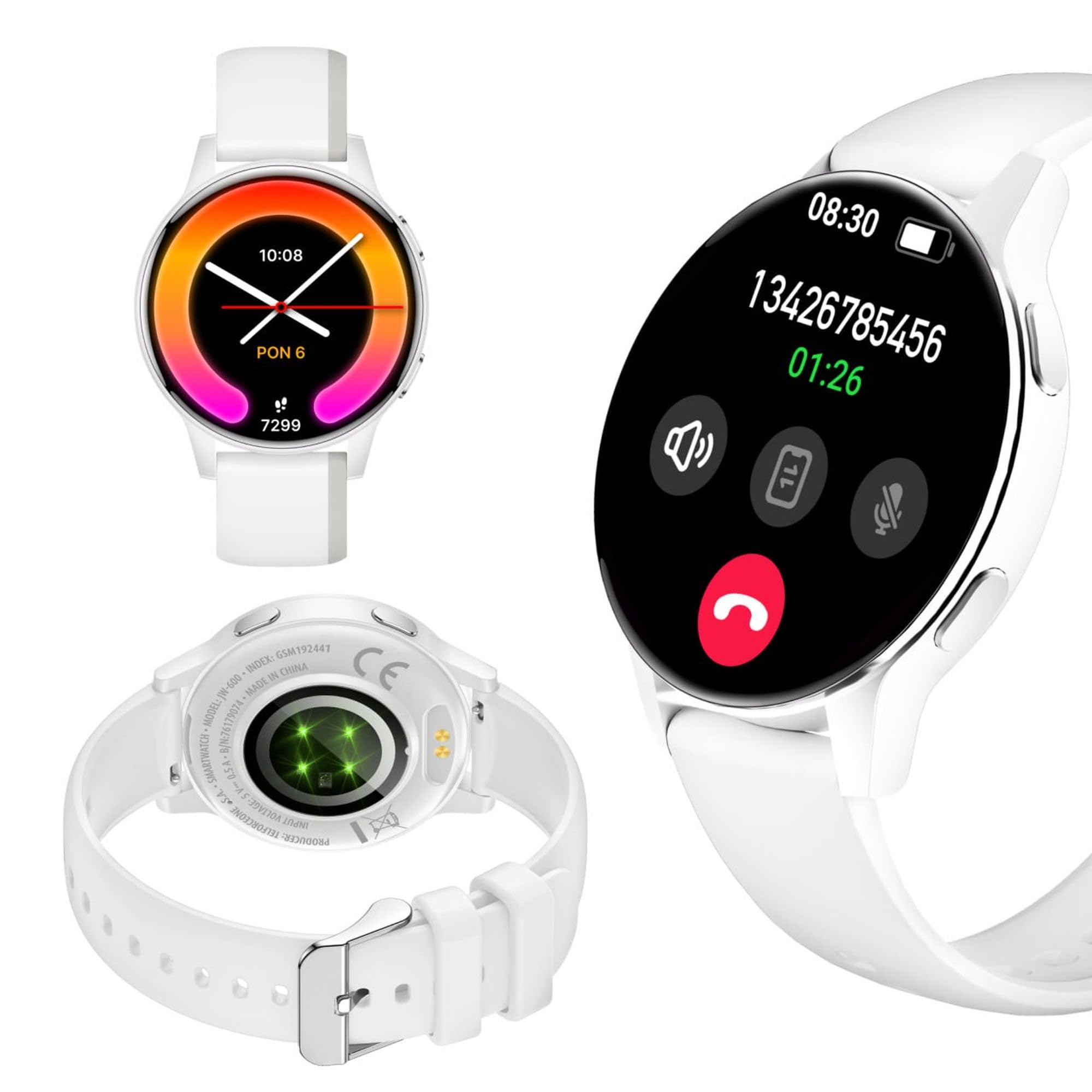
Image: Silhouette of a person wearing the Forever iGo Watch 4 smartwatch, highlighting its sleek design.

Image: Three Forever iGo Watch 4 smartwatches in black, white, and pink, illustrating the available color versions.
2. Contenuto della confezione
Upon opening your Forever iGo Watch 4 package, please ensure all items are present and in good condition. Your package should contain:
- Forever iGo Watch 4 Smartwatch
- Cavo di ricarica magnetico
- Two interchangeable straps (e.g., one pre-installed, one additional)
- Manuale dell'utente (questo documento)

Image: Packaging for the white Forever iGo Watch 4, indicating included items and features.

Image: Two Forever iGo Watch 4 smartwatches, one white and one black with an orange accent, highlighting the two included straps.
3. Impostazione
3.1. Ricarica dello smartwatch
Before first use, fully charge your smartwatch. Connect the magnetic charging cable to the charging points on the back of the watch and plug the USB end into a power adapter (not included) or a computer's USB port. A full charge takes approximately 2 hours and provides up to 7 days of typical use.

Image: Illustration of the smartwatch's durable battery, capable of up to 7 days of typical usage.
3.2. Accensione/Spegnimento
- Per accendere: Tieni premuto il pulsante laterale finché lo schermo non si illumina.
- Per spegnere: Navigate to the settings menu on the watch, select 'Power Off', and confirm. Alternatively, press and hold the side button and select 'Power Off' when prompted.
3.3. Installazione e associazione dell'app
To unlock the full potential of your iGo Watch 4, download the dedicated companion app on your smartphone (compatible with Android and iOS). Cercare the app name (usually 'Forever Smart' or similar, check packaging for exact name) in your phone's app store.
- Scarica e installa l'app sul tuo smartphone.
- Abilita il Bluetooth sul tuo smartphone.
- Apri l'app e segui le istruzioni sullo schermo per creare un account o accedere.
- In the app, select 'Add Device' or 'Pair Device' and choose 'iGo Watch 4' from the list of available devices.
- Conferma la richiesta di associazione sia sullo smartphone che sullo smartwatch.
4. Utilizzo dello smartwatch
4.1. Navigazione e visualizzazione
The iGo Watch 4 features a responsive 1.28-inch AMOLED touch screen with a resolution of 416x416 pixels, providing clear visuals even in bright sunlight. Navigate through menus and functions by swiping across the screen and tapping icons.
- Scorri verso l'alto/il basso: Scorrere i menu o le notifiche.
- Scorri verso sinistra/destra: Accedi alle funzioni rapide o ai diversi widget.
- Rubinetto: Seleziona un elemento o apri un'applicazione.
- Pulsante laterale: Premere per tornare alla schermata iniziale o riattivare il dispositivo.

Immagine: un primo piano view of the smartwatch display, showing its vibrant AMOLED screen and clear resolution.

Image: Visual representation of the AMOLED screen's size (1.28 inches) and resolution (416x416 pixels).
4.2. Quadranti personalizzabili
Personalize your smartwatch by choosing from a variety of free watch faces available through the companion app. You can switch between classic and futuristic designs to match your mood or style.

Image: A selection of customizable watch faces available for the iGo Watch 4.

Image: Different watch face options, illustrating the ability to change your watch's appearance daily.
4.3. Notifications and Bluetooth Calls
Once paired with your smartphone, the iGo Watch 4 allows you to receive notifications for calls, SMS messages, and various applications directly on your wrist. You can also make and receive Bluetooth calls without needing to take out your phone.
- Chiamate in arrivo: The watch will vibrate and display the caller ID. You can answer or reject calls directly from the watch.
- Messaggi: Read SMS and app notifications (e.g., WhatsApp, Messenger) on the watch screen.

Image: A person interacting with the smartwatch, with icons representing phone calls and messages, demonstrating Bluetooth connectivity.

Image: Visual representation of the smartwatch's Bluetooth call and notification capabilities.
4.4. Monitoraggio della salute
The iGo Watch 4 is equipped with various sensors to help you monitor your health and well-being. Access these features through the watch's menu or the companion app.
- Misurazione della frequenza cardiaca: Monitora la tua frequenza cardiaca durante il giorno.
- Monitoraggio del sonno: Track your sleep patterns, including different sleep phases, to help improve your sleep quality.
- Misurazione dello stress: Check your stress levels and receive suggestions for breathing exercises to help manage tension.
- Saturazione di ossigeno nel sangue (SpO2): Misura i livelli di ossigeno nel sangue.
- Misurazione della pressione sanguigna: Monitor your blood pressure (note: this feature is for reference only and not a medical device).
- Salute delle donne: Tieni traccia dei cicli mestruali e dei dati correlati.
- Water Intake Reminder: Imposta promemoria per bere acqua durante il giorno.
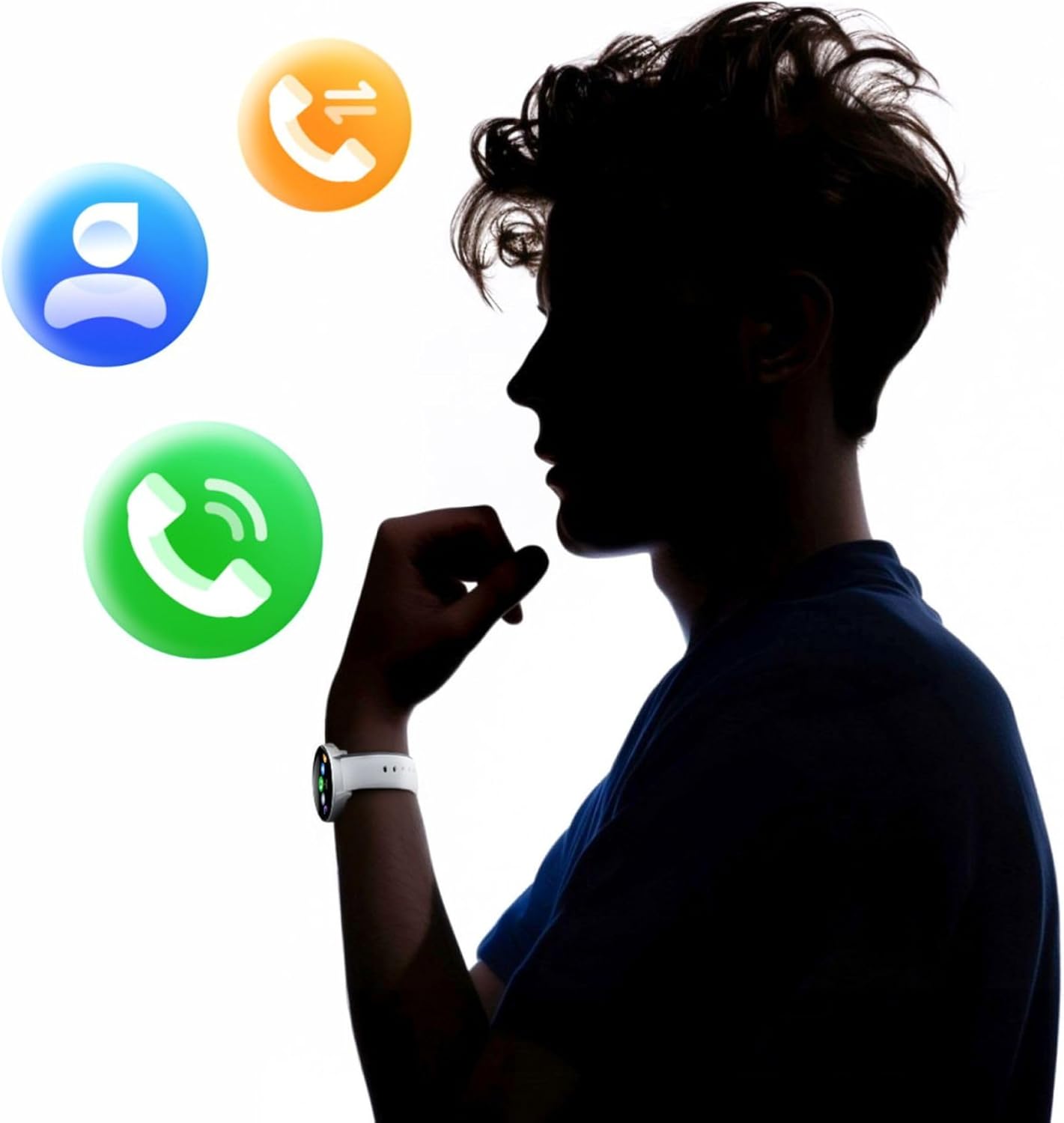
Image: A smartphone displaying the health monitoring app, surrounded by icons for various health metrics like heart rate, blood pressure, and sleep.

Image: Illustration of the sleep monitoring feature, showing sleep duration and phases.

Image: The stress measurement feature, showing how the watch helps monitor stress levels and suggests breathing exercises.
4.5. Modalità Sport
With over 100 sport modes, the iGo Watch 4 is designed to track a wide range of physical activities, from running to tennis. The watch accurately counts your steps, distance, and burned calories, providing detailed insights into your workouts through the companion app.

Image: The smartwatch displaying activity data, including calories, steps, and distance, during a workout.

Image: Illustration of the smartwatch's capability to track over 100 sport modes, counting steps and calories.
4.6. Altre funzioni intelligenti
The iGo Watch 4 offers several additional smart features to enhance your daily life:
- Controllo della musica: Controlla la riproduzione musicale sul tuo smartphone direttamente dall'orologio.
- Assistente vocale: Accedi all'assistente vocale del tuo smartphone.
- Previsioni del tempo: Ricevi aggiornamenti meteo in tempo reale.
- Trova dispositivo: Individua lo smartphone associato se si trova nel raggio d'azione del Bluetooth.
- Sveglia: Imposta allarmi e promemoria.
- Controllo remoto della telecamera: Utilizza il tuo orologio come otturatore remoto per la fotocamera del tuo smartphone.

Image: The smartwatch displaying icons for various smart functions, including music control, weather, and remote camera.

Image: The smartwatch's interactive 3D menu, highlighting useful smart functions like music control and voice assistant.
5. Manutenzione
5.1. Pulizia dello smartwatch
To keep your iGo Watch 4 in optimal condition, regularly clean the device. Use a soft, dry, lint-free cloth to wipe the screen and body. For stubborn smudges, slightly dampImmergere il panno in acqua. Evitare l'uso di prodotti chimici aggressivi o materiali abrasivi, poiché potrebbero danneggiare l'orologio.
5.2. Resistenza all'acqua (IP67)
The iGo Watch 4 is rated IP67, meaning it is protected against dust ingress and can withstand immersion in water up to 1 meter for up to 30 minutes. This makes it suitable for daily use, such as washing hands or being exposed to rain and splashes. However, it is not recommended for swimming, showering with hot water, or diving, as steam and high water pressure can compromise the seals.
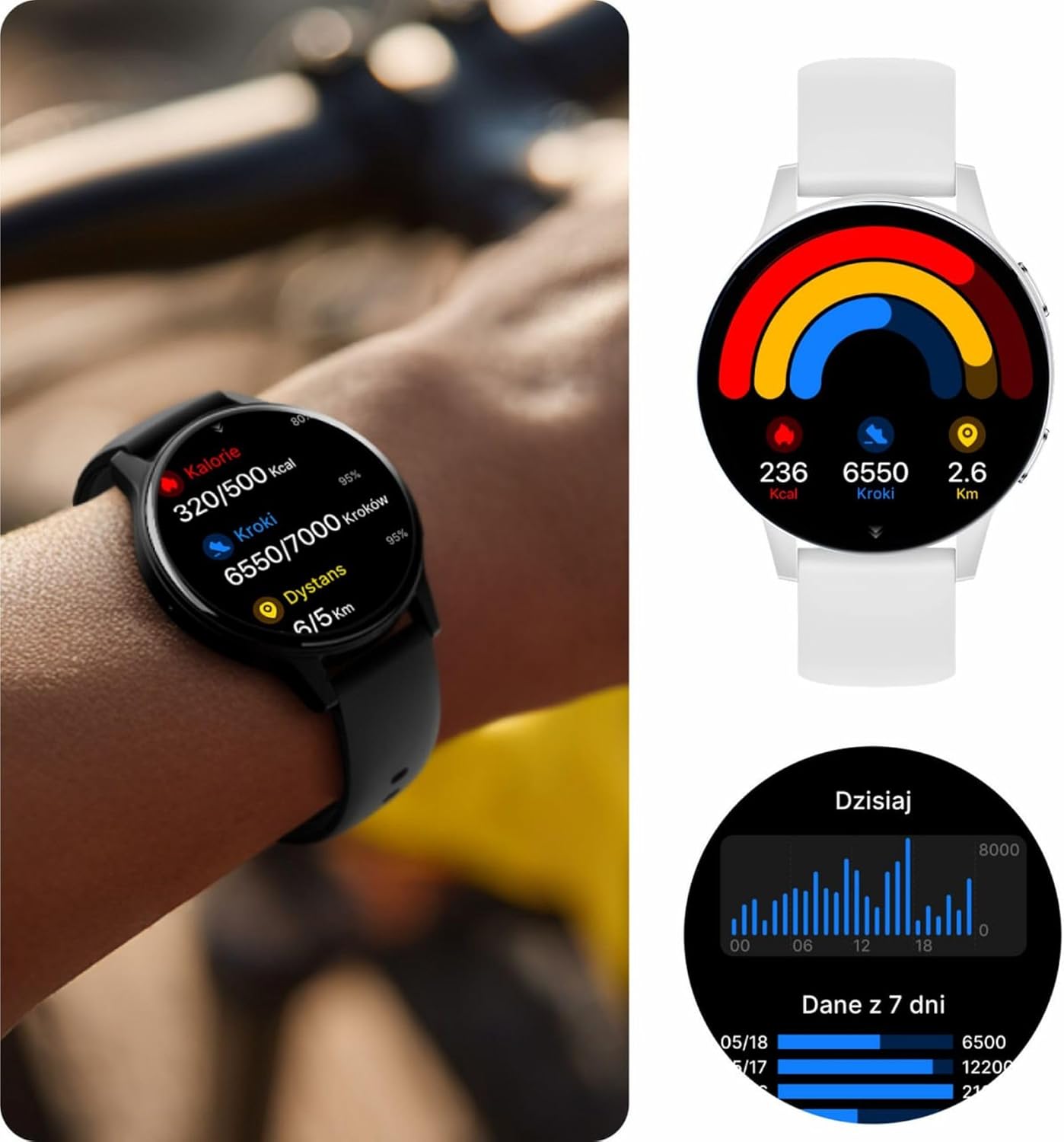
Image: Visual representation of the IP67 waterproof rating, indicating protection against water splashes and brief immersion.

Image: Stylized graphic emphasizing the IP67 waterproof feature of the smartwatch.
6. Risoluzione Dei Problemi
If you encounter any issues with your Forever iGo Watch 4, please refer to the following common solutions:
- L'orologio non si accende: Assicurati che l'orologio sia completamente carico. Collegalo al caricabatterie per almeno 30 minuti.
- Impossibile associare lo smartphone:
- Assicurati che il Bluetooth sia abilitato sul tuo smartphone.
- Assicurati che l'orologio sia nel raggio d'azione del tuo smartphone.
- Riavvia sia lo smartphone che lo smartwatch.
- Controlla se l'app complementare è aggiornata all'ultima versione.
- Notifiche non visualizzate:
- Verifica che siano concesse le autorizzazioni di notifica all'app complementare sul tuo smartphone.
- Assicurarsi che l'orologio sia correttamente connesso tramite Bluetooth.
- Check the app's settings to ensure notifications for specific applications are enabled.
- Dati sanitari inesatti:
- Assicurati che l'orologio sia indossato comodamente al polso, né troppo largo né troppo stretto.
- Pulisci i sensori sul retro dell'orologio.
- Evitare movimenti eccessivi durante le misurazioni.
- Breve durata della batteria:
- Ridurre la luminosità dello schermo.
- Disattivare le funzionalità non necessarie o il monitoraggio continuo se non necessario.
- Limitare il numero di notifiche ricevute.
If the problem persists, please consult the official Forever support resources or contact customer service.
7. Specifiche
Below are the technical specifications for the Forever iGo Watch 4 JW-600 Smartwatch:
| Caratteristica | Specificazione |
|---|---|
| Marca | PER SEMPRE |
| Modello | iGo Watch 4 JW-600 (GSM192441) |
| Tipo di visualizzazione | AMOLED |
| Dimensioni dello schermo | 1.28 pollici |
| Risoluzione dello schermo | 416 x 416 pixel |
| Capacità della batteria | 280 mAh |
| Durata media della batteria | Fino a 7 giorni |
| Tempo di ricarica | 2 ore |
| Resistenza all'acqua | Grado di protezione IP67 |
| Peso | 33.9 grammi |
| Spessore | 10.6 millimetri |
| Dispositivi compatibili | Smartphone (Android, iOS) |
| Input dell'interfaccia umana | Pannello touch |
| Caratteristiche speciali | 100+ Sport Modes, Sleep Monitor, Heart Rate, Stress, Blood Oxygen, Blood Pressure, Bluetooth Calls, Notifications |
| Capacità di archiviazione | 128 GB (for data storage, not app installation) |
| GPS | Nessuno |
| Tipo senza fili | 802.11n |

Image: Illustration of the smartwatch's ultra-slim and light form, detailing its weight and thickness.
8. Garanzia e supporto
Your Forever iGo Watch 4 JW-600 Smartwatch comes with a manufacturer's warranty. Please refer to the warranty card included in your package or the official Forever websito per informazioni dettagliate sui termini e le condizioni di garanzia.
For technical support, troubleshooting assistance, or any other inquiries, please visit the official Forever support page or contact their customer service through the contact information provided on their websito o nella documentazione del prodotto.
Ask a question about this manual
Ask about setup, troubleshooting, compatibility, parts, safety, or missing instructions. Manuals+ will review the question and use this page’s manual context to help answer it.