
Introduzione
Thank you for choosing the Synoshi PRO Electric Spin Scrubber. This manual provides essential information for the safe and effective operation, maintenance, and care of your device. Please read these instructions thoroughly before first use and retain them for future reference.
Informazioni sulla sicurezza
Per garantire un funzionamento sicuro ed evitare danni, osservare le seguenti linee guida di sicurezza:
- Leggere tutte le istruzioni prima di utilizzare l'apparecchio.
- Keep the device away from children. This is not a toy.
- Do not immerse the main body of the scrubber in water beyond its IPX5 rating. The device is water-resistant, not fully submersible.
- Utilizzare solo il cavo di ricarica fornito o consigliato.
- Non utilizzare il dispositivo se danneggiato o malfunzionante.
- Avoid applying excessive pressure, which may damage surfaces or the device.
- Prima dell'uso, assicurarsi che le testine siano fissate saldamente.
Contenuto della confezione
Verifica che tutti gli articoli siano presenti nel tuo pacco:
- 1 x Synoshi PRO Electric Spin Scrubber Unit
- 2 x Round Brush Heads (one red, one white)
- 1 x USB-C Charging Cable (not explicitly listed but implied by charging method)
Prodotto finitoview
The Synoshi PRO Electric Spin Scrubber is designed for efficient cleaning of various surfaces. It features a powerful motor, adjustable angle, and interchangeable brush heads.

Figura 1: Synoshi PRO Electric Spin Scrubber with a red brush head attached, and a white brush head shown separately. This image illustrates the main unit and the two types of round brush heads included.
Impostare
Caricamento del dispositivo
- Locate the USB-C charging port on the Synoshi PRO unit.
- Connect the provided USB-C charging cable to the device and a suitable USB power adapter (not included).
- The device will fully charge in approximately 3.5 hours. A full charge provides up to 3 hours of continuous use.
Attaching Brush Heads
- Align the desired round brush head with the attachment point on the scrubber unit.
- Gently push and twist the brush head until it clicks securely into place.
- To remove, twist the brush head in the opposite direction and pull it off.
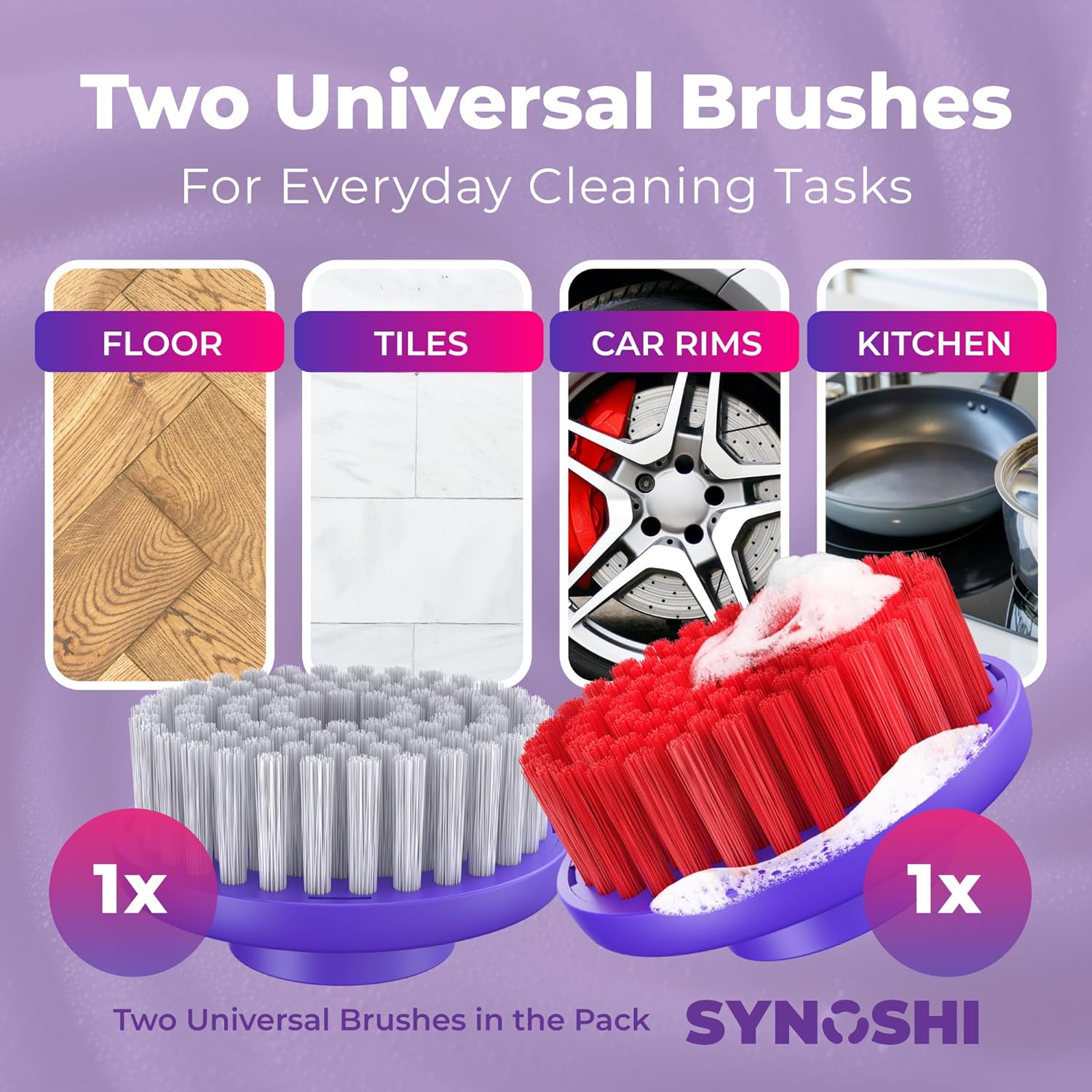
Figura 2: Two universal brush heads, one red and one white, designed for various cleaning tasks including floors, tiles, car rims, and kitchen surfaces.
Istruzioni per l'uso
Accensione/spegnimento
Press the power button located on the handle to turn the device on or off.
Impostazioni di velocità
The Synoshi PRO offers two cleaning speeds:
- Modalità risparmio energetico: Suitable for gentle cleaning or light buildup on delicate surfaces.
- High-performance mode: Provides 235 RPM for deep grime and tougher stains.
Press the speed selection button (often integrated with the power button or a separate button) to toggle between the two speeds.

Figura 3: Illustration of the Synoshi PRO's two-speed motor, detailing low speed for delicate cleaning and high speed for deep cleaning tasks.
Regolazione dell'angolo
The scrubber features 3 lockable angles (0°, 36°, 72°) to reach various areas effectively. To adjust the angle, press the angle adjustment button (if present) or manually pivot the head until it locks into the desired position.
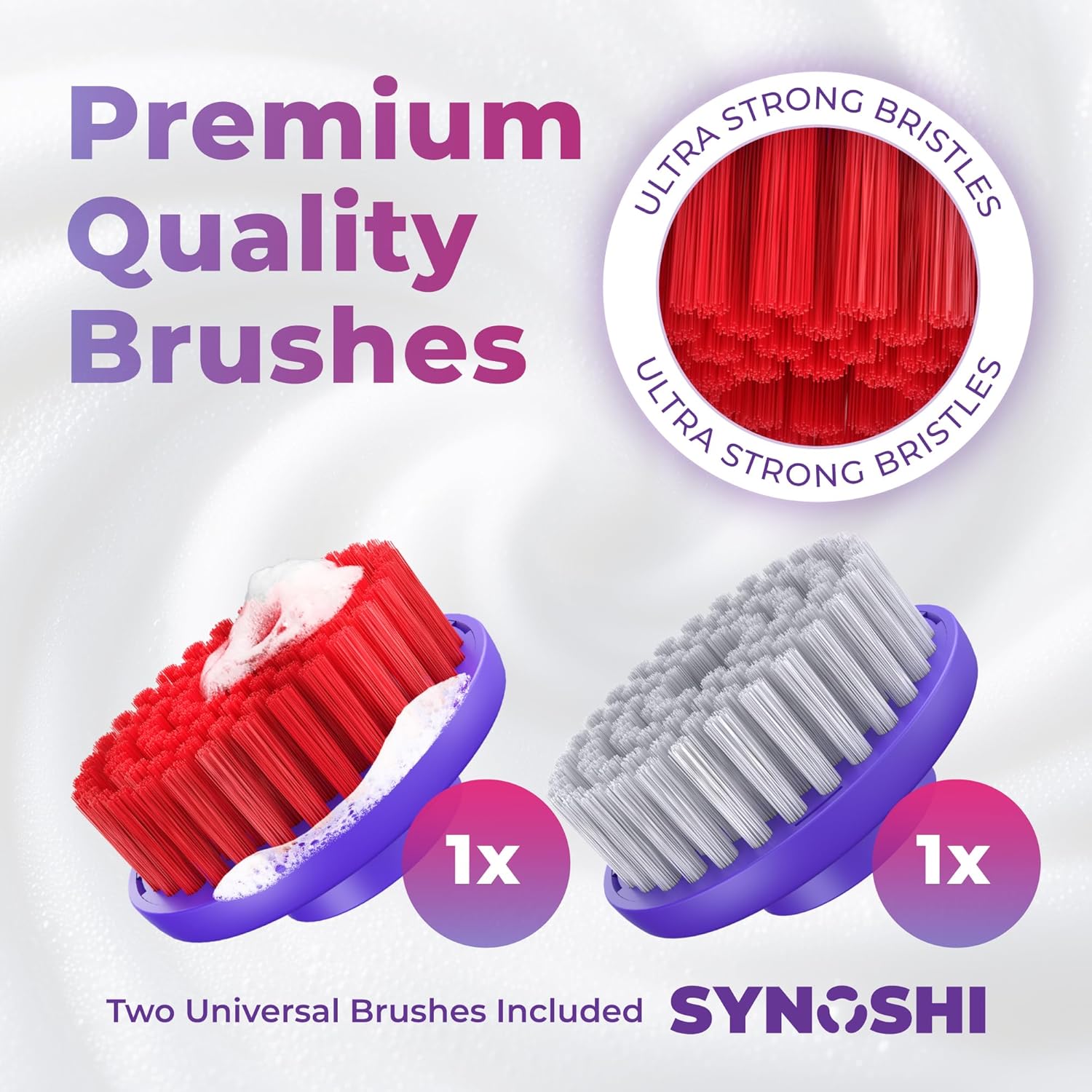
Figura 4: The Synoshi PRO Electric Spin Scrubber shown with its head adjusted to an angle, demonstrating its flexibility for reaching difficult areas like behind toilets or under sinks.
Manutenzione e cura
Cleaning the Scrubber Unit
The Synoshi PRO is IPX5 water-resistant, meaning it can withstand splashes and light jets of water. After each use, wipe down the main unit with a damp cloth. Do not submerge the entire unit in water.

Figura 5: The Synoshi PRO Electric Spin Scrubber with water splashing around it, illustrating its IPX5 waterproof design for confident cleaning in wet environments.
Pulizia delle testine delle spazzole
The brush heads feature durable and odor-resistant bristles. After each use, rinse the brush heads under running water to remove any debris or cleaning solution. Allow them to air dry completely before storing. Replace brush heads when bristles show signs of wear or reduced effectiveness.
Risoluzione dei problemi
If you encounter issues with your Synoshi PRO Electric Spin Scrubber, refer to the following common problems and solutions:
- Il dispositivo non si accende: Ensure the device is fully charged. If not, connect it to the charger for 3.5 hours.
- Reduced scrubbing power: Check if the brush head is securely attached. Ensure the battery is adequately charged.
- Brush head not spinning: Verify the brush head is correctly installed. Check for any obstructions around the brush head.
- Dispositivo non in carica: Ensure the USB-C cable is properly connected to both the device and the power source. Try a different USB-C cable or power adapter.
Se il problema persiste, contattare l'assistenza clienti.
Specifiche
| Caratteristica | Dettaglio |
|---|---|
| Marca | SINOSHI |
| Modello | PRO Electric Spin Scrubber |
| Colore | Argento |
| Materiale della maniglia | Plastica |
| Materiale | Nylon, plastica |
| Componenti inclusi | Attachment (Brush Heads) |
| Resistenza all'acqua | Grado di protezione IPX5 |
| Capacità della batteria | 2000mAh |
| Tempo di ricarica | 3.5 ore (tramite USB-C) |
| Tempo di funzionamento | Fino a 3 ore |
| Velocità di rotazione | Up to 235 RPM (High-performance mode) |
| Angoli regolabili | 0°, 36°, 72° |
| Fermezza dell'oggetto | Morbido |
| Raccomandazione di superficie | Floor, Grout, Metal, Porcelain, Tile |
Garanzia e supporto
Per informazioni sulla garanzia o assistenza tecnica, consultare la documentazione inclusa con l'acquisto o contattare direttamente il produttore. Conservare la prova d'acquisto per eventuali reclami in garanzia.