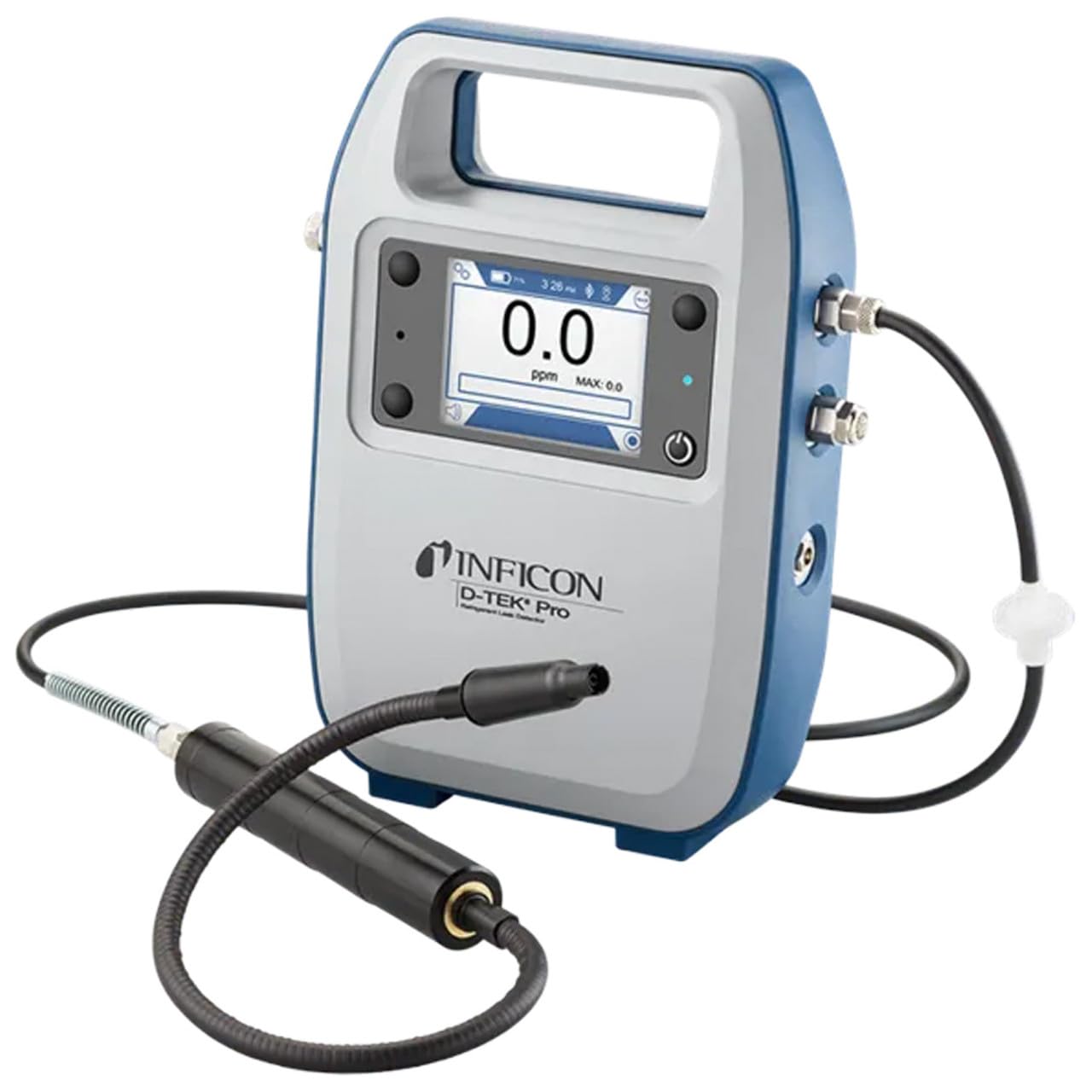
Inficon D-TEK Pro Refrigerant Leak Detector User Manual
Modello: 508-202-G1
1. Introduzione
The Inficon D-TEK Pro Refrigerant Leak Detector is designed for precise and rapid detection of refrigerant leaks. This device offers high sensitivity and an all-in-one Pro Mode for efficient leak identification. This manual provides essential information for the proper setup, operation, and maintenance of your D-TEK Pro.
2. Informazioni sulla sicurezza
Per evitare lesioni e danni al dispositivo, osservare sempre le seguenti precauzioni di sicurezza:
Leggere tutte le istruzioni prima di utilizzare il dispositivo.
Utilizzare il dispositivo solo come descritto in questo manuale.
Non esporre il dispositivo a temperature estreme o umidità.
Assicurare una ventilazione adeguata quando si lavora con refrigeranti.
Indossare adeguati dispositivi di protezione individuale (DPI), come guanti e protezioni per gli occhi.
Do not attempt to service the device beyond what is described in the maintenance section. Refer all other servicing to qualified personnel.
3. Cosa c'è nella scatola
Verificare che tutti gli articoli siano presenti al momento del disimballaggio:
(1) D-TEK Pro Refrigerant Leak Detector
(1) Soft case with shoulder strap
(1) Spare filters
(1) Phone holder
(1) Cavo di ricarica
4. Impostazione
4.1 Ricarica del dispositivo
The D-TEK Pro is powered by a rechargeable battery. Before first use, fully charge the device.
Connect the provided charging cable to the charging port on the D-TEK Pro.
Collegare l'altra estremità del cavo di ricarica a una fonte di alimentazione idonea.
L'indicatore di carica sul dispositivo si illuminerà. Attendere il tempo necessario per una carica completa.
4.2 Fissaggio del supporto per telefono
The included phone holder allows for convenient mobile device integration.
Locate the attachment point for the phone holder on the D-TEK Pro.
Securely attach the phone holder according to its design.
Place your mobile device into the holder, ensuring it is stable.
5. Istruzioni per l'uso
5.1 Accensione/Spegnimento
Per accendere, tieni premuto il pulsante di accensione finché il display non si illumina.
Per spegnere, tenere premuto il pulsante di accensione finché il dispositivo non si spegne.
5.2 Using Pro Mode for Leak Detection
The D-TEK Pro features an all-in-one Pro Mode that combines cloud hunting and pinpointing capabilities, allowing for efficient leak location.
Ensure the device is powered on and in Pro Mode (refer to the display for mode indication).
Move the sensor probe slowly around suspected leak areas. The device's superior airflow allows for detection from a greater distance.
The D-TEK Pro will indicate the presence of refrigerants with high sensitivity, detecting down to 0.1 ppm.
Segui l'incrementoasing readings to pinpoint the exact leak source.
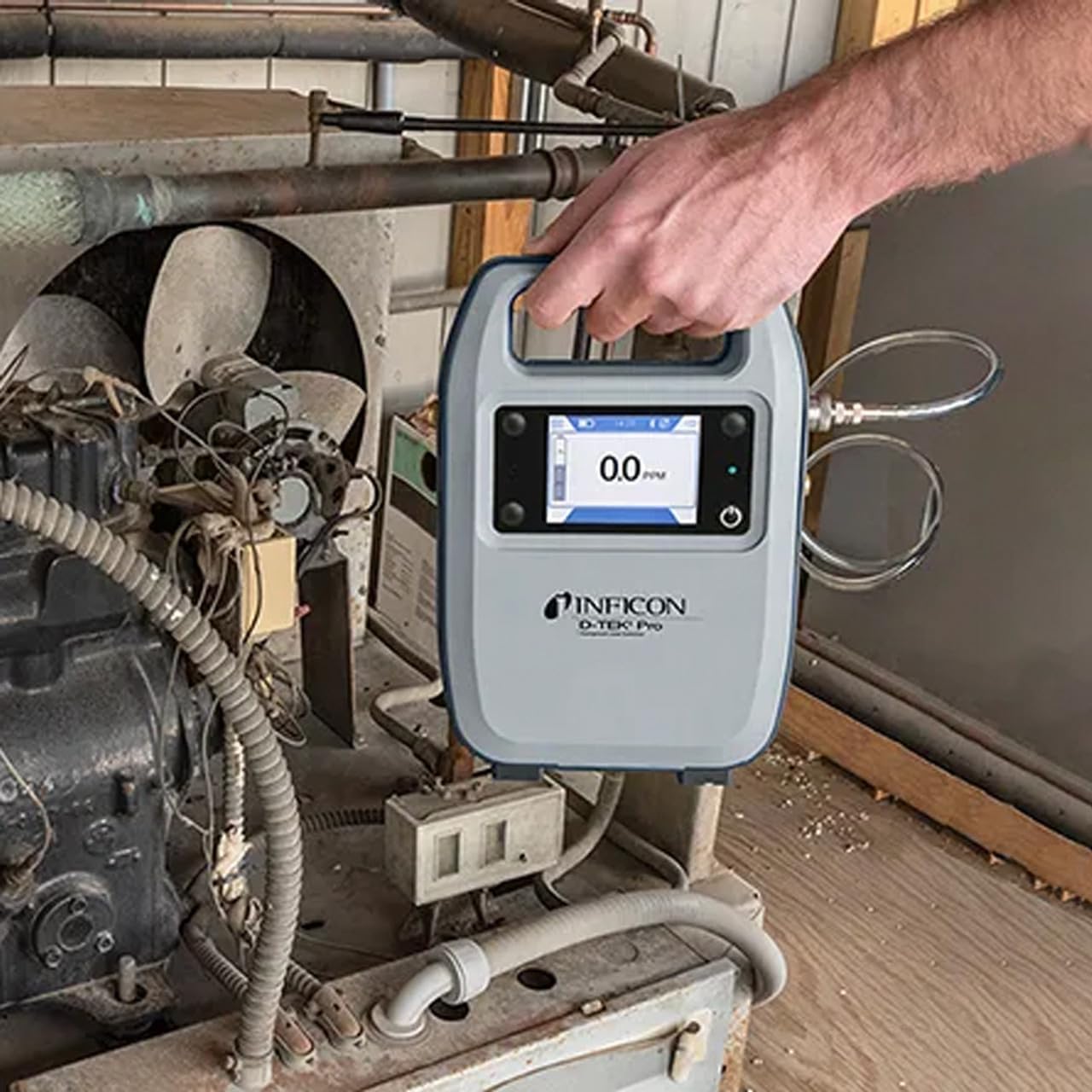
Figure 1: The Inficon D-TEK Pro being used to inspect a refrigeration unit. The display shows a 0.0 ppm reading, indicating no refrigerant detected at the current location. The device is held by a user's hand, demonstrating its portability and ease of use in an industrial setting.
5.3 Refrigerant Compatibility
The D-TEK Pro is designed to detect a wide range of refrigerants, including:
CFC (clorofluorocarburi)
HCFC (idroclorofluorocarburi)
HFC (idrofluorocarburi)
HFO (idrofluoroolefine)
Blends including A2Ls
5.4 Integrazione delle app mobili
Download the D-TEK Pro mobile app to enhance your leak detection workflow.
Customer Reports: Generate detailed reports with photos and ppm tracking.
Tracciamento GPS: Confirm job location with integrated GPS functionality.
Figure 2: The Inficon D-TEK Pro connected to a smartphone, showcasing the mobile application's interface. This setup allows users to view real-time leak detection data, generate reports, and utilize GPS tracking for job site verification.
6. Manutenzione
6.1 Cura generale e pulizia
To ensure optimal performance and longevity of your D-TEK Pro:
Pulire il dispositivo con un panno morbido, damp panno. Non usare detergenti abrasivi o solventi.
Keep the sensor probe clean and free from debris.
Store the device in its soft case when not in use to protect it from dust and physical damage.
6.2 Sostituzione del filtro
The D-TEK Pro is designed for low maintenance, requiring no purging and no charcoal filters. However, spare filters are provided for specific applications or if the existing filter becomes visibly soiled or damaged.
Locate the filter housing on the device.
Rimuovere con cautela il vecchio filtro.
Insert a new spare filter, ensuring it is seated correctly.
7. Risoluzione Dei Problemi
This section addresses common issues you might encounter with your D-TEK Pro.
Problema
Possibile causa
Soluzione
Il dispositivo non si accende.
Batteria scarica o scarica.
Caricare il dispositivo utilizzando il cavo di ricarica in dotazione.
Letture imprecise o incoerenti.
Sensor probe is dirty or damaged; environmental interference.
Clean the sensor probe. Ensure proper environmental conditions. If issue persists, contact support.
L'app mobile non si connette.
Bluetooth issue; app not updated.
Ensure Bluetooth is enabled on both devices. Update the D-TEK Pro app to the latest version.
8. Specifiche
Caratteristica
Dettaglio
Numero di modello
508-202-G1
Peso dell'articolo
3 libbre
Dimensioni del pacco
15 x 12 x 4 pollici
Tipo di visualizzazione
LCD, LED
Fonte di alimentazione
Batteria ricaricabile
Sensibilità
Risoluzione 0.1 ppm
Detected Refrigerants
CFCs, HCFCs, HFCs, HFOs, and blends including A2Ls
9. Informazioni sulla garanzia
The Inficon D-TEK Pro Refrigerant Leak Detector comes with a Garanzia di 2 anno from the date of purchase. This warranty covers defects in materials and workmanship under normal use. For warranty claims or detailed terms and conditions, please refer to the official Inficon websito o contattare l'assistenza clienti.
10. Assistenza clienti
For technical assistance, troubleshooting not covered in this manual, or general inquiries, please contact Inficon customer support.
Risorse online: Visita il sito ufficiale Inficon Store on Amazon per informazioni e aggiornamenti sui prodotti.
Informazioni sui contatti: Refer to the Inficon official website for direct contact details (phone, email).
Ask a question about this manual
Ask about setup, troubleshooting, compatibility, parts, safety, or missing instructions. Manuals+ will review the question and use this page’s manual context to help answer it.