
1. Introduzione
Il Neroview D1 Smart Glasses are polarized Bluetooth sunglasses designed to integrate audio and voice control features into your eyewear. They offer UV protection and anti-blue light lenses, making them suitable for various outdoor and daily activities. This manual provides instructions for setup, operation, maintenance, and troubleshooting to ensure optimal use of your smart glasses.
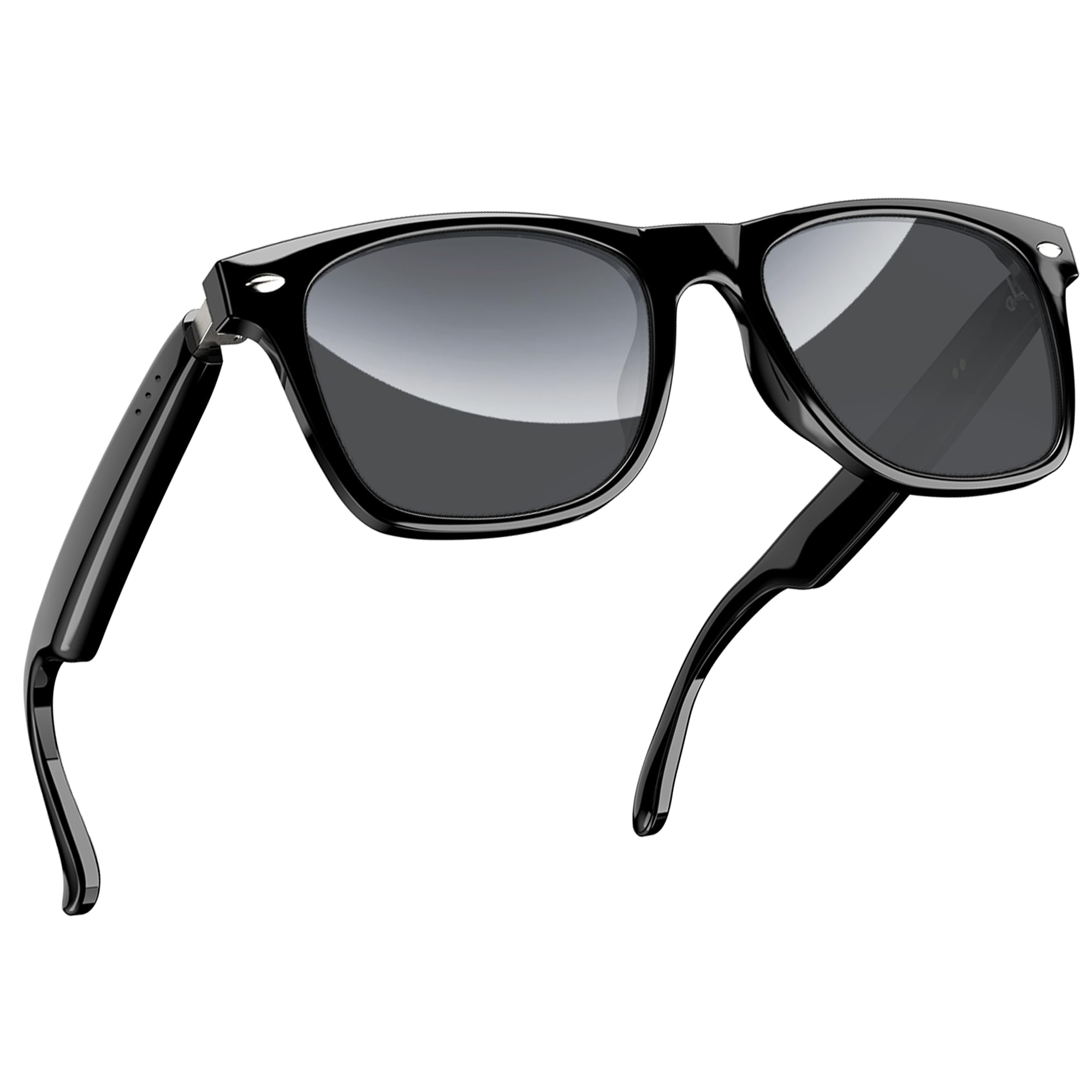
Figura 1: Neroview D1 Smart Glasses, front view.
2. Impostazione
2.1 Ricarica degli occhiali
Before first use, fully charge the smart glasses for at least 2 hours. The glasses are equipped with an 80mAh+80mAh rechargeable battery. Charging is performed via magnetic connection. A full charge typically takes approximately 90 minutes.

Figure 2: Magnetic charging connection for the smart glasses.
2.2 Associazione Bluetooth
- Ensure the smart glasses are charged.
- Open the case of the smart glasses to power them on. They will automatically enter pairing mode.
- Sul tuo smartphone o dispositivo compatibile, attiva il Bluetooth e cerca i dispositivi disponibili.
- Seleziona "Neroview D1" (or similar name) from the list of devices to connect.
- Once paired, the glasses will automatically reconnect to the last paired device when powered on.
The glasses utilize Bluetooth 5.3 technology for stable and low-latency connections. They are compatible with both iOS and Android devices, as well as other Bluetooth-enabled devices like computers and tablets.

Figure 3: Compatibility of Blackview D1 Smart Glasses with various devices.
3. Istruzioni per l'uso
3.1 Comandi touch
Il Neroview D1 Smart Glasses feature intuitive touch controls located on the temples. The convex touch range indicator helps in locating the touch points easily.
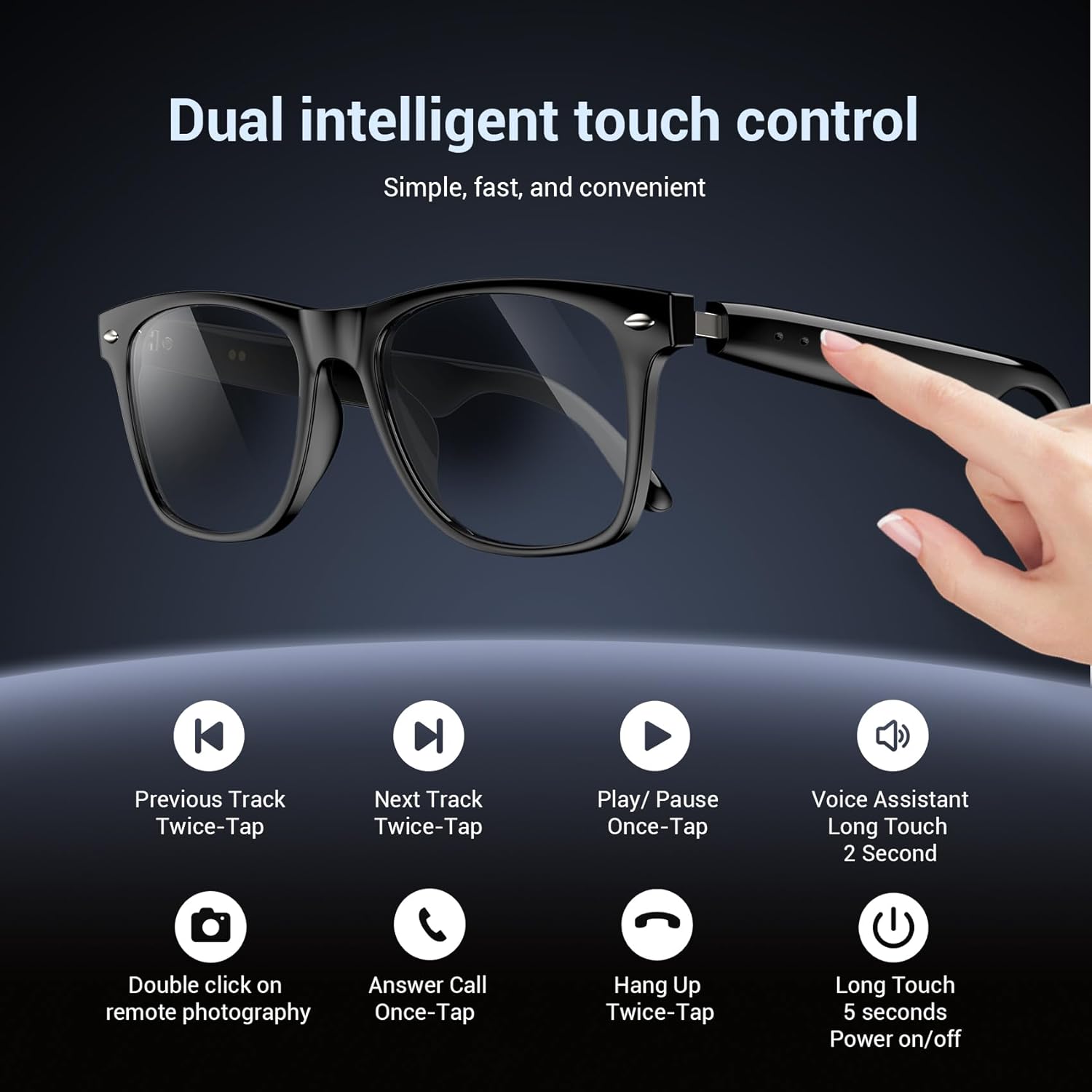
Figure 4: Touch control functions for Blackview Occhiali intelligenti D1.
- Accensione/spegnimento: Long touch for 5 seconds.
- Riproduci/Pausa musica: Once-tap.
- Traccia successiva: Twice-tap.
- Traccia precedente: Twice-tap.
- Rispondi alla chiamata: Once-tap.
- Riagganciare la chiamata: Twice-tap.
- Attiva l'assistente vocale: Long touch for 2 seconds.
- Fotografia a distanza: Double click (if supported by connected device).
3.2 Esperienza audio
The open-ear speaker design, combined with a dynamic driver and ultra-sensitive polymer diaphragm, delivers clear audio. The balanced three-channel audio framework emphasizes vocals, allowing for an immersive listening experience while remaining aware of your surroundings.

Figure 5: Open-ear audio feature of the smart glasses.
3.3 Call Clarity
Advanced microphone design and noise reduction technology suppress up to 90% of background noise during calls, ensuring clear communication.
3.4 Assistente vocale
Activate your mobile device's voice assistant by long-touching the control area for 2 seconds. This allows for hands-free commands and queries.

Figure 6: Using the voice assistant feature while wearing the smart glasses.
4. Funzionalità finiteview
- Bluetooth 5.3: Provides fast, stable, and low-latency wireless connectivity.
- Grado di impermeabilità IP65: Protects against sweat and light raindrops, ensuring durability during outdoor activities.
- Durata della batteria: Approximately 7 hours for calls, 6 hours for music playback, and 160 hours standby time.
- Lenti polarizzate: 100% UV400 protection, filtering UVA, UVB, UVC, and harmful blue light.
- Telaio durevole: Constructed with high-quality PC material and light steel frame for ergonomic fit and comfort.

Figure 7: Features of the smart glasses, including polarized lenses and IP64 waterproof rating.

Figure 8: Smart glasses with water droplets, illustrating the waterproof design.
5. Manutenzione
- Pulizia: Wipe the lenses and frame with a soft, clean cloth. For stubborn smudges, use a lens cleaning solution. Avoid harsh chemicals.
- Esposizione all'acqua: While the glasses are IP65 rated for water and dust resistance, avoid submerging them in water. Dry them thoroughly if exposed to rain or sweat.
- Magazzinaggio: Store the glasses in their protective case when not in use to prevent scratches and damage. Avoid extreme temperatures.
- Porta di ricarica: Per garantire una ricarica efficiente, mantenere puliti e asciutti i contatti magnetici di ricarica.
6. Risoluzione Dei Problemi
- Gli occhiali non si accendono: Ensure the glasses are fully charged. Connect them to the magnetic charger and check the charging indicator light.
- Impossibile effettuare l'associazione tramite Bluetooth:
- Assicurati che il Bluetooth sia abilitato sul tuo dispositivo.
- Make sure the glasses are in pairing mode (usually indicated by a flashing light).
- Elimina il dispositivo dalle impostazioni Bluetooth del telefono e riprova ad associarlo.
- Ensure the glasses are within the Bluetooth range of your device.
- Nessun audio o scarsa qualità del suono:
- Controlla il livello del volume sia sugli occhiali che sul dispositivo collegato.
- Assicurarsi che gli occhiali siano correttamente connessi tramite Bluetooth.
- Restart both the glasses and your connected device.
- I comandi touch non rispondono:
- Assicurati che le tue dita siano pulite e asciutte.
- Riavvia gli occhiali.
7. Specifiche
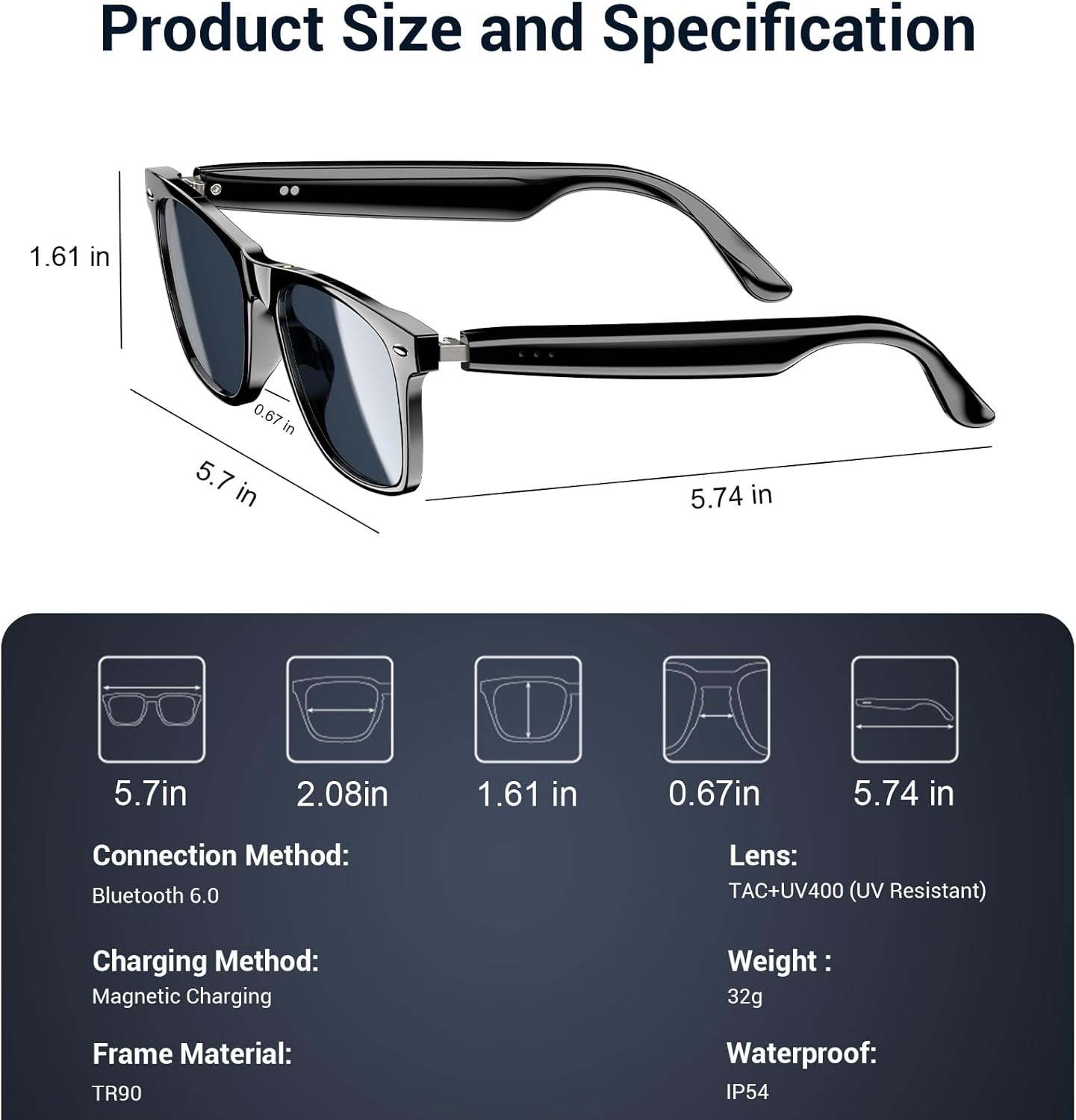
Figure 9: Product size and specification diagram.
| Caratteristica | Specificazione |
|---|---|
| Nome del modello | D1 Nero |
| Marca | Neroview |
| Tecnologia di connettività | Bluetooth 5.3 |
| Capacità della batteria | 160 mAh (80mAh+80mAh) |
| Tempo di carica della batteria | 90 minuti |
| Tempo di riproduzione della musica | Circa 6 ore |
| Chiamami | Circa 7 ore |
| Tempo di standby | Circa 160 ore |
| Livello di resistenza all'acqua | Grado di protezione IP65 |
| Tipo di lente | Polarized, UV400 Protection, Anti Blue Light |
| Materiale del telaio | PC & Light Steel |
| Peso | 0.13 chilogrammi |
| Input dell'interfaccia umana | Microfono, Touchscreen |
| Applicazione supportata | Voice Control, Voice Assistant |
8. Garanzia e supporto
Neroview offers a 2-year warranty for the D1 Smart Glasses. For any product-related questions or support, please contact our customer service. We provide 24/7 product support for your peace of mind.
9. Video ufficiale del prodotto
Video 1: Prodotto ufficiale finitoview di Neroview Polarized Sport Smart Sunglasses. This video demonstrates key features and usage scenarios.