
1. Introduzione
This manual provides essential instructions for setting up, operating, maintaining, and troubleshooting your FIREBAT Android 15 Tablet. Please read this guide thoroughly to ensure optimal performance and longevity of your device.

Image: The FIREBAT Android 15 Tablet, showcasing its 10.95-inch In-Cell display, 1920x1200 resolution, 18W fast charging, and 8000mAh battery.
The FIREBAT Android 15 Tablet features a 10.95-inch In-Cell IPS touchscreen with a 1920x1200 resolution, powered by a UNISOC Spreadtrum T606 octa-core processor. It includes 12GB RAM (4GB physical + 8GB virtual) and 128GB internal storage, expandable via TF card up to 1TB. The tablet runs on the Android 15 operating system and is equipped with a 5MP front camera and a 13MP rear camera. An 8000mAh battery supports up to 10 hours of usage and 18W PD fast charging.
2. Cosa c'è nella scatola
Dopo aver disimballato, verificare che siano presenti tutti gli articoli:
- 1 x FIREBAT AR1 Tablet
- 1 x pellicola protettiva (preinstallata)
- 1 x Protective Case (Pre-installed)
- 1 x 9V/2A 18W US Power Charger
- 1 x Manuale utente (questo documento)
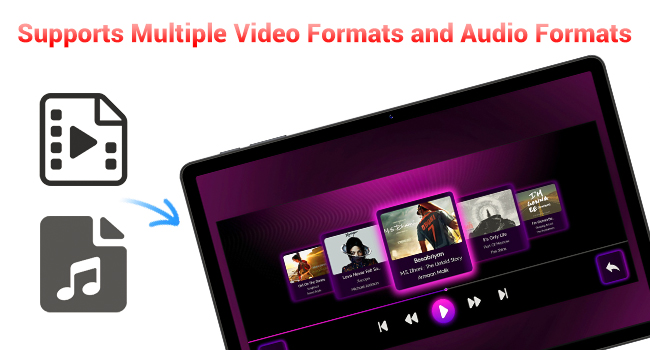
Image: A visual representation of the items included in the FIREBAT Tablet package: the tablet, power charger, and user manual.
Video: An unboxing video demonstrating the contents of the FIREBAT Android 15 Tablet package, including the tablet, protective case, charger, and user guide.
3. Impostazione
3.1 Carica iniziale
Before first use, fully charge your tablet using the provided USB-C cable and 18W power adapter. Connect the USB-C cable to the tablet's USB-C port and the power adapter to a wall outlet. The charging indicator will show the charging status.
3.2 Accensione/Spegnimento
- Per accendere: Press and hold the Power button located on the side of the tablet until the FIREBAT logo appears.
- Per spegnere: Tenere premuto il pulsante di accensione finché non viene visualizzato il menu delle opzioni di risparmio energetico. Selezionare "Spegni" e confermare.
- Ricominciare: Dal menu delle opzioni di risparmio energia, seleziona "Riavvia".
3.3 Configurazione iniziale
Alla prima accensione, seguire le istruzioni sullo schermo per:
- Seleziona la tua lingua.
- Connettiti a una rete Wi-Fi (supporta 802.11ac).
- Accedi con il tuo account Google o creane uno nuovo.
- Imposta il blocco schermo (PIN, sequenza, password).
3.4 Protective Case and Film
Your tablet comes with a pre-installed protective film and a customized protective case. The case is designed to fully encase the tablet, offering protection for both the back and the screen when closed. It can also be folded to act as a stand for hands-free viewing.

Image: The FIREBAT Tablet featuring its delicate texture metal shell, designed for enhanced heat dissipation and improved protection.
4. Utilizzo del tablet
4.1 Navigazione touchscreen
The 10.95-inch In-Cell IPS touchscreen offers sensitive and precise touch response. Use standard gestures such as tap, swipe, pinch-to-zoom, and long-press to navigate the interface and interact with applications.

Image: The tablet's In-Cell technology, which embeds touch sensors directly into LCD pixels for a thinner design and more sensitive touch response.
Sistema operativo Android 15 4.2
Your tablet runs on the latest Android 15 operating system, providing enhanced privacy, security, and customization options. Enjoy wider application compatibility and faster response times.
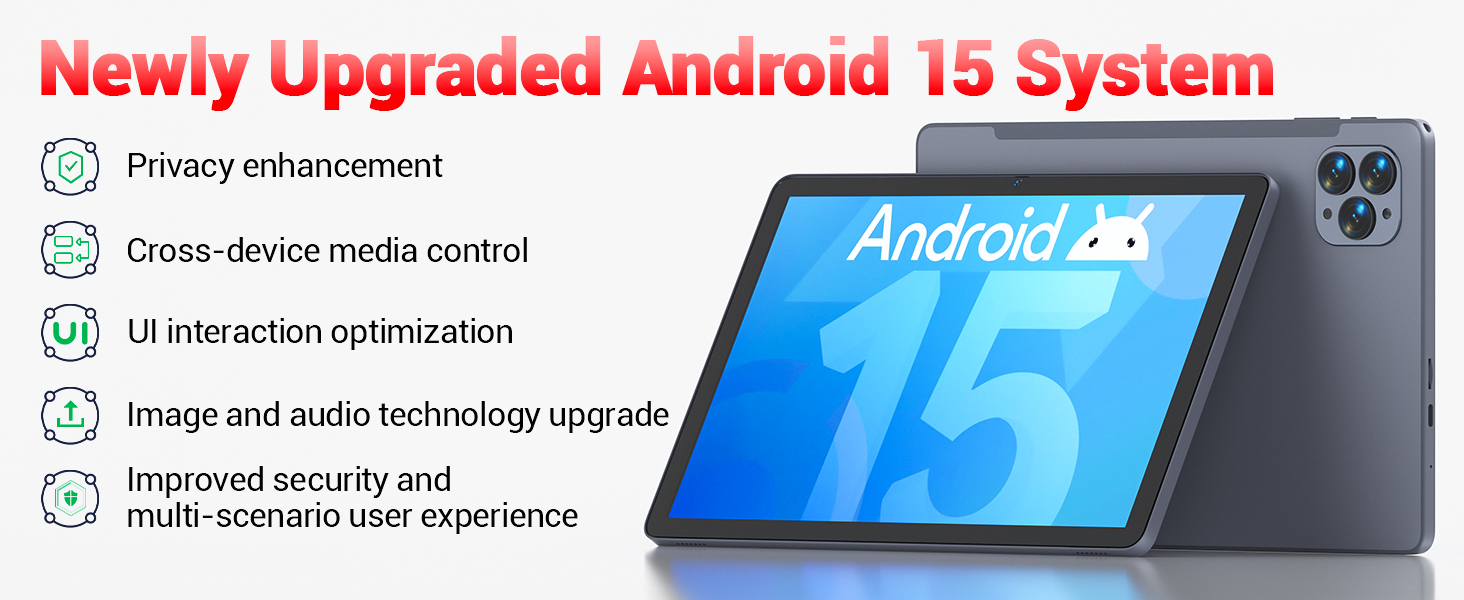
Image: The tablet's Android 15 system, highlighting features such as privacy enhancement, cross-device media control, UI optimization, and improved security.
4.3 Prestazioni e multitasking
The UNISOC Spreadtrum T606 octa-core processor (dual-core A75 1.6GHz + hexa-core A55 1.6GHz) and MediaTek Mali-G57-3EE-single-core 650MHz GPU ensure smooth operation for most applications and efficient multitasking. The 12GB LPDDR4x memory (4GB physical + 8GB virtual) further enhances performance.

Image: A detailed diagram illustrating the UNISOC Spreadtrum T606 octa-core processor, emphasizing its 2-core + 6-core design for balanced performance and power saving.
4.4 Utilizzo della fotocamera
The tablet is equipped with a 5MP front camera and a 13MP rear camera. Open the Camera app to capture photos, record videos, and make video calls. Adjust settings within the app for optimal results.

Image: The tablet displaying a video call, highlighting the functionality of its 5MP front and 13MP rear cameras for clear communication and photography.
4.5 Gestione dell'archiviazione
The tablet includes 128GB of high-speed internal storage. If more space is needed, you can expand it up to 1TB using a TF (microSD) card. Insert the TF card into the designated slot on the side of the tablet.
4.6 Connettività
- Wi-Fi 5: Connettiti alle reti Wi-Fi 2.4G/5G per accedere a Internet.
- Bluetooth 5.0: Abbinalo a dispositivi abilitati Bluetooth come cuffie, altoparlanti o tastiere.
- FM Radio: Utilize the built-in FM radio feature for listening to local broadcasts.
4.7 Media and Applications
The tablet supports various video and audio formats, and is compatible with a wide range of e-book and office software. Widevine L1 support ensures high-quality streaming from compatible services.
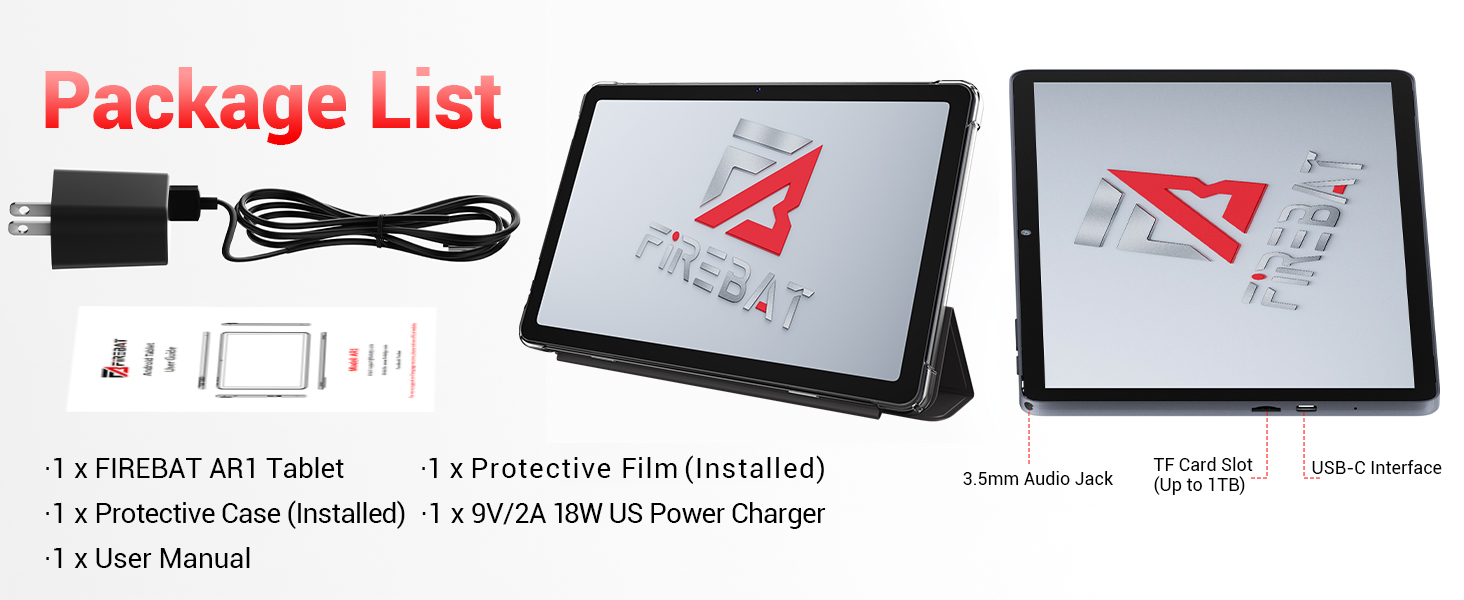
Image: The tablet's capability to support multiple video and audio formats, enhancing its multimedia functionality.
Image: The tablet displaying various e-book and office software applications, demonstrating its versatility for productivity and reading.
Video: A demonstration of the FIREBAT Android 15 Tablet's features, including its responsive touchscreen, protective case functionality, and overall performance for various applications.
5. Manutenzione
5.1 Pulizia del tablet
Utilizzare un panno morbido e privo di lanugine per pulire lo schermo e il corpo del tablet. Per le macchie ostinate, strofinare leggermenteampPulisci il panno con acqua o un detergente per schermi. Evita di usare prodotti chimici aggressivi o materiali abrasivi.
5.2 Aggiornamenti software
Controlla e installa regolarmente gli aggiornamenti di sistema per assicurarti che il tuo tablet abbia le ultime funzionalità, patch di sicurezza e miglioramenti delle prestazioni. Vai a Impostazioni > Sistema > Aggiornamento di sistema per verificare la presenza di aggiornamenti.
5.3 Cura della batteria
Per prolungare la durata della batteria:
- Evitare temperature estreme.
- Non lasciare il tablet completamente carico o completamente scarico per periodi prolungati.
- Per una ricarica ottimale, utilizzare il caricabatterie fornito.
6. Risoluzione Dei Problemi
Se riscontri problemi con il tuo tablet, fai riferimento alle seguenti soluzioni comuni:
| Problema | Soluzione |
|---|---|
| Il tablet non si accende | Assicurarsi che la batteria sia carica. Collegare il dispositivo al caricabatterie per almeno 30 minuti, quindi riprovare ad accenderlo. |
| Prestazioni lente | Close unused applications, clear cache, or restart the tablet. Consider uninstalling unnecessary apps. |
| Problemi di connettività Wi-Fi | Riavvia il router Wi-Fi e il tablet. Elimina la rete e riconnettiti. Assicurati di essere nel raggio d'azione. |
| Il touchscreen non risponde | Restart the tablet. If the issue persists, perform a factory reset (data will be erased). |
| App che si bloccano | Ensure apps are updated. Clear the app's cache and data (Settings > Apps > [App Name] > Storage). Reinstall if necessary. |
For persistent issues, contact customer support or refer to the official FIREBAT websito per ulteriore assistenza.
7. Specifiche
| Caratteristica | Dettaglio |
|---|---|
| Nome del modello | Tablet Android 15 |
| Sistema operativo | Androide 15 |
| Dimensioni dello schermo | 10.95 pollici |
| Risoluzione dello schermo | 1920 x 1200 pixels (In-Cell IPS) |
| Processore | UNISOC Spreadtrum T606 Octa-Core (2x A75 1.6GHz, 6x A55 1.6GHz) |
| Scheda grafica | MediaTek Mali-G57-3EE-single-core 650MHz |
| Memoria RAM | 12GB LPDDR4x (4GB physical + 8GB virtual) |
| Memoria interna | 128 GB |
| Archiviazione espandibile | Fino a 1 TB tramite scheda TF |
| Fotocamera frontale | 5MP |
| Telecamera posteriore | 13MP |
| Capacità della batteria | 8000mAh |
| Ricarica | 18W PD Fast Charging (USB-C) |
| Connettività wireless | Wi-Fi 5 (802.11ac), Bluetooth 5.0 |
| Altre caratteristiche | FM Radio, Widevine L1, 3D G-sensor |
| Dimensioni | 10 x 6.6 x 0.3 pollici |
| Peso dell'articolo | 1.1 libbre |
8. Garanzia e supporto
For warranty information and customer support, please refer to the documentation included with your purchase or visit the official FIREBAT websito. Conservare la prova d'acquisto per eventuali reclami in garanzia.