
1. Introduzione
This manual provides instructions for the Hagibis 6-in-1 USB-C Docking Station, designed for the Steam Deck and Steam Deck OLED. This docking station expands the connectivity of your device, offering video output, network access, additional USB ports, and power delivery.
2. Prodotto finitoview
The Hagibis 6-in-1 Docking Station integrates multiple essential ports into a compact design, enhancing your Steam Deck experience. It features a unique hidden cable design for portability and a dedicated kickstand.
2.1 Disposizione delle porte
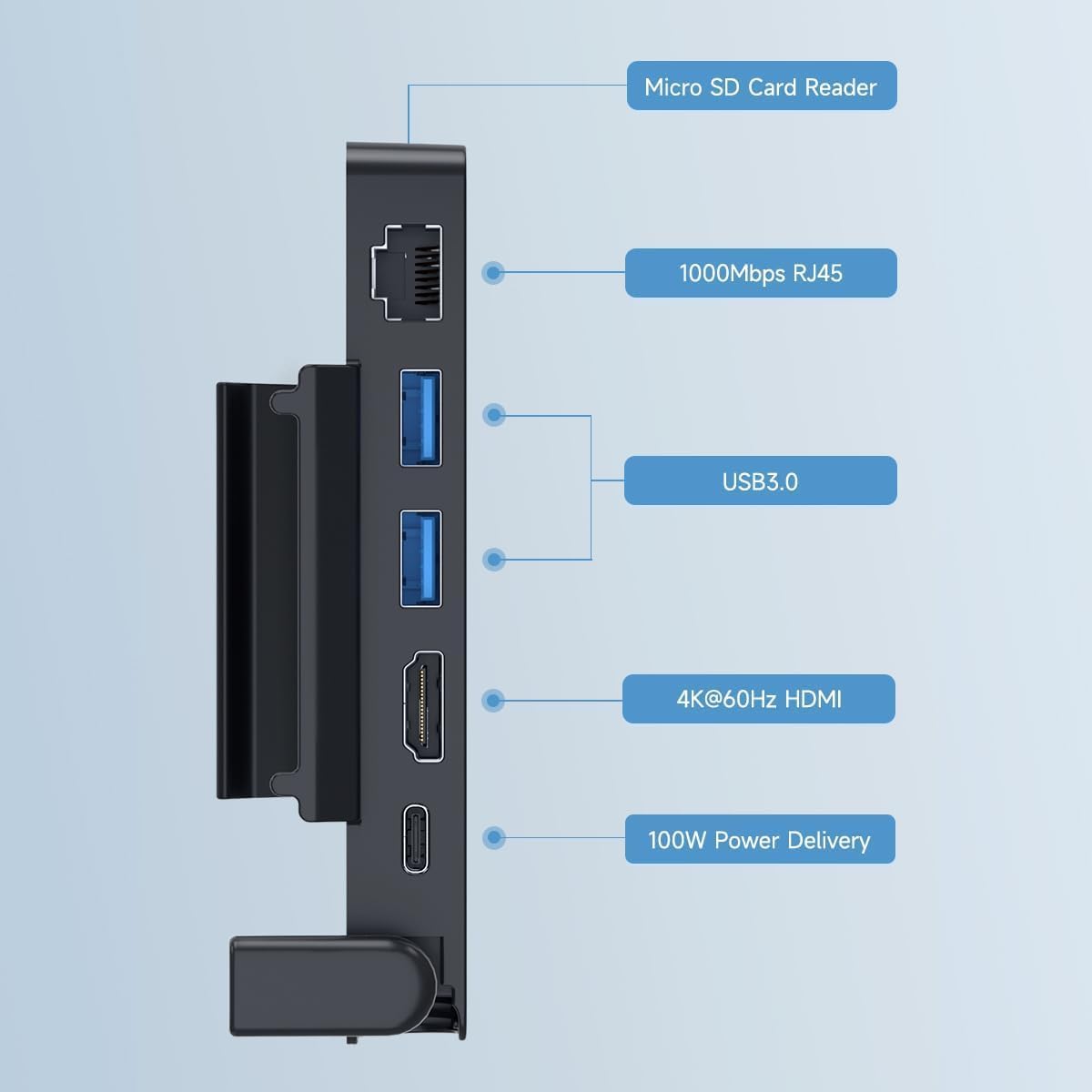
Immagine 2.1: Sopraview of the Hagibis docking station ports, including Micro SD Card Reader, 1000Mbps RJ45 Ethernet, two USB 3.0 ports, 4K@60Hz HDMI, and 100W Power Delivery USB-C port.
- Lettore di schede Micro SD: Per espandere lo spazio di archiviazione o trasferire dati.
- 1000Mbps RJ45 Ethernet Port: Fornisce una connessione di rete cablata stabile.
- 2 porte USB 3.0: For connecting external peripherals like keyboards, mice, or external storage.
- 4K@60Hz HDMI 2.0 Port: Connects your Steam Deck to an external display for high-resolution video output.
- Porta USB-C con alimentazione da 100 W: Allows for fast charging of your Steam Deck while using the dock. Note: The Steam Deck's maximum charging speed is 45W.
2.2 Caratteristiche di progettazione
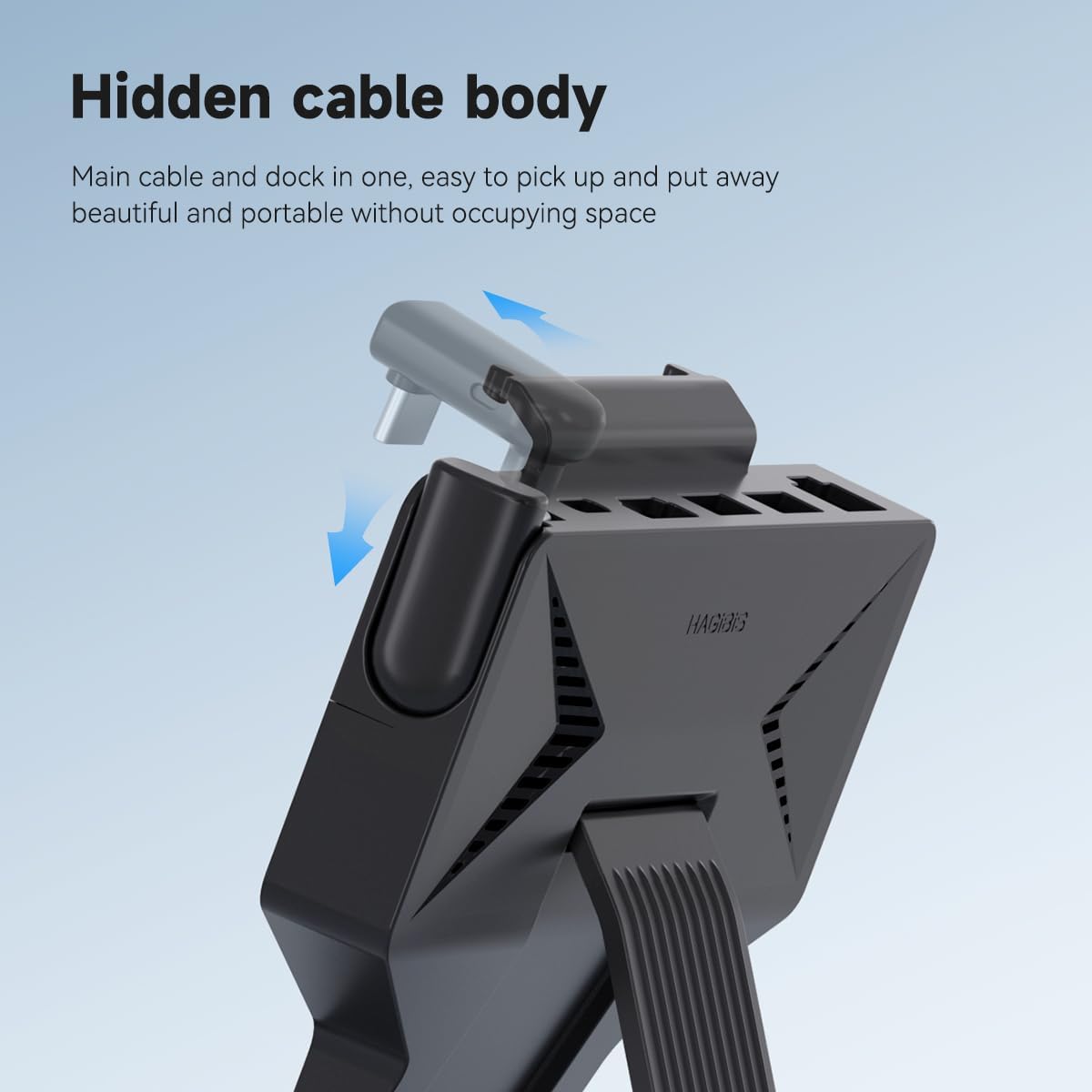
Immagine 2.2: The docking station features a hidden, retractable USB-C cable for connection to the Steam Deck, ensuring a compact and tidy setup.
The docking station incorporates a hidden USB-C cable that neatly tucks away when not in use, contributing to its portable design. It also features a built-in kickstand for stable placement of your Steam Deck.

Immagine 2.3: The docking station's design includes ventilation features to prevent blocking the Steam Deck's cooling hole, aiding in heat dissipation during extended use.
The design ensures that the Steam Deck's cooling vents are not obstructed, promoting efficient heat dissipation during prolonged gaming sessions.
3. Istruzioni per l'installazione
- Disimballare il Dock: Remove the Hagibis docking station from its packaging.
- Connect to Steam Deck:
- Locate the hidden USB-C cable on the docking station.
- Gently pull out and extend the USB-C connector.
- Insert the USB-C connector into the USB-C port on your Steam Deck.
3.1 video: This video demonstrates the simple installation process of attaching the Hagibis docking station to the Steam Deck, highlighting the retractable USB-C cable and the integrated kickstand.
- Posizionare il cavalletto: Extend the integrated kickstand on the docking station to provide stable support for your Steam Deck.
- Collegamento dell'alimentazione (facoltativo ma consigliato): For optimal performance and charging, connect your Steam Deck's original charger (or a compatible 100W PD charger) to the 100W Power Delivery USB-C port on the docking station.
- Collegamento di un display esterno (facoltativo): Use an HDMI 2.0 cable to connect the docking station's 4K@60Hz HDMI port to your monitor or TV.
- Collegare le periferiche (facoltativo):
- For wired internet, connect an Ethernet cable to the 1000Mbps RJ45 port.
- Connect USB devices (e.g., keyboard, mouse, external drive) to the USB 3.0 ports.
- Insert a Micro SD card into the Micro SD card reader if needed.
4. Istruzioni per l'uso
4.1 Using with an External Display
Once connected via the HDMI port, your Steam Deck should automatically detect the external display. You may need to adjust display settings within the Steam Deck's operating system (SteamOS) for optimal resolution and refresh rate (up to 4K@60Hz).

Immagine 4.1: The Steam Deck connected to a large screen TV through the docking station, enabling a larger display for gaming.
4.2 Connessione di rete
Connecting an Ethernet cable to the RJ45 port will provide a stable wired internet connection, which can be beneficial for online gaming or large downloads. The Steam Deck should prioritize the wired connection over Wi-Fi automatically.
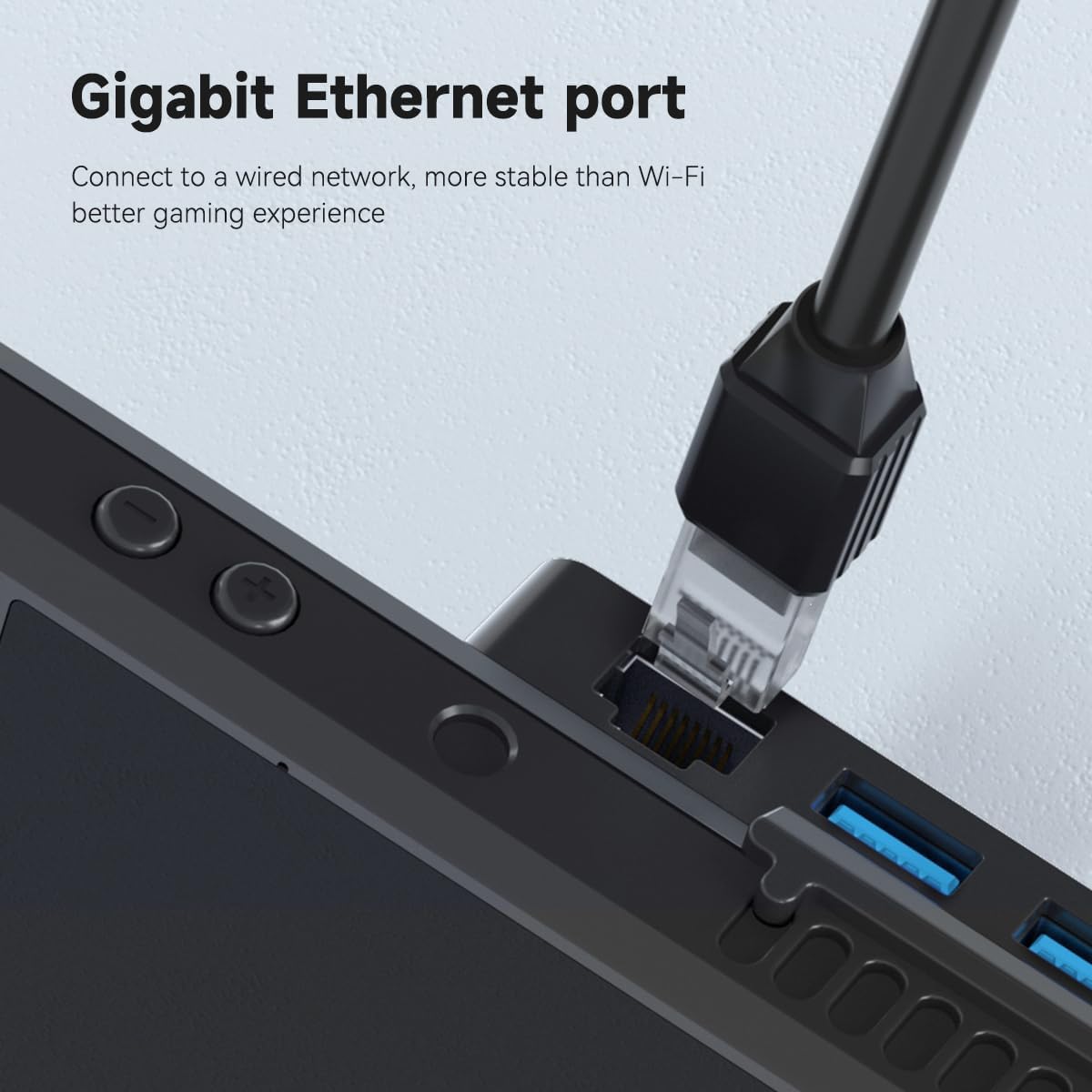
Immagine 4.2: Un primo piano view of an Ethernet cable securely connected to the Gigabit Ethernet port on the docking station, providing a stable wired network.
4.3 Ricarica
When a power adapter is connected to the 100W PD USB-C port, the docking station will pass through power to charge your Steam Deck. While the dock supports up to 100W, the Steam Deck itself will draw a maximum of 45W.
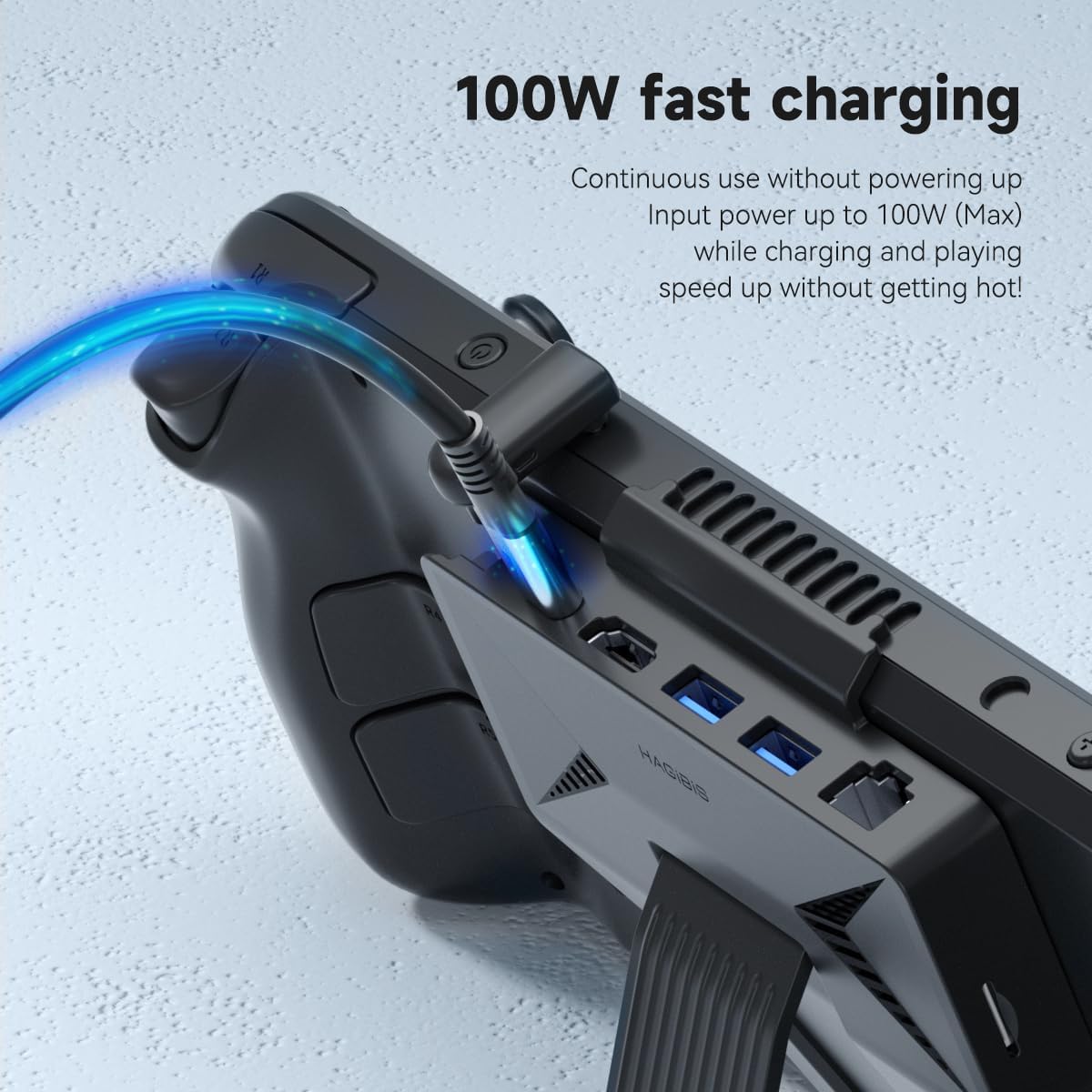
Immagine 4.3: The Steam Deck receiving power through the docking station's 100W Power Delivery port, indicated by a glowing blue cable.
4.4 Using USB Peripherals and Micro SD Card
Connect any standard USB devices to the USB 3.0 ports. Insert a Micro SD card into the designated slot for additional storage or data access. The Steam Deck's operating system will recognize these devices automatically.
5. Manutenzione
- Pulizia: Use a soft, dry cloth to wipe the surface of the docking station. Avoid using liquid cleaners or abrasive materials.
- Magazzinaggio: When not in use, retract the USB-C cable into its hidden compartment to protect it. Store the dock in a cool, dry place away from direct sunlight.
- Cura del cavo: Evitare di piegare o torcere eccessivamente il cavo USB-C integrato per evitare danni.
- Ventilazione: Ensure the ventilation areas on the dock and your Steam Deck remain clear of dust and debris to maintain optimal heat dissipation.
6. Risoluzione Dei Problemi
| Problema | Possibile causa | Soluzione |
|---|---|---|
| Nessuna uscita video verso un display esterno. |
|
|
| Steam Deck is not charging. |
|
|
| USB devices or Micro SD card not recognized. |
|
|
| No wired internet connection. |
|
|
7. Specifiche
| Caratteristica | Dettaglio |
|---|---|
| Marca | Hagibis |
| Modello | 6-in-1 USB-C Dock Stand |
| Colore | Nero |
| Interfaccia Hardware | Ethernet, HDMI, MicroSD, USB 3.0 |
| Dispositivi compatibili | Steam Deck, Steam Deck OLED, tablets, laptops, and Android phones with full-featured USB-C ports. |
| Porte USB totali | 2 (USB 3.0) |
| Numero di porte | 6 |
| Uscita HDMI | 4K@60Hz HDMI 2.0 |
| Porta Ethernet | 1000Mbps RJ45 |
| Erogazione di potenza | Up to 100W (Max 45W for Steam Deck) |
| Lettore di schede Micro SD | SÌ |
| Peso dell'articolo | 4 once |
| Produttore | Shanghai Xinxie Industrial Co., Ltd. |

Immagine 7.1: Basic dimensions of the Hagibis docking station: 120mm width, 122mm height, and 15mm thickness.
8. Garanzia e supporto
8.1 Informazioni sulla garanzia
The Hagibis 6-in-1 USB-C Docking Station comes with a Garanzia limitata di 1 anni from the date of purchase. This warranty covers manufacturing defects and malfunctions under normal use. It does not cover damage caused by misuse, accidents, unauthorized modifications, or external causes.
Conservare la prova d'acquisto per eventuali richieste di garanzia.
8.2 Assistenza clienti
For technical assistance, troubleshooting, or warranty inquiries, please contact Hagibis customer support through the official websito o sui canali di supporto del tuo rivenditore.
You can visit the Hagibis Store on Amazon for more information: Negozio Amazon Hagibis