
1. Introduzione
This manual provides essential information for the safe and efficient operation of your iSinbox AC311 Projector. Please read it thoroughly before using the device and keep it for future reference.
2. Informazioni sulla sicurezza
Quando si utilizza questo prodotto, seguire sempre le precauzioni di sicurezza di base per ridurre il rischio di incendi, scosse elettriche e lesioni alle persone.
- Non ostruire le aperture di ventilazione.
- Non esporre il proiettore alla pioggia o all'umidità.
- Evitare di guardare direttamente nell'obiettivo del proiettore quando lamp è acceso.
- Utilizzare solo gli accessori specificati dal produttore.
- Scollegare il cavo di alimentazione durante i temporali o quando non si utilizza l'apparecchio per lunghi periodi.
3. Contenuto della confezione
Verificare che tutti gli articoli siano presenti nel pacco:
- iSinbox AC311 Projector
- Telecomando
- Cavo HDMI
- cavo AV
- Cavo di alimentazione
- Manuale dell'utente (questo documento)
4. Prodotto finitoview
Familiarizzare con i componenti e le interfacce del proiettore.

Immagine: Frontale view of the iSinbox AC311 Projector, showcasingrazie al suo design compatto e alla lente.
Interfacce:
- Porta HDMI: Connect to HDMI-enabled devices like laptops, game consoles, or streaming sticks.
- Porta USB: Collegare dispositivi di archiviazione USB per la riproduzione di contenuti multimediali.
- Jack audio da 3.5 mm: Collegare altoparlanti esterni o cuffie.
- Potenza in ingresso: Collegare il cavo di alimentazione.
5. Impostazione
- Posizionamento: Place the projector on a stable, flat surface or mount it according to your preference (floor, ceiling, tripod, wall). Ensure adequate ventilation around the device. The projector supports short-throw projection, allowing a 100-inch screen from approximately 2.4 meters away.

Image: Diagram illustrating optimal projection distances for various screen sizes with the iSinbox AC311 Projector.
- Collegamento elettrico: Connect the power cable to the projector's power input and then to an electrical outlet.
- Accensione iniziale: Premere il pulsante di accensione sul proiettore o sul telecomando per accendere il dispositivo.
- Messa a fuoco e correzione trapezoidale: The iSinbox AC311 features automatic focus and 6D keystone correction. The projector will automatically adjust the image for clarity and correct distortion. Manual adjustments can also be made if needed.

Image: Visual representation of the automatic focus and 6D keystone correction capabilities of the iSinbox AC311 Projector.
- Connessione di rete: Connect the projector to your Wi-Fi network using the settings menu. The projector supports ultra-fast WiFi 6 for stable streaming.
6. Istruzioni per l'uso
6.1 telecomando
The included remote control allows you to navigate the projector's interface and control playback.

Image: The iSinbox AC311 Projector remote control, showing dedicated buttons for popular streaming services like Netflix and YouTube.
6.2 Selezione della sorgente
Use the remote control to select your desired input source (HDMI, USB, or built-in streaming apps).
6.3 Applicazioni di streaming
The iSinbox AC311 Projector comes with a Movin Smart operating system and is compatible with popular streaming services such as Netflix, Prime Video, YouTube, Disney, and Apple TV. Access these directly from the home screen.
6.4 Qualità dell'immagine
The projector supports 4K resolution with HDR10+ and features AI Image Enhance technology, delivering vibrant and detailed visuals. It boasts 1200 ANSI lumens for bright images.
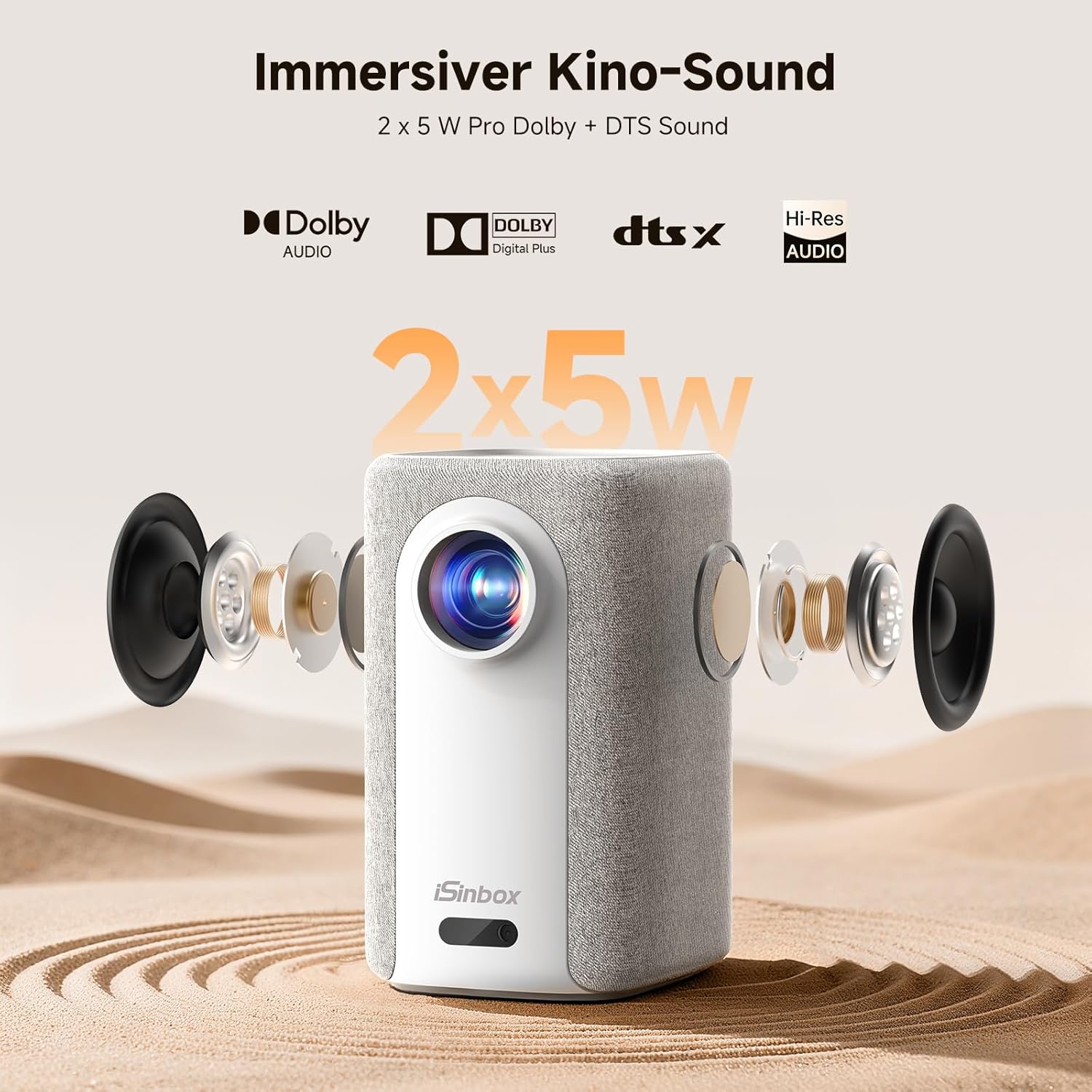
Image: A split-screen comparison demonstrating the superior image quality, vibrant colors, and detail of the iSinbox AC311 Projector (AC311) compared to other projectors.
6.5 Connettività Bluetooth
The projector features bidirectional Bluetooth 5.4, allowing you to connect external speakers or headphones for enhanced audio, or use the projector as a Bluetooth speaker.

Image: Illustration of the iSinbox AC311 Projector's advanced WiFi 6 and Bluetooth 5.4 capabilities, highlighting smooth and low-latency connections.
6.6 Uscita audio
The projector is equipped with 2 x 5W speakers and supports Dolby Audio and DTS Sound for an immersive audio experience.

Immagine: Esploso view of the iSinbox AC311 Projector, detailing its 2x5W speakers and support for Dolby Audio and DTS Sound.
6.7 360-Degree Projection
The projector's design, including a dual-mode stand and integrated handle, allows for flexible placement and 360-degree projection, enabling you to project onto ceilings or walls from various angles.
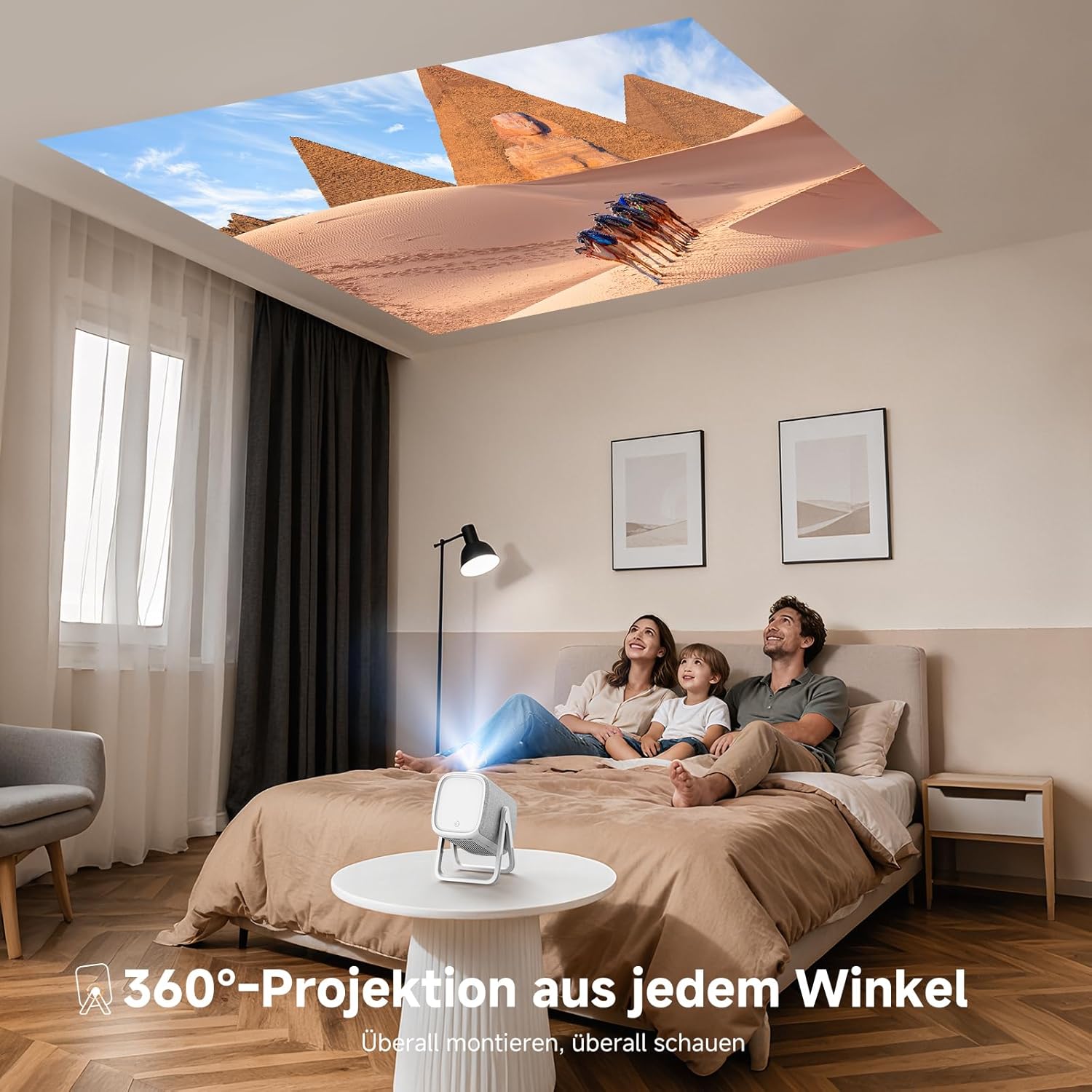
Image: The iSinbox AC311 Projector projecting an image onto a ceiling, illustrating its 360-degree projection feature and portable design.
7. Manutenzione
- Pulizia della lente: Utilizzare un panno morbido e privo di lanugine, specificamente progettato per lenti ottiche. Non utilizzare detergenti abrasivi o solventi.
- Pulizia del Casing: Pulire l'esterno del proiettore con un panno morbido e asciutto. Per macchie ostinate, utilizzare un panno leggermenteamp panno e poi asciugare accuratamente.
- Ventilazione: Assicurarsi che le aperture di ventilazione siano libere da polvere e ostruzioni per evitare il surriscaldamento.
- Magazzinaggio: Quando non viene utilizzato per lunghi periodi, conservare il proiettore in un luogo fresco e asciutto, lontano dalla luce solare diretta e da temperature estreme.
8. Risoluzione Dei Problemi
| Problema | Possibile causa | Soluzione |
|---|---|---|
| Nessuna immagine visualizzata | Power cable disconnected; incorrect input source; device not powered on. | Check power connection; select correct input source; ensure connected device is on. |
| Immagine sfocata | Out of focus; projector not perpendicular to screen. | Allow auto-focus to adjust or manually adjust focus; use keystone correction. |
| Nessun suono | Volume too low; external audio device not connected properly; mute enabled. | Increase volume; check audio cable/Bluetooth connection; disable mute. |
| Il telecomando non funziona | Batterie scariche; ostruzione tra telecomando e proiettore. | Sostituire le batterie; assicurarsi che la linea di vista verso il ricevitore IR sia libera. |
9. Specifiche
| Caratteristica | Dettaglio |
|---|---|
| Modello | AC311 |
| Marca | iSinbox |
| Tecnologia di visualizzazione | LCD |
| Risoluzione nativa | 1920 x 1080 (Full HD) |
| Risoluzione massima | 3840 x 2160 (supporto 4K) |
| Proporzioni | 4:3 |
| Rapporto di contrasto | Alto |
| Consumo energetico | 65 watt |
| Frequenza di aggiornamento | Frequenza 60 Hz |
| Connettività | Bluetooth 5.4 (Bidirectional), WiFi 6, HDMI, USB, 3.5mm Audio Jack, IR |
| Dispositivi compatibili | Speakers, Game Consoles, Laptops, Smartphones, Tablets |
| Caratteristiche speciali | Automatic Focus, 6D Keystone Correction, Dual-mode Stand, Movin Smart OS, Built-in Streaming Apps (Netflix, Prime Video, YouTube, Disney, Apple TV), Dolby Audio, DTS Sound, 360-degree Projection |
| Dimensioni (L x P x A) | Dimensioni: 27.6 x 20.5 x 16.3 cm |
| Peso | 1.92 kg |
| Opzioni di montaggio | Floor, Ceiling, Tripod, Table, Wall |
10. Garanzia e supporto
For warranty information and technical support, please refer to the official iSinbox websul sito o contattare direttamente il servizio clienti. I dettagli sono solitamente riportati sulla confezione del prodotto o su una scheda di garanzia separata.
The product was first available on Amazon.es from October 23, 2025.