
1. Introduzione
This manual provides essential instructions for the safe and effective use of your AIMILAR Bluetooth Kitchen Scale. This smart scale is designed to assist with precise food weighing and nutritional tracking, supporting various dietary and health goals.
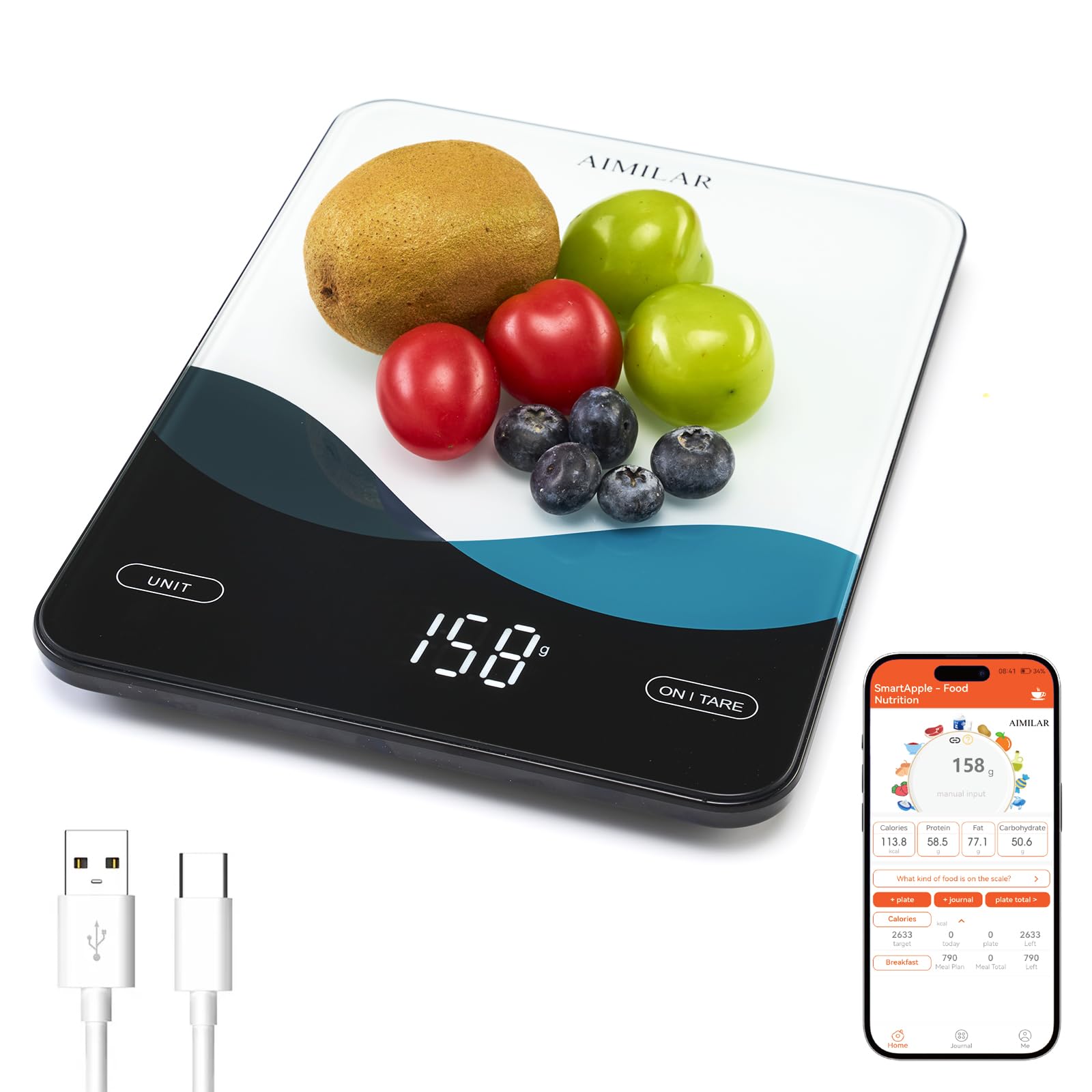
Davanti view of the AIMILAR Bluetooth Kitchen Scale, showcasingrazie al suo design elegante e al display LED.
2. Prodotto finitoview
The AIMILAR Bluetooth Kitchen Scale combines accurate weighing with smart nutrition tracking capabilities. Its tempered glass platform ensures durability and easy cleaning, while the USB-C rechargeable battery offers convenience.
Caratteristiche principali:
- Connettività app Bluetooth: Seamlessly pairs with a free app for calorie counting, macro tracking (protein, carbs, fat), and analysis of over 19 nutrients.
- USB-C ricaricabile: Features a built-in rechargeable battery for quick charging via USB-C, eliminating the need for disposable batteries.
- Display LED trasparente: A large, easy-to-read LED screen provides clear measurements in any lighting condition.
- Pesata accurata: Offers 1g precision, measuring from 5g up to 10kg (22lb) in g, lb:oz, oz, and ml units.
- Comodi controlli touch: Smooth touch buttons for easy operation, including a one-touch tare function.
- Caratteristiche di sicurezza: Includes auto-off, overload, and low battery alerts.

The scale connected to a smartphone app, displaying nutrition metrics for various foods.
3. Impostazione
3.1 Carica iniziale
Before first use, ensure the scale is fully charged. Connect the provided USB-C charging cable to the scale's USB-C port and a suitable power adapter (not included). A full charge typically takes 2.5-3 hours.

The scale connected via USB-C for charging, highlighting its rechargeable battery feature.
3.2 Accensione/Spegnimento
- Per attivare: Locate the physical ON/OFF switch on the side of the scale and slide it to the 'ON' position. Then, press the 'ON/TARE' button on the scale's surface.
- Per spegnere: The scale will auto-off after 120 seconds of inactivity. Alternatively, press and hold the 'ON/TARE' button for 2 seconds, or slide the physical ON/OFF switch to the 'OFF' position.
3.3 Installazione e connessione dell'app
Download the free 'SmartApple' app from your device's app store (available on App Store and Google Play). Ensure Bluetooth is enabled on your smartphone. Open the app and follow the on-screen instructions to pair with your AIMILAR Kitchen Scale. One tap is usually sufficient for connection.
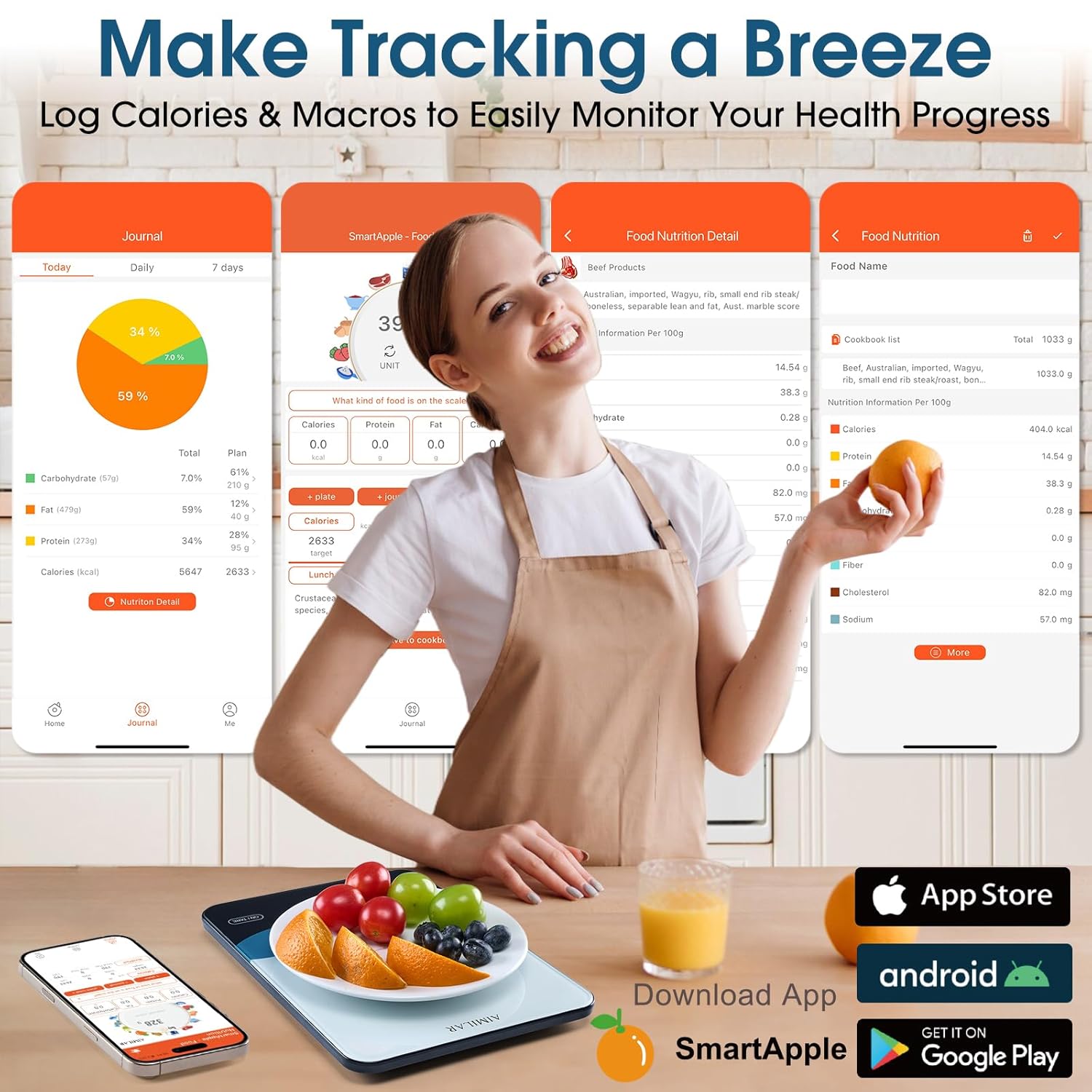
The SmartApple app interface on a smartphone, showing food logging and nutrition analysis.
4. Istruzioni per l'uso
4.1 Pesatura di base
- Posizionare la bilancia su una superficie piana e stabile.
- Turn on the scale using the side switch and 'ON/TARE' button.
- Press the 'UNIT' button to cycle through available units: grams (g), pounds:ounces (lb:oz), ounces (oz), and milliliters (ml).
- Place the item to be weighed on the center of the scale platform. The weight will be displayed on the LED screen.

The scale displaying various units of measurement: grams, pounds:ounces, ounces, and milliliters.
4.2 Funzione di tara
La funzione tara consente di pesare gli ingredienti in un contenitore sottraendo il peso del contenitore stesso.
- Posizionare un contenitore vuoto sulla bilancia. Il display ne mostrerà il peso.
- Press the 'ON/TARE' button. The display will reset to zero.
- Aggiungi gli ingredienti nel contenitore. Il display mostrerà solo il peso degli ingredienti.

Visual guide demonstrating the three steps of using the tare function for accurate ingredient measurement.
4.3 Smart Nutrition Tracking with App
Once connected to the 'SmartApple' app:
- Place food on the scale. The weight will sync to the app.
- In the app, select the type of food you are weighing from the database.
- The app will automatically calculate and display the nutritional information (calories, macros, etc.) for the weighed portion.
- You can log your meals, set daily nutrition goals, and review your intake history within the app.
Official product video demonstrating the setup, weighing, and app synchronization features of the AIMILAR Smart Kitchen Scale.
5. Manutenzione
5.1 Pulizia
The scale features a tempered glass platform that is easy to clean. Wipe the surface with a damp cloth. Avoid using abrasive cleaners or submerging the scale in water. Ensure no food or debris gets trapped in the touch control areas.

A hand wiping the tempered glass surface of the scale, illustrating its easy-to-clean design.
5.2 Conservazione
Store the scale in a cool, dry place. Avoid placing heavy objects on the scale when not in use to prevent damage to the sensors.
6. Risoluzione Dei Problemi
- Letture imprecise: Ensure the scale is on a flat, stable surface. Avoid placing it near vibrating appliances.
- La bilancia non si accende: Check the physical ON/OFF switch on the side. Ensure the battery is charged.
- Problemi di connettività dell'app: Ensure Bluetooth is enabled on your device and the scale is within range. Restart both the app and the scale if issues persist.
- Letture fluttuanti: For stable results, add at least 3g for the first weighing after power-on or tare. The built-in threshold helps avoid minor fluctuations.
- Overload/Low Battery Alerts: The scale will display alerts for overload or low battery. Recharge the scale if the low battery alert appears.
7. Specifiche
| Caratteristica | Dettaglio |
|---|---|
| Marca | AIMILAR |
| Modello | AY8007 |
| Capacità di peso massima | 10 Kilograms (22lb) |
| Precisione di lettura | 1 Grams (0.05oz) |
| Tipo di visualizzazione | GUIDATO |
| Connettività | Bluetooth |
| Fonte di alimentazione | Batteria ricaricabile USB-C |
| Tipo di materiale | Acrylonitrile Butadiene Styrene, Tempered Glass |
| Peso dell'articolo | 0.9 libbre |
| Componenti inclusi | Smart Scale, USB-C Charging Cable |

Dettagliato view of the scale's dimensions, main power switch, and USB-C charge port.
8. Garanzia e supporto
The AIMILAR Bluetooth Kitchen Scale comes with a Garanzia di 3 anno. For any product inquiries, technical support, or warranty claims, please refer to the contact information provided in your product packaging or visit the official AIMILAR websito.