
NIMO NIMO N158
NIMO 15.6" FHD Laptop User Manual - Model N158
AMD Ryzen 7 8745HS, 16GB DDR5 RAM, 1TB SSD
1. Introduzione
This manual provides essential information for setting up, operating, maintaining, and troubleshooting your NIMO 15.6" FHD Laptop (Model N158). Please read this manual thoroughly before using your device to ensure optimal performance and longevity.
Contenuto della confezione
- 1 x NIMO N158 Laptop
- 1 x Type-C 100W PD Fast Charger
- 1 x Manuale utente
- Windows 11 Home Operating System (pre-installed)
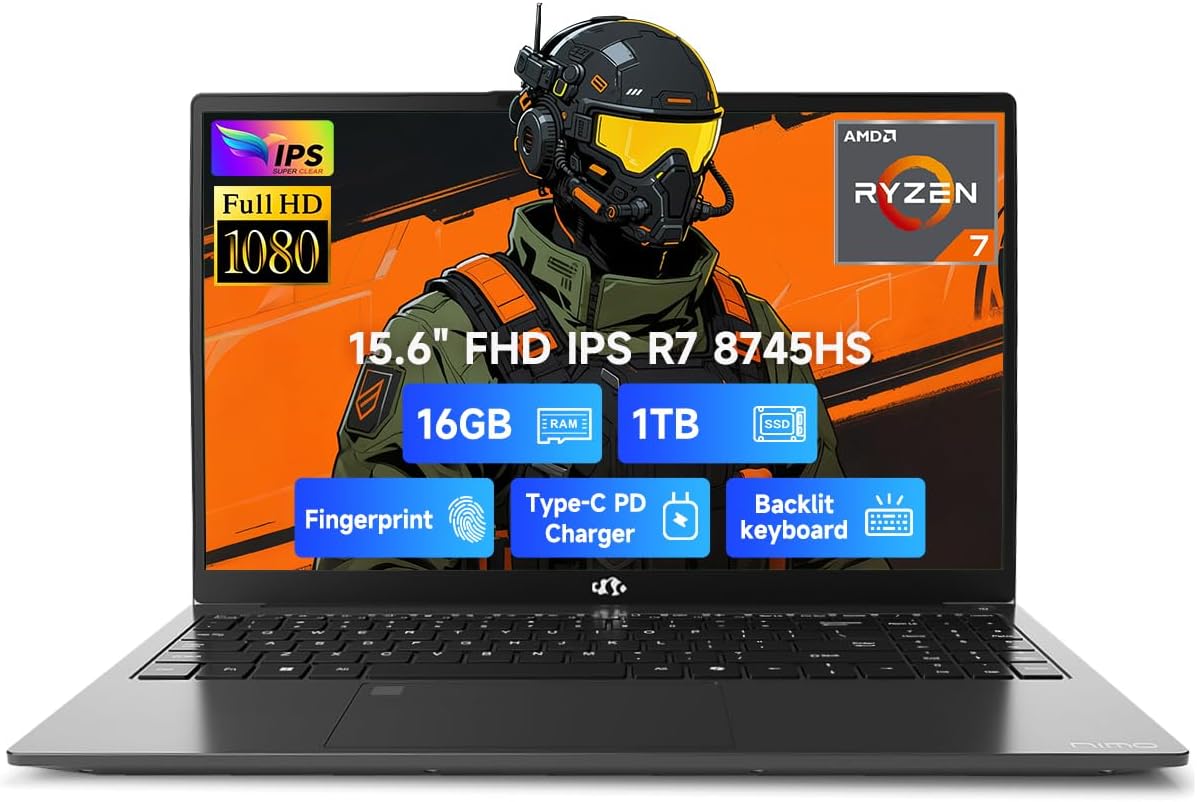
Image 1.1: NIMO 15.6 inch FHD Laptop, showcasinil suo design elegante e il suo display.
2. Configurazione iniziale
2.1 Accensione e ricarica
Before first use, ensure your laptop is fully charged. Connect the provided 100W Type-C PD Fast Charger to the USB 4.0 Type-C port on the laptop and to a power outlet. The charging indicator light will illuminate.

Image 2.1: The NIMO laptop connected to its 100W USB-C fast charger, illustrating the charging process and battery capacity.
2.2 Primo avvio e installazione di Windows 11
Press the power button to turn on the laptop. Follow the on-screen instructions to complete the initial setup of Windows 11 Home. This includes setting up your region, language, network connection, and user account.
2.3 Configurazione del sensore di impronte digitali
For enhanced security, configure the integrated fingerprint sensor. During Windows 11 setup or via Windows Settings > Accounts > Sign-in options, you can register your fingerprint for quick and secure login.

Image 2.2: Close-up of the NIMO laptop's keyboard, highlighting the backlit keys and the integrated fingerprint sensor on the touchpad.
3. Utilizzo del laptop
3.1 Tastiera e touchpad
The laptop features a full-size keyboard with a numeric keypad and adjustable backlighting for comfortable typing in various lighting conditions. The precision gesture touchpad supports multi-touch gestures for intuitive navigation. The fingerprint sensor is integrated into the touchpad for convenient unlocking.
3.2 Porte di connettività
Your NIMO laptop is equipped with a variety of ports for connecting external devices:
- USB 4.0 tipo C: For high-speed data transfer, video output, and power delivery (charging).
- Porta USB 3.2: Multiple ports for connecting peripherals like external drives and mice.
- Porta USB 2.0: Per dispositivi USB standard.
- HDMI: Per il collegamento a display o proiettori esterni.
- Jack per cuffie: Per l'uscita audio.
- Slot per scheda SD: Per leggere le schede di memoria.
- Slot per blocco Kensington: Per la sicurezza fisica.
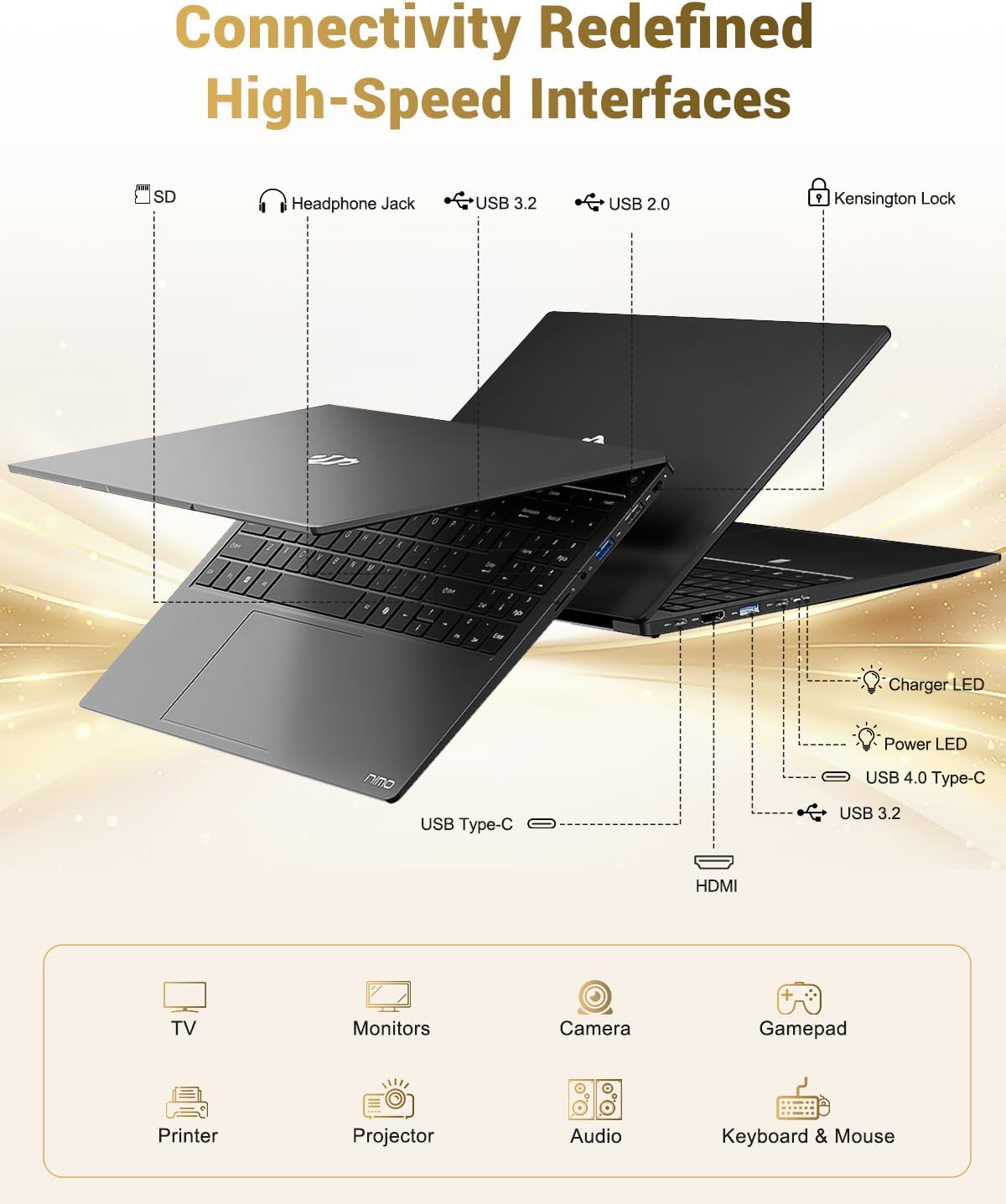
Image 3.1: Diagram illustrating the various input/output ports available on the NIMO laptop, including USB, HDMI, and audio jacks.
3.3 WebUtilizzo della camma
The integrated 2 MP webcam is suitable for video calls and online meetings. For privacy, the laptop includes a physical privacy switch to disable the webcam quando non in uso.

Image 3.2: A visual representation of the laptop's webcam with an open and closed privacy switch, emphasizing user control over privacy.
4. Manutenzione e cura
4.1 Cura della batteria
The laptop is equipped with a 75Wh Smart Battery, providing an average battery life of 15.5 hours. To prolong battery lifespan:
- Evitare temperature estreme.
- Non scaricare completamente la batteria frequentemente.
- If storing the laptop for extended periods, charge it to approximately 50-60%.
4.2 Componenti aggiornabili
The NIMO laptop features an upgradable design, allowing for expansion of memory (DDR5 RAM) and storage (PCIe 4.0 SSD) to meet future needs. Consult a qualified technician for upgrades to avoid damaging components.

Image 4.1: Visual representation of the laptop's multitasking capabilities and ample storage, highlighting 1TB PCIe 4.0 SSD and 16GB DDR5 RAM.
4.3 Pulizia del computer portatile
Utilizzare un panno morbido e privo di lanugine per pulire lo schermo e le superfici esterne. Per macchie ostinate, dampInumidire leggermente il panno con acqua o un detergente per schermi. Evitare prodotti chimici aggressivi o materiali abrasivi.
5. Risoluzione Dei Problemi
This section addresses common issues you might encounter with your NIMO laptop.
5.1 Problemi di alimentazione
- Il portatile non si accende: Ensure the charger is securely connected and the power outlet is functional. If the battery is completely drained, it may take a few minutes of charging before the laptop can power on.
- La batteria non si carica: Verify the Type-C charger and cable are undamaged. Try a different power outlet.
5.2 Problemi di visualizzazione
- Lo schermo è vuoto: Check if the laptop is powered on. Try connecting an external monitor via HDMI to determine if the issue is with the laptop's display or the graphics output.
- Visualizzazione tremolante o distorta: Aggiorna i driver della scheda grafica. Se utilizzi un monitor esterno, controlla il collegamento del cavo.
5.3 Problemi di connettività
- Wi-Fi non connesso: Assicurati che il Wi-Fi sia abilitato nelle impostazioni di Windows. Riavvia il router e il laptop. Verifica la presenza di driver Wi-Fi aggiornati.
- Dispositivi USB non riconosciuti: Prova a collegare il dispositivo a una porta USB diversa. Assicurati che i driver del dispositivo siano installati.
Se riscontri problemi non trattati qui, consulta la sezione di supporto per ricevere assistenza.
6. Specifiche
Detailed technical specifications for the NIMO 15.6" FHD Laptop (Model N158).
| Caratteristica | Specificazione |
|---|---|
| Marca | NIMO |
| Nome del modello | NIMO N158L |
| Numero modello articolo | NIMO N158 |
| Dimensioni dello schermo | 15.6 pollici |
| Risoluzione dello schermo | 1920 x 1080 pixel (FHD IPS) |
| Processore | AMD Ryzen 7 8745HS (8 core, 16 thread, fino a 4.9 GHz) |
| Memoria RAM | 16 GB DDR5 (4800 MHz) |
| Disco rigido | 1024 GB SSD (PCIe 4.0) |
| Coprocessore grafico | AMD Radeon 780M (integrata) |
| Sistema operativo | Windows 11 Casa |
| Tipo senza fili | 802.11a/b/g/n/ac |
| Porte USB | 1 x USB 2.0, 3 x USB 3.0, 1 x USB 4.0 Tipo-C |
| Durata media della batteria | 15.5 ore (75 Wh) |
| Peso dell'articolo | 3.8 libbre |
| Dimensioni del prodotto | 14.07 x 8.98 x 0.76 pollici |
| Colore | Nero |
| Posteriore WebRisoluzione della camma | 2 MP |
| Caratteristiche speciali | Tastiera retroilluminata, lettore di impronte digitali, audio HD, tastierino numerico |

Image 6.1: The NIMO laptop's 15.6-inch FHD IPS display, emphasizing clear visuals and screen size.

Image 6.2: Close-up of the AMD Ryzen 7 8745HS processor, detailing its 8 cores, 16 threads, and 4.9GHz boost clock.
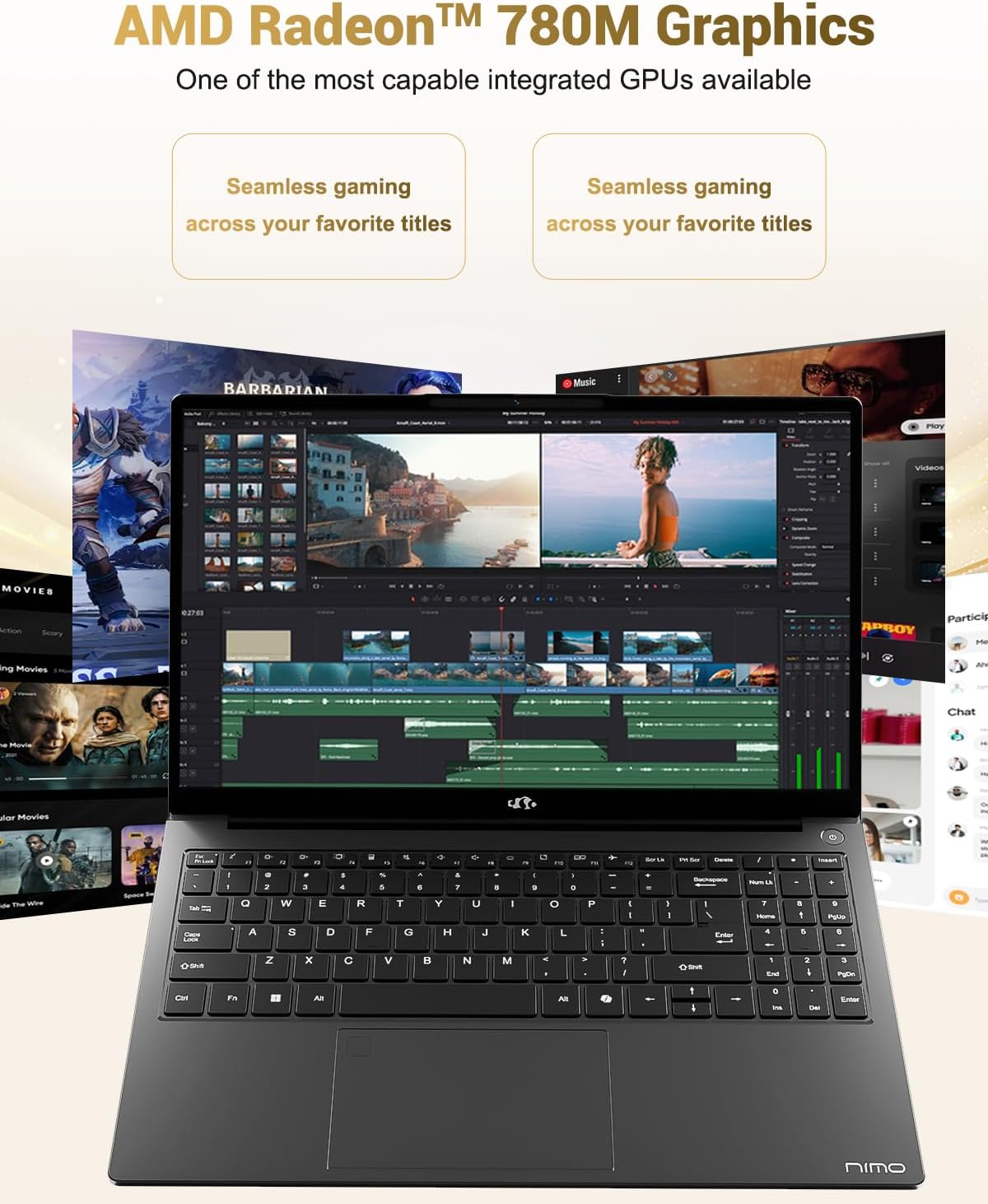
Image 6.3: The AMD Radeon 780M Graphics, highlighting its capability for seamless gaming and creative tasks.
7. Informazioni sulla garanzia
Your NIMO laptop comes with a Garanzia di 2 anno from the date of purchase. This warranty covers manufacturing defects and hardware malfunctions under normal use. Additionally, NIMO offers a Politica di reso senza problemi entro 90 giorni per la vostra comodità.
For warranty claims or return inquiries, please contact our customer support team using the information provided in the Support section.

Image 7.1: Icon representing 2-year support for NIMO products.

Image 7.2: Icon representing the 90-day return policy for NIMO products.
8. Assistenza clienti
NIMO is committed to providing excellent customer service. Our dedicated support team is available to assist you with any questions or issues you may have.
Informazioni sui contatti
- E-mail: servizio@nimopc.com
- Orari di servizio: 24-hour service available
For quick solutions and a worry-free experience, please reach out to us. We are ready to provide professional assistance.

Image 8.1: Illustration of professional customer assistance, indicating support availability.
Ask a question about this manual
Ask about setup, troubleshooting, compatibility, parts, safety, or missing instructions. Manuals+ will review the question and use this page’s manual context to help answer it.