
1. Introduzione
This manual provides essential information for setting up, operating, maintaining, and troubleshooting your NIMO N158 15.6-inch laptop. Please read this manual thoroughly before using your device to ensure optimal performance and longevity.
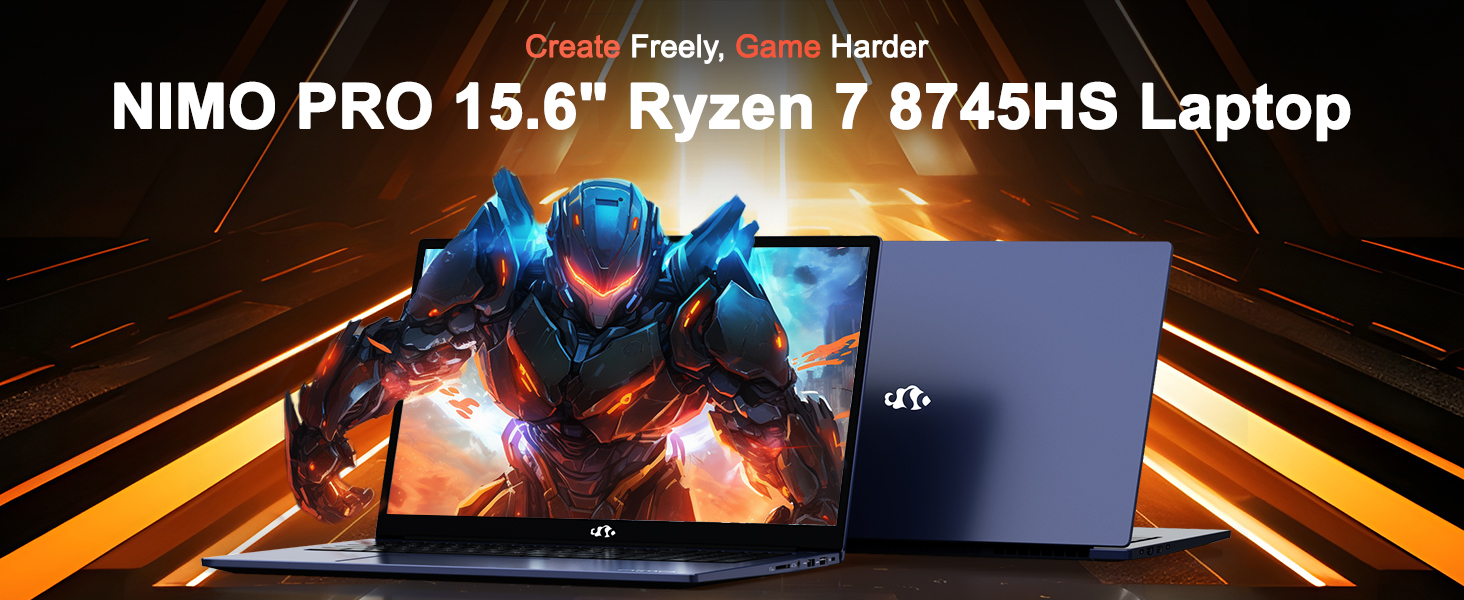
Image: The NIMO N158 15.6-inch laptop, showcasinil suo design e le sue caratteristiche principali.
2. Prodotto finitoview
The NIMO N158 is a high-performance laptop designed for productivity and entertainment. It features an AMD Ryzen 7 8745HS processor, 64GB DDR5 RAM, and a 1TB PCIe 4.0 SSD.
2.1 componenti chiave
- Processore: AMD Ryzen 7 8745HS (8 core, 16 thread, fino a 4.9 GHz)
- Grafica: AMD Radeon 780M Integrated Graphics
- Memoria: 64 GB di RAM DDR5 (4800 MHz)
- Magazzinaggio: SSD PCIe 4.0 da 1 TB
- Display: 15.6-inch Full HD (1920x1080) IPS Anti-Glare
- Sistema operativo: Windows 11 Casa
- Batteria: Polimeri di litio da 75 Wh
2.2 Porte e interfacce
The NIMO N158 laptop offers a variety of ports for connectivity:

Image: Diagram illustrating the various ports and interfaces on the NIMO N158 laptop.
- 1 porte USB 2.0
- 3 porte USB 3.0
- 1 x USB 4.0 Type-C Port (with 100W PD fast charging support)
- 1 x Porta HDMI
- 1 x Jack per cuffie
- 1 x lettore di schede SD
- 1 slot per blocco Kensington
3. Impostazione
3.1 Accensione iniziale e ricarica
- Unpack the laptop and the included 100W Type-C PD Fast Charger.
- Connect the charger to the USB Type-C port on the laptop and to a power outlet. The Charger LED will illuminate.
- Lasciare caricare il laptop per almeno 30 minuti prima del primo utilizzo o finché l'indicatore della batteria non mostra una carica sufficiente.
- Premere il pulsante di accensione per accendere il laptop.

Image: The NIMO N158 laptop connected to its 100W Type-C fast charger, illustrating the charging process.
3.2 Configurazione del sistema operativo
Upon first boot, you will be guided through the Windows 11 Home setup process. Follow the on-screen instructions to configure your language, region, network connection, and user account.
3.3 Configurazione del lettore di impronte digitali
For enhanced security, set up the integrated fingerprint reader during the Windows 11 setup or later via Windows Settings > Accounts > Sign-in options. This allows for quick and secure login.
4. Istruzioni per l'uso
4.1 Tastiera e touchpad
- Tastiera retroilluminata: The keyboard features backlighting for comfortable typing in low-light conditions. Use the designated function key (Fn + F key combination, typically) to adjust brightness or toggle the backlight.
- Tastiera numerica: Per un'immissione efficiente dei dati è incluso un tastierino numerico dedicato.
- Precision Gesture Touchpad: Il touchpad supporta i gesti multi-touch per la navigazione. Consulta le impostazioni di Windows per personalizzare i gesti del touchpad.

Image: A user interacting with the NIMO N158 laptop, highlighting the backlit keyboard and fingerprint reader on the touchpad.
4.2 Visualizzazione
The 15.6-inch Full HD IPS anti-glare display provides clear and vibrant visuals. Adjust display settings (resolution, brightness, color) through Windows Display Settings.

Image: The NIMO N158 laptop displaying a vibrant image on its 15.6-inch Full HD IPS screen, emphasizing visual quality.
4.3 Webcamma
The laptop includes a 2MP webcam. For privacy, a physical webcam shield or switch is integrated. Ensure the webcam is open when in use and closed when not needed.

Image: A visual representation of the NIMO N158 laptop's privacy-focused camera, showing the open and closed states of the webcam switch.
4.4 Prestazioni e multitasking
The AMD Ryzen 7 8745HS processor and 64GB DDR5 RAM provide robust performance for demanding tasks, content creation, and gaming. The 1TB PCIe 4.0 SSD ensures fast boot times and application loading.

Image: A close-up of the AMD Ryzen 7 8745HS processor chip, highlighting its core specifications.
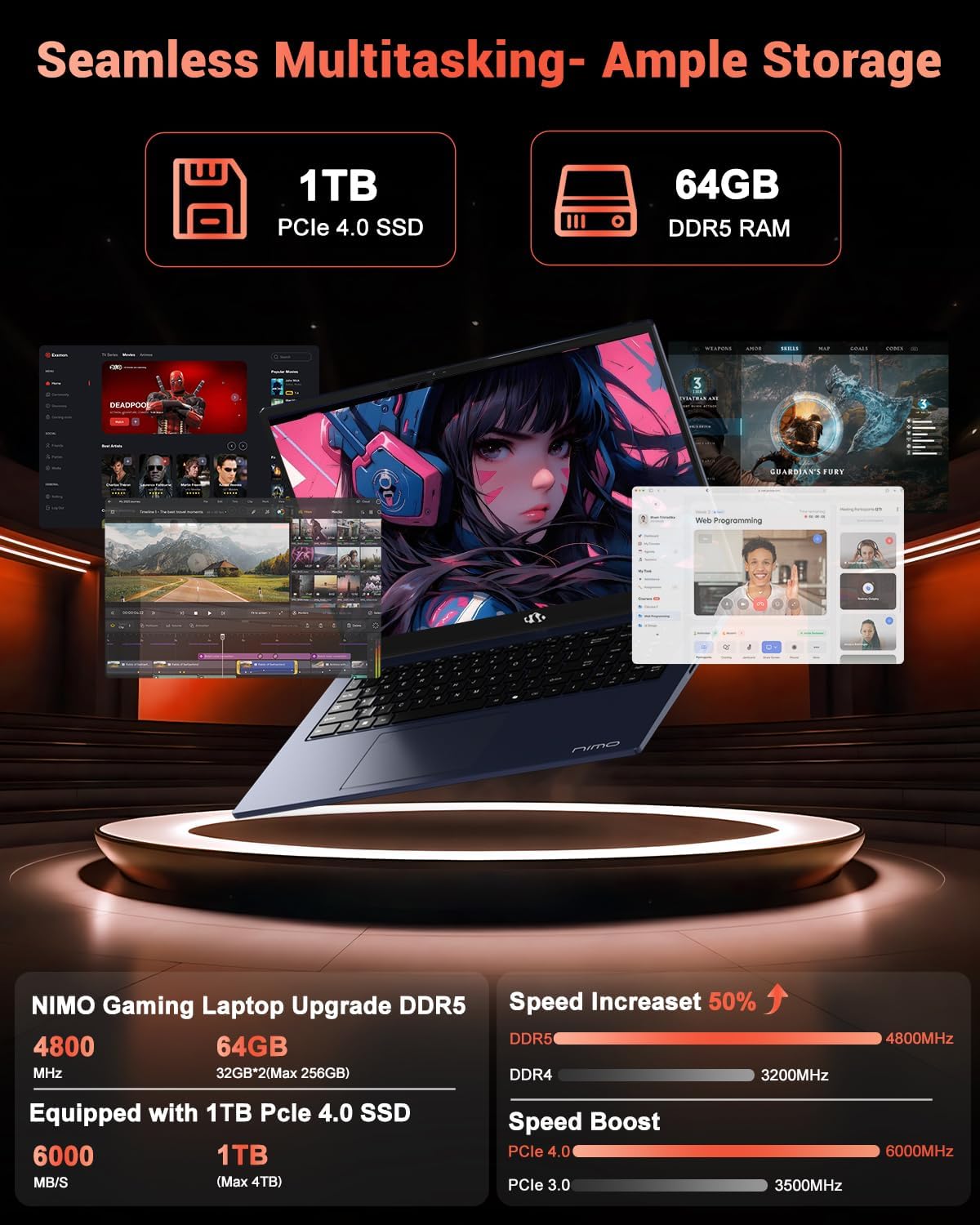
Image: The NIMO N158 laptop displaying multiple applications open, demonstrating its multitasking capabilities with 64GB RAM and 1TB SSD.
5. Manutenzione
5.1 Cura generale
- Mantenere pulito il portatile pulendone le superfici con un panno morbido e asciutto.
- Evitare di esporre il portatile a temperature estreme, alla luce solare diretta o all'umidità.
- Non posizionare oggetti pesanti sul computer portatile.
- Garantire una ventilazione adeguata non ostruendo le prese d'aria.
5.2 Aggiornabilità
The NIMO N158 features an upgradable design, allowing for expansion of memory (RAM) and storage (SSD). Consult a qualified technician or refer to official NIMO support resources before attempting any internal upgrades to avoid voiding your warranty.
6. Risoluzione Dei Problemi
If you encounter issues with your NIMO N158 laptop, consider the following basic troubleshooting steps:
- Nessun potere: Assicurati che il caricabatterie sia collegato correttamente e che la presa di corrente sia funzionante. Prova una presa diversa.
- Problemi di visualizzazione: Check external display connections if using one. Adjust screen brightness. Restart the laptop.
- Prestazioni lente: Chiudere le applicazioni non necessarie. Verificare la presenza di aggiornamenti in background. Assicurarsi di avere sufficiente spazio di archiviazione libero.
- Problemi di connettività: Restart your Wi-Fi router. Reconnect to the Wi-Fi network. Update network drivers.
- Blocchi del sistema: Tenere premuto il pulsante di accensione per 10-15 secondi per forzare lo spegnimento, quindi riavviare.
For persistent issues, refer to the NIMO support websito o contattare il servizio clienti.
7. Specifiche
| Caratteristica | Specificazione |
|---|---|
| Marca | NIMO |
| Nome del modello | Modello N158B |
| Dimensioni dello schermo | 15.6 pollici |
| Risoluzione dello schermo | 1920 x 1080 pixel (FHD IPS) |
| Processore | AMD Ryzen 7 8745HS (fino a 4.9 GHz) |
| Memoria RAM | 64 GB DDR5 (4800 MHz) |
| Disco rigido | 1024 GB SSD (PCIe 4.0) |
| Coprocessore grafico | Scheda grafica AMD Radeon 780M |
| Sistema operativo | Windows 11 Casa |
| Tipo senza fili | 802.11a/b/g/n/ac (Wi-Fi 6E) |
| Porte USB 2.0 | 1 |
| Porte USB 3.0 | 3 |
| Porte USB 4.0 di tipo C | 1 |
| Durata media della batteria | 15.5 ore |
| Peso dell'articolo | 3.8 libbre |
| Dimensioni del prodotto | 14.07 x 8.98 x 0.76 pollici |
| Caratteristiche speciali | Tastiera retroilluminata, lettore di impronte digitali, audio HD, tastierino numerico |
8. Garanzia e supporto
NIMO is committed to providing excellent customer service and product support.
8.1 Informazioni sulla garanzia
Your NIMO N158 laptop comes with a Garanzia di 2 anno from the date of purchase. This warranty covers manufacturing defects and hardware malfunctions under normal use. Please retain your proof of purchase for warranty claims.

Image: A technician performing maintenance on a laptop, representing the 2-year support provided by NIMO.
8.2 Politica di restituzione
NIMO offers a Politica di reso senza problemi entro 90 giorni. If you are not satisfied with your purchase, you may return the product within 90 days from the date of purchase. Please refer to the official NIMO return policy for detailed terms and conditions.

Image: A delivery person handing a package to a customer, illustrating the 90-day return policy.
8.3 Assistenza clienti
Our dedicated support team is available to assist you with any questions or issues. You can reach us via:
- E-mail: servizio@nimopc.com
- In linea: Visit the official NIMO websito per FAQ e risorse di supporto.
We strive to provide quick solutions and a worry-free experience.

Image: Customer service representatives wearing headsets, representing professional customer assistance.