
1. Introduzione
Thank you for choosing the MERCUSYS MC510 2K 3MP Outdoor WiFi Camera. This manual provides detailed instructions for the installation, operation, and maintenance of your security camera. Please read this manual carefully before use to ensure proper functionality and safety. The MC510 offers 2K 3MP resolution, 360-degree panoramic view, color night vision, two-way audio, smart motion detection, and IP65 weather resistance for reliable outdoor surveillance.

Image: MERCUSYS MC510 2K Pan/Tilt Wi-Fi Camera mounted on a wall, highlighting its 2K resolution and IP65 weather resistance.
2. Informazioni sulla sicurezza
- Assicurarsi che l'adattatore di alimentazione sia adatto alla rete elettrica locale.
- Non esporre la fotocamera a temperature estreme, umidità o ambienti corrosivi.
- Evitare di posizionare la fotocamera in prossimità di forti campi elettromagnetici.
- Tenere la fotocamera e i suoi accessori fuori dalla portata dei bambini.
- Utilizzare solo gli accessori specificati dal produttore.
- Scollegare l'alimentazione prima di effettuare la pulizia o la manutenzione.
- The camera is IP65 rated for outdoor use, but avoid submerging it in water.
3. Contenuto della confezione
Verifica che tutti gli articoli siano presenti nel tuo pacco:
- MC510 Camera × 1
- Adattatore di alimentazione × 1
- Mounting Sticker × 1
- Staffa di montaggio × 1
- Mounting Screws × 4 + Bracket Screws × 2
- Ancoraggi di montaggio × 4
- Waterproof Gasket × 1
- Guida rapida
4. Prodotto finitoview
The MERCUSYS MC510 is a versatile outdoor security camera designed to provide comprehensive surveillance with advanced features.
Caratteristiche principali:
- 2K QHD with 360° View: Provides clear 2K 3MP video and full 360° horizontal coverage to see every corner and detail.
- Smart Motion Detection and Person Tracking: Automatically detects and tracks motion or people, ensuring key activities remain in focus.
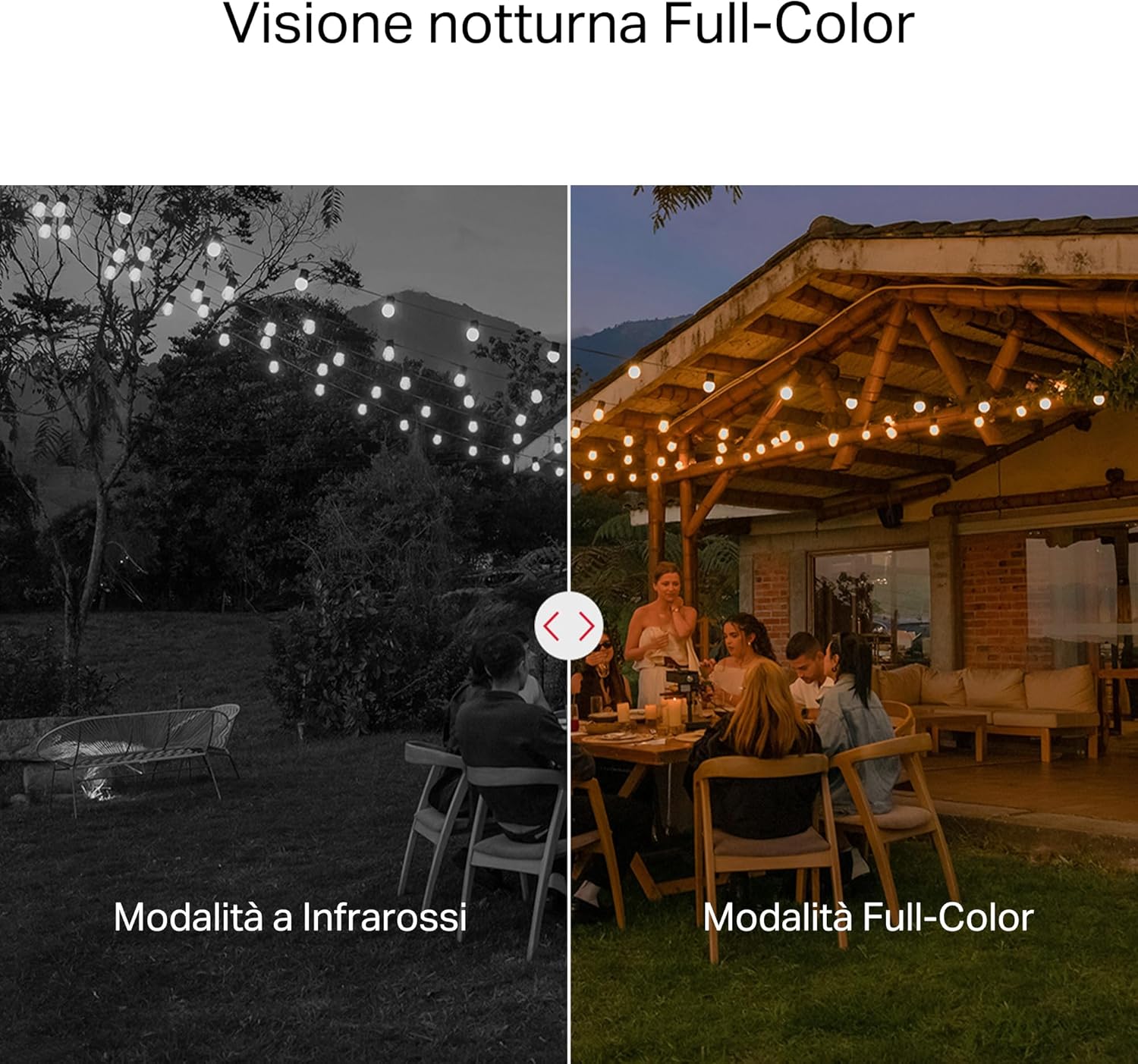
- Visione notturna a colori: Provides vivid and detailed images even at night for 24/7 protection.
- Zone di attività personalizzabili: Helps filter out irrelevant events and sends alerts only when necessary.
- Archiviazione locale e nel cloud: Supports microSD cards up to 512GB and cloud storage for secure and flexible video backup.
- Resistente alle intemperie per uso esterno: IP65 certified for reliable performance in rain, dust, or snow. Easily mounts on walls, ceilings, or poles.
- Privacy Protection with Lens Shield: Activate the physical lens cover when surveillance is not needed for greater peace of mind at home.
- Audio bidirezionale: Comunicare direttamente attraverso la telecamera.
Caratteristiche visive:

High-resolution 2K 3MP video capture.
360-degree panoramic rotation for full coverage.
Full-Color Night Vision for clear images in low light.

Physical lens shield for enhanced privacy.
5. Impostazione
5.1 Installazione fisica
The MC510 camera is designed for outdoor use and can be mounted on walls, ceilings, or poles. Its IP65 rating ensures protection against dust and water jets.
- Scegli una posizione: Selezionare una posizione esterna adatta che fornisca il desiderato viewangolo di visione e ha un segnale Wi-Fi stabile.
- Montaggio: Use the provided mounting sticker to mark drill holes. Drill holes, insert anchors, and secure the mounting bracket with screws. Attach the camera to the bracket.
- Collegamento elettrico: Connect the power adapter to the camera and plug it into a power outlet. Ensure the waterproof gasket is properly installed for outdoor power connections.

Image: The camera is shown mounted outdoors, demonstrating its weather-resistant design.
5.2 Installazione e connessione dell'app
The MC510 connects exclusively via Wi-Fi. An Ethernet port is not available.
- Scarica l'App: Download the official MERCUSYS app from your smartphone's app store (iOS or Android).
- Creare un account: Apri l'app e crea un nuovo account o accedi se ne hai già uno.
- Aggiungi fotocamera: Follow the in-app instructions to add your MC510 camera. This typically involves scanning a QR code on the camera and connecting it to your home Wi-Fi network.
5.3 Installazione della scheda MicroSD
For local storage, install a microSD card (up to 512GB, not included).
- Spegni: Disconnect the camera from power before inserting or removing the microSD card.
- Trova slot: Refer to the camera's physical design to locate the microSD card slot, often protected by a cover.
- Inserisci carta: Inserisci delicatamente la scheda microSD nello slot finché non scatta in posizione.
- Formato scheda: After powering on the camera and connecting it to the app, navigate to the camera settings to format the microSD card.

Image: Close-up of the camera showing the microSD card slot, indicating flexible storage options.
6. Istruzioni per l'uso
6.1 Vivere View & Riproduzione
- Vivere View: Open the MERCUSYS app and select your MC510 camera to view il feed dal vivo.
- Controllo Pan/Tilt: Use the controls in the app to remotely rotate the camera horizontally (pan) and vertically (tilt) to adjust the viewangolo di ing.
- Riproduzione: Accedi a foo registratotage from the app's playback section. You can filter by date and event.

Image: Illustration of 360-degree rotation with motion tracking.
6.2 Rilevamento e tracciamento del movimento
- Abilita rilevamento: In the app settings, enable motion detection and person tracking.
- Customize Activity Zones: Definisci aree specifiche all'interno della telecamera view where you want motion to be detected. This helps reduce false alarms.
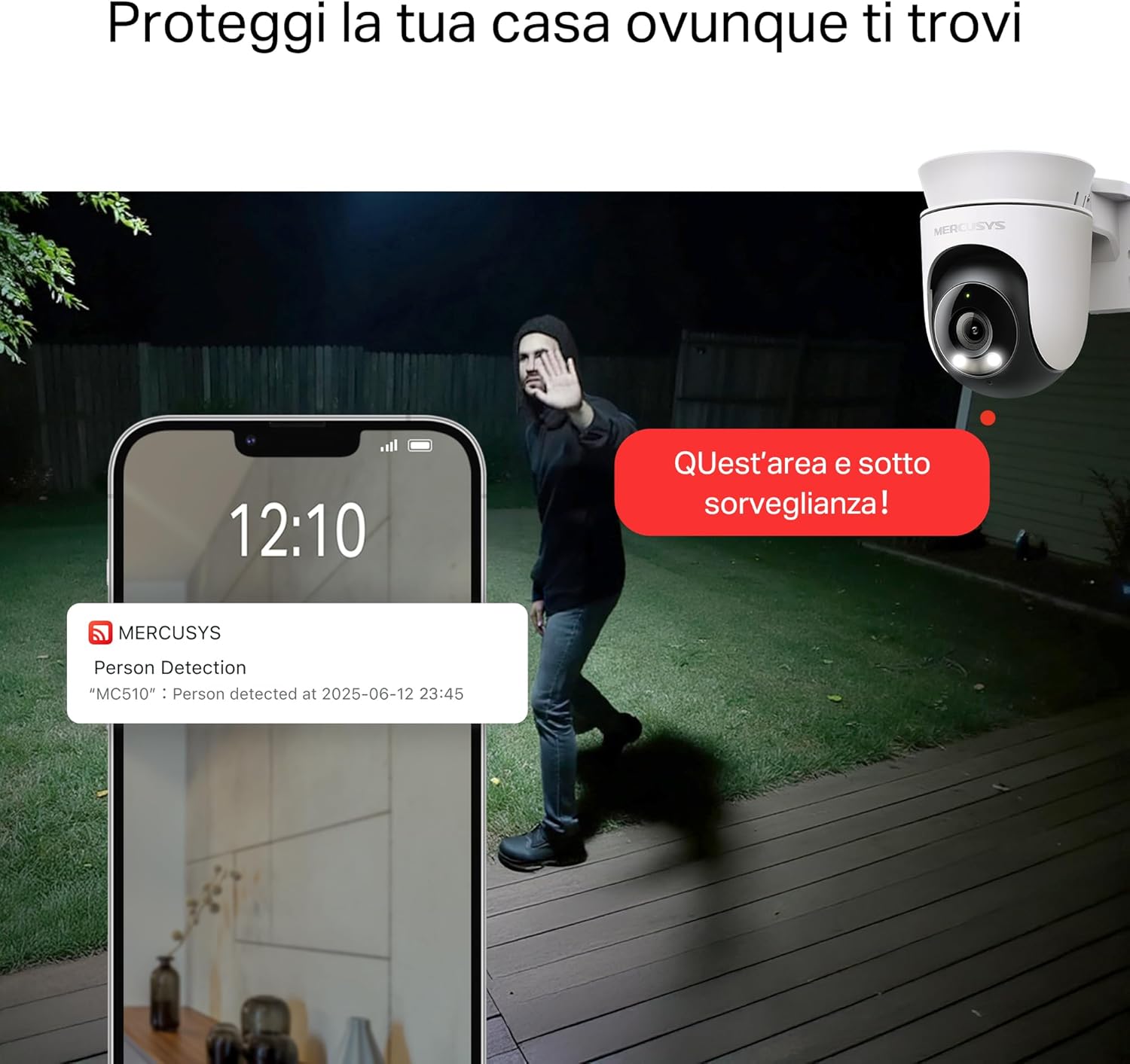
- Ricevi avvisi: The camera will send notifications to your smartphone when motion or a person is detected in the monitored zones.

Image: A person running in a yard, with detection boxes, demonstrating motion detection and tracking.
6.3 Audio bidirezionale
Il microfono e l'altoparlante integrati consentono la comunicazione bidirezionale.
- Attiva audio: Nella vita reale view interface of the app, tap the microphone icon to speak through the camera.
- Ascoltare: The speaker icon allows you to hear audio from the camera's vicinity.

Image: A person detected by the camera, with a phone notification and an on-screen alert, demonstrating customizable alarms and two-way audio.
6.4 Visione notturna a colori
The MC510 provides full-color night vision for enhanced clarity in low-light conditions.
- Attivazione automatica: Color night vision activates automatically in low-light conditions.
- Modalità a infrarossi: The camera also supports traditional infrared night vision (black and white) if preferred or in extremely dark environments.

Image: Comparison of infrared (monochrome) and full-color night vision modes.
6.5 Privacy Zone & Lens Shield
Protect your privacy by defining privacy zones or activating the physical lens shield.
- Zone di privacy: In the app, you can set up specific areas within the camera's view to be excluded from recording.
- Lens Shield: For complete privacy, use the app to activate the physical lens shield, which covers the camera lens.
7. Manutenzione
7.1 Pulizia
- Prima di procedere alla pulizia, assicurarsi che la fotocamera sia spenta.
- Per pulire il corpo della fotocamera, utilizzare un panno morbido e asciutto.
- For the lens, use a lens cleaning cloth to avoid scratches. Do not use harsh chemicals or abrasive cleaners.
7.2 Aggiornamenti firmware
Regularly check for firmware updates through the MERCUSYS app. Updates provide new features, performance improvements, and security enhancements. Follow the in-app instructions to perform updates.
8. Risoluzione Dei Problemi
If you encounter issues with your MERCUSYS MC510 camera, refer to the following common problems and solutions:
| Problema | Possibile soluzione |
|---|---|
| La fotocamera non si connette al Wi-Fi | Ensure the camera is within range of your Wi-Fi router. Check Wi-Fi password. Restart the camera and router. The MC510 only supports Wi-Fi connection, no Ethernet. |
| Scarsa qualità video | Check your Wi-Fi signal strength. Ensure the camera lens is clean. Adjust camera placement to avoid glare or obstructions. |
| Problemi di rilevamento del movimento | Verify motion detection is enabled in the app. Adjust sensitivity settings. Ensure activity zones are correctly configured. |
| MicroSD card not working | Ensure the card is inserted correctly. Format the microSD card via the app. Try a different compatible microSD card. Power cycle the camera after inserting the card. |
| Nessun audio bidirezionale | Controlla le impostazioni del microfono e dell'altoparlante nell'app. Assicurati che il volume del telefono sia alto. |
9. Specifiche
| Caratteristica | Dettaglio |
|---|---|
| Marca | MERCUSIO |
| Nome del modello | MC510 |
| Uso interno/esterno | All'aperto |
| Protocollo di connessione | Wifi |
| Tipo di montaggio | Soffitto, Palo, Parete |
| Risoluzione di immagini fisse | 3 MP |
| Valutazione internazionale di protezione | Grado di protezione IP65 |
| Tecnologia senza fili | Wifi |
| Batterie richieste | NO |
| Risoluzione di acquisizione video | 2K 3 MP |
| Formato di acquisizione video | Formato MPEG-4 |
| Numero di articoli | 1 |
| Componenti inclusi | MC510 Camera, Power Adapter, Mounting Sticker, Mounting Bracket, Mounting Screws, Mounting Anchors, Waterproof Gasket, Quick Start Guide |
| Paese di origine | Cina |
| Produttore | TP-Link |
| Dimensioni dell'articolo | Dimensioni: 14.1 x 9.3 x 12.2 cm |
10. Garanzia e supporto
Per informazioni sulla garanzia e supporto tecnico, fare riferimento al sito ufficiale MERCUSYS website or contact their customer service. Details can typically be found in the Quick Start Guide included with your product or on the manufacturer's websito.
Supporto online: Visita www.mercusys.com for FAQs, user manuals, and support resources.