
Introduzione
This manual provides detailed instructions for the setup, operation, and maintenance of your Zebronics Juke Bar 4120 200W Soundbar. Please read this manual thoroughly before using the product to ensure proper functionality and to maximize your audio experience. Keep this manual for future reference.

Image: The Zebronics Juke Bar 4120 Soundbar system, including the soundbar unit, subwoofer, wireless microphone, and remote control.
Cosa c'è nella scatola
Disimballare con attenzione il contenuto e assicurarsi che siano presenti tutti gli articoli:
- Sound Bar - 1 unit
- Subwoofer - 1 Unit
- Wireless Mic - 1 Unit
- Remote Control - 1 Unit
- Input Cable - 1 Unit
- Wall Mount Fasteners - 1 Unit
- QR Code Guide - 1 Unit
Caratteristiche principali
- Uscita potente: Delivers an impressive total output power of 200W RMS, with 120W from the subwoofer and 80W (40W x 2) from the soundbar.

Image: A soundbar and subwoofer setup in a modern living room, illustrating the powerful 200W RMS output with visual sound waves.
- Incredible Audio: The soundbar features two (5 cm x 9 cm) drivers that provide balanced audio across a wide range of frequencies. Complementing this, the subwoofer houses a single 13.33 cm driver, specially designed to deliver deep, powerful bass that enhances the overall sound experience.
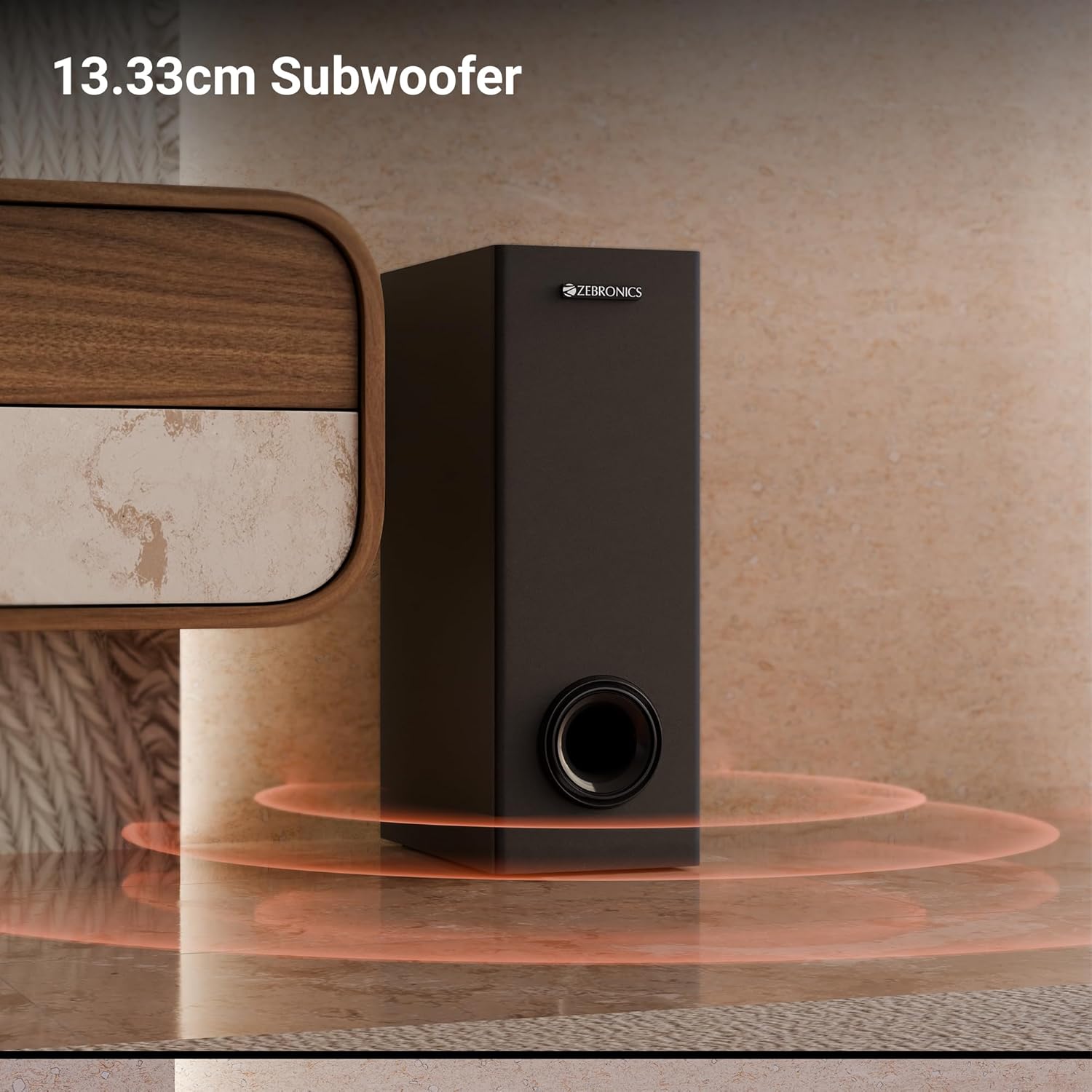
Immagine: un primo piano view of the 13.33cm subwoofer, highlighting its design and bass output.

Image: The soundbar mounted below a television, with visual cues indicating sound projection from its dual drivers.
- Surround virtuale 5.1: To elevate your audio experience, this soundbar features virtual 5.1 surround sound, simulating multi-channel audio for immersive, cinematic sound.
- Multi-connettività: The soundbar comes with multi-connectivity, such as BT v5.3 support, and options like TV (ARC), USB, and AUX inputs.
- Montabile a parete: Designed for space efficiency, this soundbar is wall-mountable, which allows you to save floor space and maintain a clean, organized look in your living areas.
- Display a LED: The LED display shows real-time information such as power status, volume levels, and connectivity modes, offering clarity and convenience.
- Funzione karaoke: Enjoy fun sing-alongs with the wireless mic and built-in karaoke function, perfect for parties, gatherings, or solo performances.
Impostare
1. Posizionamento
Position the soundbar centrally below your television for optimal sound projection. The subwoofer can be placed on the floor near the soundbar, ideally in a corner for enhanced bass response.
2. Montaggio a parete
The soundbar can be wall-mounted to save space. Use the provided wall mount fasteners and follow these steps:
- Mark the desired mounting position on the wall, ensuring it is level and centered with your TV.
- Praticare dei fori pilota nelle posizioni contrassegnate.
- Insert wall anchors (if necessary) and secure the mounting brackets using the screws.
- Fissare con cautela la soundbar alle staffe montate.
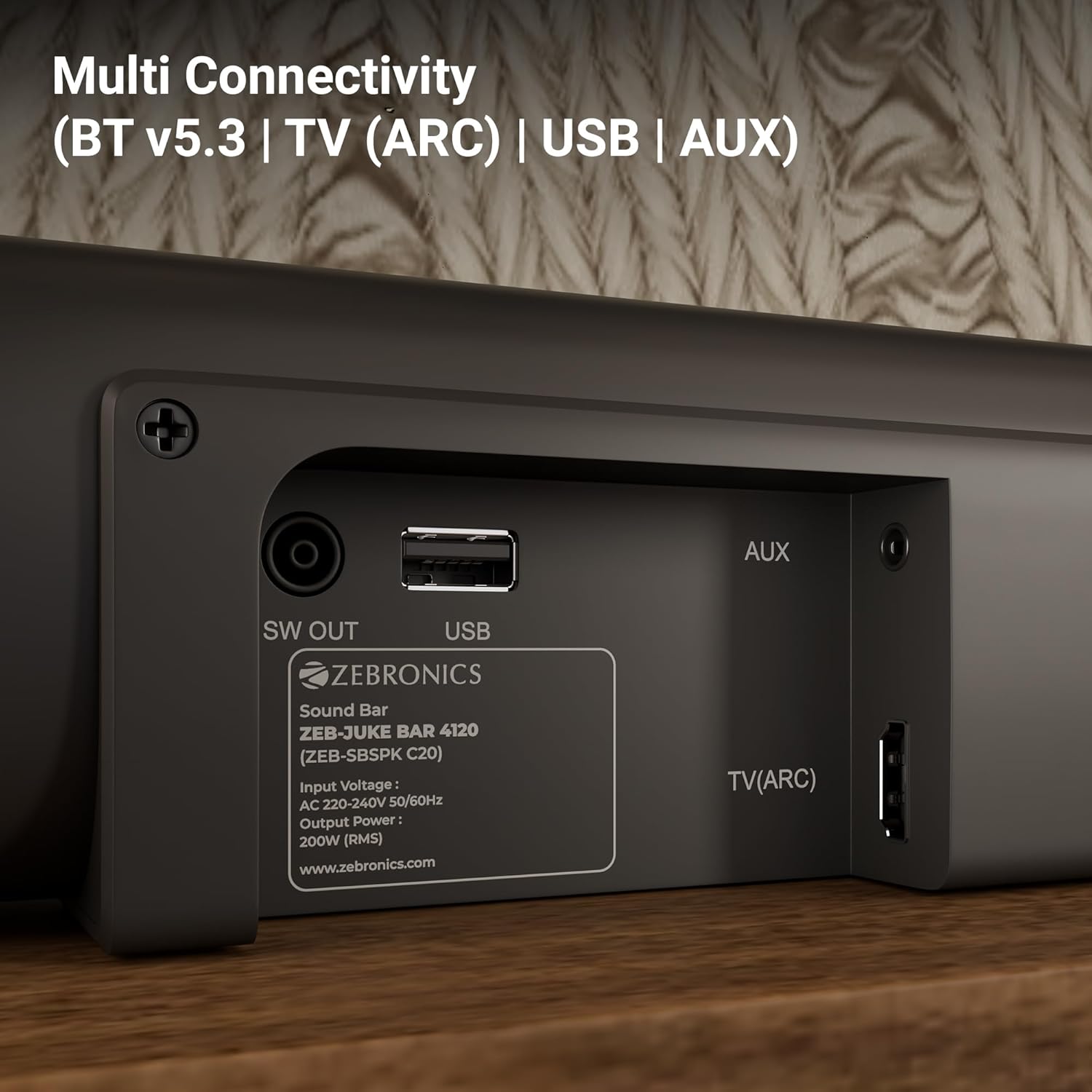
Image: The soundbar is shown securely mounted on a wall beneath a television, demonstrating its space-saving design.
3. Collegamento elettrico
Connect the power cable to the soundbar and then plug it into a suitable power outlet. Ensure the subwoofer is also connected to its power source.
Connettività
The Zebronics Juke Bar 4120 offers multiple connectivity options:
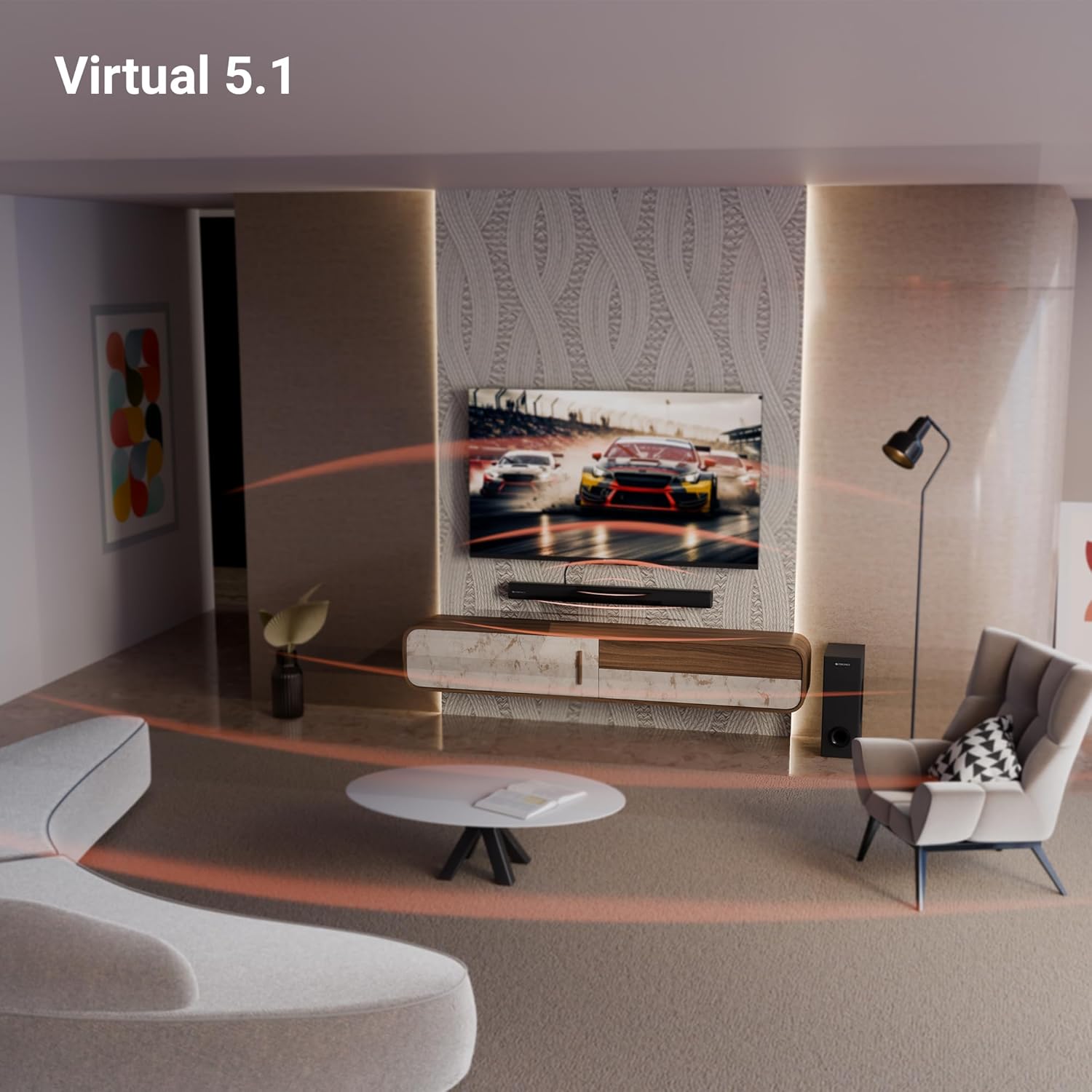
Image: A close-up of the soundbar's rear panel, displaying the SW OUT, USB, AUX, and TV (ARC) input ports for various connections.
1. Bluetooth (BT v5.3)
Per connettersi tramite Bluetooth:
- Turn on the soundbar and select Bluetooth mode using the remote or unit controls.
- Abilita il Bluetooth sul tuo dispositivo (smartphone, tablet, ecc.).
- Cercare "ZEB-JUKE BAR 4120" in your device's Bluetooth list and pair.
- Una volta effettuata l'associazione, la soundbar indicherà la connessione avvenuta correttamente.
2. TV (ARC)
For optimal audio quality and control, connect your TV using the HDMI ARC port:
- Connect an HDMI cable from the TV (ARC) port on the soundbar to the HDMI ARC port on your television.
- Select the HDMI ARC input on the soundbar.
- Ensure your TV's audio output settings are configured for HDMI ARC.
3. USB
To play media from a USB drive:
- Inserire un'unità USB nella porta USB della soundbar.
- Select USB mode using the remote or unit controls.
- The soundbar will automatically detect and play compatible audio files.
4. AUS
To connect via an auxiliary cable:
- Connect a 3.5mm audio cable from your device's audio output to the AUX input on the soundbar.
- Select AUX mode using the remote or unit controls.
Istruzioni per l'uso
1. Accensione/spegnimento
Premere il pulsante di accensione sulla soundbar o sul telecomando per accendere o spegnere l'unità.
2. Controllo del volume
Utilizzare i pulsanti Volume su (+) e Volume giù (-) sulla soundbar o sul telecomando per regolare il livello audio.
3. Selezione ingresso
Press the 'Input' or 'Mode' button on the soundbar or remote control to cycle through available input sources (BT, TV ARC, USB, AUX).
4. Display a LED
The integrated LED display provides visual feedback on the current status of the soundbar, including selected input mode, volume level, and other settings.

Immagine: Un dettaglio view of the soundbar's LED display, showing a clear indicator for current status or mode.
5. Funzione Karaoke
The soundbar includes a wireless microphone for karaoke. Simply power on the microphone, and it will automatically connect to the soundbar. Use the remote control to adjust microphone volume and echo effects.

Image: The wireless microphone, designed for use with the soundbar's karaoke function.
6. Controllo remoto
The included remote control provides full functionality for the soundbar, allowing you to power on/off, switch inputs, adjust volume, control playback, and manage karaoke settings.

Image: The remote control for the Zebronics soundbar, showing various buttons for function control.
7. Virtual 5.1 Surround Sound
The soundbar's virtual 5.1 surround sound technology creates an immersive audio experience, simulating multi-channel sound without the need for additional speakers. This enhances movie watching and gaming by providing a wider soundstage.

Image: A living room scene with the soundbar and subwoofer, visually representing the expansive sound field created by virtual 5.1 surround sound.
Manutenzione
Per garantire la longevità e le prestazioni ottimali della tua soundbar:
- Pulire le superfici con un panno morbido e asciutto. Evitare l'uso di detergenti abrasivi o solventi.
- Keep the soundbar and subwoofer away from direct sunlight, heat sources, and excessive moisture.
- Assicurare una ventilazione adeguata attorno alle unità per evitare il surriscaldamento.
Risoluzione dei problemi
In caso di problemi, fare riferimento ai seguenti problemi comuni e alle relative soluzioni:
| Problema | Possibile soluzione |
|---|---|
| Nessun potere | Check if the power cable is securely connected to both the soundbar/subwoofer and the power outlet. Ensure the power outlet is functional. |
| Nessun suono | Verify the correct input source is selected. Check volume levels on both the soundbar and the connected device. Ensure all audio cables are properly connected. |
| Il Bluetooth non si connette | Ensure the soundbar is in Bluetooth pairing mode. Turn off and on Bluetooth on your device. Move your device closer to the soundbar. |
| Il telecomando non funziona | Check the remote control batteries and replace if necessary. Ensure there are no obstructions between the remote and the soundbar. |
Specifiche
| Caratteristica | Dettaglio |
|---|---|
| Nome del modello | ZEB-JUKE BAR |
| Tipo di altoparlante | Barra audio |
| Caratteristica speciale | Microfono incorporato |
| Dispositivi compatibili | Television, mobile |
| Configurazione del canale audio surround | 2.1 (Virtual 5.1) |
| Colore | Nero |
| Dimensioni del prodotto | 7.7D x 86W x 7.7H centimetri |
| Peso dell'articolo | 5300 grammi (5 kg 300 g) |
| Metodo di controllo | Remoto |
| Tecnologia di comunicazione wireless | Bluetooth |
| Dimensioni dell'altoparlante | 13.33 Centimetres (Subwoofer) |
| Fonte di alimentazione | Elettrico con cavo |
| Signal-to-Noise Ratio | 66 dB |
| Diametro del woofer | 13.33 centimetri |
| Tipo di driver audio | Driver dinamico |
| Dimensioni del driver audio | 5 Centimetres (Soundbar) |
| Stile | ZEB JUKE BAR 4120 |
| Versione Bluetooth | 5.3 |
| Oratore Amptipo di lificazione | Attivo |
| Cosatage | 200 Watt |
| Tipo di montaggio | Montaggio a parete |
| Tecnologia di connettività | Auxiliary, Bluetooth, HDMI, Optical, USB |
Garanzia e supporto
This product comes with a standard brand warranty. For specific warranty details, claims, or technical support, please refer to the warranty card included in the packaging or visit the official Zebronics webluogo. Puoi anche visitare il ZEBRONICS Store on Amazon per ulteriori informazioni.