
Prodotto finitoview
The pTron Studio Pro are wireless over-ear headphones designed for extended listening and clear communication. They feature an ergonomic design with soft earpads and an adjustable headband for comfortable wear. Key features include long battery life, advanced audio drivers, and versatile connectivity options.
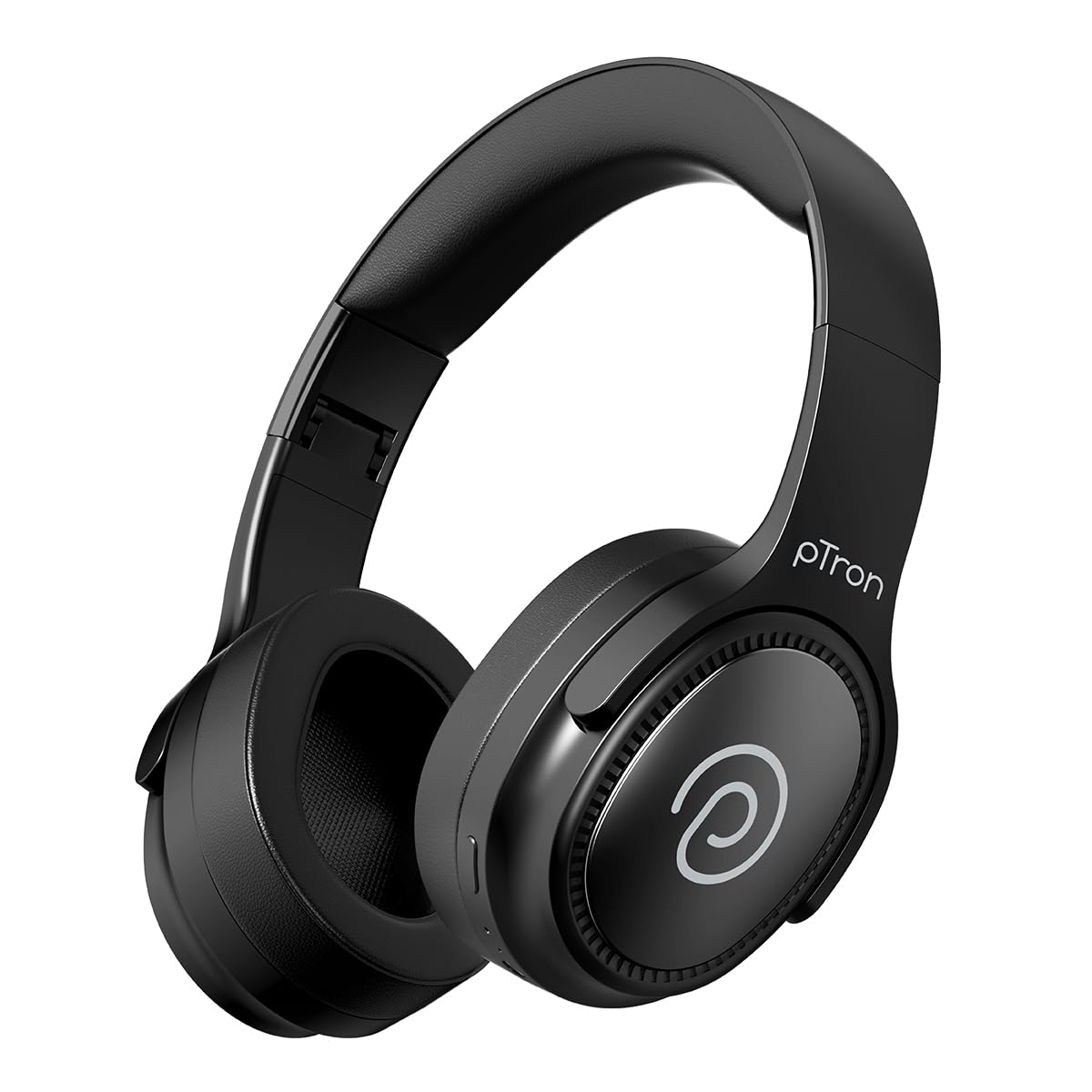
Image: pTron Studio Pro Wireless Over-Ear Headphones in Jet Black, showcasing il design elegante.
Caratteristiche principali
- Tempo di riproduzione esteso: Up to 65 hours of music playback on a single full charge.
- Ricarica rapida: 2.5 hours for a full charge via Type-C. A 10-minute charge provides approximately 4 hours of playtime.
- Audio di alta qualità: Equipped with 40mm Neody Drivers for pristine stereo sound.
- Cancella chiamate: Built-in HD Microphone with TruTalk AI-ENC (Environmental Noise Cancellation) for crystal-clear calls.
- Connettività avanzata: Fast Bluetooth v5.4 for instant pairing and stable connection.
- Abbinamento di due dispositivi: Seamlessly connect and switch between two devices simultaneously.
- Modalità versatili: Dedicated Low-Latency Gaming Mode and Music Mode.
- Resistenza all'acqua: IPX4 rating, making them resistant to water splashes and sweat.
- Comfort & Portability: Ergonomic, lightweight, and foldable design with soft earpads and an adjustable headband for a perfect fit and easy storage.
- Controlli facili: Multi-functional buttons for managing music, calls, and activating voice assistant.

Image: Infographic detailing the main features of the pTron Studio Pro headphones, including battery life, drivers, and connectivity.
Cosa c'è nella scatola
Upon unboxing your pTron Studio Pro headphones, you will find the following items:
- pTron Studio Pro Wireless Over-Ear Headphones
- Cavo di ricarica (tipo C)
- Manuale d'uso
Video: An official product video demonstrating the unboxing and key features of the pTron Studio Pro headphones.
Layout e controlli del prodotto
Familiarize yourself with the physical components and control buttons of your pTron Studio Pro headphones.

Immagine: dettagliata view of the multi-function control buttons located on the ear cup, including power, volume, and track controls.
Funzioni dei pulsanti di controllo:
| Pulsante/Azione | Funzione |
|---|---|
| Pulsante di accensione (pressione lunga) | Accensione/Spegnimento, Entra in modalità di associazione |
| Play/Pause Button (Single Press) | Riproduci/Metti in pausa la musica, Rispondi/Termina chiamata |
| Pulsante Play/Pausa (pressione prolungata) | Rifiuta chiamata, attiva assistente vocale |
| Volume su (+) (pressione singola) | Aumentare il volume |
| Volume giù (-) (pressione singola) | Diminuire il volume |
| Volume su (+) (pressione prolungata) | Traccia successiva |
| Volume giù (-) (pressione prolungata) | Traccia precedente |
| Mode Button (Single Press) | Passa dalla modalità Gioco alla modalità Musica |
Impostare
1. Carica delle cuffie
- Collegare il cavo di ricarica Type-C in dotazione alla porta di ricarica delle cuffie.
- Connect the other end of the cable to a USB power source (DC5V-1A max.).
- L'indicatore LED mostrerà lo stato di carica. Una carica completa richiede circa 2.5 ore.
- Una ricarica di 10 minuti può garantire fino a 4 ore di riproduzione.

Image: The pTron Studio Pro headphones highlighting the Type-C charging port and emphasizing the 65-hour playtime.
2. Accoppiamento Bluetooth
- Assicurarsi che le cuffie siano completamente cariche.
- Tenere premuto il pulsante di accensione finché l'indicatore LED non lampeggia alternativamente in rosso e blu, indicando la modalità di associazione.
- Sul tuo dispositivo (smartphone, tablet, laptop), attiva il Bluetooth e cerca i dispositivi disponibili.
- Select "pTron Studio Pro" from the list of devices.
- Una volta effettuata la connessione, l'indicatore LED diventerà blu fisso o smetterà di lampeggiare.
3. Accoppiamento di due dispositivi
- Associare le cuffie al primo dispositivo come descritto sopra.
- Disattiva il Bluetooth sul primo dispositivo. Le cuffie torneranno in modalità di associazione.
- Associa le cuffie al secondo dispositivo.
- Riattiva il Bluetooth sul primo dispositivo. Le cuffie dovrebbero connettersi automaticamente a entrambi i dispositivi.
- Ora puoi alternare la riproduzione audio tra i due dispositivi connessi.

Image: The headphones connected to both a laptop and a smartphone, demonstrating the dual device pairing feature.
4. Wired Connection (3.5mm Aux-in)
- Insert one end of a 3.5mm audio cable (not included) into the Aux-in port on the headphones.
- Collegare l'altra estremità del cavo al jack da 3.5 mm della sorgente audio.
- Le cuffie passeranno automaticamente alla modalità cablata.

Image: The headphones connected to a smartphone using a 3.5mm Aux-in cable, illustrating wired music playback.
Istruzioni per l'uso
Accensione/spegnimento
- Accensione: Tenere premuto il pulsante di accensione per circa 3 secondi finché l'indicatore LED non si accende.
- Spegni: Tenere premuto il pulsante di accensione per circa 5 secondi finché l'indicatore LED non si spegne.
Controlli musicali
- Riproduci/Pausa: Premere una volta il pulsante Play/Pausa.
- Traccia successiva: Premere a lungo il pulsante Volume su (+).
- Traccia precedente: Premere a lungo il pulsante Volume giù (-).
- Aumenta volume: Single press the Volume Up (+) button.
- Volume basso: Single press the Volume Down (-) button.
Controlli di chiamata
- Rispondi/Termina chiamata: Premere una volta il pulsante Play/Pausa.
- Rifiuta chiamata: Premi a lungo il pulsante Riproduci/Pausa.
Assistente vocale
- Attiva l'assistente vocale: Long press the Play/Pause button (after rejecting a call, if applicable, or when not on a call).
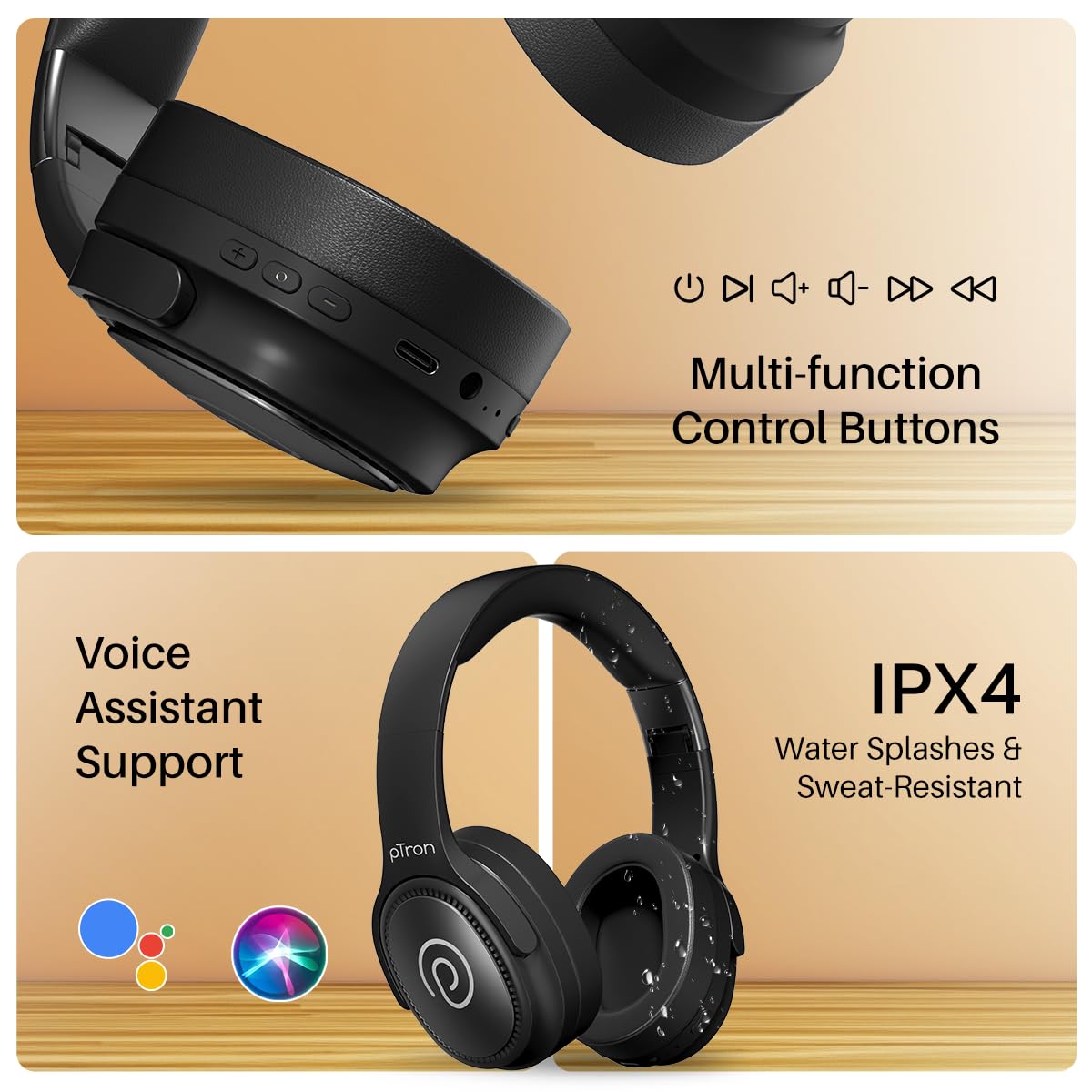
Image: The headphones illustrating support for voice assistants like Google Assistant and Siri, along with their IPX4 water-resistant rating.
Game & Music Modes
- Cambia modalità: Single press the Mode button to toggle between Low-Latency Gaming Mode and standard Music Mode.
Manutenzione
To ensure the longevity and optimal performance of your pTron Studio Pro headphones, follow these maintenance guidelines:
- Pulizia: Per pulire le cuffie, utilizzare un panno morbido e asciutto. Non utilizzare detergenti abrasivi o solventi.
- Magazzinaggio: Quando non vengono utilizzate, conservare le cuffie in un luogo fresco e asciutto. Il design pieghevole consente di riporle in modo compatto.
- Esposizione all'acqua: While rated IPX4 for water splashes and sweat resistance, avoid submerging the headphones in water or exposing them to heavy rain. Dry them thoroughly if they get wet.
- Ricarica: Use only the provided Type-C cable and a compatible power adapter (DC5V-1A max.) for charging.
- Evitare temperature estreme: Non esporre le cuffie a temperature estremamente alte o basse.
Risoluzione dei problemi
If you encounter any issues with your pTron Studio Pro headphones, refer to the following common troubleshooting steps:
| Problema | Soluzione |
|---|---|
| Le cuffie non si accendono. | Assicurarsi che le cuffie siano completamente cariche. Collegare a una fonte di alimentazione e controllare l'indicatore di carica. |
| Impossibile effettuare l'associazione con un dispositivo. | Make sure Bluetooth is enabled on your device and the headphones are in pairing mode (LED flashing red/blue). Move closer to the device. Forget previous pairings on your device and try again. |
| Nessun suono o volume basso. | Check the volume levels on both the headphones and your connected device. Ensure the headphones are correctly paired. If using Aux-in, ensure the cable is fully inserted. |
| La qualità delle chiamate è scarsa. | Ensure the microphone is not obstructed. Move to an area with less environmental noise. Check your device's network signal. |
| Le cuffie si disconnettono frequentemente. | Ensure there are no obstacles between the headphones and your device. Keep within the Bluetooth range (10 meters). Avoid strong electromagnetic interference. |
Specifiche
| Caratteristica | Dettaglio |
|---|---|
| Marca | ptron |
| Nome del modello | Studio |
| Posizionamento dell'orecchio | Sopra l'orecchio |
| Versione Bluetooth | 5.4 |
| Portata Bluetooth | 10 metri |
| Dimensioni del driver audio | 40 millimetri |
| Impedenza | 32 Ohm |
| Durata media della batteria | 65 ore |
| Tempo di carica della batteria | 2.5 ore |
| Porta di ricarica | Tipo C |
| Livello di resistenza all'acqua | IPX4 (resistente all'acqua) |
| Microfono | Built-in HD Mic with AI-ENC |
| Presa per cuffie | 3.5 mm Jack |
| Tipo di controllo | Controllo chiamate, pulsante |
| Caratteristiche del prodotto | Fast Charging, Foldable, Microphone Included, Noise Isolation, Surround Sound |
| Peso dell'articolo | 200 grammi |
| Materiale | Acrilonitrile Butadiene Stirene (ABS) |
| Dispositivi compatibili | Cellulari, computer fissi, computer portatili, tablet |
Garanzia e supporto
Your pTron Studio Pro headphones come with a manufacturer's warranty and dedicated customer support.
- Garanzia: 6 Months Manufacturer Warranty from the Date of Purchase on Manufacturing Defects Only.
- Contatto del produttore: Building A1, Red Box Creative Park, No. 3 Huancheng South Road, Bantian Street, Longgang District, Shenzhen City, China 518116.
- Dettagli di contatto dell'assistenza clienti: 40-67138888 / Support@ptron.in
- Contatto dell'importatore: PALRED ELECTRONICS PVT. LTD., SY.NO. 56, 1° PIANO, GUNDLAPOCHAMPALLY VILLAGE, TECH PARK MTP, TSIIC-IALA NACHARAM, HYDERABAD - 500076, TELANGANA, INDIA.