
1. Informazioni importanti sulla sicurezza
Before operating the LONGER Ray5 Mini 3.5W Laser Engraver, please read and understand all safety instructions. Failure to follow these guidelines may result in injury or damage to the device.
- Protezione degli occhi: Always wear the provided laser safety glasses during operation to protect your eyes from direct or reflected laser light. The laser module includes an anti-laser protective cover for additional safety.
- Arresto di emergenza: The device is equipped with an emergency stop button. Press this button immediately in case of any malfunction or unsafe condition.
- Sensore di fiamma: The engraver features a flame sensor to detect and alert users to potential fires, enhancing safety during engraving and cutting processes.
- Ventilazione: Operate the laser engraver in a well-ventilated area to dissipate fumes and smoke produced during engraving.
- Compatibilità dei materiali: Incidere o tagliare solo materiali specificatamente indicati come sicuri per la lavorazione laser. Evitare materiali altamente riflettenti, infiammabili o sconosciuti.

Image: Laser safety glasses and the laser module with its protective cover, emphasizing eye protection.
2. Prodotto finitoview
The LONGER Ray5 Mini 3.5W is a compact and high-precision laser engraver designed for various materials. It offers advanced features for both beginners and experienced users.
Caratteristiche principali:
- Ad alta velocità: Achieves engraving speeds up to 12,000 mm/min, powered by a 32-bit motherboard.
- Absolute Precision: Features an ultra-fine laser focal spot of 0.04mm for detailed and high-contrast results.
- Controllo intelligente: Supports WiFi and mobile app control, in addition to PC software (LaserGRBL, LightBurn).
- Design compatto: Pre-assembled for immediate use, with a fixed-focus laser head for easy height adjustment.
- Area di lavoro: 130x140mm engraving area.
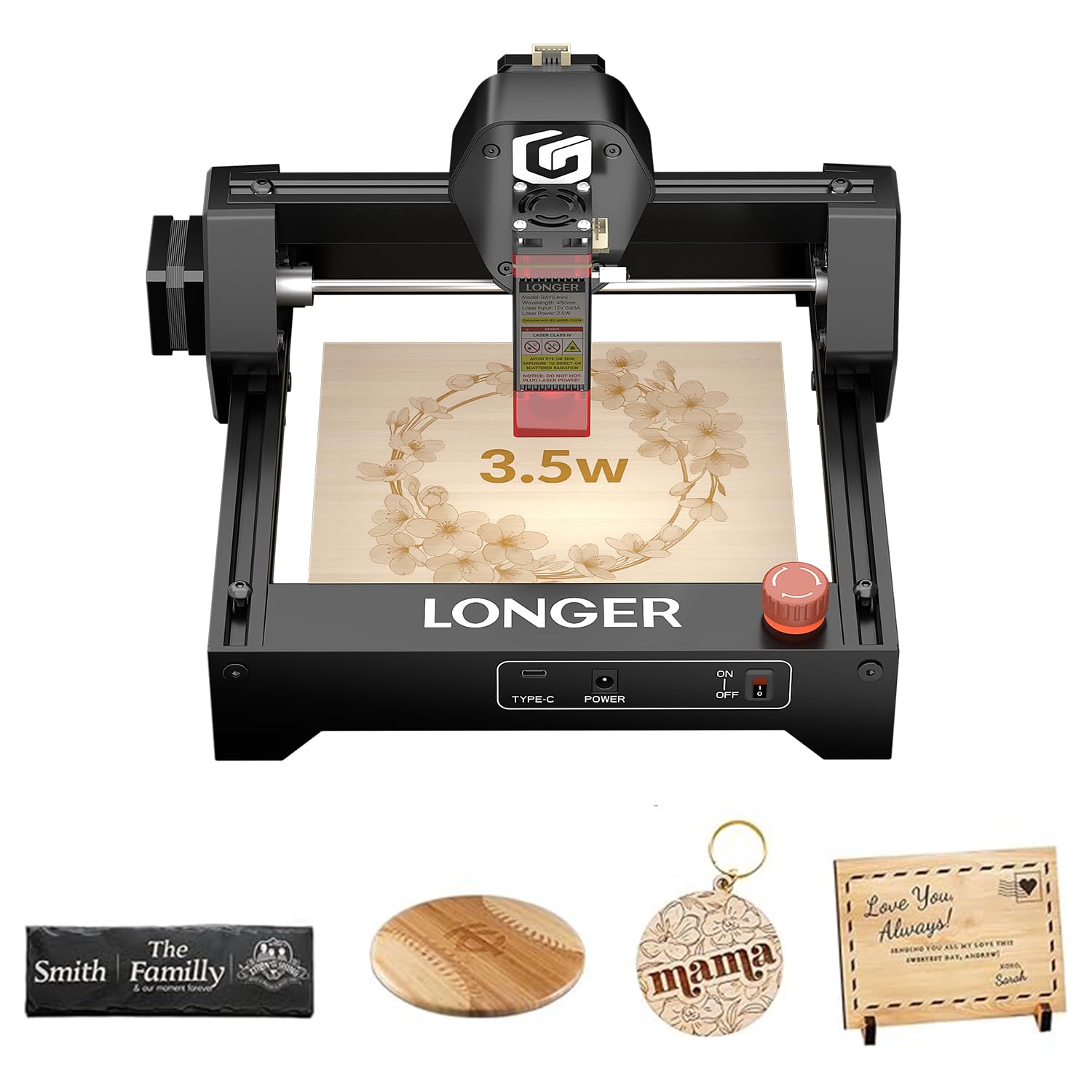
Image: The LONGER Ray5 Mini 3.5W Laser Engraver, showcasing il suo design compatto.

Image: Visual representation of the 12,000 mm/min engraving speed compared to other models.

Image: Close-up showing the 0.04mm laser spot for high-precision engraving.
3. Installazione e assemblaggio
The LONGER Ray5 Mini 3.5W Laser Engraver comes largely pre-assembled, allowing for quick setup.
3.1 Disimballaggio e ispezione iniziale
- Rimuovere con attenzione tutti i componenti dalla confezione.
- Verify that all included accessories are present: laser engraver unit, power adapter, USB cable, safety glasses, small wrench, and user manual.
- Inspect the device for any visible damage during transit.

Image: The LONGER Ray5 Mini and its accessories laid out after unboxing.
3.2 Collegamento di alimentazione
- Connect the power adapter to the engraver's power input port.
- Collegare l'alimentatore a una presa elettrica adeguata.
- Accendere il dispositivo utilizzando l'interruttore di alimentazione.
3.3 Regolazione della messa a fuoco
The fixed-focus laser head allows for quick height adjustments to accommodate different material thicknesses. Use the provided focus block or follow the software's focusing guide.
4. Istruzioni per l'uso
The LONGER Ray5 Mini offers flexible control options for your engraving projects.
4.1 Compatibilità software
The engraver is compatible with popular laser engraving software:
- LaserGRBL: A free, open-source software for Windows users.
- Bruciatura della luce: A paid, feature-rich software compatible with Windows, macOS, and Linux.
4.2 Connessione al dispositivo
You can connect the engraver via USB or wirelessly via WiFi/App.
- Connessione USB: Connect the engraver to your computer using the provided USB cable. Launch your chosen software (LaserGRBL or LightBurn) and follow its instructions to establish a connection.
- Controllo WiFi/App: Download the dedicated mobile application for real-time control from your smartphone or tablet. The app allows for project management and offline engraving.
Video: Demonstrates connecting the LONGER Ray5 Mini to a laptop and initiating an engraving process on a slate coaster. The video shows the laser in action and the finished product.
Video: Illustrates controlling the LONGER Ray5 Mini via a mobile application. The user selects a design, adjusts parameters, and starts the engraving process on a red acrylic sheet, showcasing the ease of wireless operation.
4.3 Preparazione del progetto
- Posizionare il materiale in modo sicuro all'interno dell'area di lavoro di 130x140 mm.
- Adjust the laser head height to ensure proper focus on the material surface.
- Load your design into the software or mobile app.
- Set engraving parameters (speed, power, passes) according to your material and desired outcome.
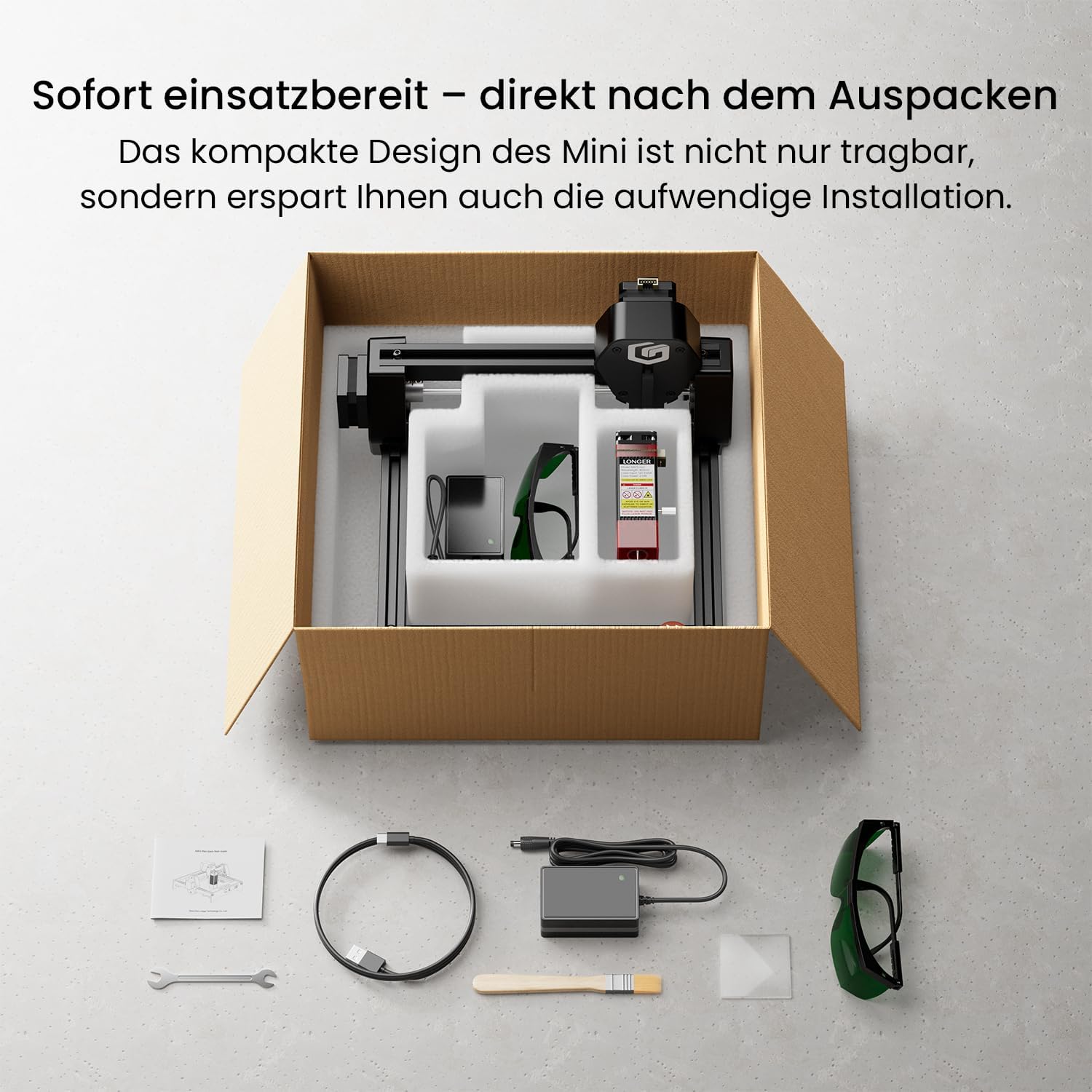
Immagine: Examples of various materials suitable for engraving, including wood, acrylic, and leather.
4.4 Avvio dell'incisione
Once your project is prepared and parameters are set, initiate the engraving process through the software or app. Monitor the process closely and ensure safety precautions are maintained.
5. Manutenzione
Regular maintenance ensures optimal performance and longevity of your LONGER Ray5 Mini.
- Pulizia della lente: Pulire periodicamente la lente laser con un panno morbido e privo di lanugine e una soluzione detergente per lenti per mantenere la qualità del raggio laser.
- Lubrificazione: Apply a small amount of lubricant to the guide rails and lead screws to ensure smooth movement of the laser module.
- Rimozione detriti: Keep the working area and the engraver free from dust and debris, which can interfere with operation or cause damage.
- Aggiornamenti del firmware: Controlla il Longer ufficiale websito o app per eventuali aggiornamenti firmware disponibili per migliorare le prestazioni e aggiungere nuove funzionalità.
6. Risoluzione Dei Problemi
This section addresses common issues you might encounter with your LONGER Ray5 Mini.
6.1 Problemi comuni e soluzioni:
- Il laser non funziona:
- Check power connection and ensure the device is turned on.
- Verify software connection and laser power settings.
- Assicurarsi che il pulsante di arresto di emergenza non sia premuto.
- Scarsa qualità dell'incisione:
- Adjust laser focus for optimal sharpness.
- Review engraving speed and power settings for the specific material.
- Pulire la lente laser se appare sporca.
- Problemi di connessione:
- For USB, ensure the cable is securely connected and drivers are installed.
- For WiFi/App, ensure the device is connected to the correct network and the app is updated.
For further assistance, refer to the official Longer support resources or contact customer service.
7. Specifiche tecniche
| Caratteristica | Specificazione |
|---|---|
| Numero di modello | Mini 3.5 W |
| Potenza laser | 3.5W |
| Precisione dell'incisione | 0.04mm |
| Velocità di incisione | Fino a 12,000 mm/min |
| Area di lavoro | 130x140mm |
| Connettività | WiFi, APP, USB |
| Materiale | Alluminio |
| Fonte di alimentazione | AC/DC (elettrico con cavo) |
| Peso | 2.2 chilogrammi |
| Dimensioni (confezione) | Dimensioni: 30 x 29 x 17 cm |
8. Garanzia e supporto
LONGER provides comprehensive support for its products.
- Garanzia: The LONGER Ray5 Mini 3.5W Laser Engraver comes with a 1-year warranty. Please retain your proof of purchase for warranty claims.
- Assistenza clienti: For technical assistance, troubleshooting, or warranty inquiries, please contact Longer's official customer support. Details can be found in the included manual or on the official Longer websito.
- Risorse online: Visit the Longer official website for FAQs, software downloads, and additional tutorials.