
1. Introduzione
The Gemmac Stargate Projection Lamp is a versatile device combining multiple functions: aurora projection, interactive plasma ball, Bluetooth speaker, white noise generator, digital clock, and alarm clock. This manual provides instructions for safe and effective use of your device.
2. Contenuto della confezione
Si prega di verificare che tutti gli articoli elencati di seguito siano inclusi nel pacchetto:
- Proiezione Stargate Lamp Unità
- Telecomando
- Cavo di alimentazione
- Manuale d'uso
- Astronaut Figure
- Alien Figure

Image: The Stargate Projection Lamp, its remote control, and the included user manual.
3. Prodotto finitoview
The Gemmac Stargate Projection Lamp features a central interactive plasma ball, a digital time display, and a projection lens for aurora effects. It includes a base designed to hold the decorative astronaut and alien figures. The unit can be controlled using its built-in buttons or the provided remote control.
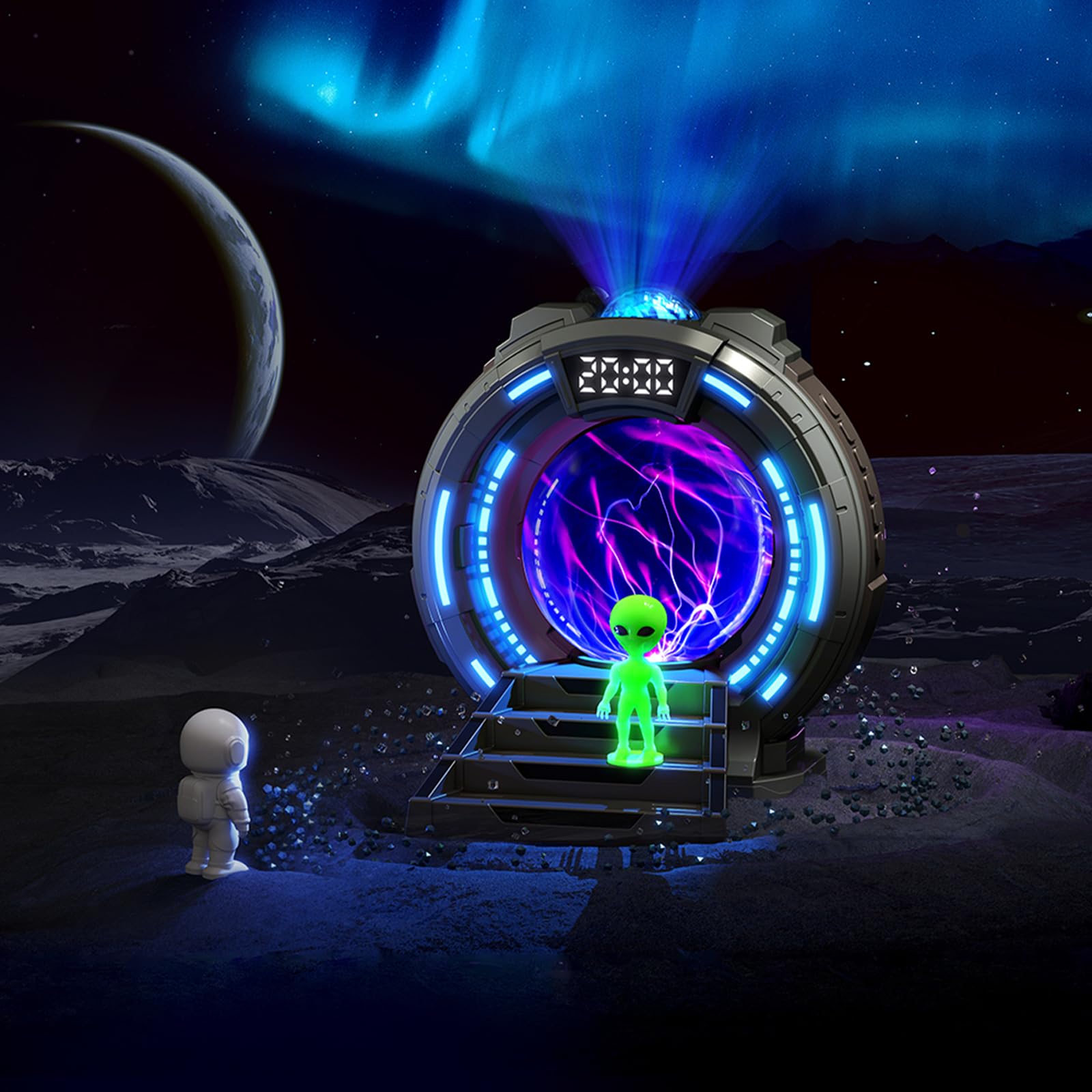
Immagine: Frontale view of the Stargate Projection Lamp, mostraasing il suo design e le figure incluse.

Image: Detailed dimensions of the Stargate Projection Lamp and its remote control for reference.
4. Impostazione
- Disimballaggio: Rimuovere con cautela tutti i componenti dall'imballaggio. Conservare l'imballaggio per un eventuale stoccaggio o trasporto futuro.
- Posizionamento: Posizionare la lamp on a stable, flat surface. For optimal projection, ensure there is a clear ceiling or wall space above or in front of the device.
- Collegamento elettrico: Collegare il cavo di alimentazione fornito alla presa lamp's power input port. Then, connect the other end of the power cable to a suitable USB power adapter (not included) and plug it into a wall outlet. The lamp richiede alimentazione continua per funzionare.
- Posizionamento delle figure: Position the astronaut and alien figures on the designated steps in front of the plasma ball for decorative display.
5. Istruzioni per l'uso
5.1 Accensione/spegnimento
Use the power button on the unit or the remote control to turn the lamp acceso o spento.
5.2 Aurora Projection
- Press the "Projection" button on the remote to activate the aurora effect.
- Cycle through 8 different color options using the color selection buttons on the remote.
- Adjust brightness with the brightness control buttons (5 levels available).
- The aurora creates a dynamic, flowing light effect on walls and ceilings.

Image: Visual representation of the 8 available aurora light colors.

Image: Diagram showing the 5 adjustable brightness levels from 15% to 100%.
5.3 Sfera al plasma
The central plasma ball activates automatically when the lamp is on. Touch the glass surface of the plasma ball to interact with the light streams, creating dynamic electrical patterns.

Image: The plasma ball in action, displaying its interactive light streams.

Image: A hand interacting with the plasma ball, showing how the light reacts to touch.
5.4 Funzione altoparlante Bluetooth
- Activate Bluetooth mode on the lamp (refer to the unit's controls or remote for specific button).
- On your mobile device or computer, search for "Gemmac Stargate Lamp" (or a similar name) in your Bluetooth settings and pair.
- Once paired, play audio from your device; sound will output through the lampl'oratore di.
- Adjust volume using the remote control or your connected device.

Immagine: La lamp's Bluetooth speaker function, indicating wireless audio playback.
5.5 Funzione rumore bianco
- Press the "White Noise" button on the remote to activate this feature.
- Cycle through 8 different white noise sounds (e.g., rain, birdsong, wind, campfire, stream, cicadas, ocean waves, frog croaks) to aid relaxation or sleep.

Immagine: Examples of the 8 white noise sounds available for relaxation and sleep.
5.6 Alarm Clock and Time Display
The digital display shows the current time. Refer to the specific instructions in the included paper manual for detailed steps on setting the time and up to two alarms.
5.7 Utilizzo del telecomando
The remote control allows adjustment of light modes, colors, brightness, volume, music playback, white noise selection, and timer settings. Ensure the remote has working batteries and is pointed towards the lamp's sensor for optimal functionality.
6. Manutenzione
- Pulizia: Use a soft, dry cloth to clean the exterior of the lamp. Do not use liquid cleaners, solvents, or abrasive materials, as these may damage the surface or internal components.
- Magazzinaggio: Quando non viene utilizzato per lunghi periodi, conservare lamp in un luogo fresco e asciutto, lontano dalla luce solare diretta e dall'umidità.
- Gestione: Avoid dropping or subjecting the device to strong impacts. Do not attempt to open or repair the unit yourself, as this will void the warranty and may cause damage or injury.
7. Risoluzione Dei Problemi
- Nessun potere:
- Assicurarsi che il cavo di alimentazione sia collegato saldamente a entrambi i connettori lamp and a functional power outlet.
- Verify the USB power adapter (if external) is working correctly.
- Nessuna proiezione:
- Check if the projection feature is activated via the remote or unit buttons.
- Assicurarsi che la lente di proiezione non sia ostruita.
- Problemi di accoppiamento Bluetooth:
- Assicurati che lamp is in Bluetooth pairing mode.
- Assicurati che il Bluetooth del tuo dispositivo sia abilitato e nel raggio d'azione.
- Try restarting both the lamp e il tuo dispositivo Bluetooth.
- Scarsa qualità del suono degli altoparlanti:
- The speaker is designed for ambient audio. For high-fidelity sound, external speakers may be preferred.
- Ensure the volume on both the lamp and your connected device is adjusted appropriately.
- Il telecomando non funziona:
- Controllare e sostituire le batterie del telecomando se necessario.
- Assicurarsi che non vi siano ostacoli tra il telecomando e lampil sensore.
8. Specifiche
| Caratteristica | Dettaglio |
|---|---|
| Numero di modello | TSD-CSM-003 |
| Marca | Gemmac |
| Dimensioni del prodotto | 10.8P x 10L x 14.2A centimetri |
| Peso dell'articolo | 0.25 chilogrammi |
| Materiale | Acrilonitrile-butadiene-stirene |
| Lamp Tipo | Luce notturna |
| Tipo di lampadina | GUIDATO |
| Cosatage | 5 watt |
| Protocollo di connettività | Bluetooth |
| Fonte di alimentazione | Elettrico con cavo |
| Tipo di interruttore | Remoto |
| Uso interno/esterno | Al chiuso |
9. Garanzia e supporto
This product comes with a standard manufacturer's warranty. Please refer to the product packaging or the official Gemmac website for specific warranty terms and conditions. For technical support, troubleshooting assistance, or any inquiries regarding your Gemmac Stargate Projection Lamp, please contact Gemmac customer service through their official channels.
Nota: I dati di prodotto forniti non includevano video specifici URLs per l'incorporamento. Pertanto, in questo manuale non sono inclusi video.