
1. Prodotto finitoview
The VEIKK VK640 is a compact digital graphic tablet designed for drawing, design, online teaching, and other creative applications. It features a 6x4 inch active area, 6 customizable shortcut keys, and a battery-free stylus with 8192 pressure levels and 60-degree tilt support.

Immagine: Oltreview of VEIKK VK640 Graphic Tablet features.

Image: The compact size of the VK640 drawing tablet, ideal for beginners.
2. Contenuto della confezione
Prima dell'installazione, verificare che tutti gli elementi siano presenti nella confezione:
- VEIKK VK640 Pen Tablet
- P05 Battery-Free Pen
- Portapenne
- 28 punte di ricambio per penna
- Tasca per penna
- OTG Adapter (USB-C)
- Nib Remover Tool
- Guanto d'artista
- Guida rapida

Image: All items included in the VK640 product box.
3. Istruzioni per l'installazione
3.1 Installazione del driver
- Uninstall Previous Drivers: If you have other tablet drivers installed, uninstall them completely before installing the VEIKK driver to avoid conflicts.
- Scarica il driver: Visit the official VEIKK webposto (www.veikk.com) and download the latest driver for your operating system (Windows, macOS, or Linux).
- Installa il driver: Eseguire il programma di installazione scaricato e seguire le istruzioni visualizzate sullo schermo.
- Riavvia il computer: After installation, restart your computer to ensure the driver is properly loaded.
3.2 Collegamento del tablet
Connect the VK640 tablet to your computer using the provided USB cable. For mobile devices, use the included OTG adapter if necessary.

Image: Connecting the VK640 tablet to a mobile device.

Image: The VK640 tablet connected and in use with a laptop.
4. Utilizzo del tablet
4.1 Using the Battery-Free Pen
The P05 pen is battery-free, eliminating the need for charging. It features 8192 levels of pressure sensitivity and supports 60-degree tilt function, allowing for natural and precise drawing strokes. Adjust the pressure in your software settings for desired line thickness and opacity.

Image: Features of the battery-free stylus, including pressure sensitivity and tilt function.
4.2 Tasti di scelta rapida personalizzabili
The VK640 tablet is equipped with 6 customizable shortcut keys. These keys can be programmed through the VEIKK driver software to perform various functions, such as undo, redo, zoom in/out, brush size adjustment, or switching tools. Refer to the driver software interface for detailed customization options.

Image: The 6 customizable shortcut keys on the VK640 tablet.
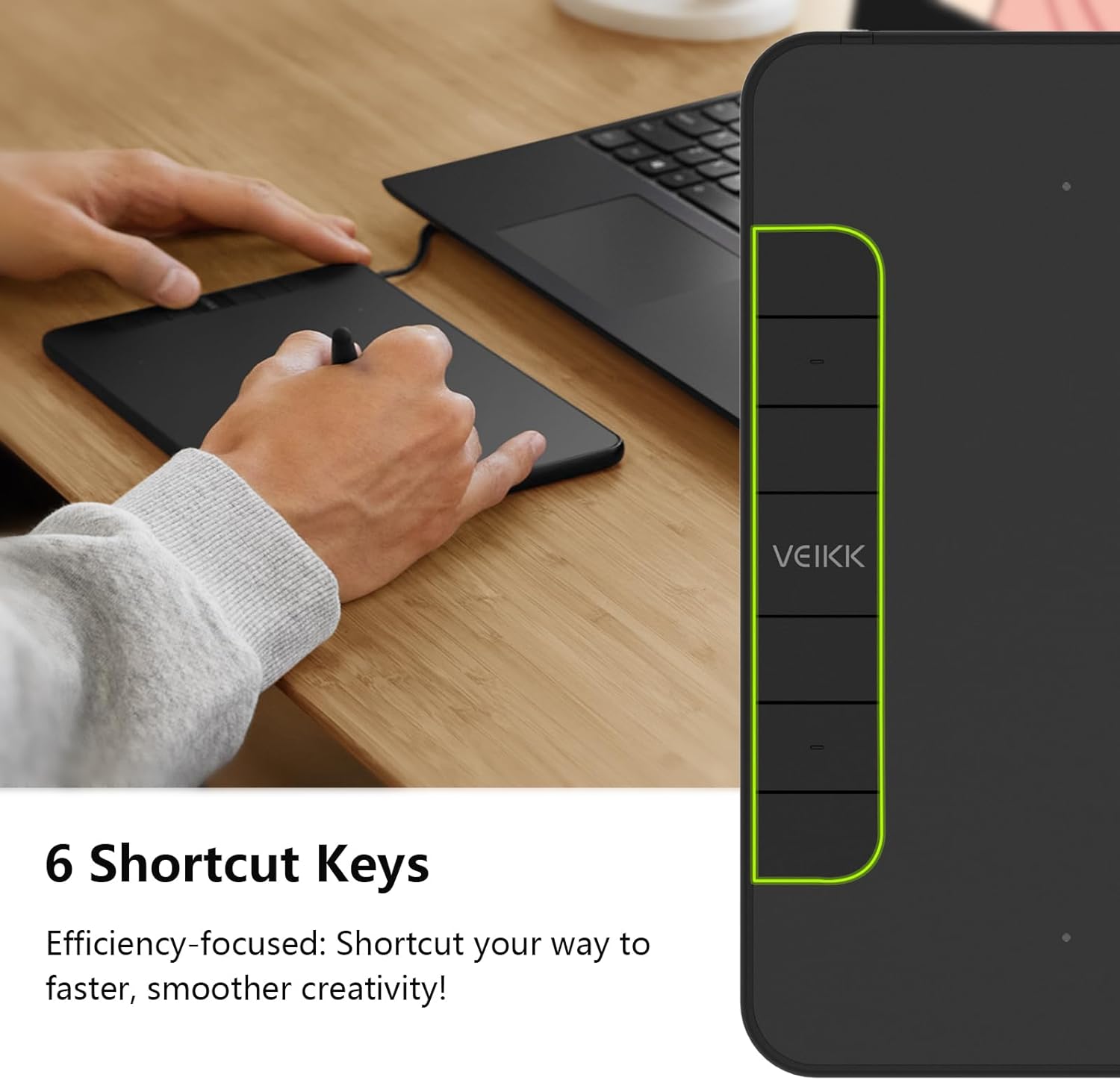
Immagine: Example functions for the 6 customizable press keys.
4.3 Compatibilità software
The VK640 is compatible with a wide range of creative software, including but not limited to:
- Adobe Photoshop
- Krita
- Illustratore di Adobe
- SAI
- SketchBookPro
- FireAlpaca
- OpenCanvas
- Studio Manga

Image: Broad compatibility of the VK640 with different operating systems and creative applications.
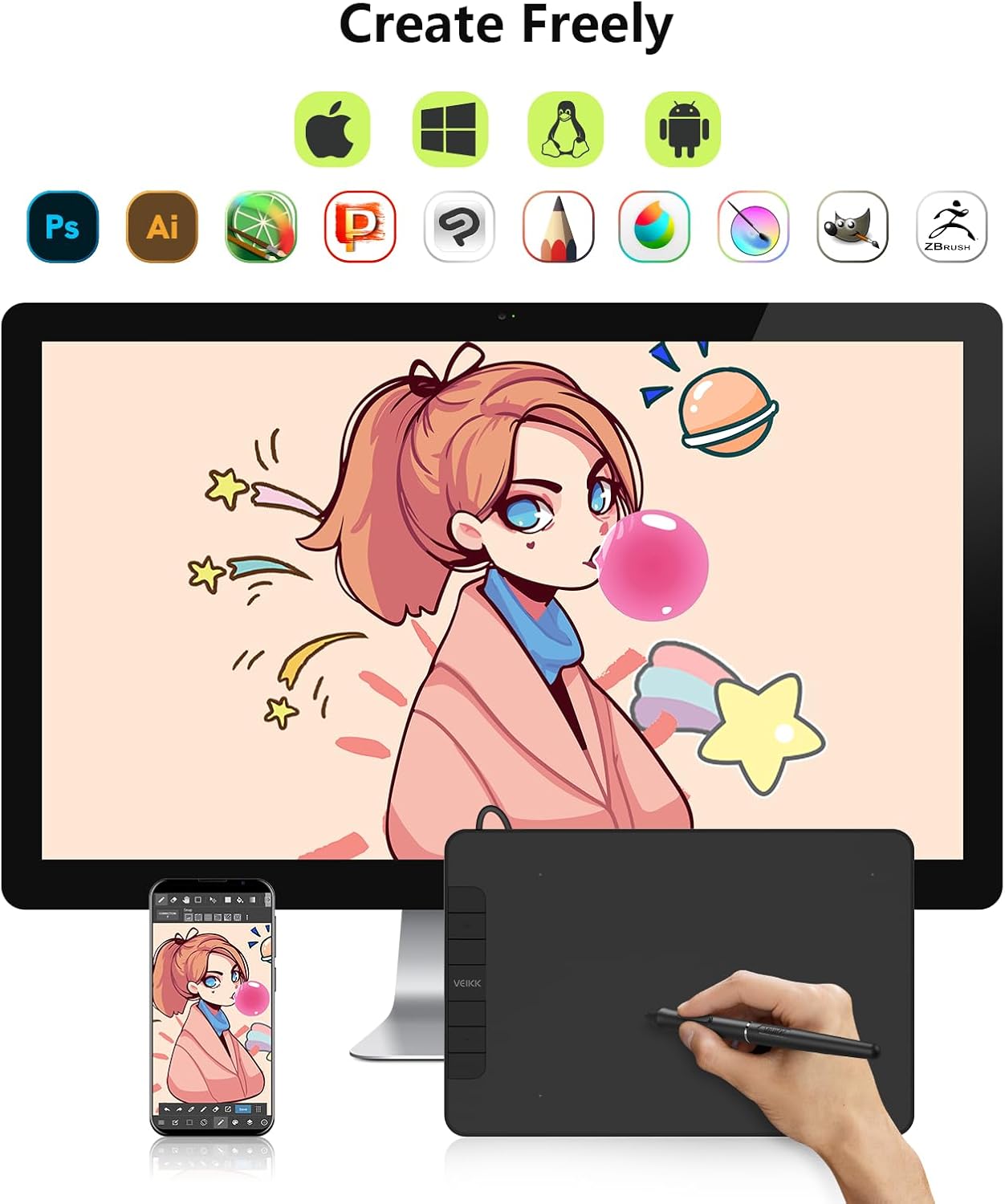
Image: Broad compatibility of the VK640 with different operating systems and creative applications.
5. Manutenzione
5.1 Pulizia del tablet
To clean the tablet surface, use a soft, dry cloth. For stubborn smudges, a slightly damp cloth with a mild, non-abrasive cleaner can be used. Avoid excessive moisture and harsh chemicals.
5.2 Sostituzione delle punte della penna
The pen nibs will wear down with use. When a nib becomes too short or sharp, replace it using the included nib remover tool. Gently pull out the old nib and insert a new one until it is secure.
The package includes 28 replacement pen nibs to ensure long-term use.
6. Risoluzione Dei Problemi
6.1 La penna non risponde
- Assicurati che il tablet sia collegato correttamente al computer.
- Verify that the VEIKK driver is installed correctly and running.
- Prova a riavviare il computer.
- Check if the pen nib is securely inserted or needs replacement.
- Se possibile, testare il tablet su una porta USB o su un computer diverso.
6.2 Pressure Sensitivity Not Working
- Confirm that the VEIKK driver is installed and updated.
- Check the pressure settings within your drawing software and the VEIKK driver panel.
- Ensure no other tablet drivers are conflicting with the VEIKK driver. Uninstall any old drivers.
6.3 Shortcut Keys Not Functioning
- Open the VEIKK driver software and verify that the shortcut keys are correctly assigned.
- Ensure the driver is active and not conflicting with other software.
7. Specifiche
| Marca | VEIKK |
| Nome del modello | VK640 |
| Tecnologia di connettività | USB |
| Area attiva | 6 x 4 inches (24 square inches) |
| Sensibilità alla pressione | 8192 livelli |
| Supporto inclinazione | 60° |
| Tasti di scelta rapida | 6 Tasti personalizzabili |
| Compatibilità del sistema operativo | Windows 7 or later, macOS 10.12 or later, Android 6.0 or later, Linux |
| Peso dell'articolo | 279 grammi |
| Spessore | Circa 8 mm (0.3 pollici) |

Image: Physical dimensions and weight of the VK640 tablet.

Image: Physical dimensions and weight of the VK640 tablet.
8. Garanzia e supporto
The VEIKK VK640 Digital Graphic Tablet comes with a garanzia di un anno from the date of purchase. VEIKK also provides supporto tecnico a vita per questo prodotto.
For warranty claims, technical assistance, or further inquiries, please contact VEIKK customer support through their official websito o le informazioni di contatto fornite nella Guida rapida.