1. Introduzione
Welcome to the XBJ A5pro Touch Screen Portable Projector user manual. This guide provides detailed instructions for setting up, operating, maintaining, and troubleshooting your new smart projector. Please read this manual thoroughly before use to ensure optimal performance and longevity of your device.
The XBJ A5pro combines the functionality of a portable projector with an interactive touchscreen, offering versatile entertainment and presentation options. Featuring Wi-Fi 6, Bluetooth 5.2, native 1080P resolution with 4K decoding support, and a 180° rotatable stand, it is designed for both indoor and outdoor use.
2. Caratteristiche del prodotto
- Unique Touchscreen Design: Seamlessly switch between tablet mode for interactive control and projector mode for large-screen display (30-300 inches).
- Quiet & Portable & Long Lamp Vita: Ultra-quiet cooling system (<30dB) extends lamp life up to 85,000 hours. The 180° rotatable stand allows projection on various surfaces.
- Native 1080P & 4K Decoding: Delivers sharp images with 800 ANSI lumens, auto-focus, and auto-keystone correction.
- Built-in Apps & Two-way Bluetooth Function: Integrated Android OS with pre-installed apps. Dual-band Wi-Fi 6 ensures low-latency streaming. Bluetooth 5.2 for audio synchronization and external speaker connection.
- Molteplici opzioni di connettività: USB, HDMI, and audio ports for connecting various devices like gaming consoles, laptops, and external speakers.
3. Impostazione
3.1 Disimballaggio e ispezione iniziale
Carefully remove all components from the packaging. Verify that all items listed in the 'What's in the Box' section are present and undamaged. If any items are missing or damaged, please contact customer support.
3.2 Collegamento di alimentazione
- Collegare il cavo di alimentazione alla porta di ingresso alimentazione del proiettore.
- Collegare l'altra estremità del cavo di alimentazione a una presa di corrente adeguata.
- The projector will power on automatically or can be powered on using the power button on the device or remote control.
3.3 Posizionamento e regolazione
Place the projector on a stable, flat surface. The 180° rotatable stand allows for flexible positioning, including projecting onto walls, ceilings, or tents.
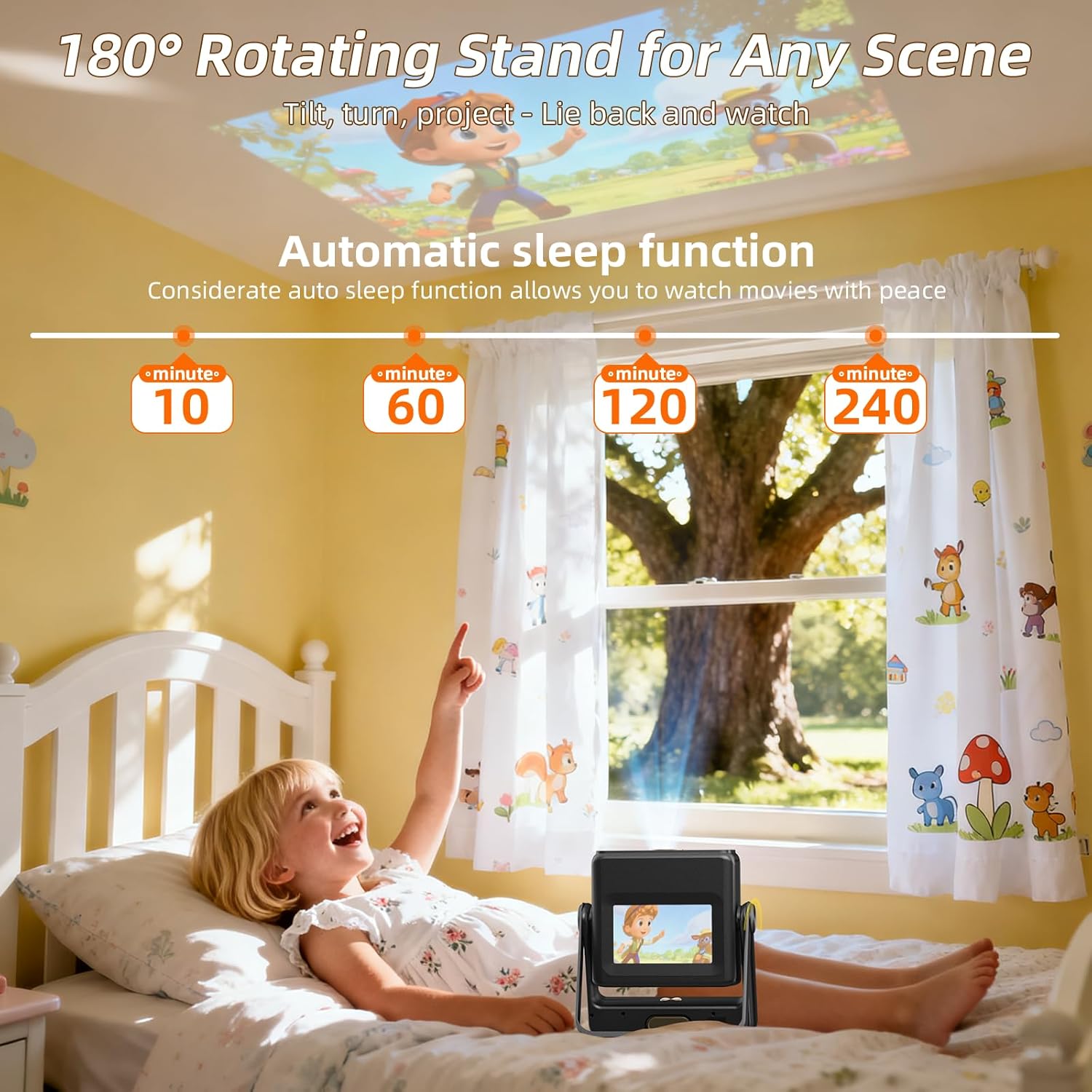
Figure 1: XBJ A5pro projector demonstrating its 180° rotatable stand for flexible projection angles.
- Adjust the projector's angle using the rotatable stand to direct the image onto your desired surface.
- The projector features automatic focus and keystone correction. Allow a few moments for the device to adjust the image clarity and shape.
- For manual focus adjustment, use the remote control's focus buttons (F+ / F-).
Video 1: Demonstration of the XBJ A5pro's touchscreen and automatic focus/keystone adjustment when moved or tilted.
4. Istruzioni per l'uso
4.1 Passaggio da una modalità all'altra
The XBJ A5pro offers two primary modes: Tablet Mode and Projector Mode. You can easily switch between them:
- Modalità Tablet: Use the built-in 7-inch touchscreen for direct interaction with the Android OS and apps.
- Modalità proiettore: Project the interface and content onto a larger screen.

Figure 2: Illustration of the XBJ A5pro's dual functionality: Tablet Mode for direct interaction and Projector Mode for large-screen display.
4.2 Navigazione nell'interfaccia
The projector runs on an Android OS. You can navigate using:
- Schermo tattile: Directly interact with the display in Tablet Mode.
- Telecomando: Use the included remote for navigation, app selection, volume control, and voice commands. Dedicated buttons for popular streaming apps (YouTube, Netflix, Prime Video, Google Play) are available.
4.3 Connettività
4.3.1 Connessione Wi-Fi
- Go to 'Settings' on the home screen.
- Selezionare "Rete e Internet" o "Wi-Fi".
- Scegli la rete Wi-Fi desiderata e inserisci la password.
- Connect to a 5G Wi-Fi network for optimal streaming and screen mirroring performance.
4.3.2 Connessione Bluetooth
The projector supports Two-way Bluetooth 5.2, allowing connection to external Bluetooth speakers or using the projector as a Bluetooth speaker itself.
- Go to 'Settings' on the home screen.
- Selezionare "Dispositivi connessi" o "Bluetooth".
- Attiva il Bluetooth e cerca i dispositivi disponibili.
- Seleziona il dispositivo che desideri associare.

Figure 3: XBJ A5pro's two-way Bluetooth functionality for connecting to phones or external speakers.
4.3.3 Connessioni HDMI e USB
The projector includes HDMI and USB ports for wired connections.
- Connect your device (e.g., TV Stick, PC, gaming console) to the appropriate HDMI or USB port on the back of the projector.
- The projector should automatically detect the input. If not, navigate to the 'Source' menu on the home screen to select the correct input.

Figura 4: Posteriore view of the XBJ A5pro projector highlighting its various connectivity ports.
4.4 Mirroring dello schermo
The projector supports screen mirroring from smartphones and other devices via Wi-Fi 6.
Nota importante: Due to HDCP (High-bandwidth Digital Content Protection) agreements, screen mirroring may not work with certain streaming apps (e.g., Hulu, Netflix) directly from your phone. To view content from these apps, please use a TV Stick/Chrome-cast inserted into the projector or connect via HDMI to a laptop/PC.

Figure 5: XBJ A5pro projector showcasing its screen mirroring capabilities via dual-band Wi-Fi 6.
5. Manutenzione
5.1 Pulizia
- Lente: Utilizzare un panno morbido e privo di lanugine, specificamente progettato per lenti ottiche. Non utilizzare detergenti abrasivi o solventi.
- Esterno: Pulire l'esterno del proiettore con un panno morbido e asciutto. Evitare di utilizzare detergenti liquidi direttamente sul dispositivo.
- Filtro antipolvere: The projector features a built-in dust filter. Regularly check and clean the filter to maintain optimal performance and extend lifespan.

Figura 6: Interno view of the XBJ A5pro's fully enclosed optical design and built-in dust filter.
5.2 Conservazione
Quando non in uso, conservare il proiettore in un luogo fresco e asciutto, lontano dalla luce solare diretta e da temperature estreme. Utilizzare l'imballaggio originale o una custodia protettiva per evitare polvere e danni.
6. Risoluzione Dei Problemi
- No Image/Sound during Screen Mirroring: This is often due to HDCP protection on certain streaming apps. Use a TV Stick/Chrome-cast or HDMI connection instead.
- L'immagine è sfocata: Allow the automatic focus to adjust. If still blurry, use the remote control's F+ / F- buttons for manual adjustment.
- L'immagine è distorta (forma trapezoidale): The projector has automatic keystone correction. If manual adjustment is needed, access the 'Projection Settings' in the menu.
- Nessuna connessione Wi-Fi/Bluetooth: Ensure the Wi-Fi/Bluetooth function is enabled in 'Settings'. Check your network connection and device compatibility.
- Item Received Damaged: If the product is damaged during shipping, contact XBJ customer support for assistance.
7. Specifiche
| Caratteristica | Specificazione |
|---|---|
| Marca | XBJ |
| Modello | A5pro |
| Risoluzione dello schermo | Nativo 1920 x 1080 (supporta la decodifica 4K) |
| Luminosità | 800 ANSI Lumen |
| Tecnologia di connettività | Bluetooth 5.2, USB, Wi-Fi 6 (Dual-band) |
| Caratteristiche speciali | Auto Focus, Auto Keystone Correction, Built-In Cooling System, Built-In Speaker, Portable, Touch Screen, 180° Rotatable Stand |
| Peso dell'articolo | 5.77 libbre |
| Dimensioni del pacco | 15.39 x 13.07 x 5.59 pollici |
8. Cosa c'è nella scatola
- XBJ A5pro Touchscreen Projector
- Telecomando
- Cavo HDMI
- Cavo di alimentazione
- Manuale dell'utente (questo documento)
9. Garanzia e supporto
XBJ is committed to providing high-quality products and customer satisfaction. If you encounter any issues with your product, please refer to the troubleshooting section or contact our customer support team.
- Assistenza clienti: For technical assistance or product inquiries, please contact us. We are fully responsible for products sold via our official store.
- E-mail: ESzxkj@outlook.com
- Sostituzione: In case of product damage during Amazon shipping, we offer replacements.

Figure 7: XBJ Customer Support details for technical assistance and replacements.