
1. Introduzione
Thank you for choosing the WILAWELS Low Voltage Landscape Transformer. This manual provides essential information for the safe and efficient installation, operation, and maintenance of your 200W (D11LT06) or 500W (D25LT06) transformer. These units are designed to convert standard 120V AC household current to a safe 12/14V AC for outdoor LED and halogen landscape lighting systems. They feature integrated timers and a detachable photocell sensor for automated lighting control.
2. Informazioni importanti sulla sicurezza
Si prega di leggere attentamente tutte le istruzioni prima di installare o utilizzare questo trasformatore. Il mancato rispetto di queste istruzioni può causare scosse elettriche, incendi o altri pericoli.
- Solo per uso esterno: This transformer is designed exclusively for outdoor applications.
- Fonte di energia: Connect the transformer only to a 120V AC, 60Hz grounded outlet protected by a Ground Fault Circuit Interrupter (GFCI).
- Capacità di carico: Do not exceed 80% of the transformer's rated wattage (e.g., 160W for 200W model, 400W for 500W model) to ensure safe and stable operation.
- Cablaggio: Use only UL/ETL listed low-voltage cable suitable for outdoor direct burial. Ensure all connections are secure and waterproof.
- Nessun dimmer: Do not connect the transformer to a dimmer switch or a timer that controls the input voltage.
- Montaggio: Mount the transformer at least 1 foot (30 cm) above ground level to prevent water damage.
- Manutenzione: Disconnect power before performing any maintenance or making adjustments.
- Bambini e animali domestici: Keep the transformer and wiring out of reach of children and pets.
3. Prodotto finitoview
The WILAWELS Low Voltage Landscape Transformer converts standard household electricity to a safe low voltage for your outdoor lighting. It includes a built-in timer and a detachable photocell sensor for automatic operation.
3.1 200W Transformer (Model D11LT06)
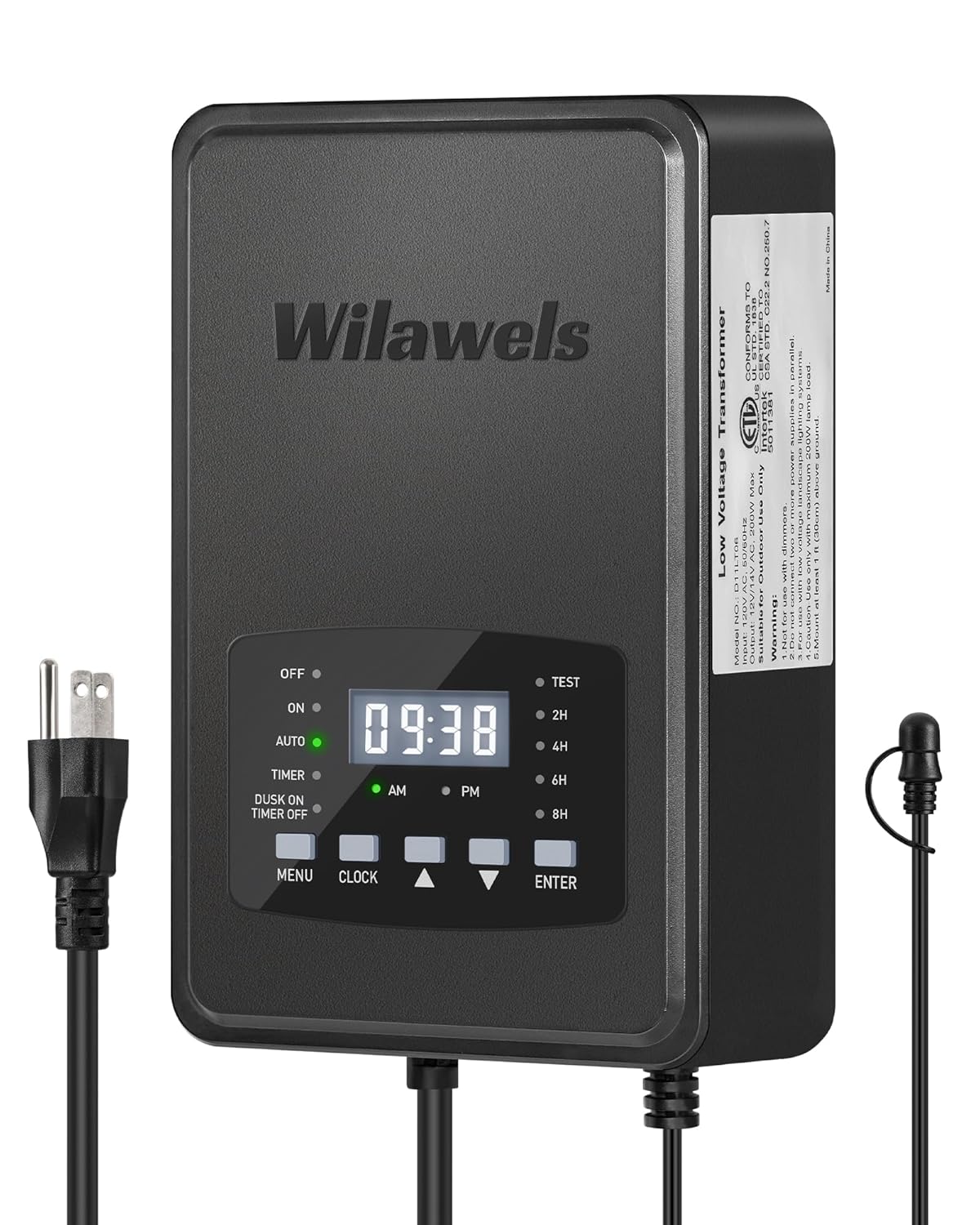
Descrizione dell'immagine: Questa immagine mostra la parte anteriore view of the WILAWELS 200W Low Voltage Landscape Transformer. The unit is dark gray with the 'Wilawels' logo prominently displayed. It features a digital display showing the time, surrounded by control buttons: MENU, CLOCK, up/down arrows, and ENTER. Indicator lights for OFF, ON, AUTO, TIMER, and DUSK ON TIMER OFF modes are visible, along with options for 2H, 4H, 6H, 8H countdowns. A power cord with a standard plug extends from the bottom left, and a separate cord for the photocell sensor is on the right.

Descrizione dell'immagine: This graphic illustrates the voltage conversion of the 200W Low Voltage Transformer. It shows '120V INPUT' on the left, flowing into the transformer unit, and '12V/14V OUTPUT' on the right, indicating the safe low voltage for landscape lighting. The transformer itself is depicted with its digital display and controls, emphasizing its function in converting high voltage a basso voltage.
3.2 500W Transformer (Model D25LT06)
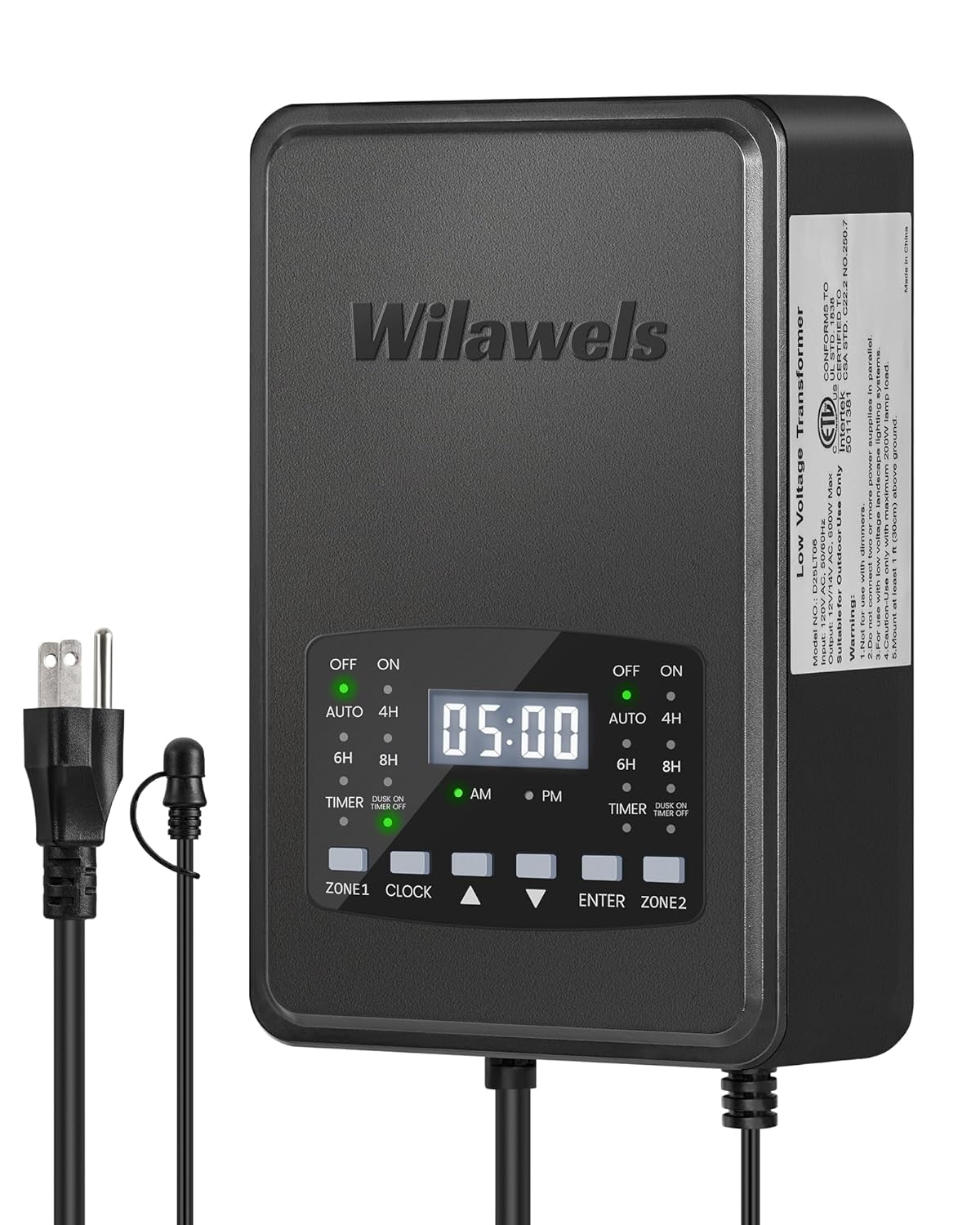
Descrizione dell'immagine: This image displays the front of the WILAWELS 500W Low Voltage Landscape Transformer. Similar to the 200W model, it is dark gray with a digital time display. Key differences include two distinct control zones labeled 'ZONE 1' and 'ZONE 2', each with its own set of mode indicators (OFF, ON, AUTO, 4H, 6H, 8H, TIMER, DUSK ON TIMER OFF). The central control buttons are MENU, CLOCK, up/down arrows, and ENTER. Power and sensor cords are visible.
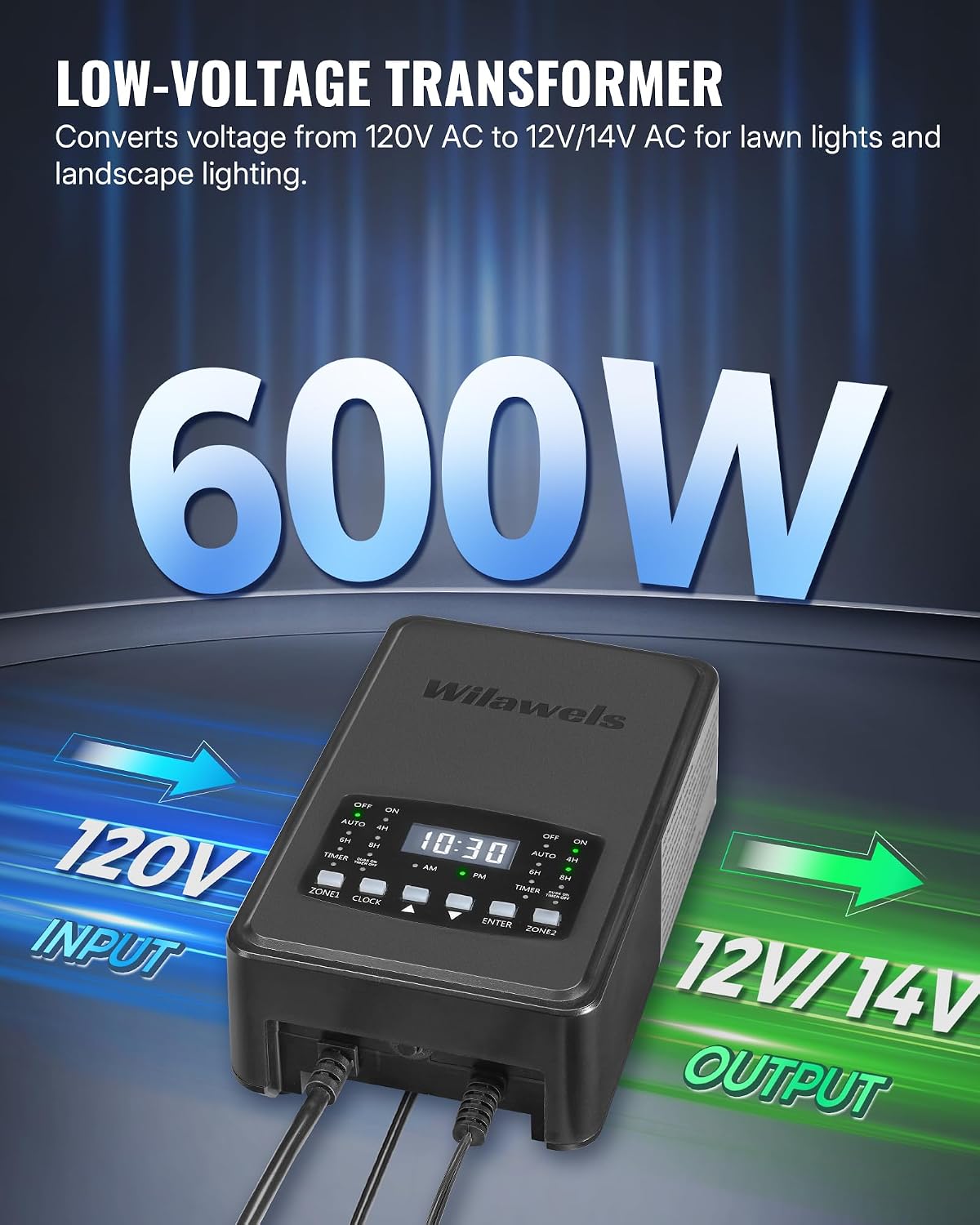
Descrizione dell'immagine: This graphic demonstrates the voltage conversion for the 500W Low Voltage Transformer. It clearly shows '120V INPUT' on the left, entering the transformer, and '12V/14V OUTPUT' on the right, representing the converted low voltage suitable for landscape lighting. The transformer unit with its dual-zone controls is central to the illustration.
4. Installazione
Proper installation is crucial for the safe and effective operation of your landscape lighting system.
4.1 Montaggio del trasformatore
- Choose a suitable outdoor location near a GFCI-protected 120V AC outlet. The location should be protected from direct sunlight and heavy rain if possible, though the unit is designed for outdoor use.
- Mount the transformer vertically on a sturdy surface (e.g., wall, post) using appropriate screws. Ensure it is at least 1 foot (30 cm) above ground level.
- The transformer comes with a 3.3ft ETL-certified power cord. Ensure the outlet is within reach.
4.2 Connecting the Photocell Sensor
The detachable photocell sensor has a 6ft ETL-certified cord, allowing flexible placement for optimal light detection.
- Plug the photocell sensor into the designated port on the transformer.
- Position the sensor in a location that receives natural ambient light, free from obstruction by trees, buildings, or artificial light sources (like porch lights) that could interfere with its dusk-to-dawn function.

Descrizione dell'immagine: This image illustrates the function of the photocell sensor. On the left, it shows a landscape scene during dawn with lights off, indicating 'Dawn OFF'. On the right, the same scene is depicted at dusk with lights on, indicating 'Dusk ON'. The transformer is mounted on a post, and the small, round photocell sensor is shown connected via its cord, demonstrating its role in automatically turning lights on at dusk and off at dawn.
4.3 Wiring Landscape Lights
- Route your low-voltage landscape lighting cable from the transformer to your light fixtures. Bury the cable at least 6 inches deep or conceal it appropriately to prevent damage.
- Strip approximately 1/2 inch of insulation from the ends of the low-voltage cavo.
- Collegare il basso volumetage cable to the transformer's output terminals. Ensure a secure connection.
- Connect your landscape light fixtures to the low-voltage cable according to their individual instructions.
- Once all connections are made, plug the transformer's power cord into the GFCI-protected 120V AC outlet.
5. Funzionamento
Your WILAWELS transformer offers multiple operating modes for flexible lighting control.
5.1 Impostazione dell'orologio
- Press the 'CLOCK' button. The hour digits will flash.
- Use the 'UP' and 'DOWN' arrow buttons to set the current hour. Pay attention to AM/PM indicators.
- Press 'CLOCK' again. The minute digits will flash.
- Use the 'UP' and 'DOWN' arrow buttons to set the current minutes.
- Press 'CLOCK' or 'ENTER' to confirm and exit clock setting mode.
5.2 Operating Modes (200W Model D11LT06)

Descrizione dell'immagine: This graphic displays the six operating modes available on the WILAWELS 200W Low Voltage Transformer. The transformer unit is at the center, surrounded by icons and text labels for each mode: Manual On/Off Mode, Auto On/Off Mode, Timer Mode, Countdown Mode (with 2H, 4H, 6H, 8H options), Dusk On Timer Off Mode, and Test Mode. This visually summarizes the transformer's versatile control options.
Press the 'MENU' button repeatedly to cycle through the following modes:
- OFF: Lights remain off.
- SOPRA: Le luci rimangono accese ininterrottamente.
- AUTO (Dal tramonto all'alba): Lights turn on automatically at dusk and turn off at dawn, controlled by the photocell sensor.
- TIMER: Lights turn on and off at specific times you set.
- DUSK ON TIMER OFF: Lights turn on at dusk and turn off at a specific time you set.
- Countdown (2H/4H/6H/8H): Lights turn on at dusk and automatically turn off after 2, 4, 6, or 8 hours. Use the arrow buttons to select the desired duration.
5.3 Operating Modes (500W Model D25LT06)

Descrizione dell'immagine: This graphic illustrates the five operating modes available on the WILAWELS 500W Low Voltage Transformer. The transformer unit is centrally located, surrounded by icons and text labels for each mode: Manual On/Off Mode, Auto On/Off Mode, Countdown Mode, Dusk On Timer Off Mode, and Timer Mode. This provides a visual summary of the 500W model's control capabilities.
The 500W model features two independently controlled output zones. You can set different modes for Zone 1 and Zone 2.

Descrizione dell'immagine: This image highlights the dual-zone independent control feature of the WILAWELS 500W Low Voltage Landscape Transformer. The transformer is shown with its two distinct control zones, labeled '1' and '2'. On the right, two example scenarios are presented: 'ZONE 1' is set to 'Auto On/Off Mode' (on at dusk, off at dawn) for pool area lighting, and 'ZONE 2' is set to 'Timer Mode' (on at 8:00 PM, off at 11:30 PM) for patio string lights. This visually demonstrates how each zone can be programmed separately.
To set a mode for a specific zone:
- Press the 'ZONE 1' or 'ZONE 2' button to select the desired zone. The indicator light for that zone will flash.
- Press the 'MENU' button repeatedly to cycle through the available modes for that zone:
- OFF: Lights remain off.
- SOPRA: Le luci rimangono accese ininterrottamente.
- AUTO (Dal tramonto all'alba): Lights turn on automatically at dusk and turn off at dawn, controlled by the photocell sensor.
- TIMER: Lights turn on and off at specific times you set.
- DUSK ON TIMER OFF: Lights turn on at dusk and turn off at a specific time you set.
- Countdown (4H/6H/8H): Lights turn on at dusk and automatically turn off after 4, 6, or 8 hours. Use the arrow buttons to select the desired duration.
- Press 'ENTER' to confirm the mode selection for the chosen zone.
Importante: The total power of both zones combined should not exceed 80% of the transformer's rated power (400W for the 500W model).
6. Manutenzione
Regular maintenance ensures optimal performance and longevity of your transformer.
- Pulizia: Periodically wipe the transformer's exterior with a soft, damp stoffa. Non utilizzare prodotti chimici aggressivi o detergenti abrasivi.
- Connessioni: Annually inspect all wiring connections for tightness and corrosion. Ensure the photocell sensor is clean and free from obstructions.
- Sensore fotocellula: If the photocell sensor becomes damaged or stops functioning, it is detachable and replaceable.
- winterization: In areas with harsh winters, consider unplugging and storing the transformer indoors during the coldest months to extend its lifespan.
7. Risoluzione Dei Problemi
Se riscontri problemi con il tuo trasformatore, fai riferimento ai seguenti problemi comuni e alle relative soluzioni:
| Problema | Possibile causa | Soluzione |
|---|---|---|
| Le luci non si accendono. | No power to transformer; Transformer in OFF mode; Faulty wiring; Overload; Photocell obstructed. | Check GFCI outlet; Ensure transformer is plugged in; Select ON, AUTO, or TIMER mode; Inspect wiring for loose connections or damage; Reduce total wattage of lights; Clear photocell sensor. |
| Le luci rimangono accese continuamente. | Transformer in ON mode; Photocell sensor not working or receiving too much light. | Select AUTO or TIMER mode; Relocate photocell sensor away from artificial light sources; Replace photocell sensor if faulty. |
| Lights turn on/off at incorrect times. | Clock not set correctly; Incorrect mode selected; Photocell sensor interference. | Reset the clock; Verify the selected operating mode; Check photocell sensor for obstructions or interference. |
| Il display digitale è vuoto. | Nessuna alimentazione al trasformatore. | Check GFCI outlet and power cord connection. |
| Luci tremolanti. | Loose connections; Overload; Incompatible lights. | Check all wiring connections; Reduce total wattage; Ensure lights are compatible with low-voltage trasformatori. |
8. Specifiche
| Caratteristica | 200W Model (D11LT06) | 500W Model (D25LT06) |
|---|---|---|
| Ingresso volumetage | 120V AC 60Hz | 120V AC 60Hz |
| Volume di uscitatage | 12 V CA / 14 V CA | 12 V CA / 14 V CA |
| Max Wattage | 200W | 500W |
| Carico consigliato | Up to 160W (80% of max) | Up to 400W (80% of max) |
| Certificazioni | ETL quotato | ETL quotato |
| Lunghezza del cavo di alimentazione | 3.3 piedi | 3.3 piedi |
| Photocell Sensor Cord Length | 6 piedi | 6 piedi |
| Zone di controllo | 1 | 2 (Indipendente) |
9. Garanzia e assistenza clienti
WILAWELS products are manufactured to high-quality standards. For warranty information or technical assistance, please refer to the product packaging or contact WILAWELS customer support directly. Contact details can typically be found on the manufacturer's websito o tramite la tua piattaforma di acquisto.