
1. Introduzione
This manual provides detailed instructions for the installation, operation, and maintenance of your ALITOVE Permanent Outdoor LED Strip Lights. These 100FT (30M) RGB IC LED strip lights are designed for outdoor use, featuring IP67 waterproofing, 24V low voltage operation, and smart control via app or remote. Each strip incorporates an IC chip, allowing for multiple colors to be displayed simultaneously, enhancing dynamic lighting effects.
2. Informazioni sulla sicurezza
- Alimentazione elettrica: Use only the provided 24V adapter. Connecting to an incorrect voltagCiò potrebbe danneggiare il prodotto e rappresentare un rischio per la sicurezza.
- Impermeabilizzazione: The LED strip lights are IP67 waterproof, suitable for outdoor environments. Ensure all connections to the power adapter and controller are secure and protected from direct water exposure if not rated for it.
- Installazione: Do not install the lights in areas where they may be submerged in water for extended periods. Avoid piercing or damaging the strip during installation.
- Taglio: The LED strip can be cut only at designated cut marks (every 20cm). Cutting at other points will damage the strip and void the warranty.
- Calore: Do not cover the LED strips with materials that could trap heat, as this may reduce their lifespan.
- Bambini: Tenere il prodotto e i suoi componenti fuori dalla portata dei bambini.
3. Contenuto della confezione
Verifica che tutti gli articoli elencati di seguito siano inclusi nel tuo pacchetto:
- 1 x 100ft (30M) LED Strip Light
- 1 adattatore di alimentazione 24V
- 1 x controller LED
- 90 clip di montaggio
- 180 x Viti
Nota: This product does not include adhesive backing. Mounting clips and screws are provided for secure installation.

4. Istruzioni per l'installazione
- Pianifica il tuo layout: Before installation, unroll the LED strip and plan the desired path. Ensure the length is sufficient for your application.
- Montaggio della striscia: Use the provided mounting clips and screws to secure the LED strip to your desired surface. Space the clips evenly to ensure the strip is held firmly. The strip is flexible and can be bent to fit corners and contours.
- Collegare il controller: Connect the LED strip to the LED controller. Ensure the connectors are aligned correctly and securely fastened.
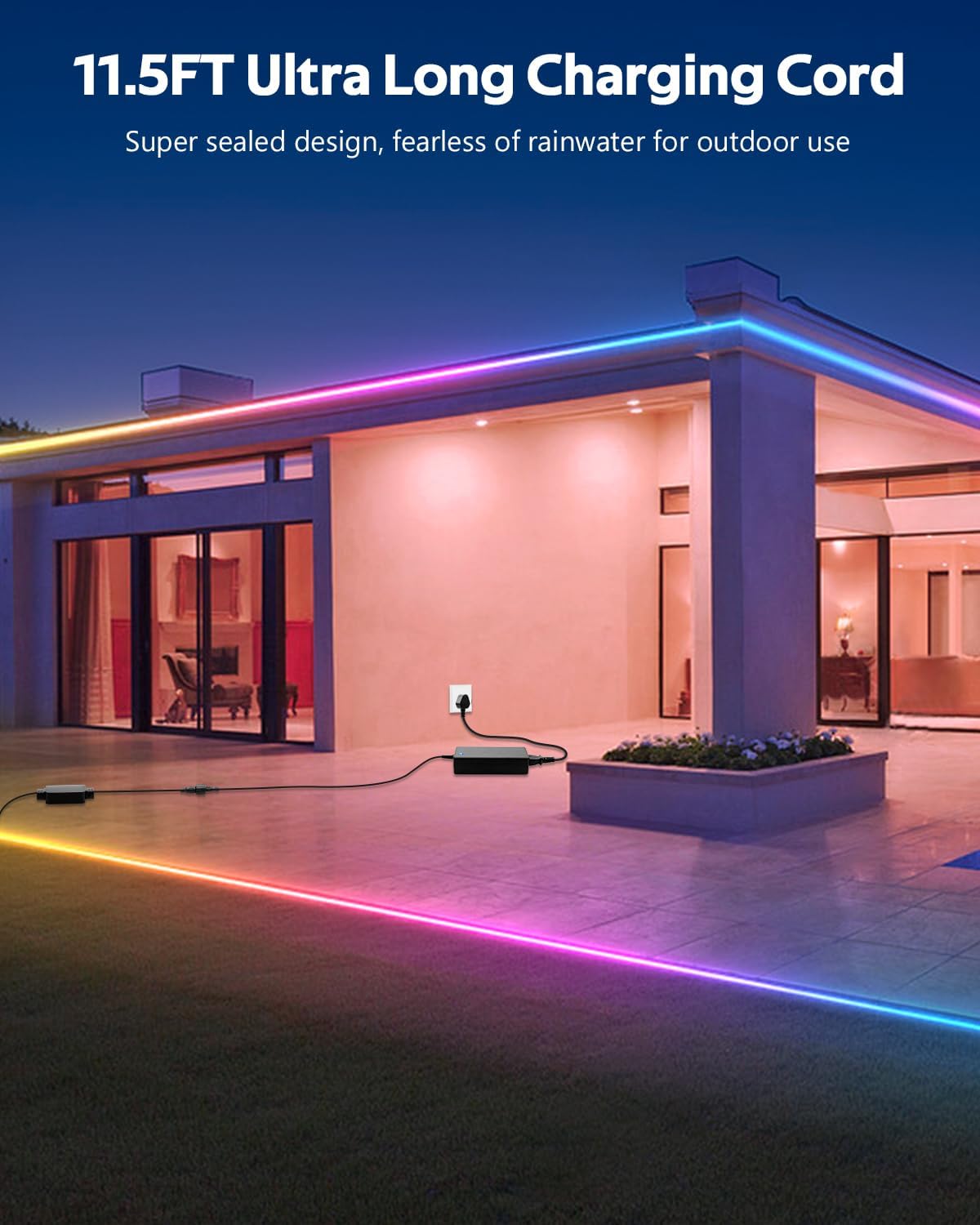
- Collegare l'adattatore di alimentazione: Connect the 24V power adapter to the LED controller. The product includes an 11.5FT (3.5M) ultra-long charging cord, allowing for flexible power placement without space limitations.
- Collegare: Collegare l'adattatore di alimentazione a una presa di corrente adatta per esterni.
5. Istruzioni per l'uso
Your ALITOVE LED Strip Lights can be controlled using either the included remote control or the dedicated smartphone application.
5.1. App Control (Magic Lantern)
For full functionality and customization, download the "Magic Lantern" app on your smartphone.
- Scarica l'App: Cercare "Magic Lantern" in your device's app store and install it.
- Abilita Bluetooth: Assicurati che il Bluetooth sia abilitato sul tuo smartphone.
- Connettiti alle luci: Open the "Magic Lantern" app. The app should automatically detect and connect to your LED strip lights via Bluetooth. If not, follow the in-app instructions to pair.
- Caratteristiche di controllo: All'interno dell'app puoi:
- Select from 16 million static colors.
- Choose from 213 dynamic lighting scenes.
- Regola la luminosità e la velocità degli effetti dinamici.
- Customize colors and create your own lighting designs.

5.2. Controllo remoto
The included remote control provides convenient access to basic functions.
- Pulsante di accensione: Accendi/Spegni le luci.
- Selezione del colore: Directly select various static colors.
- Selezione della modalità: Cycle through pre-programmed dynamic lighting modes.
- Regolazione della luminosità: Aumentare o diminuire l'intensità della luce.
- Regolazione della velocità: Regola la velocità degli effetti di illuminazione dinamici.

5.3. Funzione di sincronizzazione musicale
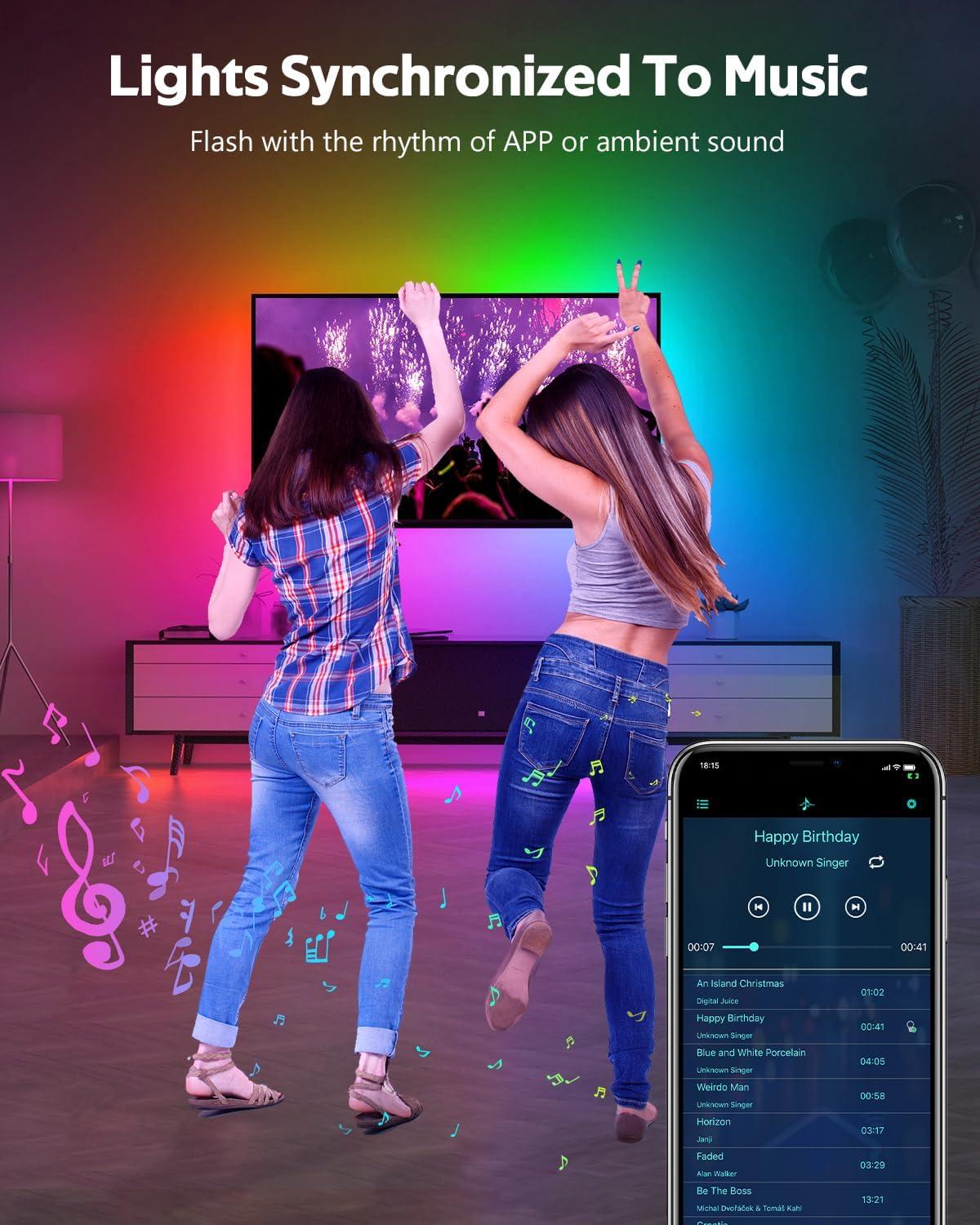
The built-in microphone allows the lights to synchronize with music or ambient sounds.
- Attivazione: Activate the music sync mode via the "Magic Lantern" app or the remote control (if available).
- Posizionamento del microfono: For optimal response, ensure the controller's microphone is placed close to the sound source.
- App Music Playback: The app also supports music playback, allowing the lights to respond directly to the music played through your device.
5.4. Funzione di temporizzazione
Set schedules for your lights to turn on or off automatically using the "Magic Lantern" app.
- Orari di accesso: Navigate to the timing or schedule section within the app.
- Imposta orari: Configure specific times for the lights to activate or deactivate.

6. Manutenzione
- Pulizia: Pulire delicatamente la striscia LED con un panno morbido eamp panno per rimuovere polvere o sporco. Non utilizzare prodotti chimici aggressivi o detergenti abrasivi.
- Verifica della connessione: Periodically inspect all connections (strip to controller, controller to adapter) to ensure they are secure and free from corrosion or damage.
- Integrità impermeabile: While IP67 rated, avoid prolonged exposure to extreme weather conditions if possible. Ensure no cuts or damage compromise the waterproof sealing.
- Magazzinaggio: If storing the lights for an extended period, ensure they are clean, dry, and coiled loosely to prevent damage.
7. Risoluzione Dei Problemi
| Problema | Possibile causa | Soluzione |
|---|---|---|
| Le luci non si accendono. | No power, loose connection, faulty adapter/controller. | Check power outlet. Ensure all connections are secure. Test with another power source if possible. |
| Telecomando non funzionante. | Batteria scarica, telecomando fuori portata, sensore IR bloccato. | Replace remote battery. Ensure remote is pointed at the controller. Remove any obstructions. |
| L'app non riesce a connettersi alle luci. | Bluetooth disattivato, app non associata, interferenza. | Ensure Bluetooth is enabled on your phone. Restart the app and try pairing again. Move closer to the controller. |
| Le luci sono fioche o irregolari. | Power supply issue, voltage drop (unlikely with 24V system), damaged section. | Ensure the power adapter is functioning correctly. Check for physical damage to the strip. |
| La sincronizzazione della musica non risponde. | Microphone too far from sound, low volume. | Move the controller closer to the sound source. Increase music volume. |
8. Specifiche
| Caratteristica | Specificazione |
|---|---|
| Numero di modello | WS2811-30M-FGY30-24V |
| Lunghezza | 100FT (30 Meters) |
| Tipo di LED | RGB IC LED (Addressable) |
| Densità LED | 30 LEDs/Meter |
| Voltage | 24V CC |
| Cosatage | 81 Watt (massimo) |
| Grado di impermeabilità | Grado di protezione IP67 |
| Metodo di controllo | Bluetooth App ("Magic Lantern"), Remote Control |
| Caratteristiche speciali | Music Sync, Timing Function, Dimmable, Flexible |
| Vita media | 50,000 ore |
| Uso interno/esterno | All'aperto |
9. Garanzia e supporto
For warranty information and technical support, please refer to the ALITOVE official weboppure contatta direttamente il servizio clienti. Conserva la ricevuta d'acquisto come prova d'acquisto.