
1. Prodotto finitoview
The MCHOSE UT98 is a compact wireless mechanical keyboard designed for gaming and everyday use. It features a tri-mode connection, hot-swappable switches, a gasket structure for enhanced typing feel, and customizable RGB lighting.

Caratteristiche principali:
- Connessione Tri-Mode: Bluetooth 5.0, 2.4GHz Wireless, and USB-C Wired.
- Sostituibile a caldo: Compatible with 3-pin and 5-pin mechanical switches.
- Struttura di montaggio della guarnizione: Five layers of dampening material for a stable and quiet typing experience.
- RGB personalizzabile: 16 million colors with various effects via MCHOSE HUB.
- Manopola integrata: For instant mute, precise volume control, and other functions.
- Batteria a lunga durata: Batteria integrata da 8000 mAh per un utilizzo prolungato.
2. Contenuto della confezione
Assicurarsi che tutti gli articoli siano presenti al momento dell'apertura della confezione:
- MCHOSE UT98 Wireless Mechanical Keyboard
- Estrattore per tasti e interruttori
- Cavo USB (da USB-A a USB-C)
- 2.4GHz Wireless Receiver (stored within the keyboard)
- 2 x Replace Switches
- Copertura antipolvere
- Manuale dell'utente (questo documento)

3. Configurazione e connettività
3.1 Accensione/Spegnimento
Locate the power switch on the side of the keyboard. Slide it to the 'ON' position to power on the keyboard. Slide it to 'OFF' to power off.
3.2 Connessione Tri-Mode
The UT98 supports three connection modes: 2.4GHz Wireless, Bluetooth 5.0, and USB-C Wired. A switch on the left side of the keyboard allows you to select the desired mode.

Modalità wireless a 2.4 GHz:
- Locate the 2.4GHz wireless receiver. It is stored in a magnetic compartment on the side of the keyboard. Press the 'PRESS' button to release it.
- Collegare il ricevitore da 2.4 GHz a una porta USB disponibile sul computer.
- Slide the mode switch on the keyboard to the 2.4GHz wireless icon.
- La tastiera dovrebbe connettersi automaticamente.
Modalità Bluetooth 5.0:
- Slide the mode switch on the keyboard to the Bluetooth icon.
- Sul tuo dispositivo (PC, laptop, smartphone, tablet), vai alle impostazioni Bluetooth e cerca nuovi dispositivi.
- Select "MCHOSE UT98" from the list of available devices to pair.
- The keyboard can connect to up to 3 devices and easily switch between them using FN + key combinations (refer to the user manual for specific key combinations).
Modalità cablata USB-C:
- Collegare il cavo USB-C in dotazione alla porta USB-C della tastiera.
- Collegare l'altra estremità del cavo USB-C a una porta USB disponibile sul computer.
- Slide the mode switch on the keyboard to the USB icon.
- The keyboard will function in wired mode and charge simultaneously.
3.3 Compatibilità del sistema operativo
The keyboard is optimized for both macOS and Windows. Use the following FN key combinations to switch between operating system layouts:
- FN+Q: Android
- FN+W: Finestre
- FN+R: iOS
- FN+E: Mac

4. Istruzioni per l'uso
4.1 Funzioni della manopola
The integrated knob provides quick control over audio:
- Ruota verso l'alto: Volume +
- Ruota verso il basso: Volume -
- Spingere verso il basso: Disattiva/Attiva audio
4.2 Controllo dell'illuminazione RGB
The UT98 features vibrant soft light RGB with 16 million customizable colors. You can fine-tune brightness, effects, and reactive modes.
- Cambia modalità RGB: Use FN + specific keys (refer to the included handy guide for exact combinations).
- Change Solid Color: Use FN + Tab.
- Change Pattern: Use FN + Backspace.
Note: The keycaps are non-shine-through, so the backlight will shine around the keys but not through the characters.
4.3 MCHOSE HUB Software
For advanced customization, download the MCHOSE HUB software. This allows you to:
- Creare e assegnare macro.
- Personalizza le assegnazioni dei tasti.
- Set rhythm-based lighting effects.
- Configure various lighting modes.
5. Manutenzione
5.1 Pulizia
Regularly clean your keyboard to maintain performance and appearance. Use a soft, dry cloth to wipe down the surface. For deeper cleaning, you may remove keycaps.
5.2 Switch sostituibili a caldo
The UT98 features hot-swappable PCB sockets, allowing you to change switches without soldering. Use the provided keycap and switch puller:
- Rimuovere delicatamente il tasto utilizzando l'apposito estrattore.
- Utilizzare l'estrattore per afferrare con cautela l'interruttore e tirarlo verso l'alto.
- Allineare i pin del nuovo interruttore con i fori sul PCB e premere con decisione finché non scatta in posizione.
- Sostituire il tasto.

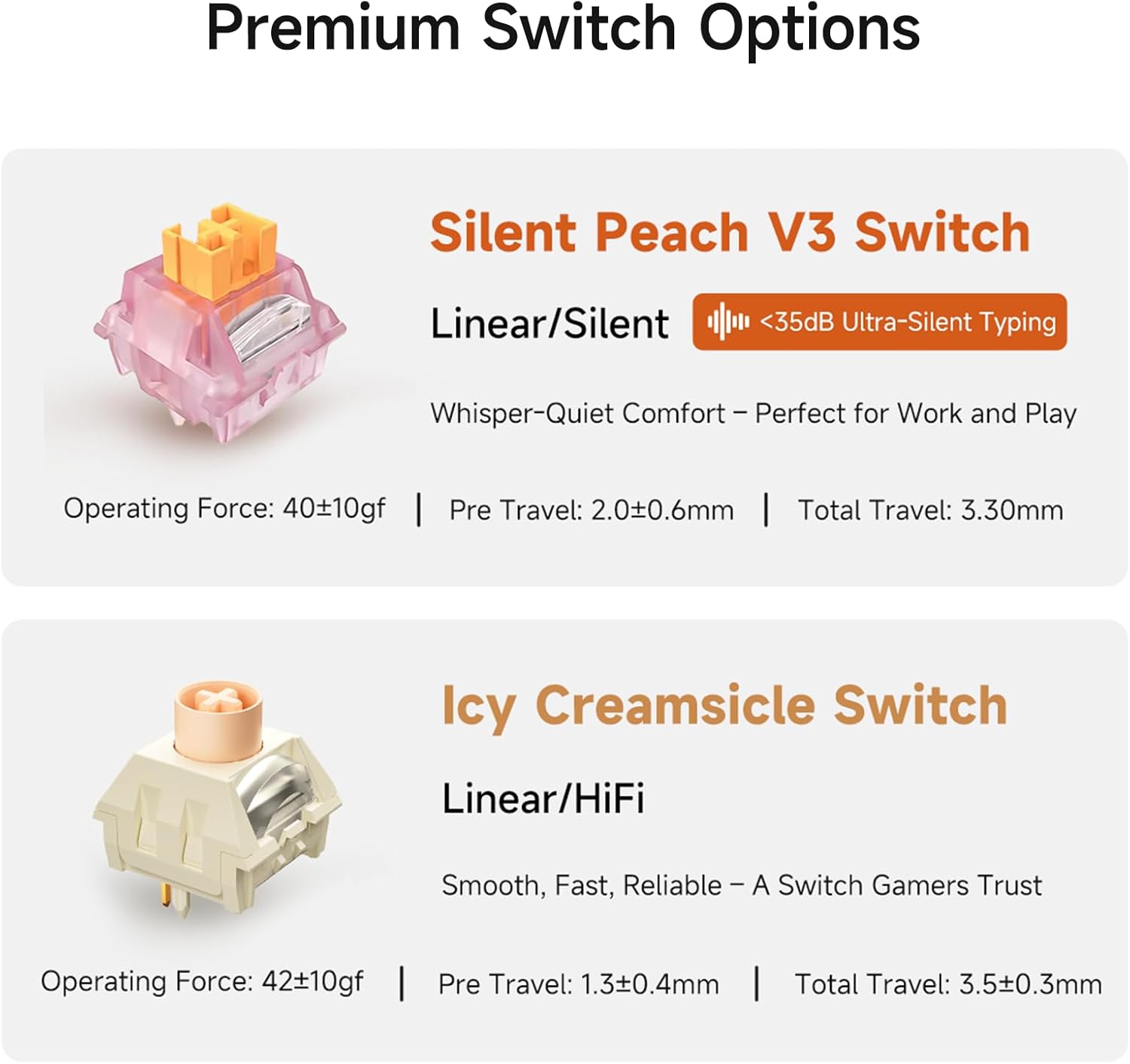
5.3 Opzioni di commutazione
The UT98 offers premium switch options for different typing preferences:
- Silent Peach V3 Switch: Linear/Silent (<35dB Ultra-Silent Typing). Operating Force: 40±10gf, Pre Travel: 2.0±0.6mm, Total Travel: 3.30mm.
- Icy Creamsicle Switch: Linear/HiFi. Operating Force: 42±10gf, Pre Travel: 1.3±0.4mm, Total Travel: 3.5±0.3mm.
6. Risoluzione Dei Problemi
If you encounter any issues with your MCHOSE UT98 keyboard, please try the following:
- Nessuna connessione: Ensure the mode switch is set correctly (2.4GHz, BT, or USB). For 2.4GHz, check if the dongle is properly inserted. For Bluetooth, ensure the keyboard is paired and within range. For wired, check the USB-C cable connection.
- RGB non funzionante: Verify the keyboard is powered on. Use FN key combinations to cycle through lighting modes or adjust brightness. Check MCHOSE HUB software settings.
- I tasti non rispondono: Ensure the keyboard is powered on and connected. If specific keys are not working, try re-seating or replacing the switch using the provided tools.
- Problemi con la batteria: Charge the keyboard using the USB-C cable. If battery life is significantly shorter than expected, contact support.
7. Specifiche
| Caratteristica | Dettaglio |
|---|---|
| Marca | MSCEGLI |
| Numero di modello | UT98 |
| Dimensioni del prodotto | 15"L x 5"W x 2"H (15 x 5 x 2 pollici) |
| Peso dell'articolo | 40.7 libbre |
| Tecnologia di connettività | Wireless a 2.4 GHz, BT5.0, USB-C |
| Descrizione della tastiera | Meccanico |
| Caratteristiche speciali | Backlit, Customizable Display Keys, Ergonomic, Hot-Swappable, Rechargeable |
| Supporto del colore della retroilluminazione della tastiera | Colore RGB |
| Batterie | 1 batteria non standard (inclusa) |
| Capacità della batteria | 8000mAh (up to 500 hours battery life) |
| Dispositivi compatibili | Console di gioco, laptop, PC, smartphone, tablet |
| Data prima disponibilità | 11 settembre 2025 |
8. Garanzia e supporto
For warranty information and technical support, please refer to the official MCHOSE website or contact MCHOSE customer service directly. Keep your purchase receipt for warranty claims.
Additional support and resources may be available through the MCHOSE HUB software and online community.