
1. Introduzione
The DUSONLAP E6 AI Translation Earbuds are designed to facilitate communication across language barriers, offer music playback, and handle phone calls. These earbuds feature advanced translation capabilities, a comfortable open-ear design, and extended battery life, making them suitable for various daily activities and international interactions.
2. Cosa c'è nella scatola
Dopo aver aperto la confezione, assicurarsi che siano presenti tutti gli elementi elencati di seguito:
- DUSONLAP E6 Translation Earbuds (Left & Right)
- Fast-Charging Case
- Cavo di ricarica di tipo C.
- Manuale d'uso
- Translation Manual

Image: Package contents of the DUSONLAP E6 AI Translation Earbuds.
3. Prodotto finitoview
3.1 Caratteristiche principali
- Funzionalità tre in uno: Combines translation, music playback, and phone calls.
- Audio ad alta fedeltà: Equipped with 14.2mm Hi-Fi dynamic drivers for clear sound.
- Cancellazione del rumore ENC: Filters up to 90% of background noise for calls.
- Ampio supporto linguistico: Supports 164 languages without subscription.
- Molteplici modalità di traduzione: Includes Free Talk, Headset + Phone, Translation Machine, Photo Translation, Voice Memo, and AI Chat modes.
- Modalità chat AI: Integrates OpenAI 4.0 mini API for intelligent conversations.
- Design Open-Head: Ergonomic ear hook design for comfort and situational awareness.
- Bluetooth 5.4: Ensures instant pairing and stable transmission up to 15 meters.
- Durata prolungata della batteria: Up to 8 hours per charge, 32 hours with charging case.
- IPX7 impermeabile: Resistente al sudore, alla pioggia e agli schizzi.
3.2 Componenti

Image: Internal structure of the earbud, showing the 14.2mm driver and sound features.
The earbuds feature a 14.2mm dynamic driver for audio output and are designed for clear calls and language translation. The charging case includes a digital display for battery levels.
4. Impostazione
4.1 Ricarica degli auricolari e della custodia
Prima del primo utilizzo, caricare completamente gli auricolari e la custodia di ricarica.
- Riporre gli auricolari nella custodia di ricarica.
- Collegare il cavo di ricarica Type-C alla porta di ricarica sulla custodia e a una fonte di alimentazione.
- Il display digitale sulla custodia di ricarica mostrerà la percentuale della batteriatage.
- A full charge provides up to 8 hours of playtime for the earbuds and a total of 32 hours with the charging case.
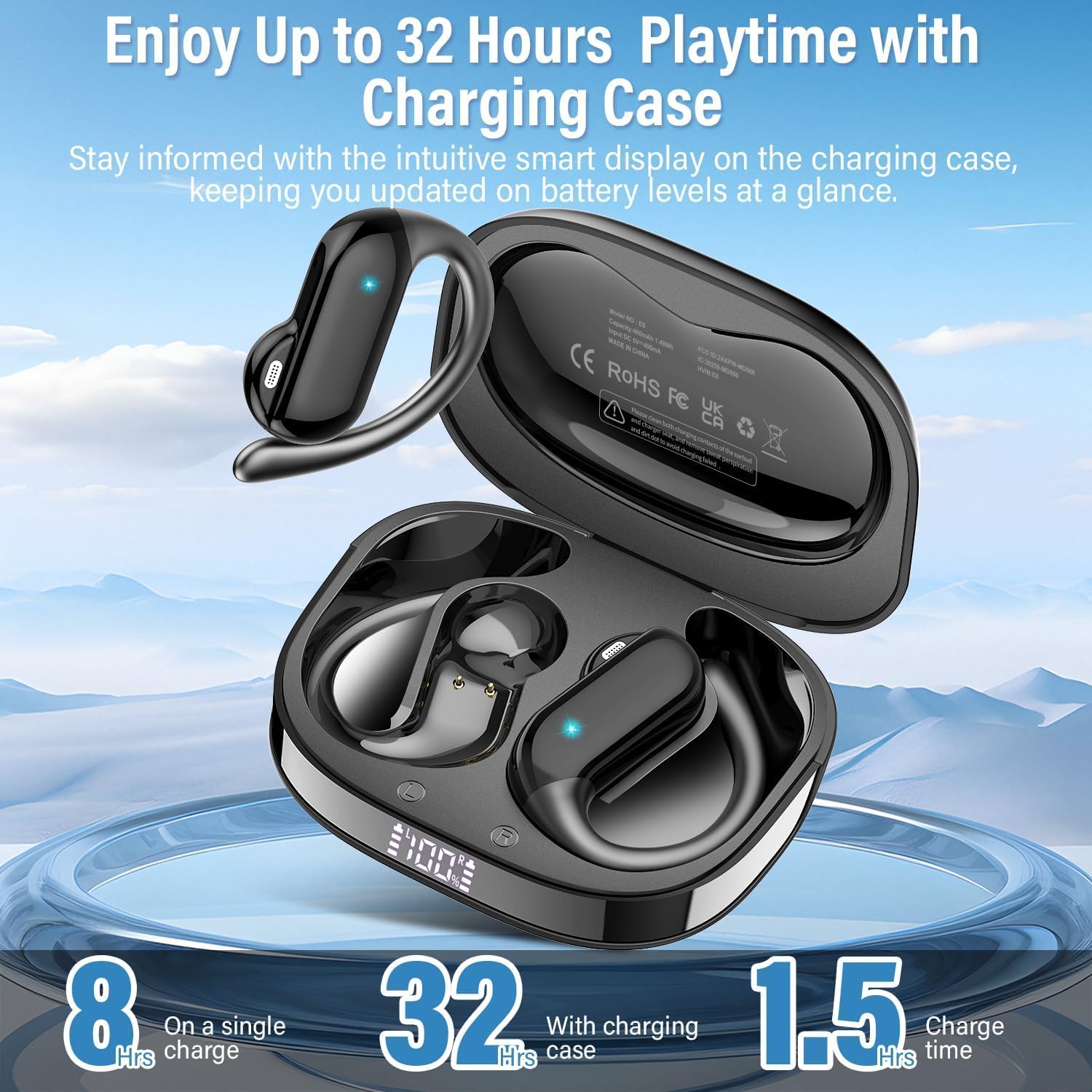
Image: Earbuds in charging case showing battery life.
4.2 Associazione Bluetooth
- Aprire la custodia di ricarica. Gli auricolari entreranno automaticamente in modalità di associazione.
- On your device (phone, tablet, laptop), enable Bluetooth and search for "DUSONLAP E6".
- Select "DUSONLAP E6" to connect. The earbuds will automatically pair after the initial connection.
4.3 App Installation and Binding
To utilize the translation features, download the "Ear Dance" application.
- Scan the QR code provided in the translation manual or visit earjoy.watchfun.cn/app-download-h5?appCode=eardance to download the "Ear Dance" APP.
- After installing, launch the "Ear Dance" application.
- Ensure Bluetooth is enabled and the earbuds are connected to your device. The app should automatically detect the earbuds.
- Navigate to the "My" page within the app and click "Bind Device".
- Scan the authorization QR code from the translation manual or manually enter the code to complete the binding process.

Image: Steps for connecting earbuds to the "Ear Dance" app.
5. Istruzioni per l'uso
5.1 Indossare gli auricolari
The DUSONLAP E6 earbuds feature an open-ear design for comfort and awareness of surroundings.
- Rimuovi gli auricolari dalla custodia di ricarica.
- Hang the ear hook over the top of your ear.
- Adjust the earbud to sit comfortably and securely, ensuring the speaker is positioned near your ear canal without being inserted directly into it.

Image: Proper way to wear the open-ear earbuds.
5.2 Controlli di base (touch)
Gli auricolari sono dotati di controlli touch per varie funzioni:
- Volume+: Single tap (x1) on the right earbud.
- Volume -: Single tap (x1) on the left earbud.
- Riproduci/Pausa: Tocca due volte (x2) uno dei due auricolari.
- Assistente vocale: Triple tap (x3) on either earbud.
- Traccia successiva: Long press (2S) on the right earbud.
- Traccia precedente: Long press (2S) on the left earbud.
- Rispondi alla chiamata: Tocca due volte (x2) uno dei due auricolari.
- Riaggancia/Rifiuta chiamata: Long press (2S) on either earbud.

Image: DUSONLAP E6 touch control functions.
5.3 Modalità di traduzione
The "Ear Dance" app offers multiple translation modes:
- Modalità di conversazione libera: Earbuds automatically detect and translate languages in real-time. Both parties can wear an earbud for seamless conversation.

Image: Free Talk Mode in action.
- Headset + Phone Mode: One person wears the headset, while the other taps the phone to initiate two-way translation. Useful for quick interactions like ordering food.

Image: Headset + Phone Mode for two-way interaction.
- Modalità macchina di traduzione: Click the language button in the app to translate, and the phone speaker will play the translated audio.

Image: Translation Machine Mode interface.
- Modalità di traduzione delle foto: Use your phone's camera through the app to instantly recognize and translate text from images.

Image: Photo Translation Mode in use.
- Modalità promemoria vocale: Converts spoken language into text. Note: Recording is limited to 30 minutes; for longer sessions, save and restart.

Image: Voice Memo Mode for speech-to-text.
- Modalità chat AI: Utilizes OpenAI 4.0 mini API for intelligent conversations and detailed responses. Note: Does not support real-time data like weather or dates.

Image: AI Chat Mode interface.
5.4 Audio & Video Call Translation
The earbuds support real-time language conversion during audio and video calls, enabling cross-lingual communication.

Image: Audio and video call translation feature.
5.5 Supporto linguistico
The DUSONLAP E6 earbuds support 164 languages, covering a wide range of global communication needs.
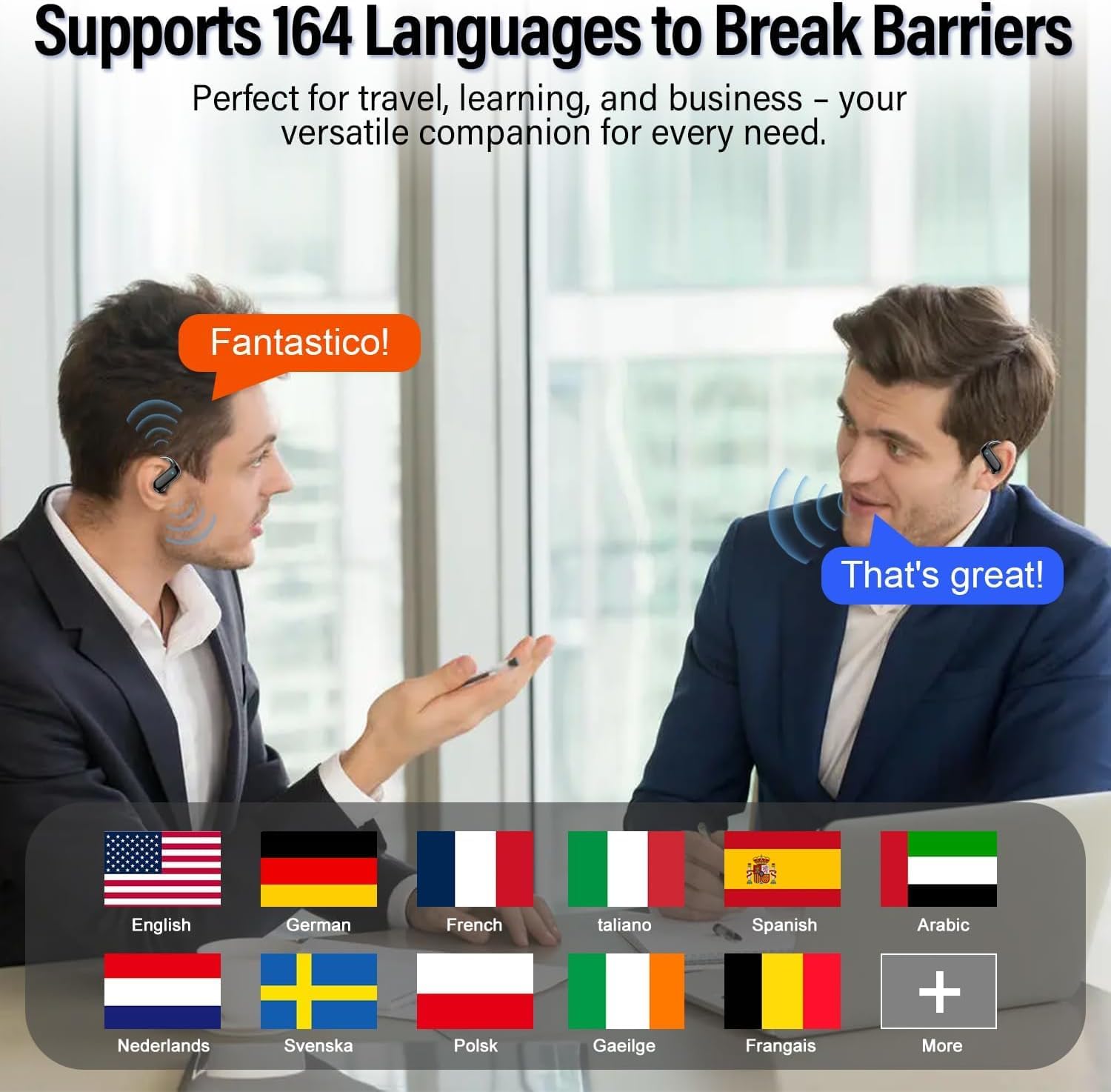
Image: Supported languages by DUSONLAP E6.
6. Manutenzione
6.1 Pulizia
- Pulisci regolarmente gli auricolari e la custodia di ricarica con un panno morbido, asciutto e privo di lanugine.
- Evitare l'uso di materiali abrasivi, solventi o spray aerosol.
- Assicurarsi che i contatti di ricarica degli auricolari e della custodia siano puliti e asciutti.
6.2 Resistenza all'acqua
The earbuds are IPX7 waterproof, meaning they can withstand sweat, rain, and splashes. However, they are not designed for swimming or prolonged submersion. Ensure the earbuds are dry before placing them back in the charging case to prevent damage.

Image: IPX7 Water Resistance.
6.3 Conservazione
Quando non li usi, conservali nella loro custodia di ricarica per proteggerli e mantenerli carichi. Evita temperature estreme e la luce solare diretta.
7. Risoluzione Dei Problemi
| Problema | Possibile causa | Soluzione |
|---|---|---|
| Gli auricolari non si accendono. | Batteria scarica. | Inserire gli auricolari nella custodia di ricarica e caricarli completamente. |
| Impossibile associare il dispositivo. | Il Bluetooth è disattivato, gli auricolari non sono in modalità di associazione o il dispositivo è troppo lontano. | Ensure Bluetooth is on, open case to enter pairing mode, keep devices close. Forget previous pairings and try again. |
| Translation not working or delayed. | Poor internet connection, app not properly bound, or incorrect language settings. | Check internet connection. Ensure earbuds are bound in the "Ear Dance" app. Verify selected languages are correct. Restart the app. |
| La qualità del suono è scadente. | Earbuds not positioned correctly, low battery, or interference. | Adjust earbuds for a better fit. Charge earbuds. Move away from sources of interference. |
8. Specifiche
| Caratteristica | Dettaglio |
|---|---|
| Marca | DUSOLP |
| Numero di modello | E6 |
| Posizionamento dell'orecchio | Orecchio aperto |
| Controllo del rumore | Cancellazione attiva del rumore (ENC per le chiamate) |
| Tecnologia di connettività | Wireless (Bluetooth) |
| Versione Bluetooth | 5.4 |
| Portata Bluetooth | 15 metri |
| Durata della batteria (auricolari) | Fino a 8 ore |
| Durata totale della batteria (con custodia) | Fino a 32 ore |
| Livello di resistenza all'acqua | Grado di protezione IPX7 |
| Tipo di driver audio | Driver dinamico (14.2 mm) |
| Metodo di controllo | App, tocco |
| Lingue supportate | 164 |
| Integrazione AI | Mini API OpenAI 4.0 |
9. Garanzia e supporto
DUSONLAP provides a Garanzia di 2 anno for the E6 AI Translation Earbuds. For warranty claims, technical support, or any inquiries, please contact DUSONLAP customer service through their official channels or the retailer where the product was purchased.
10. Video di prodotto
10.1 Wireless Translator Earbuds - Easy Real-Time Translation
Video demonstrating the real-time translation capabilities and ease of use of the DUSONLAP E6 earbuds.
10.2 How These Earbuds Work
Detailed video explaining the functionality and various features of the DUSONLAP E6 AI Translation Earbuds.