
1. Introduzione
The Fenvi FU-AX300 is a compact Wi-Fi 6 USB adapter designed to provide wireless connectivity to your desktop or laptop computer. It offers AX300 speeds on the 2.4 GHz band, making it suitable for everyday internet activities such as browsing, online classes, and HD streaming. Featuring OFDMA technology, it enhances efficiency in crowded network environments, and WPA3 security provides improved protection for your wireless connection. Its nano form factor allows it to remain plugged into a USB port without obstructing adjacent ports.
- AX300 Class Speed: Up to 287 Mbps on 2.4 GHz for reliable performance.
- Wi-Fi 6 Efficiency: OFDMA technology reduces network congestion.
- Sicurezza avanzata: Supports WPA3 encryption (requires compatible router).
- Design ultracompatto: Nano form factor for discreet use.
- Installazione semplice: Driver installation for Windows 11/10.
2. Contenuto della confezione
Si prega di verificare che il pacco contenga i seguenti articoli:
- Fenvi FU-AX300 Wireless USB Adapter
Note: Drivers are typically included on the device itself for easy installation or can be downloaded from the manufacturer's websito.
3. Istruzioni per l'installazione
Follow these steps to install and set up your Fenvi FU-AX300 Wi-Fi 6 USB Adapter:
- Inserisci l'adattatore: Locate an available USB port on your desktop or laptop computer. Carefully insert the Fenvi FU-AX300 USB adapter into the USB port. Ensure it is fully seated.
- Installazione del driver (Windows 11/10):
- For most Windows 11/10 systems, the operating system may automatically detect and install the necessary drivers. Wait a few moments for this process to complete.
- If automatic installation does not occur, or if prompted, you may need to run the driver installer. The FU-AX300 is often "driver-free" meaning the driver is stored on the device itself and can be accessed like a USB drive.
- Open "This PC" or "My Computer" and look for a new drive labeled "FENVI" or similar. Double-click to open it and run the setup executable (e.g., "setup.exe" or "install.exe").
- Seguire le istruzioni visualizzate sullo schermo per completare l'installazione del driver.
- Alternatively, download the latest drivers from the official Fenvi support website if you encounter issues.
- Verifica installazione: After driver installation, check your computer's Device Manager (search for "Device Manager" in Windows search) under "Network adapters" to confirm that the Fenvi FU-AX300 adapter is listed and functioning correctly.
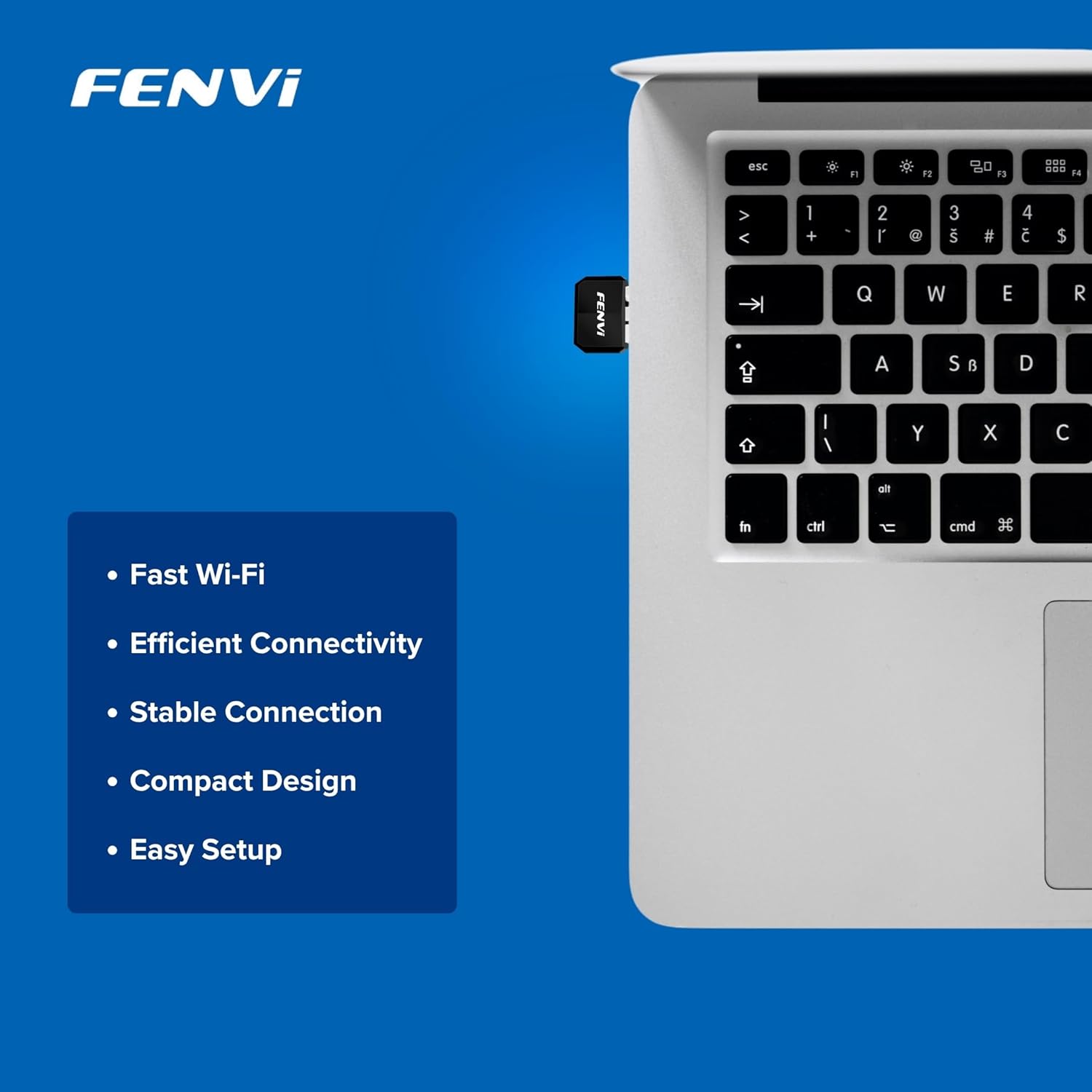
Image: The Fenvi FU-AX300 adapter shown plugged into a laptop, demonstrating its small size. Key features such as Fast Wi-Fi, Efficient Connectivity, Stable Connection, Compact Design, and Easy Setup are listed alongside.
4. Istruzioni per l'uso
Once the drivers are successfully installed, you can connect to a wireless network:
- Accedi alle impostazioni Wi-Fi: Click on the Wi-Fi icon in the system tray (usually in the bottom-right corner of your screen) or navigate to Impostazioni > Rete e Internet > Wi-Fi.
- Seleziona rete: Apparirà un elenco delle reti Wi-Fi disponibili. Seleziona la rete desiderata (SSID).
- Collegare: Fare clic su "Connetti" e immettere la chiave di sicurezza della rete (password Wi-Fi) se richiesta.
- Conferma connessione: Una volta effettuata la connessione, l'icona Wi-Fi indicherà una connessione attiva e dovresti avere accesso a Internet.

Image: This diagram illustrates the benefits of Wi-Fi 6 technology, specifically OFDMA and MU-MIMO, in improving network efficiency compared to older Wi-Fi 4 standards, especially in scenarios with multiple connected devices.
5. Manutenzione
To ensure optimal performance and longevity of your Fenvi FU-AX300 adapter, consider the following maintenance tips:
- Mantieni aggiornati i driver: Periodically check the Fenvi official webSito per gli ultimi aggiornamenti dei driver. I driver aggiornati possono migliorare prestazioni, stabilità e sicurezza.
- Pulisci delicatamente: Se necessario, pulire delicatamente l'adattatore con un panno morbido e asciutto. Evitare l'uso di detergenti liquidi o solventi.
- Evitare danni fisici: While compact, avoid bending or applying excessive force to the adapter when it is plugged in or stored.
- Posizionamento ottimale: For best signal strength, ensure the adapter is not obstructed by other objects or placed in an enclosed space.
6. Risoluzione Dei Problemi
If you encounter issues with your Fenvi FU-AX300 adapter, refer to the following troubleshooting steps:
- Nessuna rete Wi-Fi rilevata:
- Assicurarsi che l'adattatore sia collegato saldamente a una porta USB.
- Verificare che i driver siano installati correttamente in Gestione dispositivi. Reinstallare i driver se necessario.
- Check if your computer's Wi-Fi is enabled (e.g., via a physical switch or keyboard shortcut).
- Restart your computer and your Wi-Fi router.
- Velocità di connessione lenta:
- Assicurati di trovarti nel raggio di azione del tuo router Wi-Fi.
- Ridurre al minimo le interferenze provenienti da altri dispositivi elettronici (ad esempio forni a microonde, telefoni cordless).
- Update your adapter's drivers to the latest version.
- Controlla la velocità del tuo provider di servizi Internet.
- "Driver not compatible with Windows 11" (as per some user feedback):
- While the product is advertised for Windows 11/10, if you face compatibility issues, ensure you have downloaded the absolute latest drivers directly from the Fenvi official websito.
- Try installing the driver in compatibility mode for an earlier Windows version if available.
- Contact Fenvi technical support for specific Windows 11 driver assistance.
- Disconnessioni frequenti:
- Avvicinati al router Wi-Fi.
- Assicurati che il firmware del router sia aggiornato.
- Disable power-saving features for the USB port in Device Manager (under USB Root Hub properties, Power Management tab, uncheck "Allow the computer to turn off this device to save power").
7. Specifiche

Image: This image displays the compact dimensions of the Fenvi FU-AX300 USB adapter, measuring 24mm in length, 16mm in width, and 7mm in thickness. It also highlights the 3-year warranty.
| Caratteristica | Dettaglio |
|---|---|
| Marca | Fenvi |
| Numero di modello | FU-AX300 |
| Interfaccia Hardware | USB 2.0 |
| Protocollo di collegamento dati | IEEE 802.11a (Wi-Fi 6 / 802.11ax compatible) |
| Velocità di trasferimento dati | Fino a 300 Mbps (2.4 GHz) |
| Sicurezza | WPA3 (router support required) |
| Caratteristiche | MU-MIMO, OFDMA |
| Sistemi operativi compatibili | Finestre 11, Windows 10 |
| Dimensioni del prodotto (L x P x A) | 40 x 20 x 15 millimetri |
| Peso dell'articolo | 25 grammi |
| Colore | Nero |
| Paese di origine | Cina |

Image: This image provides a summary of the Fenvi FU-AX300's key specifications, such as its brand (Fenvi), model (FU-AX300), Wi-Fi standard (IEEE 802.11ax), USB 2.0 interface, WPA3 security, 2.4GHz data rate, MU-MIMO/OFDMA features, Windows 7/10/11 compatibility, and 3-year warranty.
8. Garanzia e supporto
Informazioni sulla garanzia: The Fenvi FU-AX300 Wi-Fi 6 USB Adapter comes with a Garanzia del produttore di 3 annoSi prega di conservare la prova d'acquisto per eventuali reclami in garanzia.
Supporto tecnico: For further assistance, driver downloads, or troubleshooting not covered in this manual, please visit the official Fenvi support websito o contattare il servizio clienti. I dettagli di contatto sono in genere disponibili sul sito web del produttore websito o confezione del prodotto.
Produttore: Fenvi
Informazioni di contatto dell'importatore: Compassco No 98 1st Floor Digital Park Road Yeshwanthpur Industrial Suburb Bangalore Karnataka 560022 India
Packer Contact Information: Shenzhen fenvi Technology Co., Ltd 401C West Area,North Block, High tech Industrial Park,Beier Road,Bantian Community, Bantian Street, Longgang District, Shenzhen China