
Introduzione
This manual provides detailed instructions for the setup, operation, maintenance, and troubleshooting of your GMKtec Mini PC M2Pro S. This compact desktop computer is equipped with an 11th generation Intel Core i7-1185G7 processor, 32GB DDR4 RAM, and a 512GB NVMe SSD, designed for efficient performance in various applications. Please read this manual thoroughly before using the device to ensure proper functionality and longevity.
Contenuto della confezione
Verifica che tutti gli articoli elencati di seguito siano presenti nel tuo pacco:
- 1 x GMKtec Nucbox Mini PC Computer
- 1 x adattatore di alimentazione
- 1 x supporto VESA con viti
- 1 cavo HDMI
- 1 x Manuale utente (questo documento)

Image: Contents of the GMKtec Mini PC M2Pro S retail box.
Prodotto finitoview
The GMKtec Mini PC M2Pro S is a high-performance, compact desktop solution. Key features include:
- Processore: 11th Gen Intel Core i7-1185G7 (up to 4.8 GHz, 4 Cores, 8 Threads, 12MB Cache)
- Memoria: 32GB DDR4 SODIMM (dual-channel, expandable up to 64GB)
- Magazzinaggio: 512GB M.2 2280 NVMe SSD (PCIe3.0, expandable up to 2TB), additional M.2 2242 SATA slot (expandable up to 2TB)
- Grafica: Intel Iris Xe Graphics G7 96EU
- Uscita di visualizzazione: Supports triple 4K displays via 2 x HDMI (4K@60Hz) and 1 x USB Type-C (4K@60Hz)
- Rete: 2.5Gbps LAN (RJ45), WiFi 6 (802.11ax), Bluetooth 5.2
- Porte: USB 3.2, USB Type-C (40Gbps), Audio (3.5mm CTIA)
- Raffreddamento: Upgraded quiet cooling fan with copper vapor chamber and multiple exhaust vents
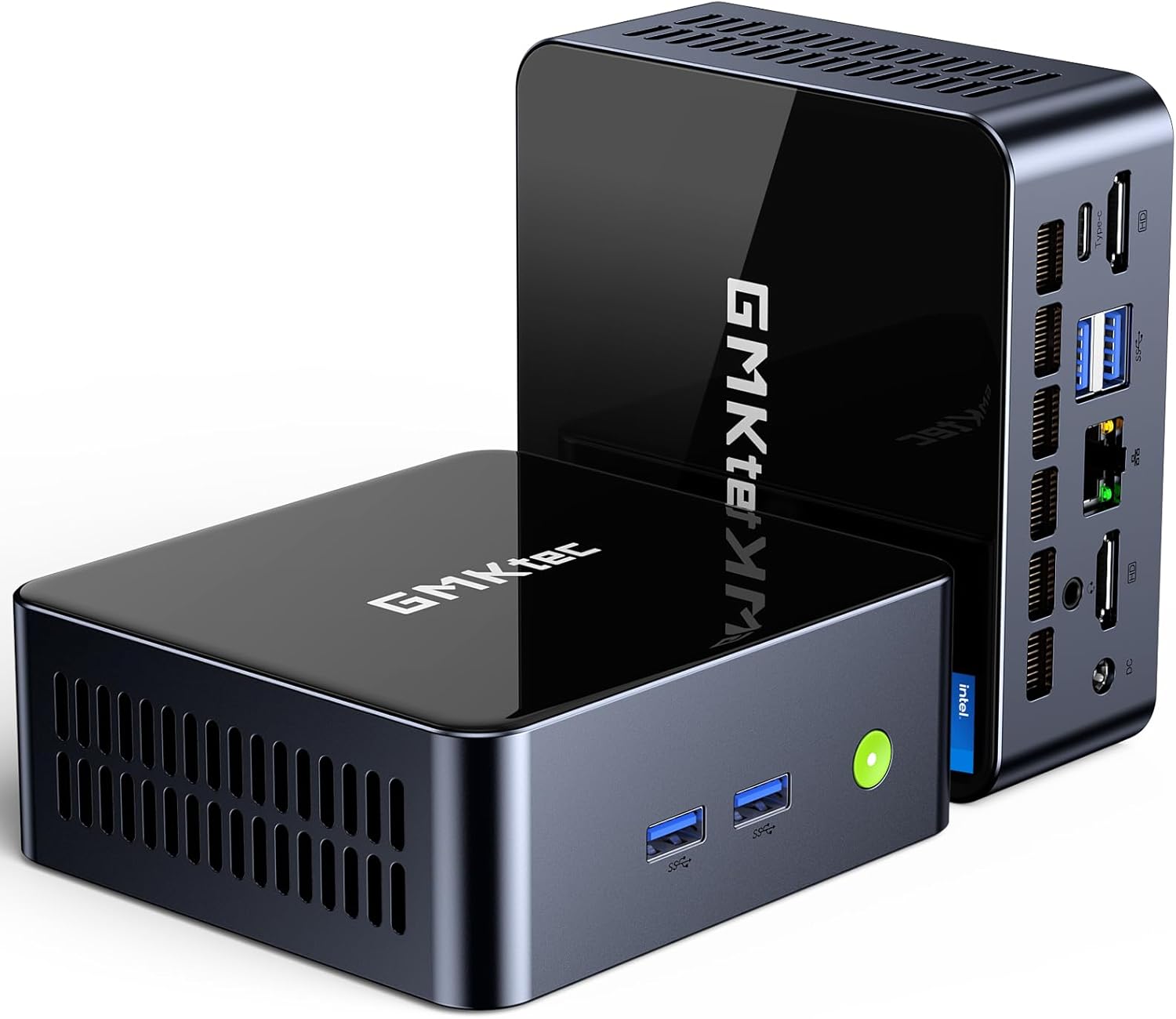
Immagine: Frontale view of the GMKtec Mini PC M2Pro S.
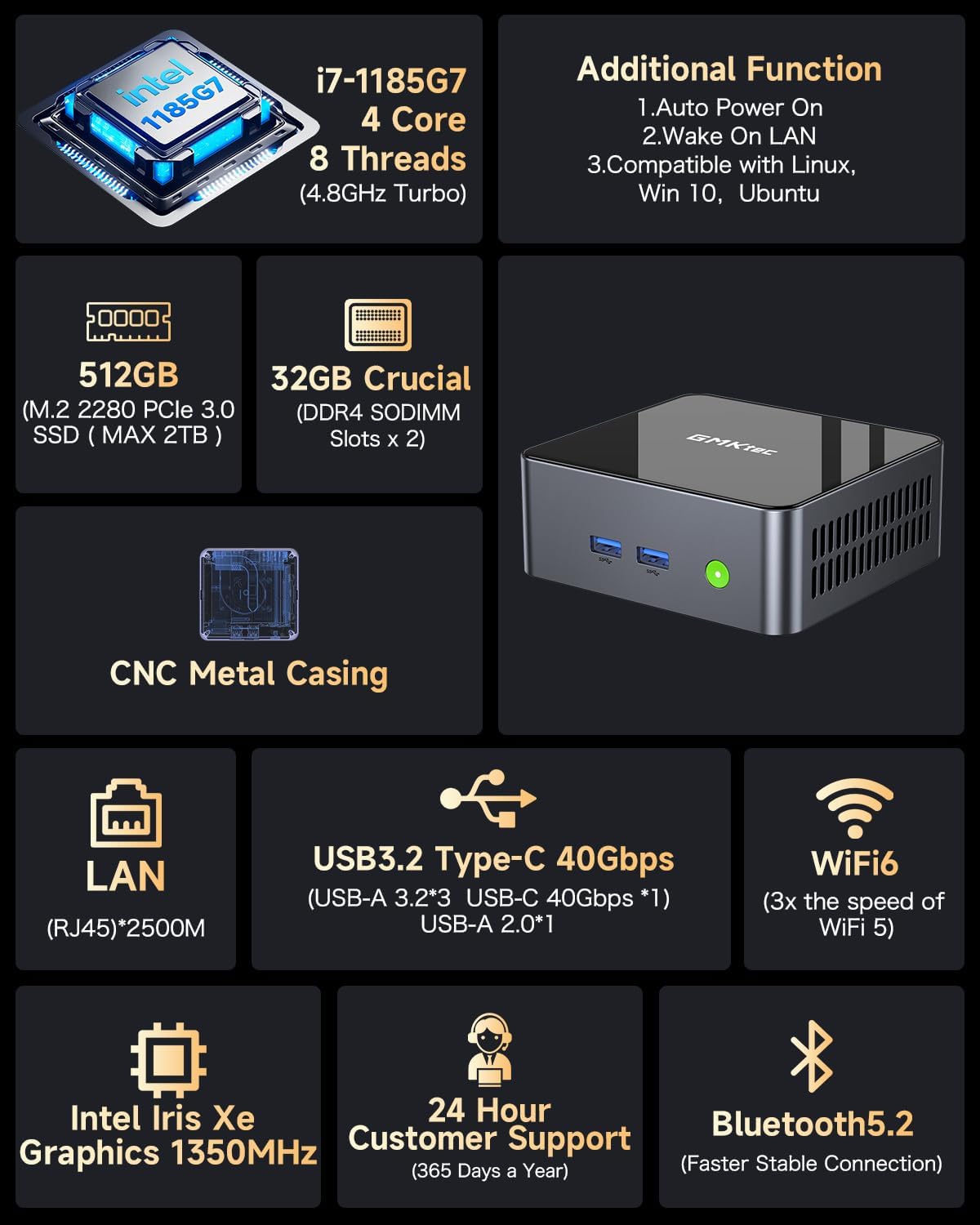
Immagine: Oltreview of the GMKtec Mini PC M2Pro S features and specifications.
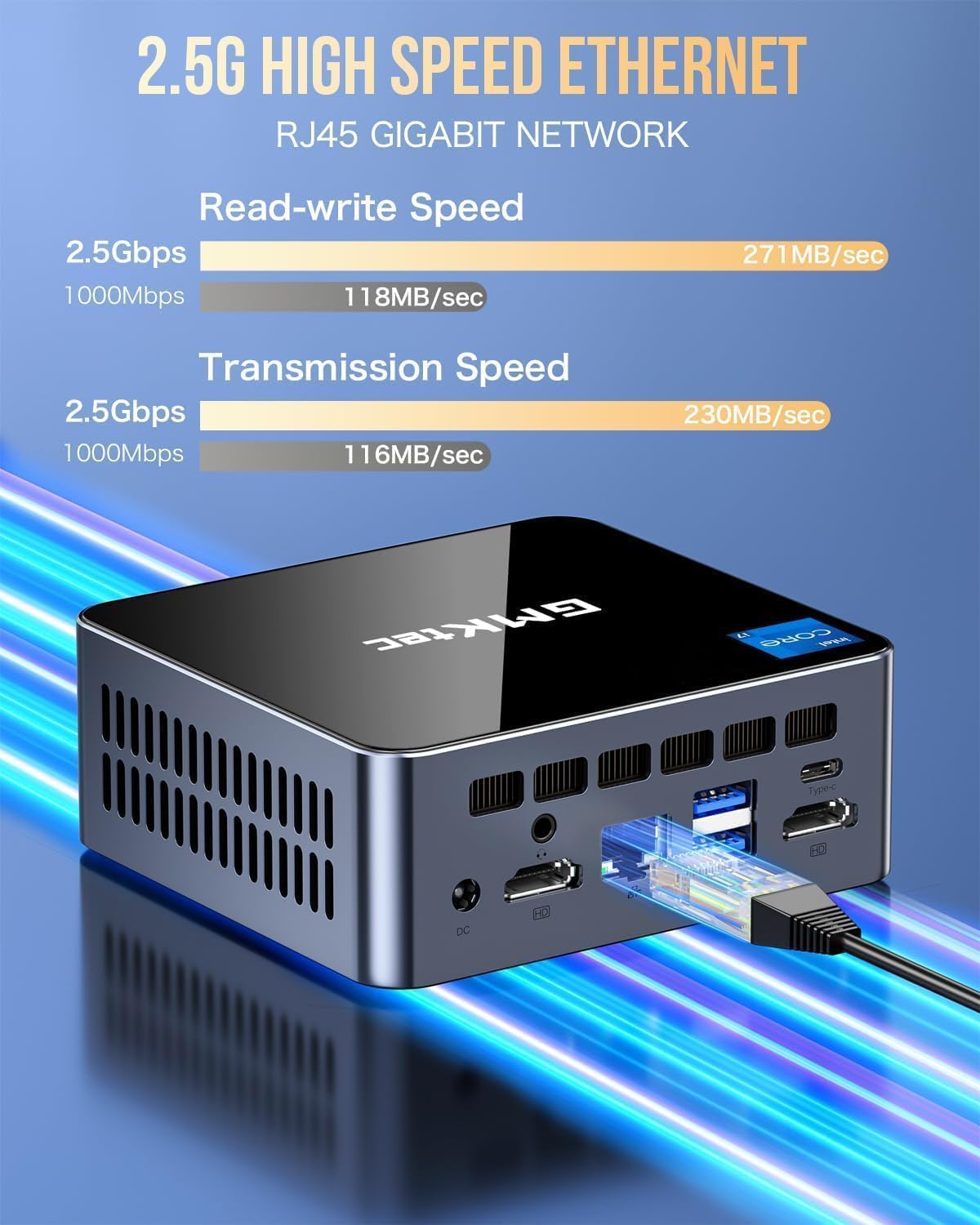
Immagine: dettagliata view of the multi-purpose ports on the GMKtec Mini PC M2Pro S.
Guida all'installazione
- Connetti le periferiche: Connect your monitor(s) using the HDMI or USB Type-C ports. Connect your keyboard and mouse to the available USB ports.
- Connessione di rete: For a wired connection, plug an Ethernet cable into the 2.5Gbps LAN port. For wireless, the device supports WiFi 6 and Bluetooth 5.2, which can be configured after initial boot.
- Collegamento elettrico: Connect the provided power adapter to the DC IN port on the mini PC and then to a power outlet.
- Accensione: Premere il pulsante di accensione situato sulla parte anteriore del mini PC. Il sistema si avvierà.
- Configurazione iniziale di Windows: Seguire le istruzioni visualizzate sullo schermo per completare la configurazione di Windows 11 Pro, inclusa la creazione di lingua, regione, rete e account utente.
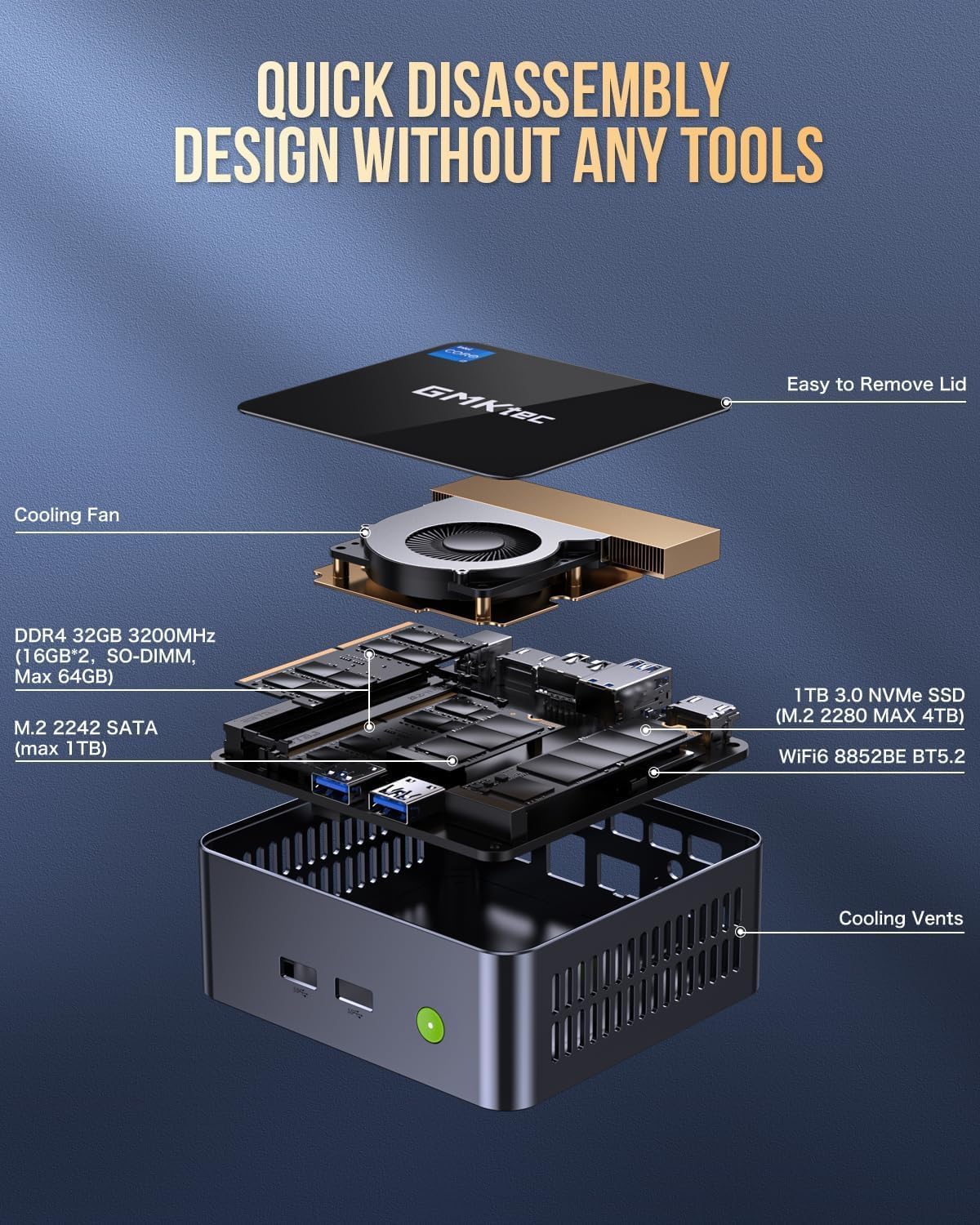
Immagine: Posizionamento sul desktop e opzioni di installazione con montaggio VESA per il Mini PC.
Istruzioni per l'uso
Accensione/spegnimento
- Per accendere: Premere il pulsante di accensione sulla parte anteriore del dispositivo.
- Spegnere: Fare clic sul pulsante Start in Windows, quindi selezionare Arresta il sistema > Arresta il sistema.
- Ricominciare: Fare clic sul pulsante Start in Windows, quindi selezionare Arresta > Riavvia.
Configurazione del display triplo
The GMKtec Mini PC M2Pro S supports up to three 4K displays simultaneously. Connect your monitors to the available HDMI ports and the USB Type-C port. Once connected, Windows will automatically detect the displays. You can configure display settings (e.g., extend, duplicate) via Impostazioni > Sistema > Schermo.

Immagine: Example of a triple 4K display setup with the Mini PC.
Connettività di rete
- Cablato (LAN): Connect an Ethernet cable to the RJ45 port for a stable 2.5Gbps connection.
- Senza fili (WiFi): Access network settings in Windows to connect to a WiFi 6 network.
- Bluetooth: Pair Bluetooth devices (e.g., headphones, keyboard, mouse) via Windows Bluetooth settings.
Manutenzione e aggiornamenti
Espansione di archiviazione
The GMKtec Mini PC M2Pro S supports storage expansion:
- The existing M.2 2280 NVMe (PCIe3.0) SSD can be upgraded to a maximum of 2TB.
- È disponibile uno slot SATA M.2 2242 aggiuntivo per l'espansione fino a 2 TB.
Espansione RAM
The device comes with 32GB DDR4 SODIMM RAM in a dual-channel configuration. It can be expanded up to a maximum of 64GB by replacing the existing modules with higher capacity ones.
Accesso ai componenti interni
The mini PC features a quick disassembly design for easy access to internal components for upgrades or maintenance. Carefully remove the lid to access the RAM and SSD slots. Refer to the diagram below for guidance.

Image: Quick disassembly design for internal component access.

Image: Illustration of the upgraded quiet cooling fan system.
Risoluzione dei problemi
If you encounter issues with your GMKtec Mini PC M2Pro S, refer to the following common solutions:
- Nessun potere: Ensure the power adapter is securely connected to both the mini PC and a working power outlet. Check the power button for any damage.
- Nessuna visualizzazione: Verify that the monitor is powered on and correctly connected to the mini PC via HDMI or USB Type-C. Try a different cable or monitor if possible. Ensure the correct input source is selected on your monitor.
- Nessuna connessione di rete (cablata): Check if the Ethernet cable is properly connected to both the mini PC and your router/modem. Verify router status.
- Nessuna connessione di rete (wireless): Ensure WiFi is enabled in Windows settings. Check if the correct WiFi network is selected and the password is entered correctly.
- Prestazioni lente: Close unnecessary applications. Check for background processes. Ensure sufficient free storage space. Consider upgrading RAM or SSD if performance issues persist after basic troubleshooting.
- Problemi di attivazione di Windows: If you experience problems activating Windows 11 Pro, ensure your internet connection is active. If the issue persists, contact GMKtec customer support for assistance.
For further assistance, please contact GMKtec customer support.
Specifiche tecniche
| Caratteristica | Specificazione |
|---|---|
| Marca | GMKtec |
| Numero di modello | M2 Pro S |
| Processore | Intel Core i7-1185G7 (4.8 GHz Turbo, 4 Cores, 8 Threads) |
| Memoria RAM | 32GB DDR4 SDRAM (3200 MHz, Dual-channel, expandable to 64GB) |
| Magazzinaggio | 512GB M.2 2280 NVMe SSD (PCIe 3.0, expandable to 2TB), M.2 2242 SATA slot (expandable to 2TB) |
| Coprocessore grafico | Intel Iris Xe Graphics G7 96EU |
| Risoluzione massima dello schermo | 5120 x 2880 pixel |
| Sistema operativo | Windows 11 Pro |
| Tipo senza fili | Wi-Fi 6 (802.11ax), Bluetooth 5.2 |
| Rete locale | 2.5Gbps RJ45 Ethernet |
| Porte USB | 3 x USB 3.2, 1 x USB Type-C (40Gbps) |
| Uscita video | 2 x HDMI (4K@60Hz), 1 x USB Type-C (4K@60Hz) |
| Porta audio | Cavo CTIA da 3.5 mm |
| Peso dell'articolo | 3.3 libbre |
| Dimensioni del pacco | 6.38 x 6.26 x 4.69 pollici |
Garanzia e supporto
Your GMKtec Mini PC M2Pro S comes with a standard manufacturer's warranty. Please refer to the warranty card included in your package for specific terms and conditions. For technical support, troubleshooting assistance, or warranty claims, please contact GMKtec customer service directly. Contact information can typically be found on the GMKtec official websito o tramite il venditore da cui hai acquistato il prodotto.
Il venditore di questo prodotto è GMKtec一Store. Please reach out to them for product-specific inquiries.