
TOPUTURE TP6
Tapis roulant TOPUTURE TP6 Walking Pad con inclinazione del 12% - Manuale utente
1. Introduzione e informazioni sulla sicurezza
This manual provides essential instructions for the safe operation, setup, and maintenance of your TOPUTURE TP6 Walking Pad Treadmill. Please read this manual thoroughly before initial use and retain it for future reference. Proper use and maintenance ensure optimal performance and longevity of your equipment.
Importanti precauzioni di sicurezza
- Consultare sempre un medico prima di iniziare un nuovo programma di esercizi.
- Posizionare il tapis roulant su una superficie piana e stabile, con spazio sufficiente attorno.
- Tenere i bambini e gli animali domestici lontani dal tapis roulant durante il funzionamento.
- Ensure the safety key is properly attached to your clothing before beginning your workout.
- Non utilizzare il tapis roulant se è danneggiato o non funziona correttamente.
- Maximum user weight capacity is 300 lbs. Do not exceed this limit.
- Durante l'uso, indossare calzature sportive adatte.
- Scollegare il tapis roulant dalla fonte di alimentazione quando non è in uso o prima di pulirlo/manutenerlo.
2. Componenti inclusi
Dopo aver disimballato, verificare che siano presenti tutti i seguenti componenti:
- Cavo di alimentazione
- Telecomando
- Chiave di sicurezza
- Kit di strumenti
- Manuale dell'utente (questo documento)
3. Installazione e assemblaggio
The TOPUTURE TP6 Walking Pad Treadmill features an installation-free design, meaning it is ready for use directly out of the box with minimal setup.
Disimballaggio e posizionamento
- Estrarre con cautela il tapis roulant dalla confezione.
- Place the treadmill on a firm, level surface. Ensure there is at least 2 feet of clear space behind the treadmill and 1 foot on each side.
- Collegare il cavo di alimentazione al tapis roulant e poi a una presa elettrica dotata di messa a terra.
Regolazione del manubrio
The handlebar is adjustable in both height and tilt to accommodate various user heights and exercise preferences.
- Regolazione dell'altezza: The handlebar can be adjusted from 32 inches (820mm) to 45 inches (1150mm). Locate the adjustment knobs or levers on the handlebar supports, loosen them, adjust to the desired height, and then securely tighten.
- Regolazione dell'inclinazione: The handlebar can be tilted to 95° (vertical mode) or 105° (tilt mode). Adjust the angle by manipulating the designated mechanism at the base of the handlebar uprights. Ensure it clicks securely into place for your chosen mode.
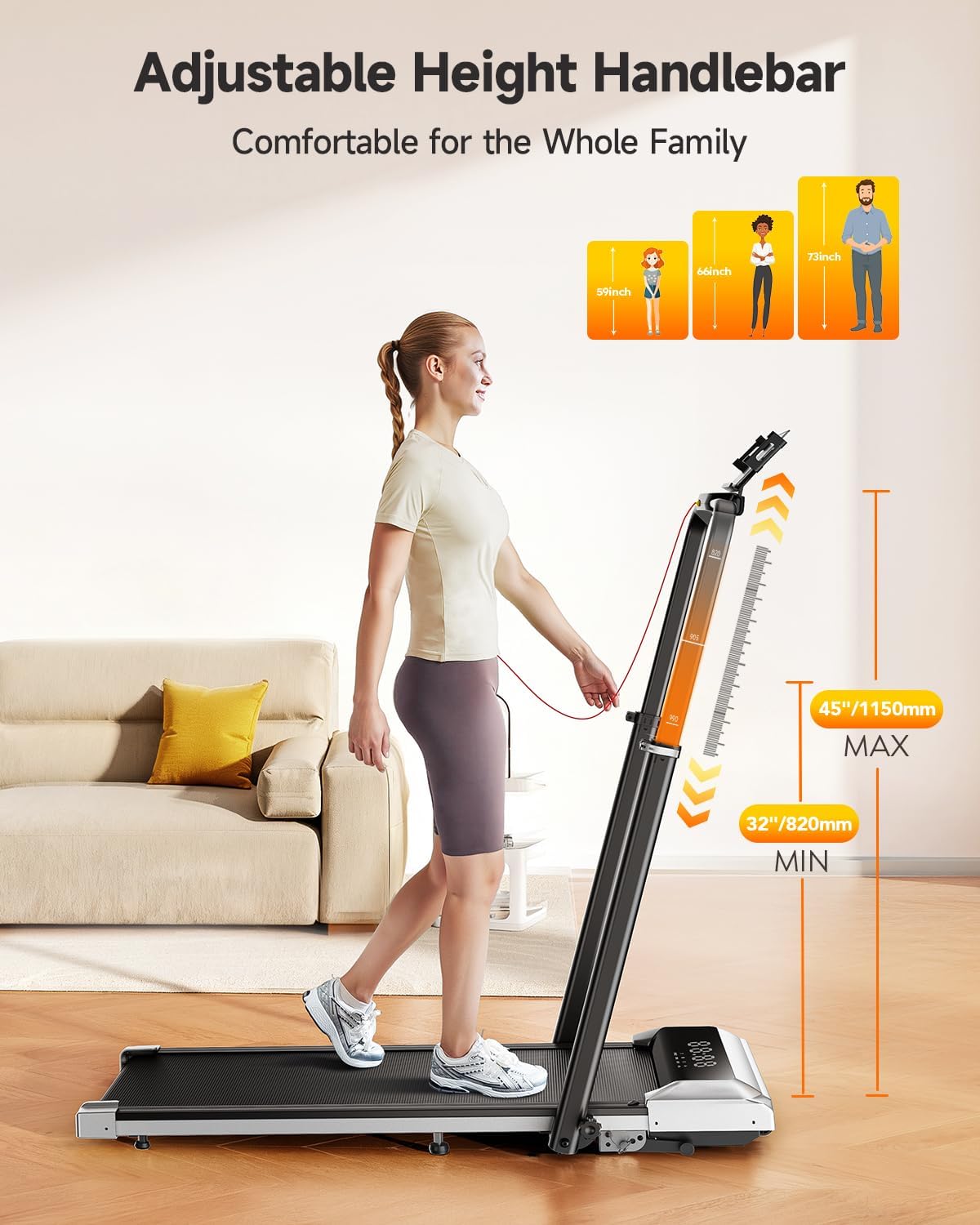
Image: Adjustable Handlebar Height. The handlebar can be set to various heights between 32 and 45 inches for user comfort.

Image: Two-angle Upright Column Adjustment. The handlebar can be adjusted to a 95-degree vertical mode or a 105-degree tilt mode to suit different exercise preferences.
4. Istruzioni per l'uso
The TOPUTURE TP6 Treadmill offers multiple modes and features for a versatile workout experience.
Powering On and Safety Key
- Assicurarsi che il tapis roulant sia collegato a una presa di corrente.
- Fissare la clip di sicurezza ai vestiti. Il tapis roulant non funzionerà senza la chiave di sicurezza.
- Press the power button on the treadmill or remote control to turn it on.
Comprensione del display LED
Il display LED integrato fornisce dati di allenamento in tempo reale:
- Tempo: Durata del tuo allenamento.
- Calorie: Calorie bruciate stimate.
- Velocità: Velocità attuale in miglia orarie (mph).
- Distanza: Distanza totale percorsa.

Image: Multi-Function Display. The LED display shows key workout metrics, and the remote control allows for easy adjustments.
Regolazione della velocità e dell'inclinazione
- Gamma di velocità: The treadmill operates from 0.6 mph to 7.5 mph. Adjust speed using the remote control or the control panel.
- Incline Function: The treadmill features 1%, 6%, and 12% incline levels. Adjust the incline manually or via the control panel/remote to simulate uphill walking or running, enhancing calorie expenditure.

Image: 1%-6%-12% Three Levels of Slope Adjustment. The treadmill offers adjustable incline levels to increase workout intensity and calorie burning.
Modalità di allenamento
The TOPUTURE TP6 supports various exercise scenarios:
- Modalità di camminata: Ideal for light exercise or under-desk use.
- Fat-Burning Mode: Ottimizzato per il consumo calorico.
- Modalità di esecuzione: For higher intensity cardiovascular workouts.
- Modalità di lavoro: Suitable for use with a standing desk.
- Family Sharing Mode: Allows multiple users to track their progress.
- Modalità di allenamento: For structured workout routines.

Image: 6-in-1 Folding Treadmill with Incline. The treadmill supports various modes including walking, fat burning, office work, pet training, running, and rehabilitation.
Integrazione intelligente delle app
Enhance your workout experience by connecting the treadmill to a compatible fitness application.
- Download the recommended Sport APP or other compatible apps like Fitshow, Zwift, or Kinomap from your device's app store.
- Abilita il Bluetooth sul tuo smartphone o tablet.
- Apri l'app e segui le istruzioni sullo schermo per associarla al tuo tapis roulant TOPUTURE TP6.
- The app allows you to record exercise data, track progress, and share with friends. The integrated device holder securely holds your phone or tablet.

Image: Smart and Personalized Workout App Control. Connect to fitness apps like Fitshow, Zwift, or Kinomap to track and personalize your workouts.
5. Manutenzione e conservazione
Una manutenzione regolare garantisce la longevità e il funzionamento sicuro del tapis roulant.
Pulizia
- Scollegare sempre il tapis roulant prima di pulirlo.
- Pulisci la superficie del tapis roulant con un pannoamp stoffa. Evitare l'uso di detergenti o solventi abrasivi.
- Periodically clean the running belt and deck to prevent dust and debris buildup.
Lubrificazione
The running belt may require periodic lubrication to reduce friction and extend its lifespan. Refer to the specific instructions in the included tool kit or contact customer support for guidance on proper lubrication procedures and recommended lubricants.
Magazzinaggio
The TOPUTURE TP6 treadmill is designed for easy storage due to its compact and foldable nature.
- Fold the handlebar down completely.
- Utilize the integrated wheels for easy movement.
- Store the treadmill in a dry, cool place, such as under a bed or sofa, to save space.
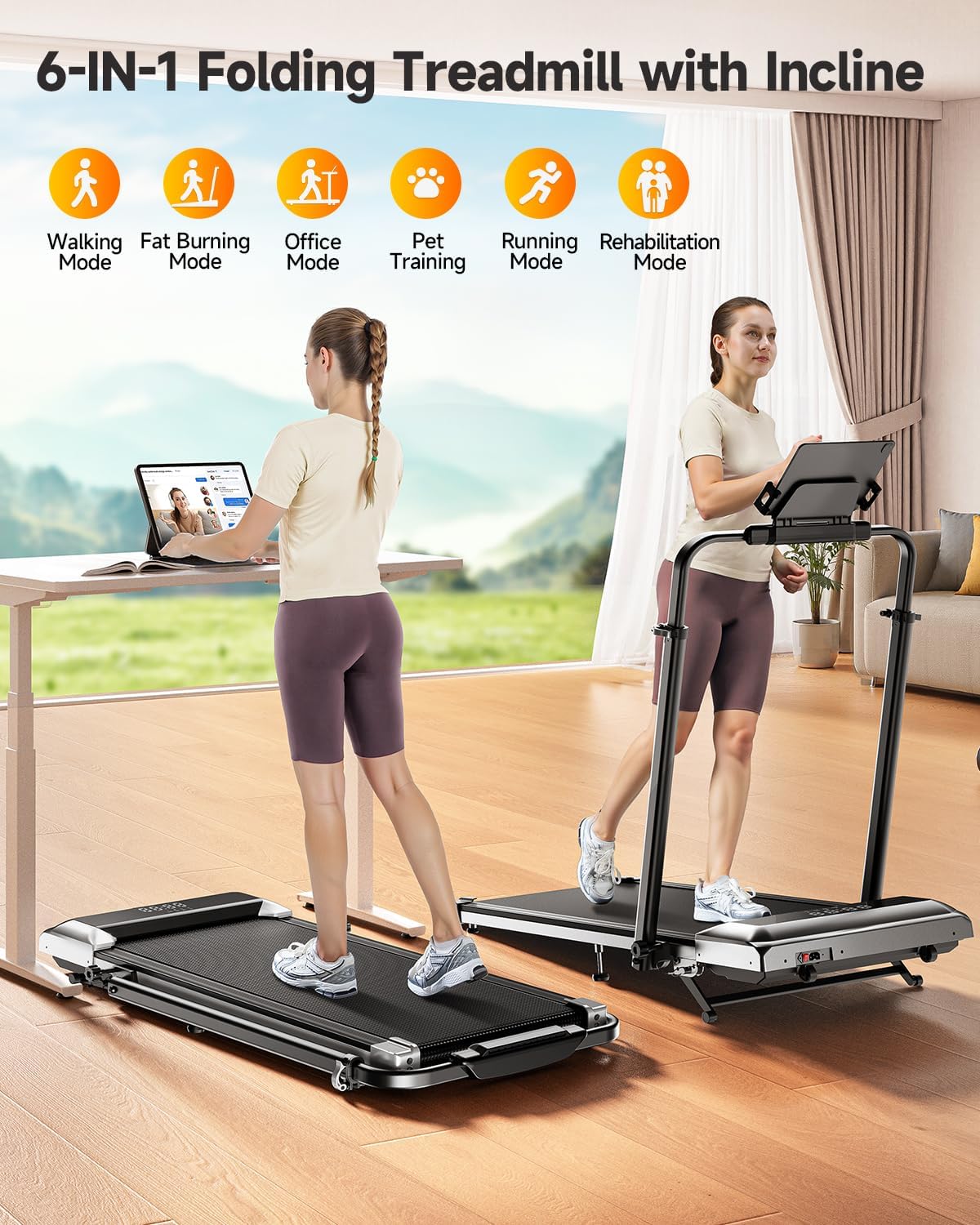
Image: Easy Storage & Space Saving. The treadmill is lightweight and features flexible wheels for convenient movement and compact storage.
6. Risoluzione Dei Problemi
If you encounter any issues with your TOPUTURE TP6 Treadmill, please refer to the following common solutions. If the problem persists, contact customer support.
| Problema | Possibile causa | Soluzione |
|---|---|---|
| Il tapis roulant non si accende. | Power cord not securely plugged in; Safety key not in place; Power switch off. | Check power cord connection; Ensure safety key is properly inserted; Turn on the power switch. |
| La cintura da corsa scivola o esita. | Tensione della cinghia troppo lenta; la cinghia necessita di lubrificazione. | Adjust belt tension according to manual; Lubricate the running belt as instructed. |
| Rumore insolito durante il funzionamento. | Loose components; Foreign object under the belt; Motor issue. | Inspect for loose parts and tighten; Carefully check under the belt for obstructions; If noise persists, contact support. |
| Il telecomando non risponde. | Batterie scariche; telecomando non associato. | Replace remote control batteries; Refer to pairing instructions in the manual. |
7. Specifiche del prodotto
Technical details for the TOPUTURE TP6 Walking Pad Treadmill:
| Specificazione | Dettaglio |
|---|---|
| Marca | TOPUTURA |
| Nome del modello | TP6 |
| Colore | Nero |
| Dimensioni del prodotto (LxWxH) | 50"P x 25"L x 5"A (127 cm x 63.5 cm x 12.7 cm) |
| Peso dell'articolo | 56 libbre (25.4 kg) |
| Materiale | Acciaio legato |
| Velocità massima | 7.5 miglia orarie (12 km/h) |
| Velocità minima | 0.6 miglia orarie (1 km/h) |
| Percentuale di inclinazione massimatage | 12% |
| Potenza massima | 2.5 CV |
| Peso massimo raccomandato | 300 libbre (136 kg) |
| Area di corsa | 40'' x 16'' (101.6cm x 40.6cm) |
| Tipo di visualizzazione | GUIDATO |
| Fonte di alimentazione | Elettrico con cavo |
| Assemblaggio richiesto | NO |
| Caratteristiche speciali | Adjustable Height, Compact Design, Foldable, Shock Absorbent, Wheeled |
| Metriche misurate | Calorie bruciate, distanza, velocità, tempo |

Image: 2.5HP Powerful & Quiet Motor. The treadmill features a 2.5HP motor, operates quietly at 45db, has a speed range of 0.6-7.5 MPH, and supports up to 300 LBS.
8. Garanzia e assistenza clienti
Informazioni sulla garanzia
Il tapis roulant TOPUTURE TP6 Walking Pad è dotato di un garanzia di un anno dalla data di acquisto. Questa garanzia copre i difetti di fabbricazione e assicura che il prodotto soddisfi gli standard qualitativi in condizioni di utilizzo normali.
Contattare l'assistenza clienti
Should you require assistance, have questions, or need to claim warranty service, please follow these steps:
- Accedi al tuo account Amazon.
- Vai a "I tuoi ordini".
- Locate the order ID for your TOPUTURE TP6 Treadmill.
- Click on "Contact Seller" to reach TOPUTURE customer support directly.
Please have your order details and a description of the issue ready to expedite the support process.
Ask a question about this manual
Ask about setup, troubleshooting, compatibility, parts, safety, or missing instructions. Manuals+ will review the question and use this page’s manual context to help answer it.