
1. Introduzione
Thank you for choosing the Baseus Mini Power Bank E0028P. This compact and powerful portable charger is designed to provide fast and efficient charging for a wide range of devices, including smartphones, tablets, and even laptops. With its 10000mAh capacity, 67W fast charging capability, built-in dual USB-C cables, and digital display, it is an ideal companion for travel and daily use.
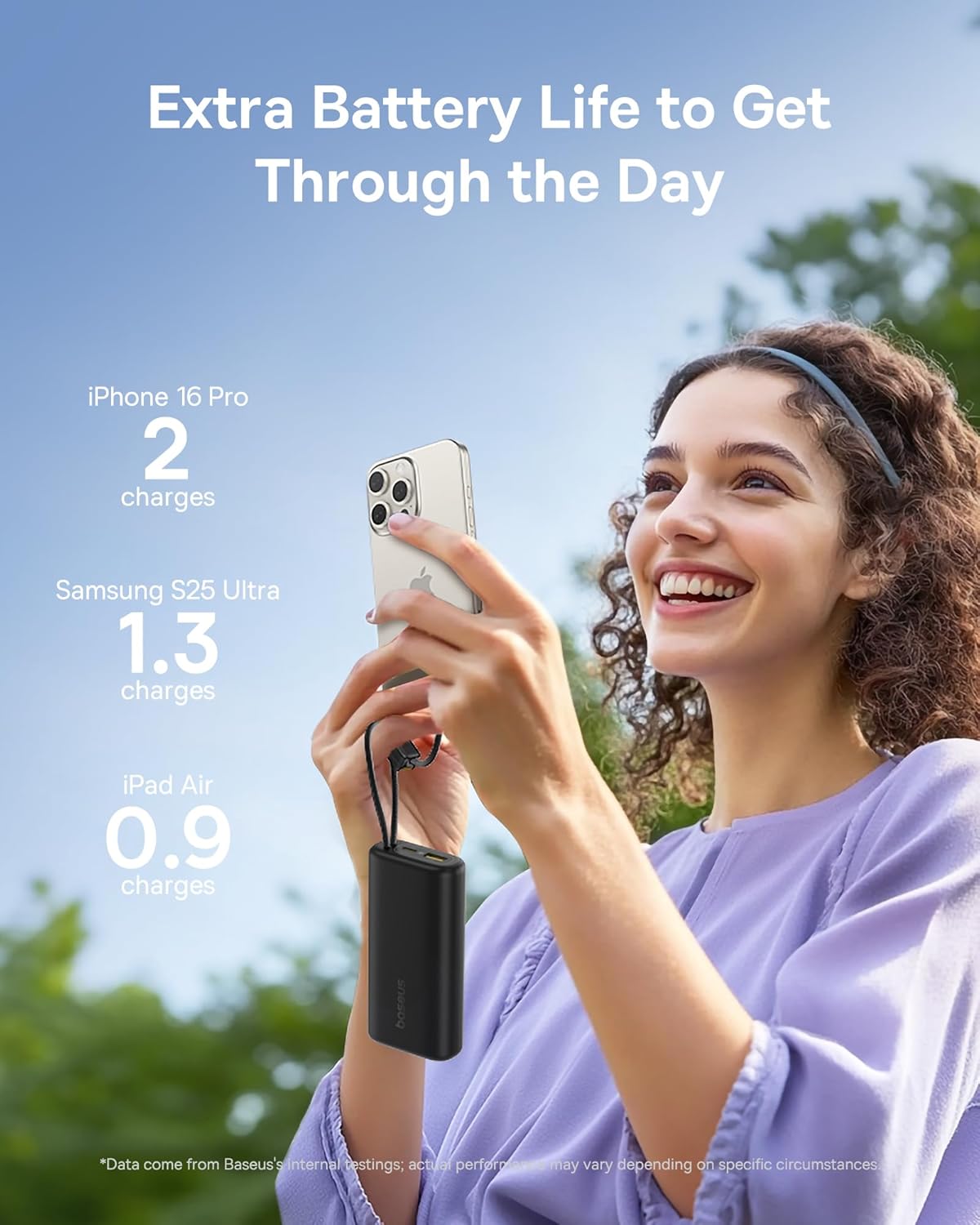
Image 1: The Baseus Mini Power Bank E0028P, a compact and portable charging solution.
2. Caratteristiche del prodotto
- 67 W di ricarica rapida: Delivers up to 67W power output, capable of fast charging compatible smartphones and laptops.
- Alta capacità da 10000 mAh: Provides sufficient power for multiple charges of most smartphones and partial charges for tablets or small laptops.
- Doppio cavo USB-C integrato: Features two integrated USB-C braided cables for convenient charging without needing to carry extra cables. These cables also serve as a carrying strap.
- Display digitale: An intelligent digital display provides real-time battery level information, allowing you to monitor the power bank's status at a glance.
- Ricarica di più dispositivi: Equipped with two built-in USB-C cables, one additional USB-C port, and one USB-A port, allowing simultaneous charging of up to four devices.
- Design compatto e portatile: Designed to be small and lightweight, easily fitting into pockets or small bags, making it ideal for travel.
- Ricarica pass-through: Supports charging devices while the power bank itself is being recharged.
- Approvato dalla compagnia aerea: Complies with airline regulations for portable power banks, suitable for carry-on luggage.

Image 2: The power bank's 10000mAh capacity can provide multiple charges for your devices.

Image 3: Experience 67W rapid charging for quick power delivery to your devices.
3. Impostazione
3.1 Ricarica iniziale del Power Bank
Before first use, it is recommended to fully charge your Baseus Mini Power Bank. This ensures optimal performance and battery longevity.
- Collegare uno dei cavi USB-C integrati o un cavo USB-C esterno alla porta di ingresso del power bank.
- Collegare l'altra estremità del cavo a un caricabatterie da parete USB compatibile (non incluso).
- Il display digitale mostrerà l'avanzamento della ricarica. Il power bank è completamente carico quando il display mostra il 100%.
3.2 Collegamento dei dispositivi per la ricarica
Il power bank offre diversi modi per collegare i tuoi dispositivi:
- Utilizzo dei cavi USB-C integrati: Extend the built-in USB-C cables from their storage slots. Plug one end into your device's USB-C port.
- Utilizzo di cavi esterni: For devices requiring USB-A or an additional USB-C connection, plug your own charging cable into the available USB-A or USB-C output ports on the power bank.
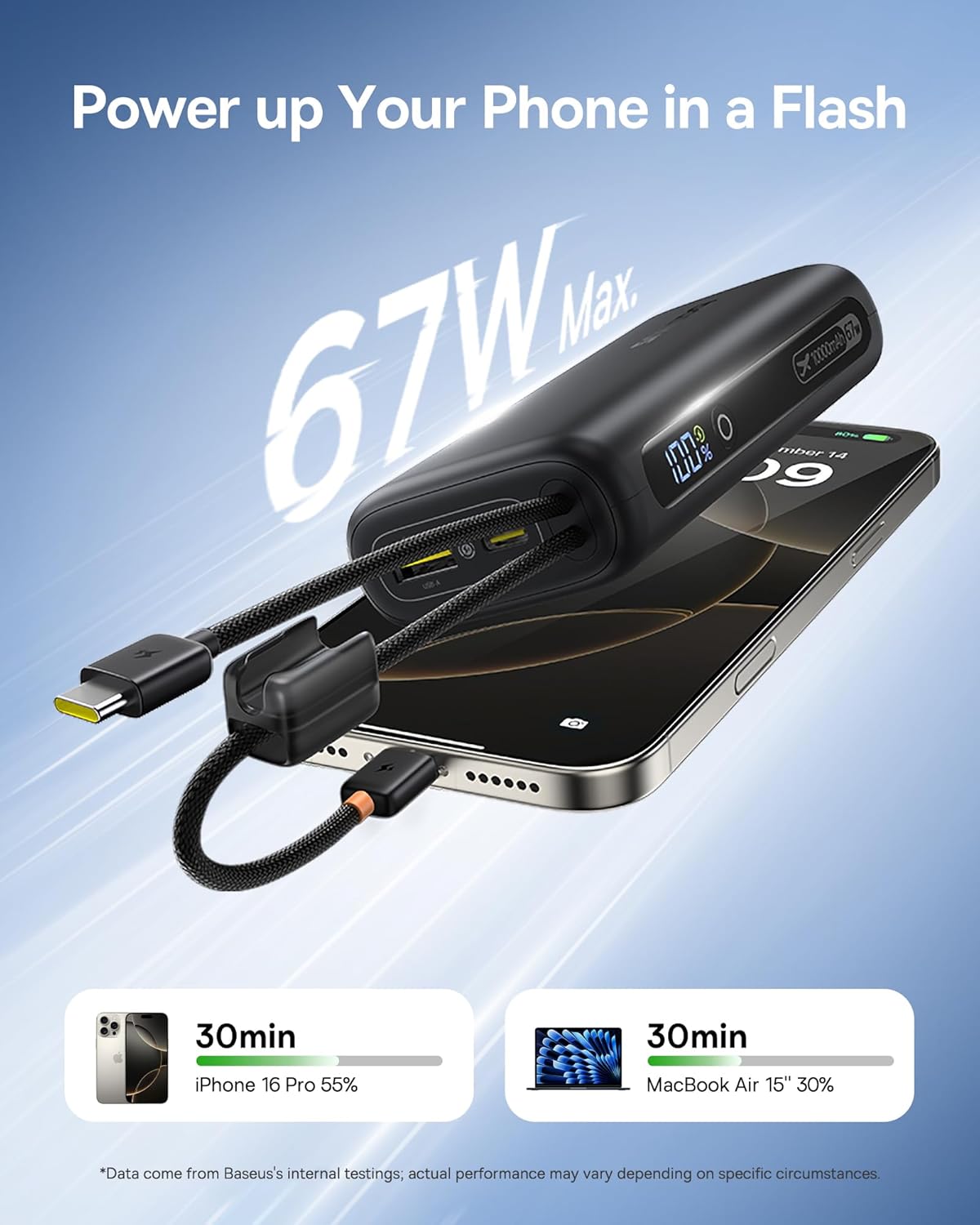
Image 4: The power bank features two convenient built-in USB-C cables.
4. Istruzioni per l'uso
4.1 Ricarica dei dispositivi
- Connect your device(s) to the power bank using either the built-in USB-C cables or external cables plugged into the USB-A/USB-C output ports.
- Press the power button on the side of the power bank to initiate charging. The digital display will illuminate, showing the remaining battery percentage.
- Il dispositivo dovrebbe iniziare a caricarsi automaticamente.
4.2 Controllo del livello della batteria
The integrated digital display provides an accurate percentage of the power bank's remaining charge. Simply press the power button once to activate the display.

Image 5: The digital display provides real-time battery status.
4.3 Ricarica del Power Bank
When the power bank's battery level is low, recharge it using a USB wall adapter and a USB-C cable (either built-in or external). The digital display will indicate charging status.
4.4 Ricarica pass-through
The Baseus Mini Power Bank supports pass-through charging, meaning you can charge your devices while the power bank itself is connected to a power source and recharging. This allows for continuous power delivery.

Image 6: Illustrates the pass-through charging capability, allowing simultaneous charging of the power bank and connected devices.
4.5 Ricarica di più dispositivi
Utilize the built-in USB-C cables, the additional USB-C port, and the USB-A port to charge up to four devices simultaneously. The power bank intelligently distributes power to connected devices.

Image 7: The power bank can charge up to four devices concurrently.
5. Manutenzione
5.1 Pulizia
To clean the power bank, gently wipe its surface with a soft, dry cloth. Avoid using harsh chemicals, abrasive cleaners, or getting moisture into the ports.
5.2 Conservazione
Store the power bank in a cool, dry place away from direct sunlight, extreme temperatures, and humidity. For long-term storage, ensure the power bank is charged to approximately 50-75% to preserve battery health.
5.3 Cura della batteria
To maximize the lifespan of your power bank's battery:
- Evitare di scaricare completamente la batteria frequentemente.
- Non esporre il power bank a caldo o freddo estremi.
- Se non lo si utilizza regolarmente, ricaricare il power bank almeno una volta ogni tre mesi.
6. Risoluzione Dei Problemi
| Problema | Possibile causa | Soluzione |
|---|---|---|
| Dispositivo non in carica | Power bank battery is empty; Cable is faulty or not properly connected; Device is incompatible. | Recharge the power bank; Check cable connections and try a different cable; Verify device compatibility. |
| Ricarica lenta | Device not supporting fast charging; Multiple devices connected; Cable quality. | Ensure your device supports 67W fast charging; Disconnect other devices; Use high-quality cables. |
| Il display digitale non funziona | Il power bank è spento; malfunzionamento. | Premere il pulsante di accensione per attivare il display; se il problema persiste, contattare l'assistenza clienti. |
| Il power bank non si ricarica | Charging adapter is faulty; Cable is faulty; Power bank is already full. | Try a different wall adapter; Check cable connections and try a different cable; Check digital display for 100%. |
7. Specifiche
| Numero di modello | E0028P |
| Capacità della batteria | 10000 mAh |
| Potenza massima in uscita | 67W |
| Dimensioni del prodotto | 4.33 x 0.98 x 2.16 pollici |
| Peso dell'articolo | 7.4 once |
| Tipi di connettori | 2x Built-in USB-C, 1x USB-C Port, 1x USB-A Port |
| Caratteristiche speciali | Mini Design, 67W Laptop-Grade Fast Charging, Built-in Dual USB-C Cables, Digital Display, Pass-through Charging |
| Produttore | Shenzhen Baseus Technology Co., Ltd. |
8. Informazioni sulla sicurezza
Si prega di leggere e seguire queste linee guida di sicurezza per evitare danni al prodotto o lesioni personali:
- Non smontare, modificare o riparare il dispositivo.
- Non esporre al fuoco, all'acqua o a temperature estreme.
- Evitare di far cadere o sottoporre il power bank a forti impatti.
- Tenere fuori dalla portata dei bambini.
- Utilizzare solo cavi di ricarica e adattatori compatibili.
- Se il power bank si gonfia, si surriscalda o emette un odore insolito, interromperne immediatamente l'uso.
9. Video del prodotto
Video 1: Video ufficiale del prodotto mostratoasing the built-in cables and pocket-size power of the Baseus Mini Power Bank.
10. Garanzia e supporto
Baseus products are manufactured by Shenzhen Baseus Technology Co., Ltd. For warranty information, technical support, or customer service inquiries, please refer to the official Baseus websito o contattare i canali di assistenza clienti. Conservare la ricevuta d'acquisto per eventuali reclami in garanzia.