
Introduzione
This manual provides essential information for the safe and effective use of your Lepro SW1 AI Smart Outdoor LED Strip Lights. These 32.8ft IP65 waterproof RGBCW light strips offer tunable white light from 2700K to 5700K and are controlled via the Lepro app and voice commands. Please read these instructions thoroughly before installation and operation.
Cosa c'è nella scatola
Verificare che tutti i componenti siano presenti prima di iniziare l'installazione.
- 1 striscia luminosa a LED da 32.8 piedi
- 1 x 9.84ft Cable with Controller
- 1 x Wall Adapter (36V 24W)
- 12 clip di montaggio
- 12 viti per il montaggio
- 12 x Anchors for Mounting
- 4 x Cable Clips for Securing Power Supply & Controller
- 4 x Screws for Securing Power Supply & Controller
- 4 x Anchors for Securing Power Supply & Controller
- 1 x Manuale utente

Informazioni importanti sulla sicurezza
- This SW1 strip light is designed for outdoor use with an IP65 waterproof rating, making it dust-tight and protected from low-pressure water jets.
- The power supply (adapter) is non rated for direct outdoor exposure. It must be placed in an electrical box or a protected, dry location for safe and long-term usage.
- Do not cut the strip lights. The length should be selected to closely match your requirements, as trimming will damage the product and void the warranty.
- Ensure the installation surface is dry and clean before attaching the strip lights.
- Always use the provided screws and clips to securely fasten the adapter, controller, and light strip. Adhesive backing alone may not be sufficient for long-term outdoor installation.
- Intervallo di temperatura di funzionamento: da -20°C a 40°C (da -4°F a 104°F).

Configurazione e installazione
Follow these steps for proper installation and initial setup of your LED strip lights.
- Prova le luci: Before permanent installation, connect the strip light to the controller and power adapter, then plug it into an outlet to ensure all lights function correctly. Do not test while the strip is still rolled up.
- Preparare la superficie: Clean the desired installation surface thoroughly to remove any dust or debris. Ensure it is dry.
- Secure the Power Adapter: Place the power adapter in a suitable electrical box or a protected, dry outdoor location. It must not be directly exposed to weather elements.
- Proteggere il controller: Use the provided clips and screws to securely fasten the controller to a dry, clean surface.
- Fissare la striscia LED: Carefully peel away the backing paper from the adhesive on the light strip. Attach the strip to the cleaned surface.
- Fissare con le clip: Use the provided clips and screws to further secure the LED strip in place along its entire length. This provides additional stability and ensures long-term adhesion, especially in outdoor conditions.

Connessione dell'app
The Lepro SW1 strip light is controlled exclusively via the Lepro app. It is not compatible with the "Lepro Lampux" or "Smart Life" apps.
- Download the Lepro App: Cercare "Lepro" in your device's app store and download the official application.
- Registra un account: Open the app and follow the prompts to register a new user account.
- Abilita Bluetooth e Wi-Fi: Ensure your phone's Bluetooth is enabled and that your phone is connected to a 2.4GHz Wi-Fi network. The lights only support 2.4GHz Wi-Fi.
- Attiva le luci: Plug in the strip lights to activate them.
- Aggiungi dispositivo: In the Lepro app, navigate to the homepage and click "Add Device".
- Find SW1: The app should automatically detect the SW1 device. Select it to proceed.
- Pair with Wi-Fi: Follow the in-app instructions to pair the device with your 2.4GHz Wi-Fi network.
- Completamento: Once paired, the lights are ready for control via the app.

Video: Detailed installation and connection steps for the Lepro SW1 LED strip lights.
Istruzioni per l'uso
App Control (Lepro App)
The Lepro app provides comprehensive control over your SW1 LED strip lights, offering a wide range of customization options.
- Millions of Color Options: Select from 16 million RGB colors and adjust brightness from 1-100%.
- Bianco regolabile: Choose between 2700K warm white and 5700K cool daylight for various moods and year-round use.
- LightGPM 4 - Personalized AI Lighting Designer: This feature learns your preferences and suggests lighting designs. The more you use it, the more tailored the lighting effects become.
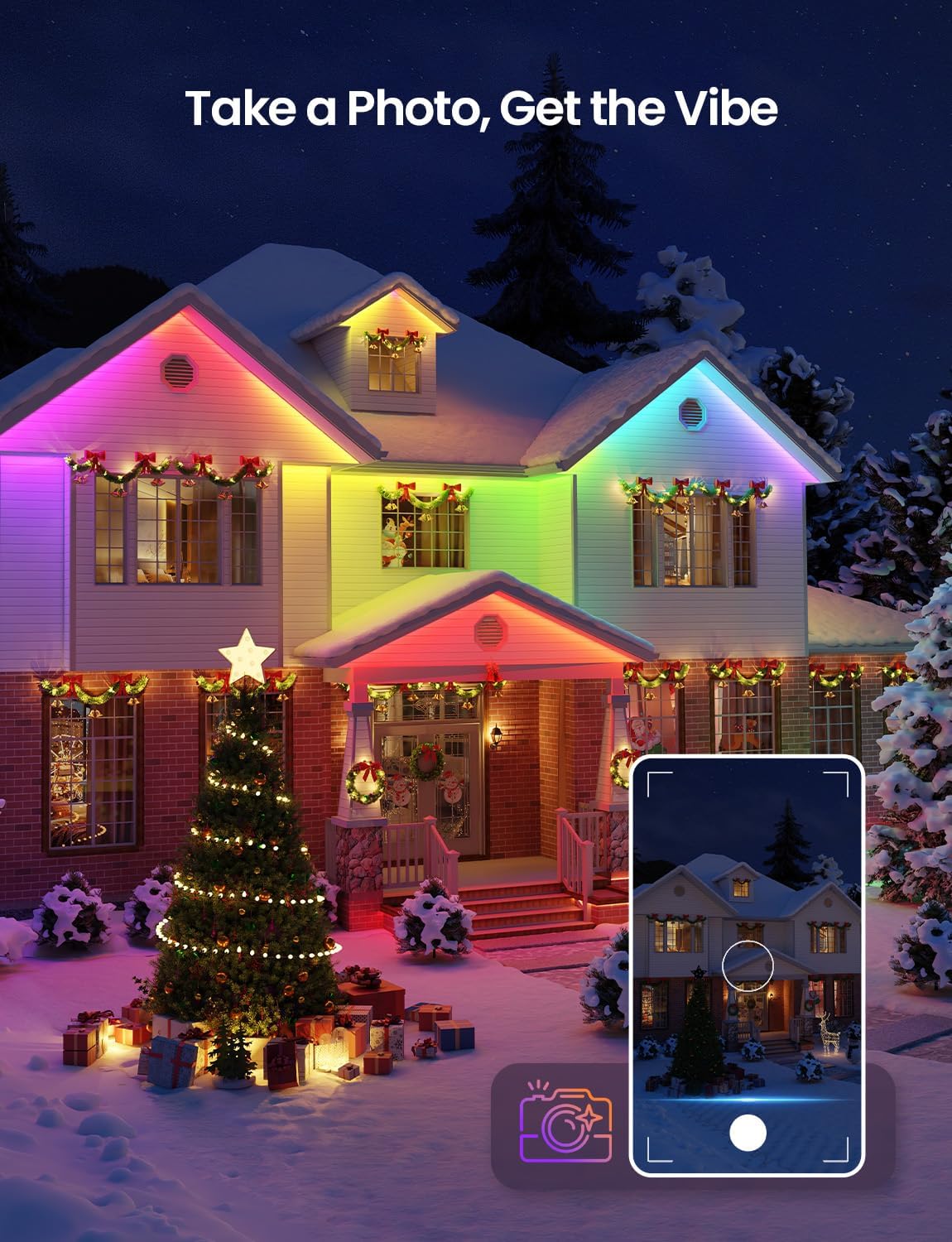
- Take a Photo, Get the Vibe: Upload an image (e.g., a room photo, movie poster) to the app, and LightGPM will generate a lighting design that matches the image's colors and mood.
- LightBeats Music Sync: Sync your lights with music played through your phone's microphone for dynamic lighting effects. Keep the music sync page active and the phone screen on for continuous operation.



Controllo vocale
The Lepro SW1 lights are compatible with Amazon Alexa and Google Assistant for hands-free control.
- Easy Voice Commands: Use simple voice commands to change colors, adjust brightness, or activate specific lighting themes. For example, say "Alexa, turn on the strip lights" or "Hey Google, set the lights to blue."
- Nessun hub richiesto: Direct connection via 2.4GHz Wi-Fi to the Lepro app enables voice control without an additional hub.

Video: Instructions on how to connect Lepro AI lights to Alexa for voice control.
Manutenzione
Proper maintenance ensures the longevity and performance of your Lepro SW1 LED Strip Lights.
- Pulizia: Periodically wipe the strip lights with a soft, damp panno per rimuovere sporco e detriti. Evitare l'uso di prodotti chimici aggressivi o detergenti abrasivi.
- Ispezionare le connessioni: Regularly check the power adapter, controller, and strip connections for any signs of wear, damage, or loose fittings. Ensure the power adapter remains protected in an electrical box.
- Montaggio sicuro: Over time, environmental factors can affect mounting. Periodically check that all clips and screws are securely fastened and the strip is firmly in place.
- Resistenza alle intemperie: While the strip is IP65 waterproof, extreme weather conditions (e.g., heavy storms, prolonged freezing temperatures) can still impact performance. Ensure proper drainage around the installation area.

Risoluzione dei problemi
If you encounter issues with your Lepro SW1 LED Strip Lights, refer to the following common solutions.
| Problema | Possibile causa | Soluzione |
|---|---|---|
| Le luci non si accendono. | No power, loose connection, faulty adapter/controller. | Check power outlet. Ensure all connections are secure. Test the strip before installation. |
| Impossibile connettersi all'app Lepro. | Incorrect Wi-Fi band, Bluetooth off, app not updated, incorrect pairing steps. | Ensure phone is on 2.4GHz Wi-Fi (5GHz is not supported). Turn on Bluetooth. Follow app connection steps carefully. Restart app and lights. |
| Il controllo vocale non funziona. | Not linked to Alexa/Google Assistant, poor Wi-Fi signal, incorrect commands. | Ensure Lepro app is linked to your Alexa/Google Home account. Check Wi-Fi signal strength. Use clear and correct voice commands. |
| Le luci tremolano o mostrano colori errati. | Loose connection, damaged strip, power supply issue. | Check all connections. If a section is damaged, the strip cannot be repaired or cut. Ensure power adapter is functioning correctly. |
| L'adesivo non tiene. | Surface not clean/dry, insufficient clips, extreme temperatures. | Ensure surface is clean and dry. Use all provided clips and screws for secure mounting. |
Specifiche
| Caratteristica | Dettaglio |
|---|---|
| Numero di modello | SW1-10 |
| Lunghezza | 32.8 piedi (10 metri) |
| Tipo di colore | RGBCW (rosso, verde, blu, bianco freddo, bianco caldo) |
| Temperatura del colore | Bianco regolabile 2700K-5700K |
| Grado di impermeabilità | IP65 (Strip Light & Controller) |
| Fonte di alimentazione | Elettrico con cavo |
| Voltage | 36 Volt (CC) |
| Cosatage | 24 watt |
| Metodo di controllo | App Control (Lepro App) |
| Protocollo di connettività | Wi-Fi (solo 2.4 GHz) |
| Compatibilità con l'assistente vocale | Amazon Alexa, Assistente Google |
| Tipo di materiale | Rame, Plastica |
| Peso dell'articolo | 1.9 libbre |
| Numero di sorgenti luminose | 270 |
| Codice UPC | 810168792149 |
Garanzia e supporto
Your Lepro SW1 AI Smart Outdoor LED Strip Lights come with a Garanzia del produttore di 2 anni.
For technical support, warranty claims, or further assistance, please contact Lepro customer service through their official website or the contact information provided in the Lepro app.
Puoi anche visitare il Lepro Store su Amazon per ulteriori informazioni sul prodotto e risorse di supporto.


