
Introduzione
This manual provides essential information for the proper setup, operation, and maintenance of your Cubitt AURA 2 Smartwatch. Please read this manual thoroughly before using your device to ensure optimal performance and longevity.
Caratteristiche principali
- Phone-Connected GPS: Utilize your smartphone’s GPS for accurate route tracking during outdoor activities.
- 1.43” AMOLED Display: Experience vibrant visuals and high clarity with 16-bit color.
- Monitoraggio sanitario completo: Track heart rate (HR), blood oxygen saturation (SpO₂), VO₂ Max, sleep with Sleep Score, stress levels, and menstrual cycles.
- AI Coach, Readiness Score & Health Snap: Receive personalized training insights and perform quick health checks (HR, HRV, stress, SpO₂) in 90 seconds.
- Smart Features & Long Battery Life: Enjoy Bluetooth calling, smart notifications, offline music with TWS support, and a 370 mAh battery providing up to 8 days of use.
1. Per iniziare
1.1 Disimballaggio dello smartwatch
Carefully remove all components from the packaging. The box should contain the Cubitt AURA 2 Smartwatch, a charging cable, and this user manual.

Immagine: Frontale view of the Cubitt AURA 2 Smartwatch.

Immagine: Angolata view of the Cubitt AURA 2 Smartwatch, showcasing il suo design.
1.2 Ricarica del dispositivo
Before initial use, fully charge your Cubitt AURA 2 Smartwatch. Connect the magnetic charging cable to the charging points on the back of the watch and plug the USB end into a compatible power source (e.g., computer USB port, USB wall adapter). The watch display will indicate charging status.
1.3 Installazione e associazione dell'app
- Scarica l'App: Cercare the "Cubitt Pro" app in your smartphone's app store (Apple App Store or Google Play Store).
- Installa e apri: Installa l'app e aprila sul tuo smartphone.
- Crea account/Accedi: Follow the on-screen instructions to create a new account or log in if you already have one.
- Accoppia dispositivo: In the app, navigate to the device pairing section. Ensure your smartwatch is powered on and Bluetooth is enabled on your smartphone. Select your Cubitt AURA 2 from the list of available devices to complete the pairing process.
2. Utilizzo dello smartwatch
2.1 Navigazione nel display
The Cubitt AURA 2 features a 1.43” AMOLED touch display. Swipe left, right, up, or down to access different functions, widgets, and settings. Press the physical buttons on the side for quick access to specific features or to return to the home screen.

Image: The vibrant AMOLED display of the Cubitt AURA 2 Smartwatch.
2.2 Monitoraggio sanitario
Il tuo smartwatch monitora costantemente vari parametri relativi alla salute:
- Frequenza cardiaca (FC): Monitoraggio della frequenza cardiaca in tempo reale durante tutto il giorno.
- Ossigeno nel sangue (SpO₂): Misura i livelli di ossigeno nel sangue su richiesta.
- VO₂ Max: Estimate your maximum oxygen consumption during exercise.
- Punteggio del sonno: Analyze your sleep patterns (deep, light, REM) and receive a daily sleep score.
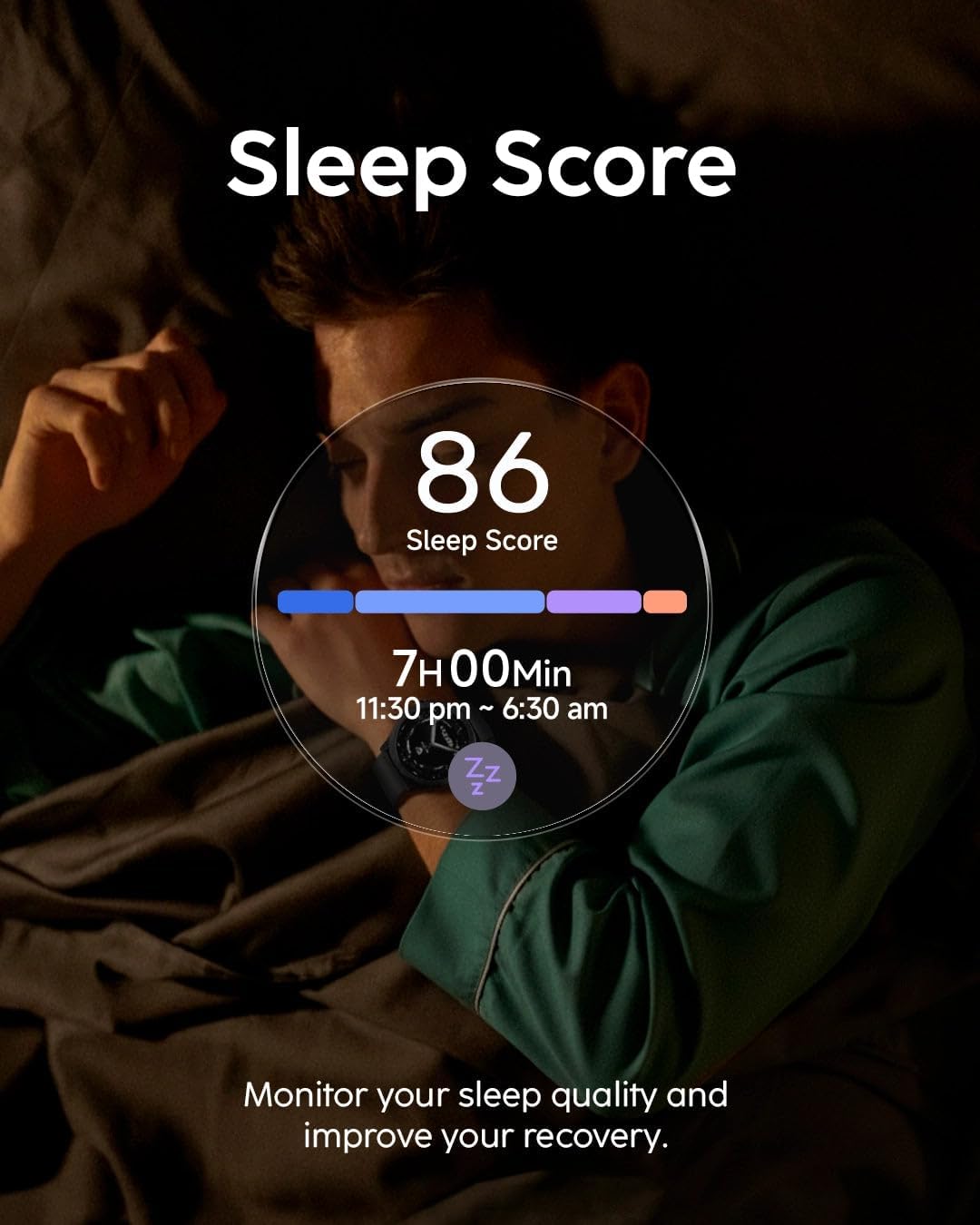
Image: The smartwatch displaying a user's sleep score and duration.
- Monitoraggio dello stress: Track your stress levels and receive alerts for high stress.
- Monitoraggio del ciclo mestruale: Log and predict your menstrual cycle phases.
Tutti i dati sanitari possono essere viewed in detail within the Cubitt Pro app.
2.3 Modalità Sport e GPS
The Cubitt AURA 2 supports over 100 sports modes. Select your desired activity from the watch menu to start tracking. For outdoor activities, the watch uses your smartphone's GPS for accurate route mapping and distance tracking.

Image: The smartwatch displaying detailed workout metrics for enhanced precision.
2.4 VITA AI Assistant & AI Coach
Access the VITA AI Assistant for quick information, setting alarms, or controlling smart home devices. The integrated AI Coach provides personalized insights and guidance based on your fitness data to help you achieve your goals.

Image: The VITA AI Assistant providing real-time feedback during an outdoor cycling session.
2.5 Smart Notifications & Bluetooth Calling
Once paired with your smartphone, the Cubitt AURA 2 will display notifications for incoming calls, messages, and app alerts. You can also make and receive calls directly from your smartwatch using its Bluetooth calling feature.
2.6 Pulsante di azione
The dedicated Action Button provides instant access to your favorite sports modes or other customizable functions with a single press.

Image: Detail of the new Action Button for quick access to sports modes.
3. Cura e manutenzione
3.1 Resistenza all'acqua
The Cubitt AURA 2 Smartwatch is 3ATM water resistant, meaning it can withstand splashes, rain, and brief immersion in water. It is suitable for showering and shallow-water activities like swimming. Avoid using it for diving, high-pressure water activities, or in hot water/steam environments.
3.2 Gestione della batteria
To maximize battery life (up to 8 days), consider adjusting screen brightness, limiting continuous heart rate monitoring, and disabling unnecessary notifications. Recharge the device when the battery level is low using the provided charging cable.
3.3 Pulizia dello smartwatch
Pulisci regolarmente lo smartwatch e il cinturino con un panno morbido eamp panno. Evitare l'uso di prodotti chimici aggressivi o materiali abrasivi, che possono danneggiare il dispositivo. Assicurarsi che i contatti di ricarica siano puliti e asciutti prima di procedere alla ricarica.
4. Risoluzione Dei Problemi
If you encounter issues with your Cubitt AURA 2 Smartwatch, refer to the following common solutions:
- Il dispositivo non si accende: Assicurati che l'orologio sia completamente carico. Collegalo al caricabatterie per almeno 30 minuti.
- Impossibile associare lo smartphone: Ensure Bluetooth is enabled on your phone and the watch. Restart both devices and try pairing again through the Cubitt Pro app.
- Dati sanitari inesatti: Assicurati che l'orologio sia ben aderente al polso, né troppo stretto né troppo largo. Pulisci il sensore sul retro dell'orologio.
- Notifiche non visualizzate: Check app permissions on your smartphone to ensure the Cubitt Pro app has access to notifications. Verify notification settings within the Cubitt Pro app.
- Breve durata della batteria: Review battery management tips in Section 3.2. Reduce screen brightness and vibration intensity.
For further assistance, please contact Cubitt customer support.
5. Specifiche del prodotto
| Nome del tipo di articolo | Orologio intelligente |
| Display | Schermo AMOLED da 1.43" |
| Resistenza all'acqua | 3 ATM |
| Durata della batteria | Fino a 8 giorni (370 mAh) |
| Tipo di chiusura | Fibbia ad ardiglione |
| Larghezza dell'articolo | 3 pollici |
6. Garanzia e assistenza clienti
Your Cubitt AURA 2 Smartwatch comes with a manufacturer's warranty. To register your warranty and access product information or customer support, please scan the QR code provided in the product packaging or within the Cubitt Pro app. For direct assistance, visit the official Cubitt Tracking Technologies websito o contattare il loro servizio clienti.
Risorse online: For the latest updates, FAQs, and support, please visit the Cubitt Tracking Technologies Store on Amazon.