
1. Introduzione
This manual provides detailed instructions for the setup, operation, maintenance, and troubleshooting of your GMKtec Nucbox G10 Mini PC. The Nucbox G10 is a compact and powerful desktop computer designed for various applications, from office tasks to multimedia entertainment, featuring an AMD Ryzen 5 3500U processor, 16GB DDR4 RAM, and a 1TB NVMe SSD.
2. Contenuto della confezione
Verifica che tutti gli articoli elencati di seguito siano presenti nel tuo pacco:
- GMKtec Nucbox G10 AMD Ryzen 5 3500U Mini PC Computer
- Alimentazione e cavo
- Cavo HDMI
- Supporto VESA e viti
- Manuale dell'utente (questo documento)

Image: Retail Boxed Packaging. This image displays the GMKtec Nucbox G10 Mini PC, power supply, HDMI cable, VESA mount, screws, and user manual, illustrating the complete contents of the product package.
3. Prodotto finitoview
3.1 Caratteristiche principali
- Processore: AMD Ryzen 5 3500U (4 Cores, 8 Threads, up to 3.70GHz Turbo Boost)
- Grafica: Integrated AMD Radeon Vega 8 Graphics (1200 MHz)
- Memoria: 16GB Dual Channel DDR4 RAM (expandable up to 64GB)
- Magazzinaggio: 1TB M.2 2280 NVMe SSD (expandable up to 16TB via dual M.2 2280 PCIe 3.0 slots)
- Rete: 2.5GbE Ethernet, WiFi 5, Bluetooth 5.0
- Uscita di visualizzazione: Triple 4K display support via HDMI 2.1, DisplayPort 1.4, and Full Function USB-C
- Raffreddamento: Silent Turbo Cooling Fan system

Image: Nucbox G10 Feature Overview. This image provides a visual summary of the mini PC's core components including the AMD Ryzen 5 3500U CPU, Radeon Vega 8 Graphics, DDR4 RAM, M.2 SSD, 2.5GbE LAN, WiFi 5, Bluetooth 5.0, triple display support, and cooling system.
3.2 Porte e connettori
The Nucbox G10 features a comprehensive set of ports for connectivity:
- Davanti: 1x CTIA Audio Jack, 2x USB 3.2 (5Gbps), 1x Power Button
- Posteriore: 1x Type-C (PD Only), 1x USB 2.0, 1x 2.5G Giga LAN, 1x HDMI 2.1 (4K@60Hz), 1x DP 1.4 (4K@60Hz), 1x Full Function USB-C (PD/DP/Data), 1x Kensington Lock slot

Image: Front Panel Ports. This image shows the front of the Nucbox G10, highlighting the power button, two USB 3.2 ports, and the CTIA audio jack.

Image: Rear Panel Ports. This image illustrates the rear of the Nucbox G10, detailing the USB-C (PD Only), USB 2.0, 2.5G LAN, HDMI 2.1, DisplayPort 1.4, Full Function USB-C, and Kensington Lock slot.
4. Guida all'installazione
4.1 Collegamento delle periferiche
- Monitorare: Connect your monitor(s) to the Mini PC using the HDMI, DisplayPort, or USB-C ports. The Nucbox G10 supports up to three 4K displays simultaneously.
- Tastiera e mouse: Collega la tastiera e il mouse USB alle porte USB disponibili.
- Rete: For a wired connection, connect an Ethernet cable from your router/modem to the 2.5GbE LAN port. For wireless, ensure your WiFi network is available.
- Audio: Connect speakers or headphones to the 3.5mm audio jack on the front panel if needed.
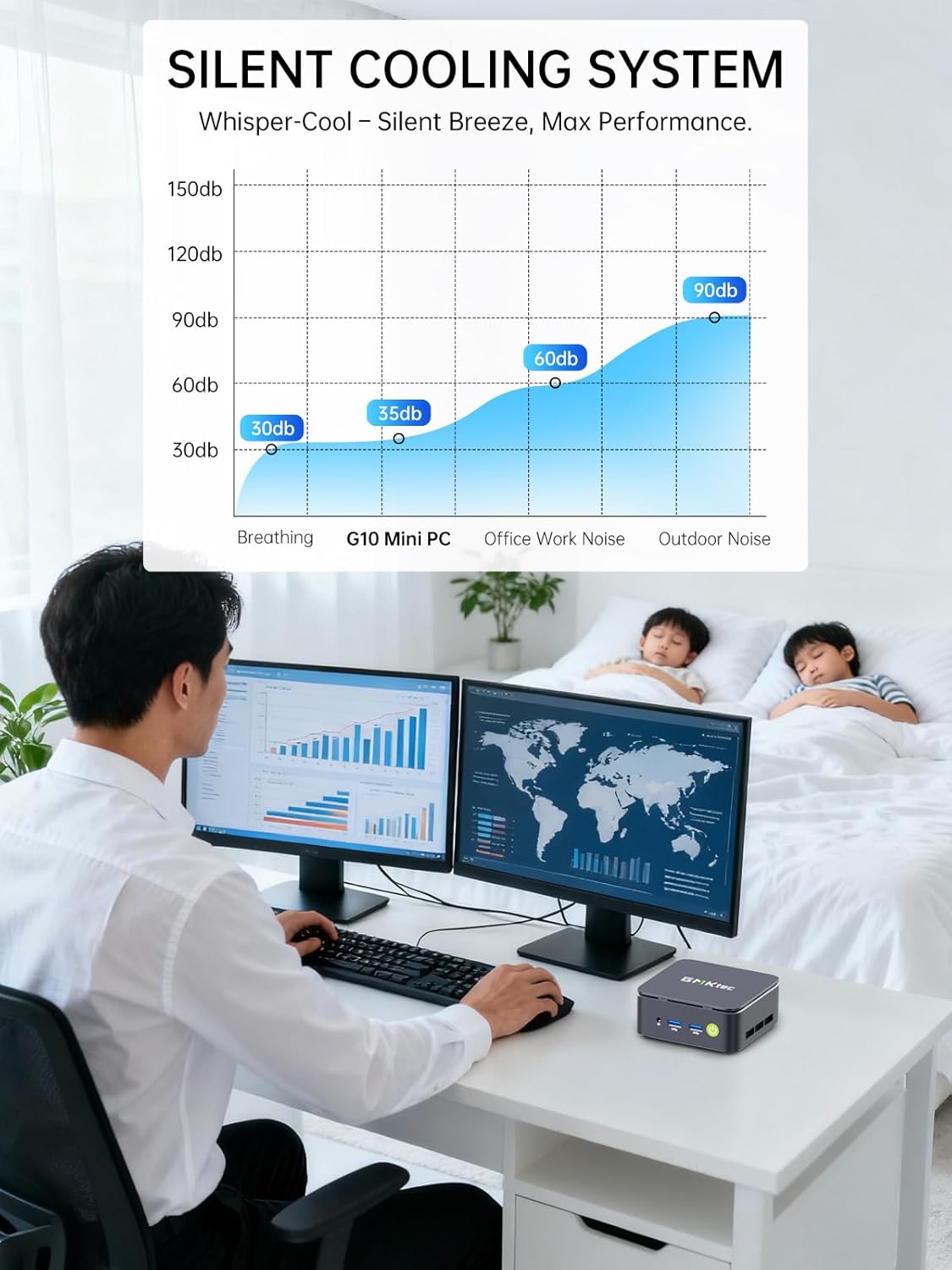
Image: Triple Display Setup. This image demonstrates the Nucbox G10 connected to two vertical monitors and a tablet, showcasing its triple display capability for enhanced productivity.
4.2 Collegamento di alimentazione
Connect the provided power adapter to the DC-in port on the Mini PC, then plug the power cable into a wall outlet. The Mini PC is designed for low power consumption.
4.3 Avvio iniziale
Press the power button on the front panel. The Mini PC will boot into the pre-installed Windows 11 Pro operating system. Follow the on-screen instructions for initial Windows setup.
5. Istruzioni per l'uso
5.1 Accensione/spegnimento
- Accensione: Premere una volta il pulsante di accensione.
- Spegni: From Windows, go to Start > Power > Shut down. Alternatively, press and hold the power button for 5 seconds to force a shutdown (use only when necessary).
5.2 Sistema Operativo
Your Nucbox G10 comes with Windows 11 Pro pre-installed. Ensure you keep your operating system updated for optimal performance and security.
5.3 Connettività di rete
- Cablato (Ethernet): Una volta collegato il cavo Ethernet, il sistema dovrebbe rilevare automaticamente la rete.
- Senza fili (Wi-Fi): In Windows, click the Wi-Fi icon in the taskbar, select your network, enter the password, and connect.
- Bluetooth: Per connettere dispositivi Bluetooth, vai su Impostazioni di Windows > Bluetooth e dispositivi e associa il dispositivo.
6. Manutenzione
6.1 Pulizia
Regularly clean the exterior of the Mini PC with a soft, dry cloth. Ensure ventilation openings are free from dust to maintain optimal cooling performance. Do not use liquid cleaners directly on the device.

Image: Ultra Efficient Cooling System. This image provides an internal view of the Nucbox G10, highlighting the silent turbo cooling fan designed for efficient heat dissipation.
6.2 Aggiornamenti software
Keep your Windows operating system and drivers updated to ensure system stability, security, and performance. Windows Update can be accessed via Settings > Windows Update.
6.3 Espansione di memoria e archiviazione
The Nucbox G10 supports memory expansion up to 64GB DDR4 RAM and storage expansion up to 16TB via its dual M.2 2280 PCIe 3.0 slots. Consult a qualified technician for hardware upgrades to avoid voiding your warranty or damaging the device.
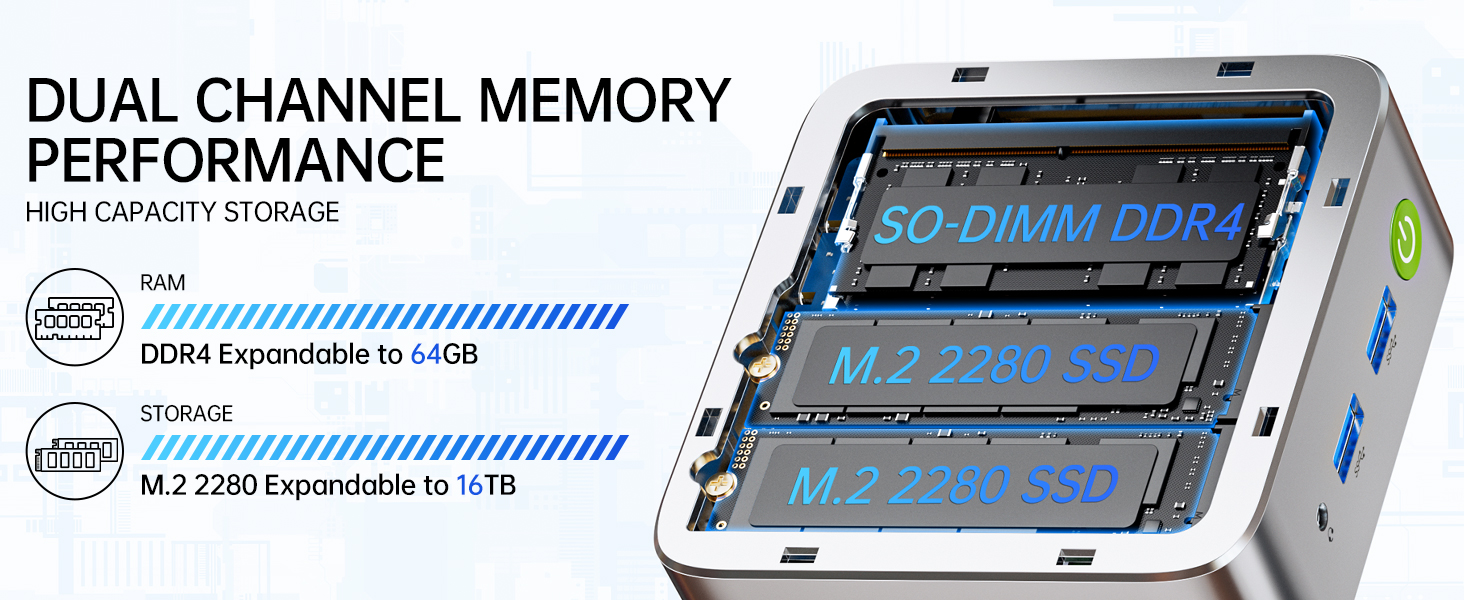
Image: Dual Channel Memory Performance and High Capacity Storage. This diagram illustrates the internal layout for SO-DIMM DDR4 RAM and M.2 2280 SSDs, indicating their expandability.
7. Risoluzione Dei Problemi
Se riscontri problemi con il tuo Mini PC, fai riferimento ai seguenti problemi comuni e alle relative soluzioni:
- Nessun potere:
- Assicurarsi che l'adattatore di alimentazione sia collegato saldamente sia al Mini PC sia a una presa di corrente funzionante.
- Verificare che la presa di corrente funzioni collegandovi un altro dispositivo.
- Nessuna visualizzazione:
- Check that the HDMI, DisplayPort, or USB-C cable is firmly connected to both the Mini PC and the monitor.
- Assicurarsi che il monitor sia acceso e impostato sulla sorgente di input corretta.
- Prova a collegarti a un display diverso o a utilizzare un cavo diverso.
- Problemi di connettività di rete:
- Wired: Controlla la connessione del cavo Ethernet. Riavvia il router/modem.
- Senza fili: Ensure Wi-Fi is enabled in Windows settings. Verify your Wi-Fi password. Restart your router.
- Prestazioni lente:
- Chiudere le applicazioni non necessarie in esecuzione in background.
- Ensure the system has adequate ventilation and is not overheating.
- Controlla e installa eventuali aggiornamenti di Windows o driver in sospeso.
- Eseguire una pulizia del disco per liberare spazio di archiviazione.
8. Specifiche
| Caratteristica | Specificazione |
|---|---|
| Marca | GMKtec |
| Nome del modello | G10 |
| Sistema operativo | Windows 11 Pro |
| Modello CPU | Processore AMD Ryzen 5 3500U |
| Velocità della CPU | 3.7 GHz (Boost) |
| Numero di processori | 4 |
| Coprocessore grafico | AMD Radeon Vega 8 Graphics 1200 MHz |
| Memoria RAM installata | 16 GB DDR4 |
| Dimensione massima della memoria RAM | 64 GB |
| Velocità di memoria | 2400 MT/s |
| Capacità di archiviazione della memoria | SSD NVMe da 1 TB |
| Descrizione del disco rigido | Dual Slot M.2 2280 PCIE Max. 16TB |
| Tecnologia di connettività | HDMI 2.1, RJ45 2.5GbE LAN, USB 3.2, USB-C (DP/DATA/PD), WIFI5/ BT 5.0 |
| Compatibilità wireless | 802.11a/b/g/n/ac (WiFi 5), Bluetooth 5.0 |
| Uscita video | HDMI 2.1, DisplayPort, Type-C (Triple Display) |
| Risoluzione massima dello schermo | 4096 × 2160 Pixels (4K) |
| Porte USB totali | 4 (2x USB 3.2, 1x USB 2.0, 1x USB-C Full Function) |
| Consumo energetico | 25 Watt (tipico) |
| Dimensioni dell'articolo | 4.1 x 3.8 x 1.7 pollici |
| Peso dell'articolo | 0.95 chilogrammi |
| Metodo di raffreddamento | Doppia ventola di raffreddamento |
| Caratteristiche aggiuntive | RTC Wake, Auto Power On, Wake On LAN, PXE Boot |
9. Garanzia e supporto
9.1 Informazioni sulla garanzia
GMKtec offre un Garanzia limitata di 1 anno for each Mini PC, starting from the date of purchase. This warranty covers defects due to design and workmanship. Please retain your proof of purchase for warranty claims.
9.2 Assistenza clienti
For technical assistance, warranty claims, or any questions regarding your GMKtec Nucbox G10 Mini PC, please contact GMKtec customer support. You can typically find contact information on the official GMKtec website or through the seller's contact page where you purchased the product (e.g., GMKtec-Direct on Amazon).