Introduzione
The Kuulaa Qi2 MagSafe Power Bank is a 10000mAh portable charger designed for iPhone 12-17 series, offering 15W wireless and 20W USB-C fast charging. It features a smart TFT display and a foldable stand for convenient use. This manual provides instructions for safe and efficient operation of your power bank.
Caratteristiche principali:
- Qi2 Certified 15W MagSafe Fast Charging for precise alignment and reliable performance.
- 10000mAh Compact Power for Travel, providing up to 1.3 full charges for an iPhone 16 Pro.
- 20W USB-C Fast Charging Option for wired output to various devices.
- Smart TFT Display showing real-time battery level, charging speed, and power status.
- Foldable Stand for hands-free viewdurante la ricarica.
- Optimized for iPhone 17, 16, 15, 14, 13, and 12 series with strong magnetic alignment.
Contenuto della confezione
Si prega di controllare il contenuto della confezione dopo averla disimballata:
- Kuulaa Qi2 MagSafe Power Bank (KL-YD92)
- Cavo di ricarica da USB-C a USB-C
- Manuale d'uso

Figura 1: Contenuto della confezione
Prodotto finitoview
Familiarize yourself with the components of your Kuulaa Qi2 MagSafe Power Bank.

Figure 2: Smart TFT Display Details
- MagSafe Charging Surface: Per dispositivi compatibili con la ricarica wireless.
- Display TFT intelligente: Mostra la percentuale della batteriatage, ingresso/uscita wattage, and foreign object detection.
- Pulsante di accensione: Activates the display and controls power.
- Porta USB-C: For charging the power bank and wired charging other devices.
- Supporto pieghevole: Supporto integrato per mani libere viewing.
Impostare
1. Ricarica del Power Bank
Before first use, fully charge your Kuulaa Qi2 MagSafe Power Bank.
- Collegare il cavo USB-C-USB-C in dotazione alla porta USB-C del power bank.
- Connect the other end of the cable to a compatible USB-C wall adapter (not included). For optimal charging speed, use a 20W or higher power adapter.
- The Smart TFT Display will show the charging status and battery percentage. Il power bank è completamente carico quando il display mostra il 100%.

Figura 3: Ricarica del Power Bank
Istruzioni per l'uso
1. Ricarica wireless (compatibile con MagSafe)
This power bank supports 15W Qi2 wireless charging for compatible devices, primarily iPhone 12 series and newer.
- Ensure your device is MagSafe compatible. For optimal magnetic attachment and charging, use an iPhone 12 series or newer, or a MagSafe-compatible case.
- Align your iPhone with the magnetic charging surface of the power bank. The magnets will snap into place, ensuring correct alignment.
- The Smart TFT Display will indicate wireless charging is active and show the charging speed.

Figure 4: Wireless Charging an iPhone

Figure 5: Secure Magnetic Attachment

Figure 6: Wireless Charging Speed Example
2. Ricarica cablata (USB-C)
The USB-C port supports 20W fast charging for a wide range of devices, including other smartphones, tablets, and earbuds.
- Collega il tuo dispositivo alla porta USB-C del power bank utilizzando un cavo USB-C compatibile.
- The Smart TFT Display will show wired charging is active and display the output wattage.

Figure 7: Wired Charging via USB-C
Nota: The power bank can charge multiple devices simultaneously (one wirelessly, one via USB-C), but total output will be shared.
3. Utilizzo del supporto pieghevole
Il supporto pieghevole integrato consente di lavorare a mani libere viewdel dispositivo durante la ricarica.
- Gently pull out the metal stand from the back of the power bank.
- Regola il supporto come preferisci viewangolo di ing.
- Place your magnetically attached iPhone (or other device) on the stand.
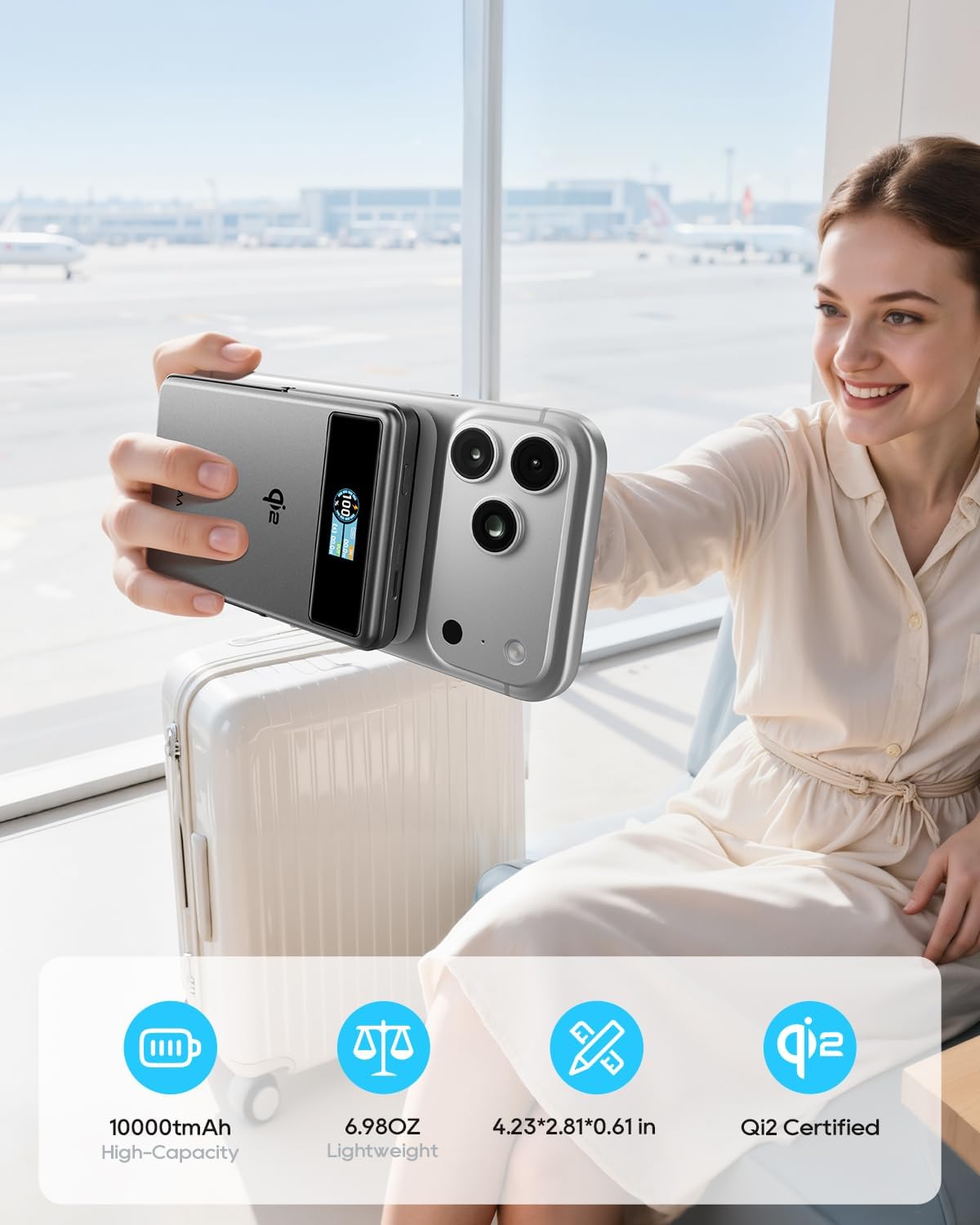
Figure 8: Using the Foldable Stand

Figure 9: Travel Convenience with Foldable Stand
4. Airplane Mode (Disable Wireless Charging)
To comply with airline regulations or if you only wish to use the stand function, you can disable wireless charging.
- Fare doppio clic sul pulsante di accensione.
- Wait for approximately 2 seconds. The wireless charging function will be disabled. The power bank can then be used solely as a magnetic phone stand.

Figure 10: Airplane Friendly Mode
Manutenzione
- Tenere il power bank lontano da acqua, fuoco e temperature elevate.
- Evitare di far cadere o sottoporre il dispositivo a forti impatti.
- Pulire il dispositivo con un panno asciutto e morbido. Non utilizzare detergenti corrosivi.
- Conservare il power bank in un luogo fresco e asciutto quando non viene utilizzato.
- For optimal battery life, fully charge the power bank at least once every three months.
Risoluzione dei problemi
| Problema | Possibile causa | Soluzione |
|---|---|---|
| Il power bank non si carica. | Problema con il cavo o l'adattatore; power bank completamente scarico. | Ensure the USB-C cable and wall adapter are functioning correctly. Try a different cable or adapter. Allow sufficient time for a fully discharged power bank to initiate charging. |
| Il dispositivo non si carica in modalità wireless. | Misalignment; non-MagSafe device/case; foreign object; wireless charging disabled. | Realign the device on the charging surface. Ensure your device or case is MagSafe compatible. Remove any metal objects between the power bank and device. Double-check if wireless charging is accidentally disabled (refer to "Airplane Mode" section). |
| Ricarica lenta. | Low power adapter; multiple devices charging; high device usage. | Use a 20W or higher USB-C wall adapter for charging the power bank. Avoid charging multiple devices simultaneously for faster individual charging. Reduce device usage during charging. |
| Smart TFT Display not showing information. | Display timeout; power bank off. | Press the power button once to reactivate the display. The display has a timeout feature to conserve power. |
| Il power bank si riscalda durante la ricarica. | Funzionamento normale. | È normale che il power bank si surriscaldi leggermente durante la carica o la scarica. Se dovesse surriscaldarsi eccessivamente, interromperne l'uso e contattare l'assistenza. |
Specifiche
| Caratteristica | Dettaglio |
|---|---|
| Numero di modello | KL-YD92 |
| Capacità della batteria | 10000mAh (38.5 Wh) |
| Uscita di ricarica wireless | 15 W (certificato Qi2) |
| Uscita USB-C | 20 W massimo (5 V/3 A, 9 V/2.22 A, 12 V/1.67 A) |
| Ingresso USB-C | 18 W massimo (5 V/3 A, 9 V/2 A, 12 V/1.5 A) |
| Dimensioni del prodotto | 4.2 x 2.8 x 0.6 pollici |
| Peso dell'articolo | 7 once |
| Caratteristiche speciali | Digital Display, Fast Charging, Lightweight, Pocket Size, Wireless Charging, Foldable Stand |
| Produttore | Shenzhen Kula Technology Co.,Ltd |
Garanzia e supporto
Kuulaa products come with a standard manufacturer's warranty. For detailed warranty information, product support, or technical assistance, please refer to the official Kuulaa websito o contattare direttamente il servizio clienti.
Conservare la prova d'acquisto per eventuali richieste di garanzia.
Video ufficiali dei prodotti
Video 1: Kuulaa Qi2 MagSafe Power Bank 15W 10000mAh & Foldable Stand. This video provides a quick overview of the power bank's features, including its magnetic attachment and foldable stand.