
Introduzione
The GENIE RC 08 Plus rotary paper trimmer is designed for precise cutting of paper, photos, and craft cardboard up to A4 size. With a cutting capacity of up to 10 sheets (80 g/m²), it is suitable for office, school, or creative crafting tasks. This manual provides essential information for safe and efficient use of your device.

Image: The GENIE RC 08 Plus rotary paper trimmer, showcasing its compact design and metal work table with dimensions.
Informazioni sulla sicurezza
- Always keep fingers away from the cutting blade. The enclosed cutting head minimizes risk, but caution is advised.
- Ensure the trimmer is placed on a stable, flat surface before use.
- Do not attempt to cut materials thicker than the specified capacity (10 sheets of 80 g/m² paper).
- Tenere il dispositivo fuori dalla portata dei bambini.
- Use only original replacement blades for maintenance.
Impostare
- Disimballaggio: Carefully remove the trimmer from its packaging. Inspect for any damage.
- Posizionamento: Place the trimmer on a stable, level work surface. The rubber feet will help secure it.
- Familiarizzazione: Identify the cutting head, the transparent clamping rail, and the measurement guides on the metal table.
Istruzioni per l'uso
The GENIE RC 08 Plus offers four cutting functions: straight cut, wavy cut, perforation, and creasing (folding). These functions are selected by rotating the cutting head.

Image: The cutting head showing indicators for straight cut, wavy cut, perforation, and creasinfunzioni g.
Selecting a Cutting Function:
To change the cutting function, gently lift and rotate the cutting head until the desired function (straight, wavy, perforation, or creasing) aligns with the indicator.
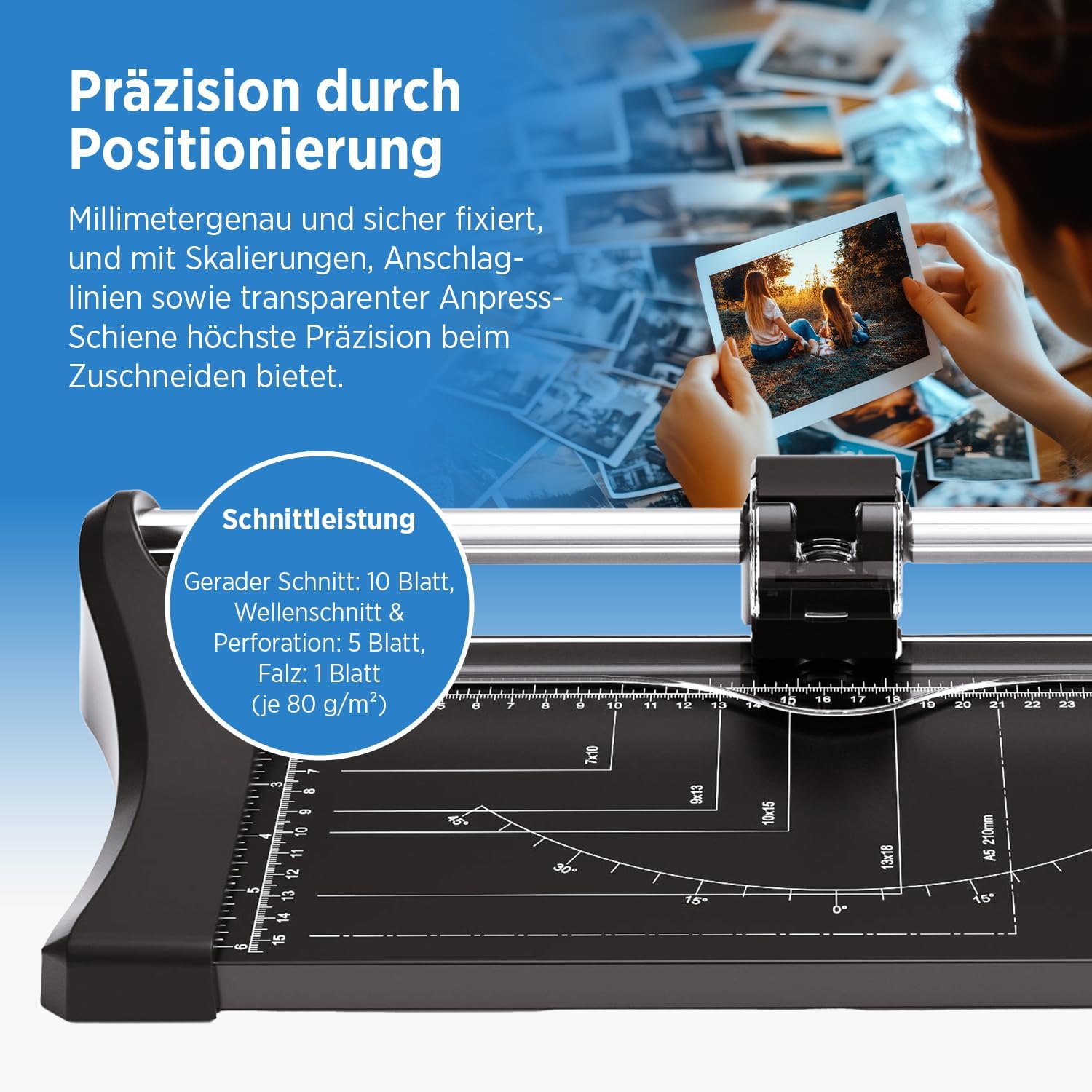
Image: Close-up of the cutting area, highlighting measurement guides and the transparent clamping rail for precise positioning.
Performing a Cut:
- Preparare il materiale: Place the paper, photo, or cardboard under the transparent clamping rail.
- Posizionamento: Align the material using the integrated measurement guides (DIN and photo formats, angles) on the metal table. Ensure the edge to be cut is directly under the cutting line.
- Materiale sicuro: Press down the transparent clamping rail firmly to hold the material in place. This prevents shifting during the cut.
- Esegui taglio: Hold the cutting head and slide it along the rail from one end to the other with even pressure.
- Rimuovere il materiale: Once the cut is complete, release the clamping rail and remove the cut material.
Capacità di taglio:
- Straight Cut: Fino a 10 fogli (80 g/m²)
- Wavy Cut: Fino a 5 fogli (80 g/m²)
- Perforazione: Fino a 5 fogli (80 g/m²)
- Creasing (Folding): 1 sheet (80 g/m²)
Manutenzione
Regular maintenance ensures the longevity and performance of your trimmer.

Image: Icons representing enclosed cutting head, easy blade change, and ergonomic operation.
- Pulizia: Wipe the metal table and plastic components with a soft, dry cloth. Do not use abrasive cleaners or solvents.
- Sostituzione lama: The cutting head is designed for easy blade replacement. When cuts become less precise or ragged, it's time to replace the blade. Refer to the specific instructions for blade replacement provided with replacement blades. Ensure the replacement blade is compatible with the RC 08 Plus model.
- Magazzinaggio: Store the trimmer in a clean, dry place when not in use.
Risoluzione dei problemi
| Problema | Possibile causa | Soluzione |
|---|---|---|
| Uneven or incomplete cuts |
|
|
| Cutting head difficult to slide |
|
|
Specifiche

Image: Diagram illustrating the construction and design elements of the GENIE RC 08 Plus, including measurement lines and metal cutting table.
- Modello: RC08 Plus
- Marca: Genio
- Tipo di taglio: Rotary Trimmer
- Cutting Functions: Straight, Wavy, Perforation, Creasing
- Max. Cutting Capacity (80 g/m² paper):
- Straight Cut: 10 sheets
- Wavy Cut: 5 sheets
- Perforation: 5 sheets
- Creasing: 1 sheet
- Max. Paper Size: A4 (up to 320 mm cutting length)
- Materiale del tavolo da lavoro: Metallo
- Work Table Dimensions: 16 x 32 cm (or 320 x 160 mm)
- Dimensioni del prodotto (L x P x A): Dimensioni: 45 x 19 x 7.3 cm
- Peso: 900 grammi
- Produttore: GO Europe GmbH
- Paese di origine: Cina
Garanzia
This product comes with a standard manufacturer's warranty. Please refer to the warranty card included in the original packaging for specific terms, conditions, and duration. Keep your proof of purchase for any warranty claims.
Supporto
For technical assistance, replacement parts, or further inquiries, please contact Genie customer support. Contact information can typically be found on the manufacturer's websito o sulla confezione del prodotto.
Produttore: GO Europe GmbH
Websito: www.genie-europe.de (Exampil collegamento (il collegamento effettivo potrebbe variare)